



How to Easily Migrate from Zoho to Salesforce?
Salesforce
5 MIN READ
January 27, 2026

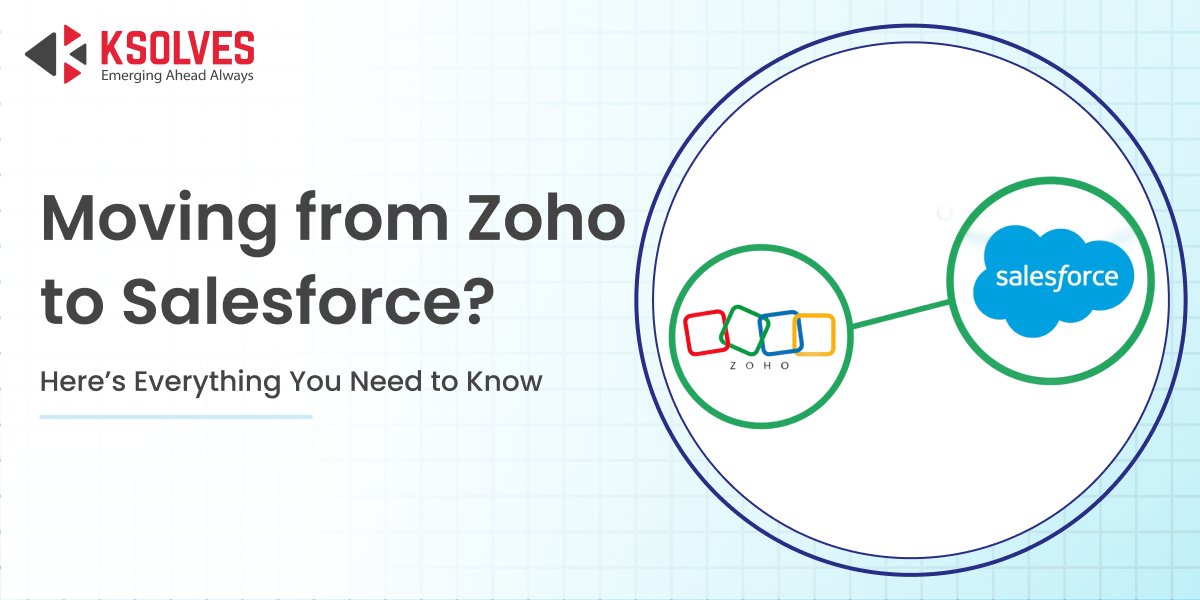
As businesses grow, their CRM needs often outgrow the capabilities of Zoho. While Zoho is ideal for small teams and simple operations, companies looking for advanced automation, deeper customization, and seamless integrations often consider migrating to Salesforce.
Salesforce provides a scalable, feature-rich platform with AI-driven insights, robust analytics, and extensive third-party connectivity, making it a preferred choice for complex operations.
In this blog, we will explore why migrating from Zoho to Salesforce can benefit your business, the key steps involved in a successful migration, and best practices to ensure a smooth transition with minimal disruption.
Why Consider Migrating from Zoho to Salesforce
Businesses often migrate from Zoho to Salesforce to meet growing operational needs and take advantage of advanced CRM capabilities.
- Advanced Reporting and Analytics: Salesforce provides powerful reporting tools and AI-driven insights that help teams make data-driven decisions faster and with greater accuracy.
- Enhanced Workflow Automation and AI Capabilities: With Salesforce Flow, Process Builder, and Einstein AI, businesses can automate complex processes, reduce manual effort, and gain predictive insights that Zoho may not fully support.
- Multi-Cloud Ecosystem and Scalability: Salesforce offers multiple clouds for sales, service, marketing, and more, allowing companies to expand their operations seamlessly as their business grows.
- Extensive Third-Party Integrations and AppExchange Support: Salesforce connects easily with thousands of external applications, making it simple to integrate existing systems and extend the platform’s functionality.
Also Read: Salesforce vs. Zoho: Choose the Right CRM to Level Up Your Business
Step-by-Step Migration Process from Zoho to Salesforce
Follow this structured approach to ensure a smooth, secure, and efficient migration from Zoho to Salesforce while preserving data integrity and optimizing workflows.
- Assessment and Planning
The first step involves a thorough review of your existing Zoho setup. This includes analyzing data quality, custom fields, workflows, automation rules, and integrations. The goal is to identify gaps, dependencies, and potential challenges so that a comprehensive migration plan can be created. Proper planning ensures minimal disruption to business operations during the transition.
- Data Mapping and Cleaning
Before moving data, each Zoho field is mapped to its corresponding Salesforce field. This ensures that all records fit correctly into Salesforce’s data structure. During this stage, duplicate or outdated records are removed, data inconsistencies are resolved, and the dataset is prepared for a clean, accurate migration.
- Migration Execution
With the data ready, the actual migration begins using secure migration tools, APIs, or custom scripts. This step focuses on transferring all critical records, accounts, contacts, leads, and opportunities from Zoho to Salesforce safely and efficiently, ensuring data integrity throughout the process.
- Migration of Workflows and Automations
Business workflows, process automations, and custom functions from Zoho are recreated or optimized in Salesforce. This ensures continuity of operations and often enhances productivity by leveraging Salesforce’s advanced automation features like Flow and Process Builder.
- Testing and Validation
Once migration is complete, thorough testing is conducted. Data accuracy is verified, workflows and automation are tested for functionality, and user permissions are validated. This step ensures that Salesforce is fully operational and that all migrated data is accessible and correct.
- Training and Go-Live
Finally, teams are trained on using Salesforce efficiently, focusing on new workflows, dashboards, and reports. The go-live is monitored closely to address any immediate issues, ensuring a smooth transition and minimizing downtime for your business.
Best Practices for Migrating to Salesforce from Zoho
Ensure a smooth, secure, and efficient migration by following proven strategies and expert guidance.
- Backup All Data Before Migration
Always create a complete backup of your Zoho data to prevent data loss in case of unexpected errors during migration.
- Start with a Pilot Migration
Conduct a small-scale pilot migration first. This helps identify potential issues, test data integrity, and refine the migration process before the full rollout.
- Automate Wherever Possible
Leverage migration tools and automation to reduce manual effort, minimize errors, and ensure a faster, more reliable transfer.
- Document All Mappings and Customizations
Maintain detailed documentation of field mappings, workflows, and customizations. This ensures transparency and simplifies troubleshooting.
- Engage Certified Salesforce Developers
Working with certified Salesforce experts ensures that your migration is secure, efficient, and aligns with best practices, reducing risks and downtime.
How Ksolves Can Help Migrate to Salesforce?
Ksolves offers expert Salesforce migration services to ensure a seamless, secure, and efficient transition from Zoho. Our certified Salesforce developers handle every step of the process – from assessment and data mapping to workflow migration and user training.
We ensure data integrity, optimize workflows, and minimize downtime, so your teams can quickly leverage Salesforce’s advanced features for better productivity and decision-making. With Ksolves, you receive a customized migration strategy tailored to your business needs and designed to support long-term growth.
Conclusion
Migrating from Zoho to Salesforce can unlock significant advantages for growing businesses, including advanced automation, robust analytics, and scalable multi-cloud capabilities. By following a structured migration process and adhering to best practices, companies can ensure a smooth transition with minimal disruption.
Partnering with experts like Ksolves further guarantees a secure, efficient, and optimized migration, allowing your organization to fully harness the power of Salesforce and drive future growth. So, contact us today at [email protected].
Frequently Asked Questions
Why should my business migrate from Zoho to Salesforce?
Businesses often outgrow Zoho as their CRM needs expand. Salesforce offers advanced automation, AI-driven insights,
robust analytics, scalability, and seamless third-party integrations, making it suitable for complex operations.
What are the key steps in migrating from Zoho to Salesforce?
Migration typically includes assessment and planning, data mapping and cleaning, executing the migration,
recreating workflows and automations, testing and validation, and training teams for go-live.
How can I ensure data integrity during migration?
Maintain data integrity by mapping Zoho fields to Salesforce, cleaning duplicates and outdated records, and
conducting thorough testing before go-live to ensure the data is accurate and reliable.
How long does a typical Zoho to Salesforce migration take?
The timeline depends on the volume of data, the number of workflows and integrations, and the complexity of
customizations. Running a pilot migration helps estimate timing and plan the full rollout efficiently.
Can existing Zoho workflows and automations be used in Salesforce?
Yes. Workflows and automations can be recreated or optimized in Salesforce using tools like Flow, Process Builder,
and Apex to enhance productivity.































Author
About the Author Editorial Team The Ksolves Editorial Team includes certified Salesforce experts, Big Data engineers, AI/ML specialists, Zoho consultants, and experienced technology writers focused on delivering clear, actionable insights for modern businesses. With hands-on experience across Salesforce, Big Data platforms, AI/ML solutions, application development, software testing, and Zoho ERP/CRM, the team publishes practical guides, real-world use cases, and industry updates that support smarter decisions and faster growth. Every article is created to solve business challenges, guide technology adoption, and keep organizations aligned with evolving digital ecosystems.
Share with