



Open ERP vs. Commercial ERP: Which One Should You Choose?
ERP
5 MIN READ
December 1, 2025

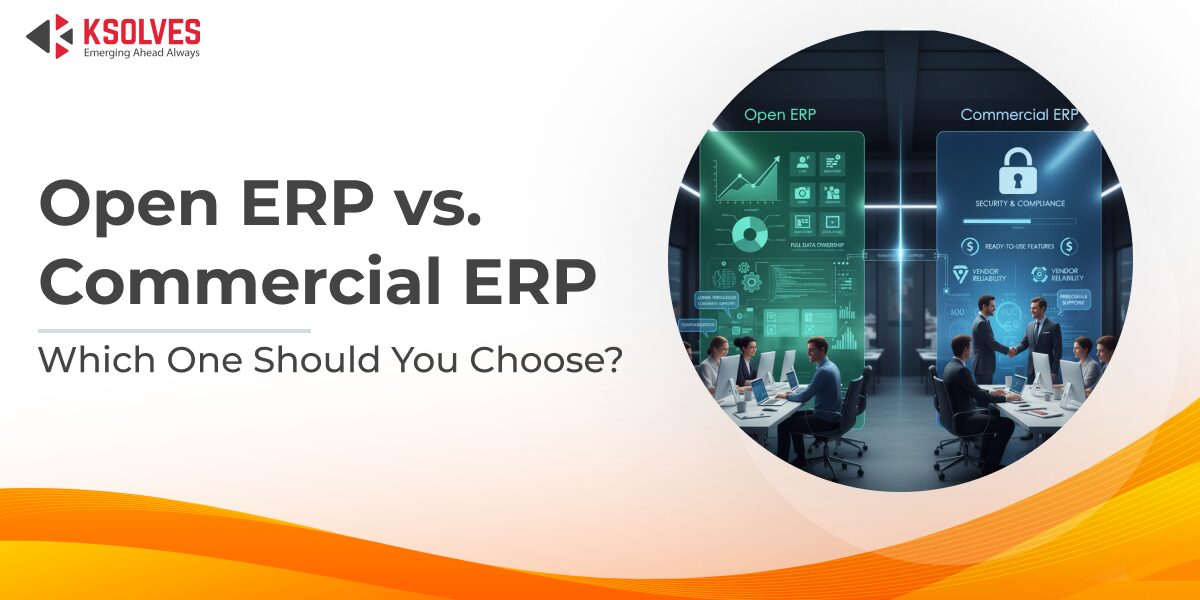
Choosing the right ERP (Enterprise Resource Planning) system is one of the most strategic technology decisions a growing company can make. An ERP does more than manage data. It connects your core business functions into one system. This helps you automate workflows, use resources efficiently, and make better decisions across the business.
But when it’s time to adopt or upgrade an ERP, many companies face the same dilemma: Should you go with an open source ERP or invest in a commercial, vendor-backed ERP system?
This decision is far from trivial. On one side, open source ERP promises cost savings, greater flexibility, and full control over the code. On the other hand, commercial ERP offers robust, out-of-the-box functionality, predictable support, and clear accountability. The stakes are high. Choosing the wrong path in the Open Source ERP vs Commercial ERP debate can drain your budget, limit your agility, or even stall your growth.
In this article, we’ll break down what Open Source ERP vs Commercial ERP really means for modern businesses, how they compare across key factors like total cost of ownership and scalability, and how to decide which approach best supports your business now and in the years ahead.
What is Open Source ERP?
Open Source ERP refers to enterprise resource planning software whose source code is freely available for anyone to use, modify, and distribute. These systems are typically community-driven projects, maintained by a network of developers and organizations worldwide. The biggest advantage is flexibility. You can adapt the system to match your unique workflows, add custom modules, and avoid vendor lock-in.
Some of the most popular open-source ERP solutions include Odoo Community, ERPNext, Dolibarr, and Metasfresh. Each has a strong user base, extensive documentation, and active community forums for peer support and collaboration.
Open-source ERP solutions are especially attractive for startups, small to mid-sized businesses, and tech-savvy teams that have access to in-house developers or trusted IT partners. These businesses appreciate the lower upfront cost and the freedom to innovate, though they must also be prepared to handle ongoing maintenance, upgrades, and user support largely on their own.
What is Commercial ERP?
Commercial ERP, sometimes called proprietary ERP, is enterprise resource planning software developed and sold by a single vendor under a paid license. Unlike open source, you don’t have access to the core source code. Instead, the vendor provides a stable, fully tested product with official support, service-level agreements (SLAs), and regular updates.
Some of the most well-known Commercial ERP examples are SAP S/4HANA, Oracle NetSuite, Microsoft Dynamics 365, and Infor CloudSuite. These platforms come with robust out-of-the-box modules for finance, supply chain, HR, and more, along with industry-specific solutions and compliance frameworks.
Typically, Commercial ERP is the preferred choice for mid-market and large enterprises, as well as organizations operating in heavily regulated industries like healthcare, finance, or manufacturing. They value the vendor’s accountability, security certifications, predictable support, and the fact that they don’t need to build or maintain the system on their own.
[Also Read: Odoo vs. Traditional ERPs: A Game-Changer for Business Success]
Open Source vs. Commercial ERP: Key Factors to Consider
Here are the key factors to consider when choosing between open source ERP and commercial ERP:
1. Cost Structure
One of the biggest differences between open source and commercial ERP systems is how you pay for them. Open source ERP usually has zero or very low upfront software costs because the license itself is free. You only pay for implementation services, custom development, hosting, and ongoing maintenance, often handled in-house or through an external IT partner. By contrast, commercial ERP comes with recurring licensing fees, typically charged per user, per month or year. These subscription or perpetual license fees can add up quickly, especially for larger teams.
However, it’s important to look beyond the license price. Both options come with hidden costs that can affect your budget significantly. Whether you choose open source or commercial, you’ll need to invest in implementation and customization to align the system with your processes. Training your team, integrating with other software, and managing system upgrades are real expenses that are sometimes overlooked. With open source ERP, these costs can be unpredictable if you don’t have an experienced team. With commercial ERP, some support and upgrades are bundled, but vendor consulting services can be expensive.
2. Customization & Flexibility
Open source ERP systems are often praised for their flexibility and adaptability. Because you have full access to the source code, your development team (or a trusted partner) can modify and extend the software however you need. This is a major advantage for companies with unique processes or niche industry requirements that standard, “one-size-fits-all” commercial systems don’t cover. For example, an open source ERP like ERPNext or Odoo Community lets you build custom modules, tweak workflows, and even contribute improvements back to the community.
Commercial ERP solutions, on the other hand, usually come with a more rigid structure. While top-tier providers like SAP, Oracle NetSuite, and Microsoft Dynamics do offer powerful configuration tools and APIs, you’re ultimately limited by the vendor’s proprietary framework and licensing terms. Deep customizations can become costly, and some changes may be impossible without violating your support agreements. However, the upside is that these systems are extensively tested, so you get a stable core with standardized best practices, which can be a big plus for fast-growing teams that want to avoid reinventing the wheel.
3. Implementation Time & Complexity
When it comes to getting up and running, commercial ERP solutions often have a head start. Top vendors provide standardized implementation methodologies, certified partners, and pre-built industry templates that can reduce deployment time. For businesses that need a predictable go-live timeline, especially large enterprises, this structure can be invaluable. However, implementation still involves significant planning, data migration, process alignment, and user training, which means even commercial ERP projects can take months to over a year for complex rollouts.
In contrast, open source ERP can be more time-consuming and complex to implement, especially if you plan heavy customizations. While you save on licensing, you’ll invest more time upfront aligning the system to your unique processes. With open source, you also need skilled in-house developers or an experienced implementation partner who understands the codebase. Smaller businesses with standard needs may deploy a basic setup fairly quickly, but for larger teams, the DIY nature of open source means you own the timeline, for better or worse.
4. Support & Maintenance
When it comes to support, commercial ERP vendors usually offer structured, round-the-clock support plans, dedicated account managers, and guaranteed SLAs. This can be a major advantage for larger businesses or those in regulated industries where downtime is costly. Regular updates, security patches, and compliance changes are handled by the vendor, reducing your internal IT burden and risk.
On the other hand, open source ERP relies heavily on community support and self-service forums. While many projects have active communities, getting expert help quickly can be challenging if your team lacks in-house expertise. Some open source platforms do offer paid support contracts through certified partners, but this is an extra cost to consider. In short, open source puts more responsibility for maintenance and troubleshooting on your shoulders, which works well for tech-savvy teams, but not always for companies needing predictable, hands-off support.
5. Security & Compliance
Open source ERPs offer transparency. You can inspect the code for vulnerabilities, control how security updates are applied, and even implement your own data protection measures. This level of control appeals to tech-savvy teams who want to manage their own security posture. However, the responsibility is on you: you must stay on top of patches, ensure proper access controls, and handle compliance audits internally, which can be risky if you lack strong in-house security expertise.
Commercial ERPs, on the other hand, come with enterprise-grade security measures and third-party certifications out of the box. Leading vendors maintain compliance with major standards like GDPR, HIPAA, ISO, or SOC 2, making it easier for regulated industries to meet legal requirements. You benefit from dedicated security teams, regular vulnerability testing, and a clear chain of accountability. You’re also trusting your vendor to protect critical data, and sometimes, flexibility in how security is managed can be limited.
6. Scalability & Future Growth
When it comes to scalability, commercial ERP systems typically have the edge in handling large transaction volumes, user counts, and complex multi-entity operations. They’re designed to grow with you. Adding new modules, integrating with other enterprise tools, or expanding to new regions can usually be done with vendor support. This makes commercial ERP a safer bet for companies expecting rapid expansion, mergers, or global compliance needs.
Open source ERPs can also scale impressively, but much depends on your internal capabilities or partner network. You control the roadmap. If the community is active, you benefit from frequent updates and can adapt the code to your changing needs. However, you’re also responsible for maintaining performance, ensuring new features don’t conflict, and funding major improvements if the community falls behind. For startups or mid-sized firms with unique workflows, this freedom can be an advantage as long as you have the right technical resources to keep pace.
Open Source ERP vs. Commercial ERP: A Quick Comparison
| Factor | Open Source ERP | Commercial ERP |
| Cost Structure | No license fees, but pay for implementation, development & support. Lower upfront cost, variable TCO. | License or subscription fees, predictable costs, higher upfront license spend but bundled support. |
| Customization & Flexibility | Full code access; deeply customizable to unique processes. | Configurable but limited by vendor’s framework; deep customizations may be costly. |
| Implementation Time | Can be longer due to custom work and DIY nature; depends on your team’s expertise. | Structured rollouts, vendor templates, certified partners; faster deployment for standard needs. |
| Support & Maintenance | Community-driven support, self-service forums, or paid third-party support. You manage updates and bug fixes. | Vendor-backed SLAs, regular updates, security patches handled for you. |
| Security & Compliance | Transparent code, full control but your responsibility to secure & stay compliant. | Enterprise-grade security, certifications (GDPR, HIPAA), vendor accountability. |
| Scalability & Growth | Scales well if you have the right resources; community pace may vary. | Designed for enterprise growth, proven performance at scale, vendor-backed expansion support. |
Decision Guidance: Which One Is Right for You?
When choosing between an open source ERP and a commercial ERP, consider your company’s size, industry, technical capabilities, and long-term growth plans. Open source ERP is often ideal for startups, SMEs, or tech-savvy businesses that want flexibility, lower upfront costs, and control over their system. If you have strong in-house developers or reliable partners, you can customize and evolve the ERP as your business grows.
In contrast, commercial ERP is a strong fit for mid-sized to large enterprises, regulated industries, or companies that prioritize stability, robust support, and faster time to value. The predictable costs, comprehensive support, and tested best practices help reduce risk, especially when your business depends on mission-critical systems.
Conclusion
Still unsure whether an open-source ERP or a commercial ERP is right for your business?
Ksolves can help. As an experienced ERP consulting partner, we understand the pros and cons of both options across industries and business sizes. Whether you’re looking to build a flexible, open-source ERP from the ground up or implement a vendor-backed commercial ERP with minimal risk, our team will guide you based on your goals, resources, and scalability needs.
We offer ERP consulting services, customization, implementation, and ongoing support for both open source and commercial ERP platforms. If you’re ready to make an informed ERP decision that aligns with your growth strategy, get in touch with Ksolves at sales@ksolves.com.


































AUTHOR
ERP
Share with