



How Shopify Operators Can Close the Operational Gap with ERP Integration
Odoo
5 MIN READ
March 20, 2026

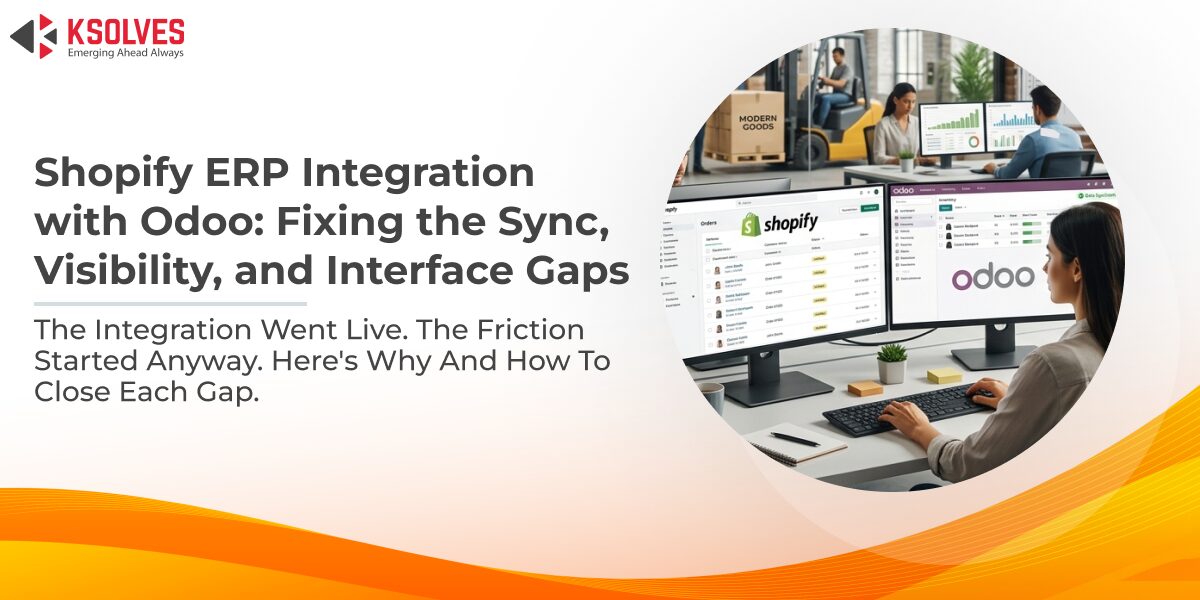
Running a Shopify ERP integration through Odoo should simplify operations. Orders flow in from Shopify, inventory adjusts automatically, customer records stay current, and the team works from one backend instead of two. That is the setup most administrators are aiming for.
What actually happens is different. The Shopify ERP integration goes live, and within weeks the friction starts. Stock counts drift. An order that cleared in Shopify is stuck or missing in Odoo. A sync log surfaces an error no one can read. The data is technically there but acting on it takes more steps than it should.
This is not a failure of the integration concept. It is what happens when three operational layers are each running below potential at the same time, the sync pipeline between Shopify and Odoo, the visibility layer that makes sense of that data, and the daily interface where the team actually works. This guide covers all three, and why the sequence matters.
Why Your Shopify ERP Integration Keeps Creating Operational Problems
Most Shopify ERP integration problems do not announce themselves. They accumulate. A missed webhook, a delayed cron job, a product that exists in Shopify but was never mapped in Odoom, and before long the team is managing discrepancies instead of operations.
Getting the integration live is one milestone. Keeping it accurate over months of real order volume is a different challenge. Webhooks stop firing after a plugin update. Sync jobs run at intervals that do not match the store’s order pace. None of these are exotic failures, they are predictable points of friction in any Shopify ERP integration that was not built to handle them proactively.
When sync errors are unreadable, resolution stalls
A technical error appears in the log, no developer is available, and the team does not know whether to wait or guess. The Ksolves Odoo Shopify Connector addresses this with an AI-powered error explainer built on Azure OpenAI. When a sync failure occurs, it converts the technical log into plain-language output, what broke, why, and what to do next. For a non-developer administrator under time pressure, that changes the task from interpretation to action, and cuts debugging time by up to 70%.
For multi-store operations, the same structural problems multiply across every storefront. The Shopify Connector supports multiple Shopify instances connected to a single Odoo backend. Auto-configured webhooks remove the most common manual setup error from the process. Cron jobs handle scheduled import and export automatically across all connected instances. Customer and product mapping prevents duplicate records when the same entity exists in more than one store, keeping the database clean and odoo inventory management accurate across every channel.
Managing Shopify Order Management in Odoo Without Manual Workflows
Once data flows reliably into Odoo, the next question is what happens to it. In a default Odoo configuration, the answer is usually: a lot of manual steps.
Order confirmation is not automatic unless configured to be. Neither is invoicing or payment registration. Each is a separate action someone must take for every Shopify order that arrives. At low volume this is tolerable. At a hundred or two hundred orders a day, it becomes a repetitive operational burden that does not scale, and every manual step is a moment where something can be missed or processed out of sequence.
The Sale Auto Workflow capability within the Ksolves Shopify Connector handles order confirmation, invoicing, and payment registration automatically once an order imports from Shopify. The team keeps full visibility into what is being processed, but routine steps that require no human judgment are handled by the system. Returns are managed the same way, stock refunds and credit notes are processed from within Odoo without a separate reconciliation step between the two platforms.
For multi-store operations, each Shopify instance carries its own workflow rules. A store running subscriptions can have different invoicing behavior from one handling one-time purchases — the connector supports that at the instance level rather than forcing a single workflow across all connected storefronts. See how the Shopify Connector supercharged order management for a high-volume retailer importing over 1 lakh orders in under an hour.
Getting Real Visibility into Shopify Performance with an Odoo Dashboard
With a reliable sync layer and automated shopify order management in place, the operation has something it did not have before, accurate, current data inside Odoo. The question is what to do with it.
Odoo’s standard views were not built around the reporting questions a Shopify operator asks every day. Which store had the highest revenue this week? Where is inventory running low? Which orders are sitting delayed? Answering these from the default interface usually means building a report or exporting data to a spreadsheet, and that process is only as reliable as the sync layer feeding it. A polished odoo dashboard sitting on top of inconsistent data gives the team a clean view of inaccurate numbers.
Dashboard Ninja with AI by Ksolves is a custom dashboard builder for Odoo that lets administrators build views around the questions their specific operation needs to answer, sales dashboards, inventory dashboards, CRM dashboards, configured to surface what matters rather than the generic overview Odoo provides out of the box. For multi-store operations, separate dashboards can be built per instance. AI-assisted visualization identifies patterns without requiring the user to construct reports from scratch each time. The information the team needs for daily decisions sits inside Odoo, visible when they open the system. Learn more about what a fully configured Odoo dashboard can surface for an ecommerce operation in our connector overview.
Working Faster Inside Odoo When Data Volumes Are High
The last layer of operational friction in any Shopify ERP integration is the one that gets the least attention, the experience of working inside Odoo’s list views when data volumes are high.
Searching for one order in a list of four hundred takes longer than it should. Editing a record requires navigating away from the list, making a change, and returning. Column widths cannot be adjusted. There is no serial number column for reference or team communication. For a team spending hours a day in these views, the default interface creates a slow, repetitive experience that compounds across every task and every order.
List View Manager by Ksolves extends Odoo’s default list views without replacing them. Columns resize on the fly to match what the team actually needs to see. Row highlighting on hover makes it easier to track position in a long list. A read/edit toggle enables inline editing within the list without opening a separate record for routine updates. Serial numbers appear across every view. The current filtered list exports as-is, without setting up a separate report configuration. Together these reduce the steps required to complete the tasks the team performs most often, which is exactly where time savings accumulate in a high-volume Shopify ERP integration.
Bringing the Three Layers Together
A Shopify ERP integration that feels unreliable is rarely one broken thing. It is three layers of friction working against each other, an inconsistent sync pipeline, a visibility layer that cannot be trusted because of it, and a daily interface that slows down the work that depends on both.
The sequence matters. Start with the data pipeline. Until the Shopify ERP integration is producing reliable records, everything built on top of it is working with compromised inputs. Once the pipeline is solid, the reporting layer becomes meaningful. Once the team has accurate, visible data, the interface determines how efficiently they can act on it.
The Ksolves Odoo Shopify Connector, Dashboard Ninja with AI, and List View Manager address each layer directly. Get in touch with the Ksolves team to review where your operation is losing the most ground.































AUTHOR
Odoo
Share with