



Salesforce Headless 360: The Complete Guide (2026)
Salesforce
5 MIN READ
May 6, 2026

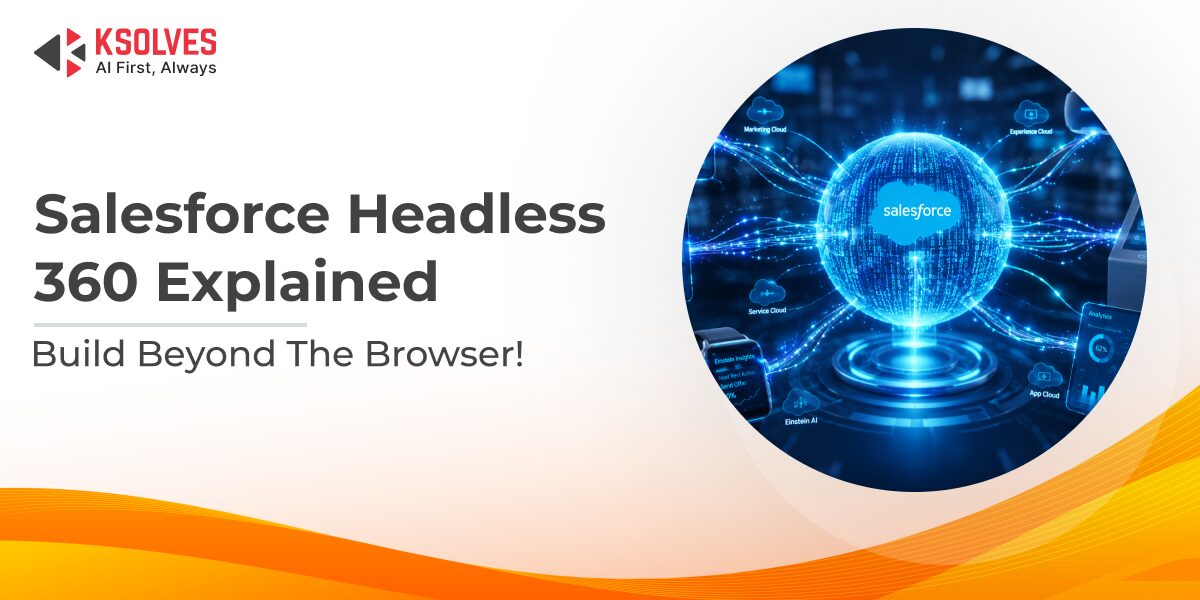
Salesforce just made one of the biggest architectural changes in its 25-year history, and most of the coverage so far has only scratched the surface.
At TrailblazerDX 2026 on April 15, Salesforce announced Salesforce Headless 360, a platform-wide shift that makes every Salesforce capability accessible through APIs, MCP tools, and CLI commands. No browser. No login screen. No UI required.
If you’ve already read the basics elsewhere and left with more questions than answers: questions like “What does this actually cost?”, “What happens to my Flow Builder automations?”, or “When can I actually use this in production?” This guide is for you.
We’ll cover what every other article covers, and then go into what they don’t.
Key Takeaways
- Salesforce Headless 360 exposes the entire Salesforce platform as APIs, MCP tools, and CLI commands so AI agents and developers can work without a browser.
- It is an infrastructure layer, not a replacement for Agentforce. The two work together.
- Many components are already live; others roll out through Summer 2026.
- Core developer tooling is included free in the Salesforce Developer Edition, with enterprise production pricing not yet publicly disclosed.
- Traditional Salesforce admins and low-code builders are not left behind, but the shift toward pro-code workflows is real and worth understanding.
What Is Salesforce Headless 360?
The word “headless” in software refers to removing the “head”, which is the user interface. A headless system exposes its functionality through APIs and programmatic access, rather than screens and buttons that a human has to click through.
Salesforce Headless 360 does exactly that for the entire Salesforce platform.
Every capability Salesforce has built over 25 years: customer records, approval workflows, SLA rules, business logic, compliance controls, metadata, and DevOps pipelines can now be accessed directly by AI agents, developer tools, and automated systems. Without opening Salesforce. Without a human sitting at a screen.
Think of it this way. Before Headless 360, Salesforce was a building with a lobby you had to walk through to get anything done. Headless 360 opens up loading docks on every side of the building. AI agents, coding tools, and automated pipelines can now walk straight to what they need.
This was announced at TrailblazerDX 2026 (TDX 2026) in San Francisco. Salesforce says the underlying rebuild started approximately two and a half years earlier, meaning this isn’t a rushed feature launch. It’s a deliberate architectural overhaul.
How Does It Actually Work? The Three Access Patterns
Headless Salesforce exposes everything through three distinct access patterns. Understanding the difference matters, especially if you’re planning implementations.
-
APIs (Application Programming Interface)
APIs are the foundation. Every Salesforce capability, whether pulling a customer record, updating a case status, triggering an approval, or running a workflow, is now available as a direct API call. An AI agent or external system sends a request, Salesforce processes it, and returns the result. No human in the loop.
This is not entirely new. Salesforce has had REST and SOAP APIs for years. What’s new is the breadth and consistency. The entire platform is now exposed this way, including areas that historically required UI navigation.
-
MCP Tools (Model Context Protocol)
MCP is an open-source protocol created by Anthropic that gives AI agents a standardized way to connect with external tools and data sources. Instead of writing custom integration code for every new AI tool you want to connect, you build one MCP server, and any MCP-compatible agent can use it.
Salesforce launched over 60 new MCP tools at TDX 2026, plus 30 preconfigured coding skills. These tools let AI coding agents like Claude Code, Cursor, Codex, and Windsurf connect directly to your Salesforce org from inside the IDEs your developers already use. They can query data, deploy flows, run tests, and push metadata, all without opening Salesforce Setup.
Salesforce also introduced Hosted MCP Servers, which are cloud-hosted servers that expose your org’s data, automations, and analytics through OAuth-based access. No local setup required.
-
CLI Commands (Command Line Interface)
The CLI access pattern lets developers and AI agents trigger Salesforce actions directly from a terminal or CI/CD pipeline. Instead of navigating Setup to pull metadata or validate a deployment, you run a command. An AI agent can pull custom object definitions, page layouts, and permission sets from a terminal, modify them, and push them back, fully programmatically.
This is particularly powerful for DevOps teams running automated pipelines, where every manual login is a bottleneck.
The Nine Components of Salesforce Headless 360
A lot of coverage lists a few components and moves on. Here’s the full picture.
- Data 360 is the data layer. It exposes trusted business data, including open cases, transaction history, customer records, SLA statuses, and relationship context, as an API, MCP tool, or CLI command. This is what separates a coding agent connected to a raw database (which knows nothing about your business) from one connected to Salesforce (which inherits years of accumulated context).
- Agentforce is the layer within Salesforce for building, managing, and deploying AI agents. It defines what agents do, how they behave, and how they connect to platform capabilities. Headless 360 is the infrastructure that makes the platform accessible; Agentforce is how you build the agents that use it. They are not the same thing.
- Agentforce Vibes 2.0 is Salesforce’s native AI development environment, now with multi-model support including Claude Sonnet and GPT-5. Developers can use their preferred large language model to write code while the environment understands their org’s metadata, data models, and business logic. It’s available in every Developer Edition org, with 110 requests per month and 1.5 million tokens per month through May 31, 2026, at no cost.
- Agentforce Experience Layer separates agent actions from how they appear to users. Build an interaction once, and it works across every surface: Slack, WhatsApp, voice, mobile app, and web. No separate builds per channel.
- DevOps Center MCP connects Salesforce directly to CI/CD pipelines using natural language. Also referred to as the Salesforce DX MCP server in developer documentation, it lets a developer or agent describe what they want to deploy in plain English. The agent handles validation, testing, and deployment. Salesforce reports this cuts CI/CD cycle time by up to 40%.
- Salesforce Agent Script is an open-source tool for defining exactly how an agent behaves. It lets teams specify which parts of agent behavior must follow strict business rules and which parts the agent can reason through independently. It was open-sourced at TDX 2026.
- Session Tracing and Observability lets you track what an agent did, why it made each decision, and where it deviated from expected behavior. This is the audit trail that IT and compliance teams require before approving production deployments. The Session Trace OTel API is currently in beta.
- AgentExchange is the unified marketplace that merges Salesforce AppExchange, Slack Marketplace, and the Agentforce ecosystem into one storefront. It currently houses over 13,000 listings, including Slack apps, Salesforce apps, Agentforce agents, MCP servers, and tools, with a $50 million Builders Fund behind it.
- Agent Fabric is the governance layer. It gives you centralized control over every agent, tool, and language model across your Salesforce environment, regardless of where they came from. Think of it as the control plane that keeps everything visible, auditable, and governable from a single place.
Headless 360 vs. Agentforce: What’s Actually Different?
This is one of the most commonly confused points, and most articles either skip it or give a one-line answer.
- Agentforce is a product. You use it to build AI agents that work within Salesforce. It’s the tooling, the agent builder, the runtime.
- Headless 360 is infrastructure. It makes the entire Salesforce platform accessible programmatically to Agentforce agents, but also to third-party tools like Claude Code, Cursor, or any MCP-compatible system. Headless 360 doesn’t care whether the agent calling it was built in Agentforce or came from somewhere else entirely.
The short version: Agentforce builds agents. Headless 360 is what those agents (and many others) can actually reach into and use.
Who Is This For? (And What It Means Per Role)
Whether you’re a developer, admin, or business leader, this shift lands differently depending on how you work with Salesforce today.
-
Salesforce Developers
This is the audience Headless 360 was most visibly built for. Developers can now connect Claude Code, Cursor, Codex, or Windsurf directly to their Salesforce org through MCP tools. They write code in their preferred environment, the agent has full live access to org metadata and business logic, and deployments run through the same pipeline they already use. No more context-switching.
-
Salesforce Admins and Architects
Here’s what most coverage hasn’t addressed clearly: admins are not being replaced. Their existing flows, approval chains, data models, and business rules are exactly what Headless 360 exposes to AI agents. The work admins have built becomes the intelligence that agents inherit and operate within.
That said, the shift toward pro-code tooling at TDX 2026 was visible. Headless 360 is primarily a developer platform. Admins who want to stay relevant will benefit from understanding how MCP tools work and how to configure Agent Script, even without writing Apex.
-
Business and Operations Teams
AI agents can now handle rule-based tasks autonomously: updating pipeline records, flagging cases that breach SLAs, triggering approvals, or sending follow-up actions, without waiting for a human to log in and do it manually. Operations teams move from execution to oversight.
-
IT and Security Teams
Every agent inheriting Salesforce’s existing permission model is significant. Your sharing rules, compliance controls, and security guardrails already apply. There’s no separate trust layer to rebuild from scratch each time a new agent gets deployed. Agent Fabric adds centralized governance on top of that.
-
Salesforce Partners and ISVs
AgentExchange opens a new distribution channel. Partners can now list not just apps but AI agents, MCP servers, and tools. If you build on Salesforce, this is where the next wave of value creation sits.
The Part Nobody Else Is Writing About: Pricing and What’s Actually Available Now
Let’s be direct about what Salesforce has and hasn’t disclosed.
What is free right now:
- Agentforce Vibes 2.0 with Claude Sonnet 4.5 as the default model is included in every Salesforce Developer Edition org
- 110 requests per month and 1.5 million tokens per month through May 31, 2026
- Hosted MCP Servers in Developer Edition orgs
- Agent Script (open-sourced entirely at TDX 2026)
- 60+ MCP tools and 30+ coding skills available in Developer Edition
What is generally available (GA) right now:
- Agentforce Vibes 2.0, DevOps Center MCP, Agentforce Experience Layer, Agent Script, and the majority of the 60+ MCP tools
What is still in beta or pilot:
- Testing Center goes GA in May 2026
- Session Trace OTel API is in beta
- A/B Testing API is in pilot
- Additional capabilities roll out through Summer 2026
Enterprise pricing: Salesforce has not publicly disclosed enterprise production pricing as of April 2026. Industry analysts have flagged this. The current guidance from Salesforce is that Headless 360 is not a separately priced product. Its capabilities are accessible through existing Salesforce plans and Agentforce licensing. However, usage-based pricing for production MCP tool calls and Agentforce completions in enterprise orgs has not been detailed publicly. Expect clarity on this in the Summer 2026 release cycle.
Real-World Use Cases: What This Looks Like in Practice
The best way to understand what Headless 360 unlocks is to see it working. Here are four scenarios across different industries.
-
Autonomous Sales Pipeline Management
A sales operations team sets an AI agent to monitor all open opportunities. The agent identifies deals that have gone cold (no activity in 14 days), automatically triggers follow-up task assignments, flags the deals in a dashboard, and logs a summary to the account record. The sales manager reviews the output instead of hunting for it manually. No one logged into Salesforce for any of this to happen. To understand how Data 360 surfaces this intelligence, our Salesforce Data Cloud: The Ultimate Guide covers real-time data ingestion, identity resolution, and cross-cloud activation in depth.
-
Voice-Based Customer Service
An AI agent connected to the Agentforce Experience Layer handles inbound calls. When a customer calls about an open service case, the agent pulls the case record via Headless 360, reads the SLA status, checks the resolution history, and either resolves the issue or routes it with full context to a human agent. No custom middleware sits between the voice system and Salesforce.
-
Retail: Omnichannel Order Management
A retail business builds its “order status and rebooking” workflow once. Through the Experience Layer, that same workflow appears as a chat interaction on WhatsApp, a spoken response on a voice call, and a clickable card in a mobile app. The underlying logic exists in one place. Channel-specific rendering is handled automatically.
-
Financial Services: Renewal and Escalation Monitoring
An AI agent monitors all active contracts approaching renewal. When a contract has less than 30 days remaining, and the account has an open support escalation, the agent flags the combination, notifies the account owner, and drafts a pre-renewal summary with the SLA breach history. A task that previously required two reports and a manual review now happens continuously in the background.
Getting Started: A Readiness Checklist
No other article publishes one of these. Here’s what to do before you build on Headless 360.
Step 1: Audit your data quality. Headless 360 gives agents access to everything in your org. If your data is messy, with duplicate accounts, missing relationship records, or unresolved case histories, agents will work with that noise. Clean data is a prerequisite, not a nice-to-have.
Step 2: Sign up for a free Developer Edition org. You get Agentforce Vibes 2.0, Hosted MCP Servers, and the full MCP toolkit at no cost. Test your use cases in an isolated environment before touching production.
Step 3: Map your existing workflows. Identify the three to five highest-value workflows in your org where human login is currently the bottleneck. These are your pilot candidates for agentic automation.
Step 4: Review your permission model. Agents inherit your sharing rules and permissions. Walk through who owns what access and whether those boundaries are current. A compliance review here prevents surprises later.
Step 5: Define your governance model with Agent Fabric. Decide before deployment which agents are allowed to do what, what audit logging looks like, and who owns escalations when an agent makes an unexpected decision.
Step 6: Pick your first integration partner. Start with the coding agent your developers already use. If your team is on Cursor, connect Cursor to your Salesforce org via MCP. Don’t try to introduce a new tool and a new platform simultaneously.
The Bottom Line
Salesforce Headless 360 is not a feature update. It’s a rethinking of what Salesforce is. For 25 years, Salesforce was a place where people went to work. Now it’s the infrastructure that agents call to get work done.
The organizations that start preparing today, with clean data, mapped workflows, and a governance plan, will have a clear head start as this rolls out through Summer 2026.
If you are ready to move beyond the announcement and into actual implementation, Ksolves can help. As a Salesforce consulting firm, Ksolves works with businesses to deploy agentic workflows, connect MCP tools, and build production-ready solutions on the Salesforce platform. The team has hands-on experience across industries and can help you go from understanding Headless 360 to running it in your org.
Ready to get started? Talk to the Ksolves team to map out your Headless 360 strategy.
Frequently Asked Questions
What is Salesforce Headless 360 and how does it work?
Salesforce Headless 360 is a modern commerce and experience architecture that separates the front-end presentation layer from Salesforce’s back-end systems, APIs, and business logic. Developers can build storefronts, portals, and apps using frameworks like React, Next.js, or Vue, while Salesforce manages catalogs, pricing, orders, customer data, and personalization through APIs.
What are the key features of Salesforce Headless 360?
Salesforce Headless 360 includes API-first architecture using SCAPI and Connect REST APIs, composable storefronts with PWA Kit, unified customer profiles, omnichannel order management, Einstein-powered personalization, CMS integrations, and mobile-first PWA support for fast digital experiences.
How does Salesforce Headless 360 compare to traditional Salesforce solutions?
Traditional Salesforce commerce setups tightly connect the front-end and back-end, making customization slower and deployments more rigid. Salesforce Headless 360 separates both layers, allowing front-end teams to work independently with modern frameworks while Salesforce continues managing the back-end operations and customer data.
What are the benefits of using Salesforce Headless 360 for businesses?
Businesses gain faster website performance, improved Core Web Vitals, stronger SEO, better customer experiences, flexible UI design, faster feature releases, and consistent omnichannel engagement across web, mobile, kiosks, and connected devices.
How can I implement Salesforce Headless 360 in my organization?
Implementation usually starts with evaluating your Salesforce environment and selecting the required Clouds such as Commerce, Marketing, or Service Cloud. Teams then choose a front-end framework like Next.js or React, connect Salesforce APIs, integrate CMS and personalization tools, and configure unified customer data flows across channels.
What industries can benefit the most from Salesforce Headless 360?
Industries with complex customer journeys and multi-channel engagement benefit the most. This includes retail, e-commerce, financial services, healthcare, manufacturing, B2B commerce, and consumer goods companies looking for scalable and personalized digital experiences.
Are there any limitations or challenges with Salesforce Headless 360?
Salesforce Headless 360 requires strong front-end development capabilities and careful API management. Teams must plan for caching, SEO with SSR or SSG, data governance, and higher initial setup efforts compared to traditional Salesforce implementations.
What are the best practices for using Salesforce Headless 360?
Best practices include using Next.js with server-side rendering, implementing API caching, monitoring Core Web Vitals, using Salesforce PWA Kit for composable storefronts, centralizing customer data in Data Cloud, and maintaining independent CI/CD pipelines for front-end and back-end deployments.
How does Salesforce Headless 360 integrate with other Salesforce products?
Salesforce Headless 360 integrates with Commerce Cloud, Marketing Cloud, Service Cloud, Loyalty Management, Data Cloud, and Einstein AI through APIs. These integrations allow businesses to deliver connected customer experiences across commerce, marketing, support, and loyalty systems.
What resources are available for learning more about Salesforce Headless 360?
Useful resources include Salesforce Developer Documentation, Trailhead learning modules, Salesforce Commerce Cloud GitHub repositories, Dreamforce sessions, Salesforce blogs, and consulting partners like Ksolves that provide implementation guidance and architecture support.































Author
About the Author Editorial Team The Ksolves Editorial Team includes certified Salesforce experts, Big Data engineers, AI/ML specialists, Zoho consultants, and experienced technology writers focused on delivering clear, actionable insights for modern businesses. With hands-on experience across Salesforce, Big Data platforms, AI/ML solutions, application development, software testing, and Zoho ERP/CRM, the team publishes practical guides, real-world use cases, and industry updates that support smarter decisions and faster growth. Every article is created to solve business challenges, guide technology adoption, and keep organizations aligned with evolving digital ecosystems.
Share with