



HashiCorp Vault Best Practices: 12 Rules for Secure, Scalable Secrets Management
DevOps
5 MIN READ
July 21, 2026

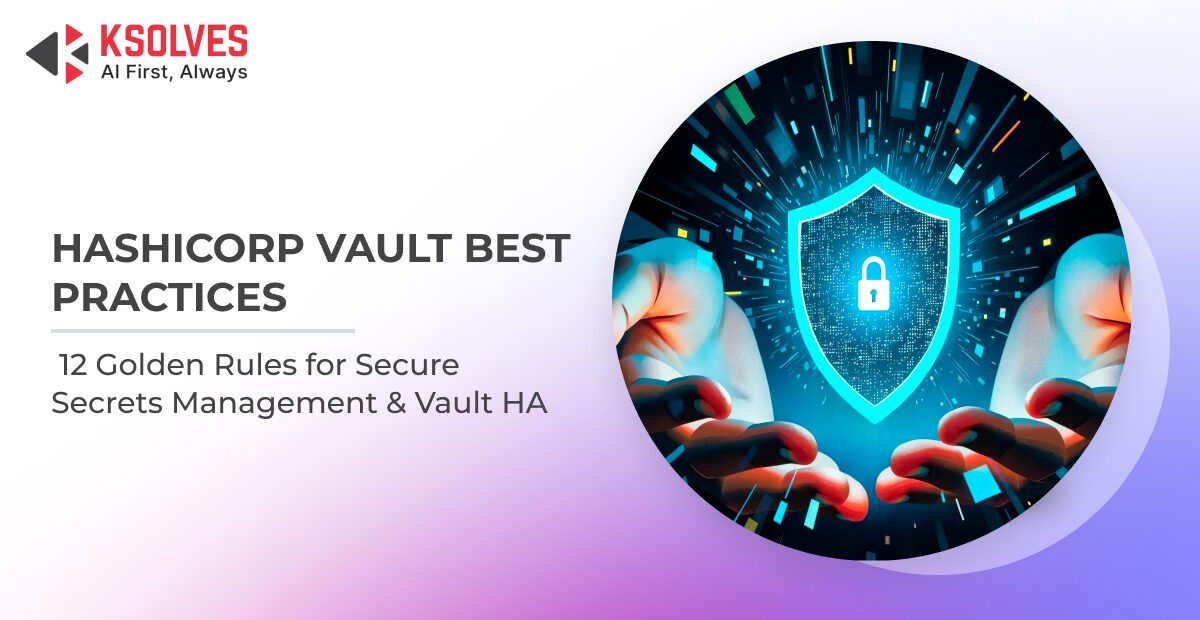
Most teams can stand up a Vault cluster in minutes. The real challenge begins once applications, developers, CI/CD pipelines, and cloud workloads start depending on it. Over time, small configuration shortcuts, such as long-lived tokens, overly permissive policies, static secrets that never rotate, disabled audit logs, or inconsistent access controls, gradually increase the organization’s security risk. Instead of becoming the foundation of a Zero Trust strategy, Vault can quietly turn into another critical system that requires constant manual intervention.
A production-ready Vault deployment is defined by how identities authenticate, how permissions are enforced, how secrets are issued and revoked, how every action is audited, and how the platform continues operating during failures. These operational decisions determine whether Vault strengthens your security posture or introduces hidden vulnerabilities.
In this guide, we’ll walk through 12 HashiCorp Vault best practices that help security engineers, platform teams, and DevOps leaders build a Vault deployment that is secure, resilient, and operationally mature. Each best practice explains:
- Why it matters.
- How to implement it.
- Which security risks does it eliminate?
- Common mistakes to avoid.
Whether you’re deploying Vault for the first time or reviewing an existing environment, you can use this guide as a practical checklist to validate your architecture against production-grade security standards.
Quick Health Check: Is Your Vault Production Ready?
Before you begin, ask yourself these questions:
- Are all applications using short-lived tokens instead of static credentials?
- Are your Vault policies based on least-privilege access?
- Are secrets generated dynamically wherever possible?
- Is audit logging enabled across all Vault nodes?
- Are secrets and encryption keys rotated automatically?
- Can your Vault cluster survive a node or availability zone failure?
- Are root tokens secured and used only for emergencies?
If you answered “No” to even a few of these, the best practices below will help close those gaps and build a more secure, resilient Vault environment.
12 Best HashiCorp Best Practices for
1. Enforce Least-Privilege Vault Policies
One of the most important HashiCorp Vault best practices is implementing least-privilege Vault policies. Vault’s security is only as strong as the permissions you grant. If applications or users can access secrets beyond their responsibilities, a single compromised identity can expose multiple systems instead of just one.
Why it matters
Vault’s policy engine determines exactly which secrets an authenticated identity can access. Restricting access to specific paths significantly reduces the blast radius of compromised credentials and strengthens your overall secrets management strategy.
How to apply it
Create narrowly scoped policies that grant only the required capabilities on specific secret paths.
# app-billing-read.hcl
path "secret/data/billing/*" {
  capabilities = ["read"]
}
Avoid wildcard permissions unless absolutely necessary, and remember that Vault follows a deny-by-default model. If a policy doesn’t explicitly allow an action, it isn’t permitted.
Common mistake
Many organizations assign overly broad policies, or even root-equivalent permissions, to application identities simply to speed up deployment. Those temporary permissions often become permanent, creating unnecessary security exposure.
2. Use Short-Lived Tokens and Sensible Lease TTLs
Strong secrets management isn’t just about protecting credentials – it’s about limiting how long they’re useful. Even the most secure token becomes a liability if it remains valid for weeks or months after issuance.
Short-lived tokens significantly reduce the risk associated with credential leaks.
Why it matters
If a token is exposed through logs, environment variables, or compromised infrastructure, a short expiration window dramatically limits an attacker’s opportunity to misuse it.
How to apply it
Configure conservative default and maximum TTLs for authentication methods and secrets engines. Allow tokens and leases to expire automatically, renewing them only while the workload is actively running.
Dynamic renewal ensures applications maintain access without leaving long-lived credentials scattered across your environment.
Common mistake
Granting tokens with unlimited or excessively long lifetimes for convenience. Over time, these forgotten tokens accumulate across CI/CD pipelines, developer machines, and automation scripts, becoming difficult to track or revoke.
3. Authenticate Workloads with AppRole and Humans with OIDC
Authentication is the foundation of secure HashiCorp Vault deployments. Rather than distributing static Vault tokens, every identity should authenticate using an appropriate mechanism before receiving a temporary token.
This is where AppRole authentication and OIDC play complementary roles.
Why it matters
Applications and users have different authentication requirements. Machines need automated, non-interactive authentication, while employees should leverage centralized identity providers and Single Sign-On (SSO).
Using purpose-built authentication methods eliminates the need to distribute long-lived credentials.
How to apply it
Implement AppRole authentication for machine-to-machine communication. Each application receives a unique RoleID and a tightly controlled SecretID, allowing Vault to issue short-lived tokens after successful authentication.
For human users, integrate Vault with your identity provider through OIDC so engineers authenticate using existing SSO credentials and inherit permissions through group-based policies.
Pro Tip: Deliver the AppRole SecretID using response wrapping. This creates a single-use bootstrap credential that is traceable and significantly more secure than embedding secrets inside images or deployment pipelines.
Common mistake
Treating the AppRole SecretID as a permanent password or issuing static Vault tokens directly to developers instead of integrating with enterprise identity management.
4. Automate Secret Rotation with Dynamic Secrets
Manual password rotation doesn’t scale. As environments grow, static credentials inevitably remain unchanged for months, or even years, creating unnecessary security risks.
One of the biggest advantages of Vault is its ability to provide automated secret rotation through dynamic secrets.
Why it matters
Secrets that never change become increasingly valuable to attackers. Dynamic credentials dramatically reduce exposure because every application receives unique, temporary credentials that expire automatically.
How to apply it
Whenever possible, use Vault’s dynamic secrets engines for databases, cloud platforms, and PKI instead of storing long-lived passwords in the KV secrets engine.
For example, the Database Secrets Engine generates unique database credentials for every request and automatically revokes them when the lease expires.
This removes the need for scheduled password rotation altogether.
Common mistake
Using Vault simply as a password storage solution while continuing to rely on shared, static database credentials that require manual rotation.
5. Enable Vault Audit Devices from Day One
That’s why enabling Vault audit devices should be one of the very first configuration steps after initializing Vault.
Why it matters
Audit logs provide a tamper-evident record of authentication events, secret access, policy changes, and administrative operations. They answer the critical questions every security team asks after an incident:
- Who accessed the secret?
- When was it accessed?
- Which identity performed the action?
How to apply it
Enable at least one audit device immediately after deployment, preferably both file and syslog outputs, to eliminate single points of logging failure.
vault audit enable file file_path=/var/log/vault/audit.log
vault audit enable syslog tag="vault" facility="AUTH"
Forward audit logs to your SIEM platform for centralized monitoring and threat detection.
Vault automatically HMAC-hashes sensitive values, allowing organizations to investigate activity without exposing the underlying secrets.
Common mistake
Waiting until after production deployment to enable auditing. During a security incident, missing audit logs mean missing evidence.
Turn Vault into a Fully Observable Security Platform with Ksolves!
6. Build Vault HA with Integrated Raft Storage
A production secrets platform should never depend on a single server. High availability ensures applications continue retrieving secrets even when infrastructure components fail.
Today, Raft storage has become the recommended approach for building Vault HA clusters.
Why it matters
Integrated Raft Storage replicates Vault data across multiple nodes while automatically electing a new leader during failures. This improves resilience while reducing operational complexity.
How to apply it
Deploy Vault using an odd-numbered Raft cluster, typically three or five nodes, to maintain quorum during failures.
Compared to external storage backends, Integrated Storage simplifies deployment and eliminates the need to manage an additional Consul cluster.
Common mistake
Deploying only two Vault nodes or relying on a single-node production environment both of which introduce unnecessary availability risks.
7. Protect the Seal and Automate Unsealing
Every Vault server starts in a sealed state. Until it is unsealed, encrypted secrets remain inaccessible.
Protecting the seal mechanism is just as important as protecting the secrets themselves.
Why it matters
Improper handling of unsealed keys creates a single point of compromise that can completely undermine Vault’s security model.
How to apply it
Use Auto Unseal with cloud KMS services or another trusted Vault Transit instance to eliminate manual recovery during planned or unplanned restarts.
Store Shamir recovery keys securely and distribute them among multiple trusted custodians.
Common mistake
Saving every unsealed key in the same password manager or internal document effectively defeats the purpose of Shamir Secret Sharing.
8. Segment Secrets by Mount Path and Namespace
As organizations grow, a flat Vault hierarchy quickly becomes difficult to manage.
Proper segmentation improves both security and operational efficiency.
Why it matters
Separating teams, environments, and applications limits the impact of compromised identities while making policies significantly easier to understand and maintain.
How to apply it
Organize authentication methods and secrets engines around business ownership.
For Enterprise deployments, use Namespaces to isolate tenants. Community Edition users can achieve similar separation through disciplined mount-path design and carefully scoped policies.
Common mistake
Storing every team’s secrets inside a single shared KV engine and relying on increasingly complex policies to separate access.
9. Retire the Root Token After Initial Setup
The root token bypasses every Vault policy and security control.
It should exist only long enough to bootstrap the platform.
Why it matters
No other credential carries as much risk. If compromised, a root token provides unrestricted administrative access across the entire Vault deployment.
How to apply it
Complete your initial configuration, create administrative policies, and immediately revoke the original root token.
vault token revoke <root-token>
vault operator generate-root
Generate a new root token only when absolutely necessary and revoke it immediately after completing administrative tasks.
Common mistake
Keeping the root token in a shared password manager “just in case” and using it for routine administration.
10. Encrypt Everything with TLS
Every Vault request contains sensitive information, such as tokens, credentials, certificates, or encryption keys.
Every connection should therefore be encrypted.
Why it matters
Even trusted internal networks can be compromised. TLS protects secrets while they travel between clients, Vault servers, and cluster members.
How to apply it
Enable TLS directly on Vault listeners instead of relying solely on reverse proxies.
Use modern TLS versions, automate certificate renewal, restrict network access, and ensure Vault operates on hardened infrastructure.
Common mistake
Disabling TLS for internal environments because the network is considered “trusted.”
11. Monitor Vault Health and Back Up Your Cluster
Reliable secrets management requires continuous visibility into platform health. Monitoring and backups are essential operational practices, not optional extras.
Why it matters
Telemetry helps detect operational issues before they become outages, while tested backups ensure secrets remain recoverable after infrastructure failures.
How to apply it
Export Vault metrics to Prometheus and Grafana, monitor leadership changes, seal status, lease counts, storage performance, and audit-device health.
Take encrypted Raft snapshots regularly.
vault operator raft snapshot save vault-$(date +%F).snapStore snapshots securely outside the cluster.
Common mistake
Taking backups without ever validating the restore process. A backup that hasn’t been tested isn’t a recovery strategy.
12. Manage Vault as Code and Regularly Test Disaster Recovery
Manual administration becomes increasingly risky as Vault deployments grow.
Infrastructure as Code keeps your Vault environment consistent, auditable, and reproducible.
Why it matters
Version-controlled policies, authentication methods, and secrets engines eliminate configuration drift while simplifying security reviews and compliance audits.
How to apply it
Manage Vault resources through Terraform or similar Infrastructure as Code tools.
Regularly restore Raft snapshots into isolated test environments to verify disaster recovery procedures and confirm they meet your recovery objectives.
Common mistake
Configuring production Vault manually and assuming backups will work when they’re finally needed. Disaster recovery should be practiced regularly, not during an actual outage.
Not Sure Whether Your Vault Deployment is Truly Production-Ready?
How Ksolves Helps You Build a Secure and Scalable HashiCorp Vault Environment
Deploying HashiCorp Vault is only the beginning. Designing a secure architecture, integrating authentication systems, implementing least-privilege Vault policies, enabling automated secret rotation, and maintaining a highly available environment require specialized expertise.
At Ksolves, an AI-first DevOps consulting services company, we help organizations build enterprise-ready secrets management solutions that align with security best practices while integrating seamlessly with existing cloud and DevOps ecosystems.
Whether you’re implementing Vault for the first time or modernizing an existing deployment, our experts help you:
- Design secure, scalable HashiCorp Vault architectures.
- Configure authentication using AppRole, Kubernetes, OIDC, AWS IAM, Azure AD, and other identity providers.
- Implement least-privilege access controls and policy governance.
- Enable dynamic secrets and automated secret rotation for databases, cloud platforms, and PKI.
- Deploy Vault HA with Integrated Raft Storage and Auto Unseal.
- Configure Vault audit devices, monitoring, telemetry, and SIEM integrations.
- Automate Vault provisioning and policy management using Infrastructure as Code.
- Establish backup, disaster recovery, and operational governance for long-term reliability.
Ready to strengthen your secrets management strategy?
Partner with Ksolves to build a secure, resilient, and production-ready HashiCorp Vault deployment tailored to your business needs.
Final Thoughts
Effective secrets management is no longer just a security requirement – it’s a critical part of building resilient, cloud-native infrastructure. While HashiCorp Vault provides the tools to protect sensitive credentials, its true value depends on how it’s implemented and operated. From least-privilege Vault policies and AppRole authentication to automated secret rotation, Vault audit devices, and Raft Storage for high availability, every best practice contributes to reducing risk and strengthening operational resilience.
And with the right implementation partner, you can accelerate deployment, simplify operations, and ensure your Vault environment remains secure as your business grows.































AUTHOR
DevOps
Vivek Singh is a DevOps and Cloud Engineer at Ksolves India Limited with over 8 years of experience in DevOps, cloud computing, and IT infrastructure. He specializes in designing, implementing, and managing scalable, secure, and highly available cloud environments while streamlining software delivery through DevOps best practices. With expertise in cloud platforms, CI/CD pipelines, infrastructure automation, containerization, Kubernetes, Docker, and Infrastructure as Code (IaC), Vivek has successfully delivered resilient infrastructure solutions that improve operational efficiency and application performance.
Share with