



Salesforce Service Cloud vs Microsoft Dynamics 365
Salesforce
5 MIN READ
April 8, 2026

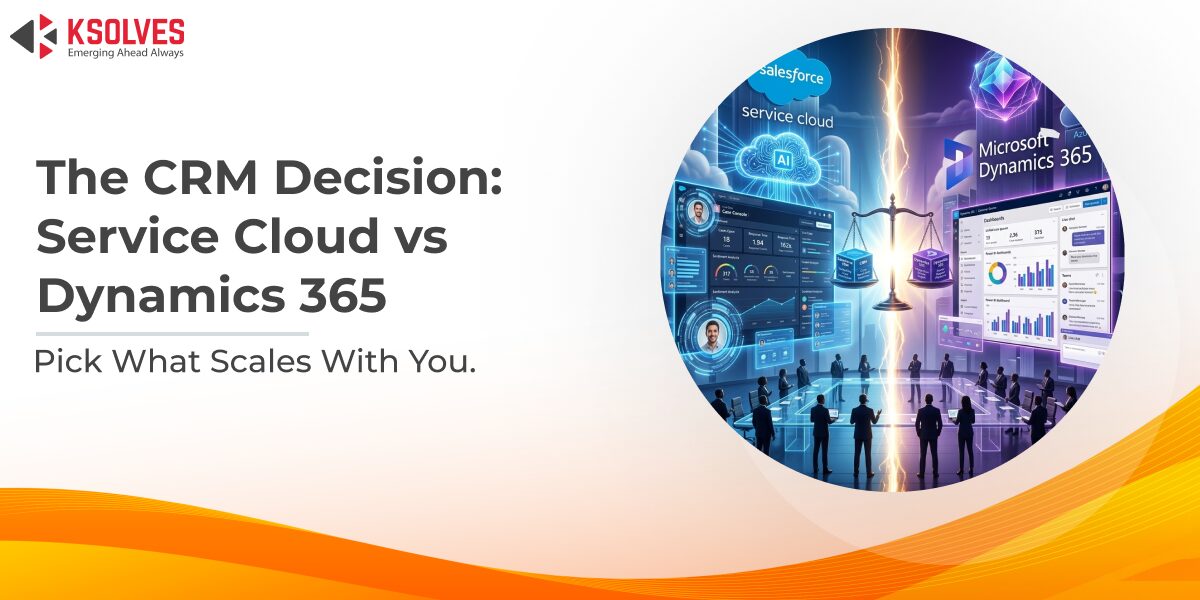
In today’s customer-first economy, delivering seamless and efficient support is no longer optional; it’s a key competitive advantage. Businesses across industries are investing heavily in customer service platforms to enhance response times, personalize interactions, and boost overall customer satisfaction.
Among the top contenders in this space are Salesforce Service Cloud and Microsoft Dynamics 365 Customer Service. Both are powerful, enterprise-grade solutions designed to help businesses streamline service operations, but they take different approaches in terms of ecosystem, user experience, AI integration, and scalability.
This comparison is especially relevant for mid-size to large businesses looking to invest in a future-ready customer service solution that aligns with their broader tech stack, operational goals, and industry needs.
What is Salesforce Service Cloud?
Salesforce Service Cloud is a powerful, cloud-based customer service platform designed to help businesses deliver faster, smarter, and more personalized support. As part of the broader Salesforce Customer 360 ecosystem, it enables organizations to unify service operations across channels while leveraging AI and automation to enhance both agent productivity and customer satisfaction.
What is Dynamics 365 Customer Service?
Microsoft Dynamics 365 Customer Service is a flexible, enterprise-grade platform that empowers businesses to provide proactive and connected support experiences. Deeply integrated within the Microsoft ecosystem, it enables service teams to resolve issues efficiently by combining case management, knowledge sharing, and collaboration through familiar tools like Teams, Outlook, and Power Platform.
Salesforce Service Cloud vs Dynamics 365 Customer Service: A Feature-by-Feature Breakdown
When comparing Salesforce Service Cloud and Dynamics 365 Customer Service, it’s important to look beyond surface-level similarities. Both platforms offer powerful tools, but they shine in different ways depending on your business needs and ecosystem preferences.
1. Omnichannel Support
- Salesforce Service Cloud offers robust omnichannel capabilities through Live Agent, messaging apps, phone, email, and social channels, all managed from a single interface. Agents can switch seamlessly between channels, while customer context is retained across every touchpoint.
- Dynamics 365 Customer Service also supports multiple channels, including chat, voice, email, and social. Its strength lies in tight integration with Microsoft Teams and Azure Communication Services for real-time support.
Verdict: Salesforce wins on breadth and maturity of channel options, while Dynamics is more cohesive for Microsoft-centric workflows.
2. AI Capabilities
- Salesforce integrates Einstein AI for predictive insights, sentiment analysis, next-best actions, and AI-driven case classification and summarization. Einstein Bots also automate common queries across channels.
- Dynamics 365 introduces Copilot, Microsoft’s AI assistant, providing intelligent suggestions, email drafts, conversation summaries, and agent guidance in real-time, especially when paired with Microsoft 365 tools.
Verdict: Both offer strong AI, but Salesforce has a more established, service-specific AI stack. Dynamics stands out for embedded AI within productivity tools.
3. Automation & Workflows
- Salesforce Service Cloud uses Flows, Macros, and Process Builder to automate case routing, approvals, field updates, and more. It provides both low-code and pro-code flexibility.
- Dynamics 365 Customer Service uses Power Automate and built-in workflows to automate processes. These automations extend across the entire Microsoft ecosystem.
Verdict: Salesforce is more intuitive for service-specific automation. Dynamics has broader cross-app automation if you already use Microsoft tools.
4. Knowledge Management
- Salesforce offers a multilingual, searchable knowledge base integrated into the agent console, with AI suggesting relevant articles during live cases.
- Dynamics 365 enables contextual knowledge suggestions using its native knowledge base. It auto-suggests articles and allows agents to contribute back, improving collaboration.
Verdict: Salesforce emphasizes customer-facing knowledge delivery. Dynamics leans more toward internal knowledge optimization and collaborative updates.
5. Self-Service Portals
- Salesforce leverages Experience Cloud to build branded, fully customizable customer communities and portals without heavy coding.
- Dynamics 365 uses Power Pages for self-service portals, which integrate with its CRM and offer flexible access to knowledge bases and case status.
Verdict: Salesforce offers more polished, out-of-the-box portal templates. Dynamics is more customizable for developers already working in Power Platform.
6. Reporting & Dashboards
- Salesforce provides real-time reports, custom dashboards, and advanced analytics through Service Cloud Analytics (Einstein Analytics).
- Dynamics 365 integrates with Power BI for rich visualizations, ad hoc reporting, and performance insights across teams.
Verdict: Both offer excellent reporting, but Salesforce’s real-time service analytics is more tailored for customer service teams. Power BI is better for enterprise-wide analytics.
7. Case Management
- Salesforce Service Cloud offers smart case routing, SLA tracking, escalation rules, and milestone management. It ensures agents can prioritize and resolve cases efficiently.
- Dynamics 365 enables rule-based case assignment, queue management, and SLA configuration with automation triggers to escalate or resolve issues.
Verdict: Both provide mature case management, with Salesforce better suited for high-volume customer environments and Dynamics excelling in structured support processes.
8. Integration Capabilities
- Salesforce offers thousands of ready-to-use integrations through AppExchange, supports APIs, and connects enterprise systems using MuleSoft.
- Dynamics 365 shines with native integration across Microsoft 365, Teams, Azure, and Dataverse, making it ideal for organizations already invested in the Microsoft ecosystem.
Verdict: Choose Salesforce for broader third-party integration. Choose Dynamics for seamless Microsoft-native workflows.
9. Customization & Extensibility
- Salesforce provides powerful customization options through Lightning App Builder, Apex, and Flows. It supports both low-code and pro-code development.
- Dynamics 365 offers similar flexibility using Power Apps, Power Automate, and Dataverse, enabling app-building and deep CRM customization.
Verdict: Both are highly customizable. Salesforce favors CRM-centric development; Dynamics is part of a broader enterprise application platform.
10. User Experience & Interface
- Salesforce Service Cloud offers a modern, intuitive interface via the Lightning Experience, optimized for speed, usability, and personalization. Agents can customize their workspace with drag-and-drop components and access everything in one unified console.
- Dynamics 365 Customer Service provides a consistent UI across Microsoft apps, with deep integration into tools like Outlook and Teams. The interface is clean and functional, particularly familiar to users already in the Microsoft ecosystem.
Verdict: Salesforce provides a highly customizable and visually polished experience focused on service roles. Dynamics is easier for Microsoft users to adopt due to its consistency with other Microsoft products.
Salesforce Service Cloud vs Dynamics 365 Customer Service – A Quick Comparison Table
| Feature | Salesforce Service Cloud | Dynamics 365 Customer Service |
| Omnichannel Support | Live Agent, Messaging, Phone, Email, Social Media | Omnichannel with voice, chat, messaging, Teams, social |
| AI Capabilities | Einstein AI: predictions, summaries, case routing | Copilot: real-time assistance, summaries, suggestions |
| Automation & Workflows | Salesforce Flow, Process Builder, Macros | Power Automate, SLA automation, business rules |
| Knowledge Management | Multilingual knowledge base, AI-recommended articles | Contextual article suggestions, agent collaboration |
| Self-Service Portals | Experience Cloud with drag-and-drop custom portals | Power Pages for flexible customer portals |
| Reporting & Dashboards | Real-time reports, dashboards, Service Analytics | Power BI dashboards, cross-department analytics |
| Case Management | SLA tracking, queueing, milestone management | Queue management, SLA triggers, structured workflows |
| Integration | AppExchange, API, MuleSoft for enterprise integrations | Native integration with Microsoft 365, Teams, Azure, Dataverse |
| Customization | Apex, Lightning Builder, low-code tools | Power Apps, Power Automate, Dataverse customizations |
| User Experience | Lightning UI, customizable agent console, modern workspace | Microsoft-style interface, Outlook/Teams integration, consistent UX |
Final Verdict: Which One Should You Choose?
Choosing the right customer service platform isn’t about which product is objectively better; it’s about which one aligns best with your organization’s budget, tech stack, use case, and team dynamics. Both Salesforce Service Cloud and Dynamics 365 Customer Service are enterprise-grade platforms, but they serve different types of businesses better.
Choose Salesforce Service Cloud if…
- You’re already using Salesforce Sales or Marketing Cloud.
- You need advanced AI for case prediction, agent assistance, and customer insights.
- Your team requires robust omnichannel capabilities across all touchpoints.
- You want extensive third-party integrations through AppExchange.
- Your service strategy is focused on customer experience, personalization, and scalability.
Choose Dynamics 365 Customer Service if…
- Your business runs on Microsoft 365, Teams, or Azure—and you want a unified experience.
- You prefer cost-effective licensing with flexible automation and analytics.
- Your agents are already familiar with the Microsoft interface and ecosystem.
- You’re looking for strong case management and internal knowledge collaboration.
- You want tight integration with ERP, finance, or field service tools within the Microsoft stack.
Wrapping Up!
Both Salesforce Service Cloud and Dynamics 365 Customer Service are robust platforms built to elevate customer support at scale. The right choice ultimately depends on your existing tech ecosystem, budget, team size, and customer service goals.
If you’re leaning toward Salesforce but need help with implementation, customization, or integration, partnering with an experienced Salesforce service cloud implementation service provider can make all the difference. They’ll ensure a smooth rollout and help you unlock the full potential of Service Cloud tailored to your unique business needs.
Before making a final decision, we recommend requesting product demos, exploring free trials, and consulting with certified experts to evaluate what fits best for your service strategy.
Frequently Asked Questions
Salesforce Service Cloud vs Microsoft Dynamics 365 Customer Service
What is the difference between Salesforce Service Cloud and Dynamics 365 Customer Service?
Which platform offers better AI features for customer service?
Which CRM platform is more cost-effective — Salesforce or Dynamics 365?
Can I integrate third-party applications with both Salesforce and Dynamics 365?
Which platform is better for omnichannel customer support?
What if my business already uses Microsoft 365 — should I choose Dynamics 365 Customer Service?
🚀 Not sure which platform fits your business? Contact our team for a free consultation and platform recommendation tailored to your requirements.
































Author
About the Author Editorial Team The Ksolves Editorial Team includes certified Salesforce experts, Big Data engineers, AI/ML specialists, Zoho consultants, and experienced technology writers focused on delivering clear, actionable insights for modern businesses. With hands-on experience across Salesforce, Big Data platforms, AI/ML solutions, application development, software testing, and Zoho ERP/CRM, the team publishes practical guides, real-world use cases, and industry updates that support smarter decisions and faster growth. Every article is created to solve business challenges, guide technology adoption, and keep organizations aligned with evolving digital ecosystems.
Share with