

 Salesforce
 5 MIN READ


Ever wanted to make your business operations run more smoothly, improve sales team productivity, and build stronger customer relationships? A well-implemented CRM can make a significant difference. Salesforce provides businesses with a unified platform to manage customer information, track sales activities, automate workflows, and improve communication across departments.
However, a successful Salesforce implementation is not simply about purchasing licences and moving existing customer records into a new system. It requires a clear understanding of business processes, careful planning, the right platform configuration, reliable integrations, and a structured approach to user adoption.
The implementation process also needs to account for how the business will use Salesforce as it grows. For example, a company managing thousands of customer enquiries may need automated lead assignments, while a service-driven organisation may prioritise case management, escalation workflows, and customer communication.
In this guide, we will walk through the essential stages of Salesforce implementation, from initial planning and configuration to deployment, user training, and ongoing optimisation. We will also cover practical implementation strategies and best practices to help businesses get more value from their CRM investment.
What is Salesforce Implementation?
Salesforce is a well-known leading CRM platform that allows businesses to manage all customer interactions. Enterprises have started implementing Salesforce for better communication with their customers.
This implementation sets up Salesforce that meets your company’s needs and involves features, data migration, and integration with other systems. It leads to some advantages, like improvements in sales efficiency, better customer service, and more accurate forecasts.
The key stages of Salesforce implementation involve multiple levels, starting from defining goals and launching in the system.
Let’s move to the next section and explore the advantages of implementing Salesforce for your business.
Advantages of Implementing Salesforce
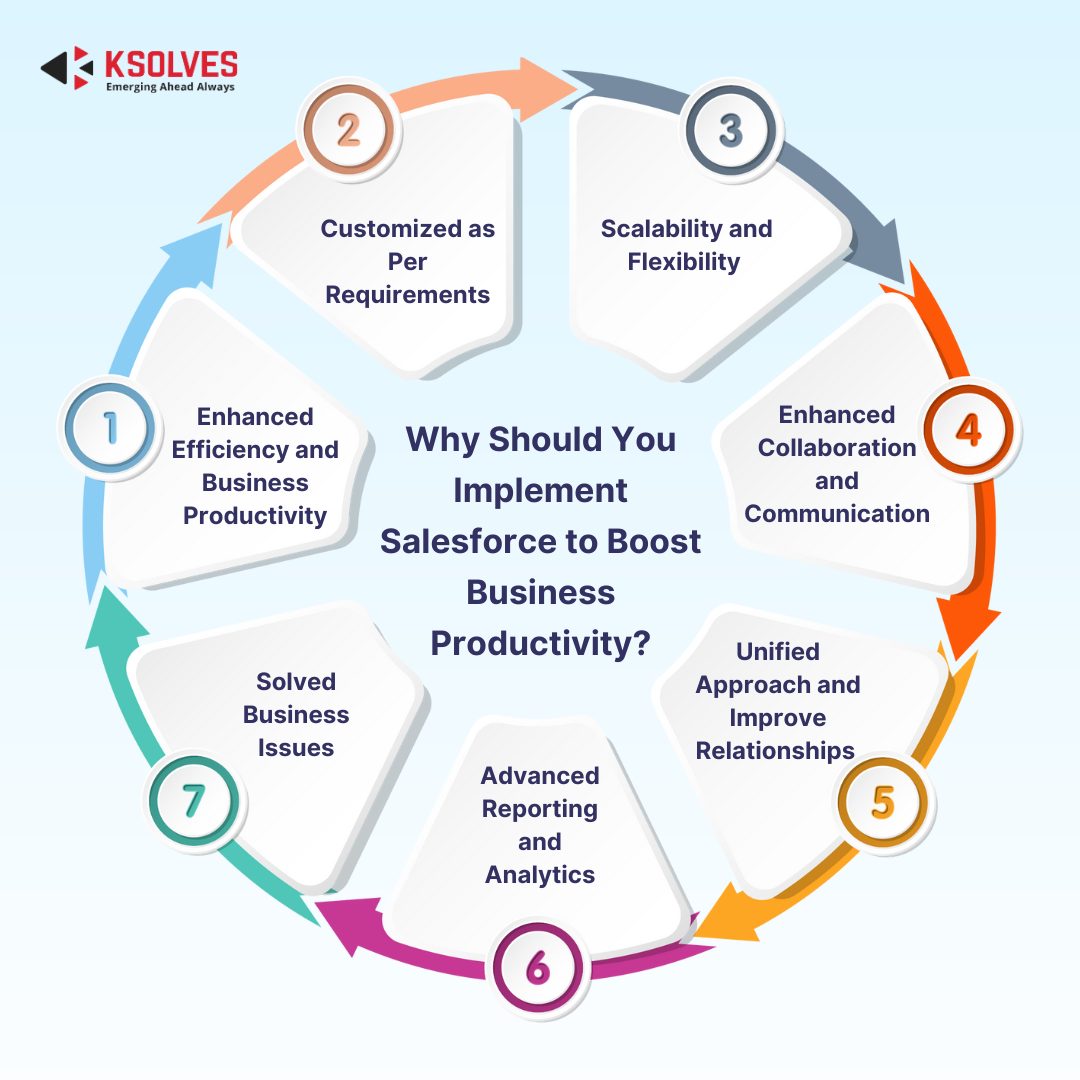
1. Enhanced Efficiency and Business Productivity
Salesforce has its value and is considered an automated approach for business workflows to manage manual tasks. It is inherited with multiple advanced and customizable features where enterprises get a chance to design multiple processes that align with the business requirements.
This will work on reducing the errors and accelerate the task to complete before the timeline resulting in operational efficiency and boosting overall business productivity.
2. Customized as Per Requirements
Talking about another well-known Salesforce feature is its adaptability. This feature allows businesses to framework the platform as per the workflows and other operational demands.
With the customized fields, objects, workflows, and user interfaces, business individuals get a chance to create a specified Salesforce environment that they need and promote a more efficient and effective operational framework.
3. Scalability and Flexibility
As businesses are growing and expanding themselves across the globe, Salesforce comes there to instigate the growth.
With the scalable feature of Salesforce, you can mold the new functionalities and modules without disturbing the ongoing operations. In addition, this technology is considered as the first choice for companies to remain relevant and adaptable as per the business needs.
4. Enhanced Collaboration and Communication
For running the business, an individual requires a collaborative platform to manage multiple tasks simultaneously on a unified platform.
With the centralized nature of Salesforce, teams can transfer information, collaborate on projects, and track the reach. This coordinated way improves communication among multiple team members and enhances team efficiency.
5. Unified Approach and Improve Relationships
With the powerful Salesforce CRM features, it is possible to instigate the organizations to deliver the consumer experience.
By connecting with customer data and coordinating on a single platform, businesses grow themselves better to understand the requirements of their clients. This will transform personalized business engagement and target the marketing campaigns to tailor the business service offerings.
6. Advanced Reporting and Analytics
For improving business performance, it is a must to utilize the Salesforce reporting and analytical tools. However, by generating a detailed business report and predictive analytics, enterprises can gain a competitive advantage to optimize their business strategies.
This Salesforce approach informs the decision-making, identifies the trends, and leads to efficient business operations.
7. Solved Business Issues
At the forefront of technological advancements, Salesforce is continuously introducing updates, business enhancements, and other Salesforce features.
Salesforce implementation is a must for every business to focus on technological advancements and industry trends. With the robust features of Salesforce, you will get continuous assistance, training, and resources to ensure successful implementation.
Salesforce Implementation Challenges
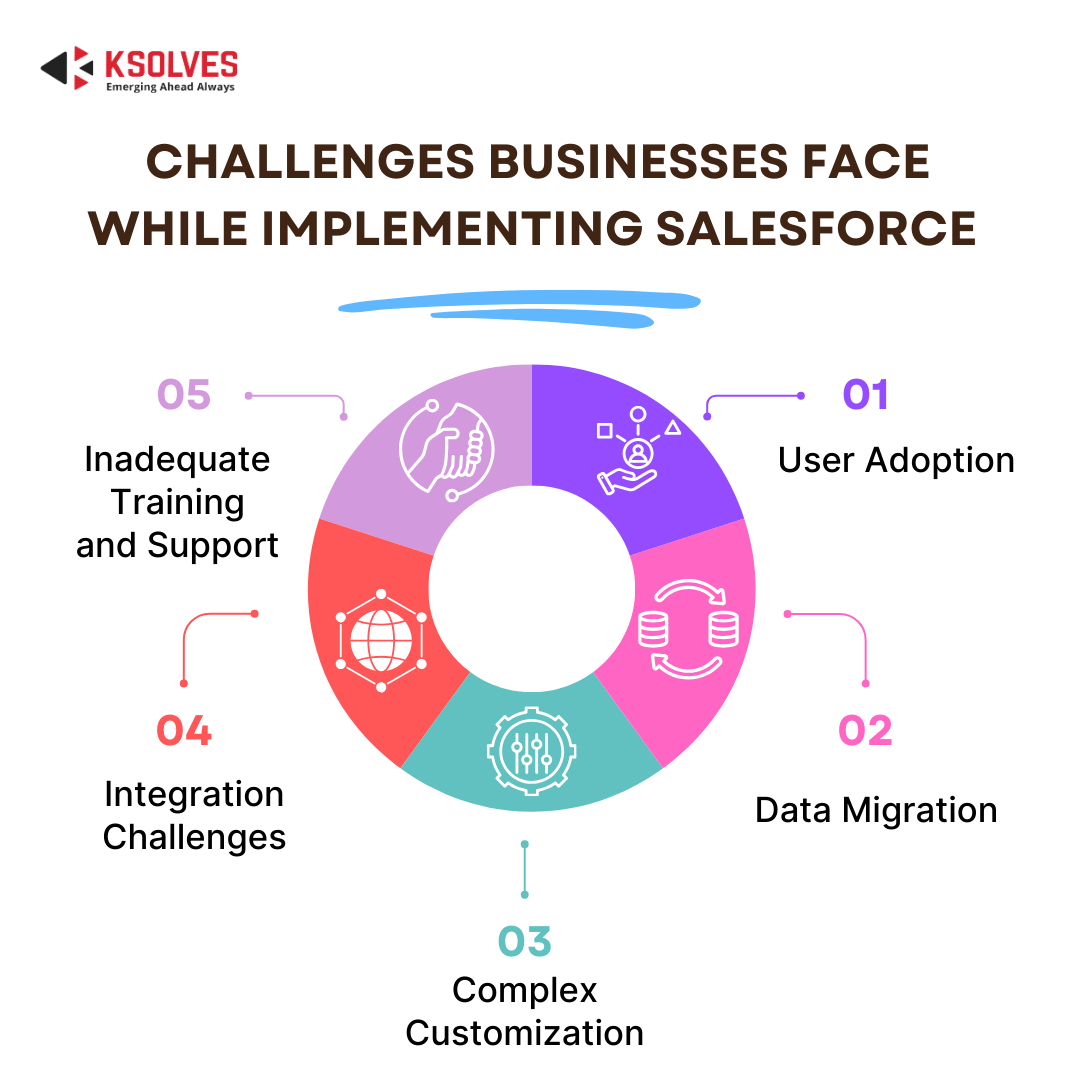
1. User Adoption
Many times employees experience issues when they switch to a new system. This is the reason they hesitate many times and are not comfortable with a new system as they need to add more work to their bucket. If employees avoid using Salesforce because of these reasons then it makes it less used and beneficial than it could be.
2. Data Migration
Migrating the entire existing data to a new System i.e., Salesforce becomes a quite hectic task. This will intricate issues from the data quality being migrated, create inconsistency in formats, and show multiple complexities. Insufficient cleansing of data or transformation results in data integrity issues that affect the accuracy of data or information stored in Salesforce.
3. Complex Customization
Salesforce has inherited a feature to provide customization options to their clients and configuring this to different business processes became quite challenging.
This complexity in Salesforce arises when there is a need to match the organizational workflows, leading to delays, errors, or inefficiencies if customization is not executed properly.
4. Integration Challenges
Integrating Salesforce with other existing systems, applications, and databases is essential for instant data flow across enterprises.
Moreover, different formats, structures, and integration processes may lead to discrepancies that make the data flow difficult. This will impact the overall operational efficiency.
5. Inadequate Training and Support
Sometimes after the Salesforce implementation when team members or administrators do not get proper training then it leads to underutilization of features.
Less training materials, support, or guidance while navigating the platform limits the user’s efficiency in understanding Salesforce’s full potential.
After understanding these complex challenges, it is necessary to opt for proactive planning, robust change management strategies, and user-centric training for smooth Salesforce implementation.
Ksolves Salesforce Implementation Guide – A Step-By-Step Process
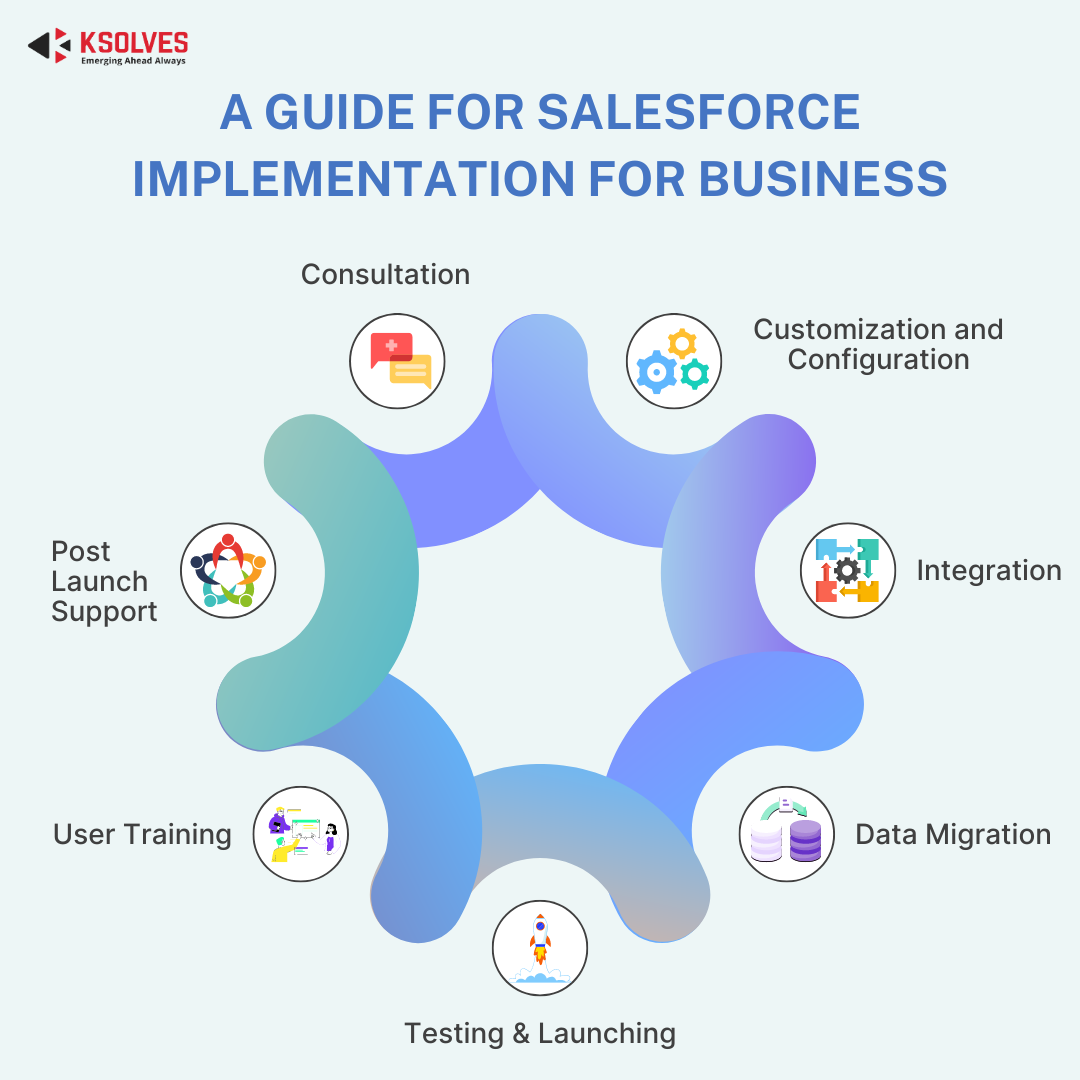
A structured implementation approach helps businesses avoid unnecessary customisation, data inconsistencies, integration issues, and low user adoption. Each stage should have clearly defined deliverables so that technical teams and business stakeholders remain aligned throughout the project.
Step 1: Pre-Implementation Planning
The first stage of a Salesforce implementation is understanding what the organisation needs from the platform. Before configuring Salesforce, businesses should evaluate their existing workflows, identify operational gaps, and establish measurable objectives.
- Define Objectives and Goals: Before implementing Salesforce, clearly define your objectives and create a practical Salesforce implementation strategy. Determine what you want to improve, whether it is lead management, sales forecasting, customer service, marketing automation, or reporting. For example, if sales representatives are spending too much time manually updating customer records, your implementation goals could include automating data entry and standardising opportunity tracking.
- Assemble a Project Team: Form a cross-functional team consisting of representatives from different departments. This should include executives, project managers, IT specialists, sales managers, customer service representatives, and end-users. Their involvement helps identify department-specific requirements and ensures that the final CRM configuration supports actual business operations.
- Budgeting: Create a realistic Salesforce implementation budget that accounts for more than subscription licences. Include expenses related to consulting, custom development, data migration, third-party integrations, testing, user training, and ongoing maintenance. Also consider future costs associated with additional users, storage requirements, and expanding business processes.
- Choose the Right Salesforce Edition: Salesforce offers different products, editions, and capabilities depending on business requirements. Evaluate the features, automation limits, reporting capabilities, integration requirements, and security controls before selecting an appropriate solution. Businesses should also assess whether they need Sales Cloud, Service Cloud, Experience Cloud, or other specialised Salesforce capabilities.
A detailed requirement assessment at this stage can prevent expensive changes later. It also gives implementation teams a clear understanding of which processes can be handled through standard Salesforce functionality and which require custom development.
Step 2: Configuration and Customisation
Once the requirements are established, the next step is to configure Salesforce around your business workflows. The objective is to make the platform useful for everyday operations without introducing unnecessary complexity.
- Data Migration and Cleansing: Evaluate the quality of your existing customer and business data before migration. Identify duplicate records, incomplete contact information, outdated accounts, inconsistent field formats, and unused records. Map the existing data fields to their corresponding Salesforce objects and establish clear migration rules. For instance, customer details stored in spreadsheets, sales history in an older CRM, and support records in another application may need to be consolidated before migration. Conduct test migrations and validate record counts, relationships, and field mappings before moving the complete dataset.
- Customisation: Salesforce provides considerable flexibility through custom objects, fields, validation rules, Lightning Web Components (LWC), Apex, and automation. Businesses can use these capabilities to support workflows that standard CRM functionality does not fully address. For example, a manufacturing company may require custom dealer onboarding fields, approval processes, and distributor performance dashboards. However, customisation should solve a specific operational requirement rather than replicate every feature of an existing legacy system. Working with experienced Salesforce developers or consultants, such as Ksolves, can help businesses choose the right approach.
- Data Integration: Integrate Salesforce with existing business applications to maintain a consistent flow of information across departments. Common integrations include marketing automation platforms, ERP systems, accounting software, e-commerce applications, and customer support tools. Depending on the architecture, teams can use MuleSoft, REST APIs, SOAP APIs, platform events, or custom connectors. For example, connecting Salesforce with an accounting platform can help sales representatives access relevant financial information without switching between multiple applications.
- Workflow Automation: Identify repetitive activities that can be automated using Salesforce Flow, approval processes, assignment rules, and other native capabilities. A sales team, for example, can automatically assign incoming leads based on territory, notify representatives about high-priority opportunities, and create follow-up tasks when an opportunity moves to a particular stage.
It is important to maintain a balance between configuration and custom development. Native Salesforce capabilities should generally be considered first, while custom code should be introduced when there is a clear functional or technical reason.
Step 3: Training and User Adoption
Even a technically sound CRM implementation can struggle if employees do not understand how to use it. User adoption should therefore be treated as an essential implementation activity rather than something that begins after deployment.
- Salesforce Adoption Strategies: Develop adoption strategies that align with departmental responsibilities and business objectives. Sales representatives may need training on lead management, opportunity tracking, and forecasting, while customer support teams may require guidance on case management, service queues, and escalation processes. Training should reflect the actual tasks employees perform instead of covering every platform feature without context.
- User Adoption Plan: Create a structured adoption plan that explains how Salesforce will support employees in their daily work. Communicate the benefits of using the platform, introduce clear usage expectations, and provide role-specific demonstrations. You can also introduce recognition programmes or incentives for teams that maintain accurate CRM records and consistently follow defined processes.
- Feedback Loop: Establish a feedback mechanism through which employees can report issues, request improvements, and share suggestions. For example, if sales representatives find the opportunity creation process unnecessarily complicated, the implementation team can review the number of required fields and simplify the interface. Regular feedback sessions help identify usability problems before they affect wider adoption.
- User Guides and Resources: Provide user guides, short video tutorials, process documentation, and frequently asked questions. These resources should explain common activities such as creating leads, updating opportunities, logging customer interactions, generating reports, and managing service cases. A central knowledge base also helps new employees understand established workflows without depending entirely on individual colleagues.
- Monitor Adoption Metrics: Track meaningful indicators such as active users, record completeness, opportunity updates, task completion, and usage of important CRM features. These metrics can help identify departments or user groups that may require additional support.
A good example of the importance of adoption is Ksolves’ Salesforce implementation for a pet health products manufacturer. The project involved improving sales operations, reporting, and data management while addressing inconsistent training and documentation across departments. It demonstrates why technical implementation and employee readiness need to progress together.
Step 4: Testing, Deployment, and Go-Live
Before making Salesforce available across the organisation, the implementation team must verify that the configured platform works as expected. Testing helps identify functional issues, incorrect permissions, integration failures, and workflow problems before they affect business operations.
- Functional Testing: Check individual Salesforce features, including custom objects, fields, validation rules, automation, reports, and dashboards. Confirm that each function performs according to the approved requirements.
- Integration Testing: Verify that Salesforce exchanges information correctly with connected applications. Test data synchronisation, API responses, error handling, and record updates to ensure that information remains consistent across systems.
- User Acceptance Testing (UAT): Involve selected employees from different departments in testing real business scenarios. For example, sales representatives can test lead assignment and opportunity updates, while support agents can check case creation and escalation workflows.
- Security Testing: Review profiles, permission sets, role hierarchies, sharing rules, and field-level security. Employees should have access to the records and information required for their responsibilities, without unnecessary exposure to sensitive business data.
- Pilot Deployment: Launch Salesforce with a smaller group of users before rolling it out across the organisation. A pilot helps identify usability concerns, missing requirements, and unexpected workflow issues while the impact remains limited.
Once testing is complete, prepare a deployment plan that includes data migration validation, user access, training completion, communication, and contingency arrangements. A phased rollout may be more suitable than a single organisation-wide launch, particularly for businesses with multiple departments or locations.
Step 5: Ongoing Support and Maintenance
Salesforce implementation does not end when the platform goes live. Business requirements, customer expectations, integrations, and Salesforce capabilities continue to evolve. Regular maintenance and optimisation help ensure that the CRM remains reliable and useful.
- Regular Updates: Keep track of Salesforce seasonal releases, security updates, and changes to platform functionality. Salesforce generally delivers three major seasonal releases each year. Review release notes, assess how changes affect existing customisations and integrations, and test relevant updates in a sandbox before deploying them into production.
- User Support: Provide ongoing assistance through a dedicated support team, service desk, knowledge base, or internal Salesforce administrator. Users should have a clear process for reporting technical issues, requesting access, and seeking help with CRM workflows.
- Performance Monitoring: Review automation failures, integration logs, data quality, storage usage, and report performance. Monitoring these areas helps identify technical problems before they disrupt business operations.
- Continuous Optimisation: Review the Salesforce environment regularly based on employee feedback, performance metrics, and changing business requirements. This could involve simplifying existing workflows, introducing new automation, improving dashboards, adding integrations, or extending Salesforce capabilities through Agentforce.
- Scalability Planning: As the organisation expands, its CRM requirements may change. Additional users, new business units, higher data volumes, and more complex workflows should be considered when planning future enhancements. A scalable architecture helps businesses extend Salesforce without repeatedly rebuilding their existing environment.
Best Salesforce Implementation Practices in 2026
Implementing Salesforce effectively involves more than technical configuration. Businesses need to establish the right processes, involve the right people, and create an environment where employees can use the platform consistently.
Here are some best practices to consider throughout the implementation process:
- Involve Key Stakeholders: Include representatives from all relevant departments during requirement gathering, configuration, and testing. Their practical insights help ensure that the CRM supports real business requirements rather than assumptions made by the technical team.
- Prioritise Scalability: Consider how the organisation may grow over the next few years. Plan for additional users, higher transaction volumes, new integrations, and evolving reporting requirements. Avoid building an architecture that only supports current operational needs.
- Maintain Data Security and Compliance: Prioritise information security through appropriate access controls, permission sets, role hierarchies, encryption where applicable, and audit mechanisms. Review regulatory requirements relevant to your industry and configure Salesforce accordingly.
- Avoid Unnecessary Customisation: Use standard Salesforce features wherever possible. Excessive custom code can increase maintenance requirements, complicate upgrades, and make it harder for employees to understand the CRM environment.
- Test Before Deployment: Carry out functional, integration, regression, security, and user acceptance testing. Testing should cover both normal business activities and unexpected scenarios, such as failed integrations, duplicate records, and incorrect data inputs.
- Use a Sandbox Environment: Develop and test configuration changes in appropriate Salesforce sandbox environments before moving them into production. This reduces the risk of disrupting live business operations.
- Document Everything: Maintain clear documentation covering system architecture, data mappings, integrations, custom components, automation rules, and user permissions. Proper documentation makes troubleshooting and future enhancements easier.
- Measure Implementation Outcomes: Establish KPIs before deployment, such as lead response time, opportunity conversion, customer service resolution time, data accuracy, and active user adoption. Compare these indicators over time to understand whether Salesforce is delivering the intended business value.
How Salesforce Agentforce Is Changing CRM Implementation
Salesforce implementation is also evolving with the introduction of Agentforce and AI-powered capabilities. Businesses can now consider how intelligent agents and automated workflows fit into their CRM strategy rather than treating AI as a separate technology investment.
Agentforce enables organisations to deploy AI agents for selected sales, service, and operational activities. Depending on the use case and configuration, these agents can assist with customer enquiries, retrieve relevant information, support lead qualification, and automate repetitive tasks.
However, implementing Agentforce requires more than enabling an AI feature. Businesses need to assess data quality, define agent permissions, establish appropriate guardrails, test responses, and determine when requests should be escalated to human employees.
For example, a customer service team could use an Agentforce service agent to handle routine enquiries while transferring complex billing disputes or sensitive requests to a human representative. Similarly, sales teams can use AI-assisted workflows to reduce repetitive administrative activities.
The foundation remains the same: well-structured customer data, clearly defined business processes, reliable integrations, and appropriate governance.
Cost of Salesforce Implementation
Whenever we purchase a product in the market of any industry, the cost is completely dependent on its MRP. But when it comes to service, at that time, we need to consider multiple business factors or requirements that an individual needs. Let’s discuss them and give you a few brief points on which the Salesforce Implementation cost completely depends:
1. Business Complexity
When it comes to managing high-scale or complex business processes, it eventually requires more extensive customization and integration, which leads to higher implementation costs.
2. Customization Level
When you opt for a particular plan, you just need to go and purchase it immediately. But when it comes to customization of a particular plan, even if it is minimal, then of course it will cost more as developers are spending their time to make it suitable for you.
3. Team Members
The Salesforce implementation license cost will completely depend on the number of users utilizing it.
4. Partner Expertise
Choosing a Salesforce implementation partner also influences the overall cost as per the experience and certified level factor.
There are different ranges of Salesforce Implementation Costs as per:
- Simple Implementations:
- Medium Complexity Implementations:
- Enterprise-Level Implementations:
However, for all the ranges of companies, there is no actual cost of Salesforce implementation. The cost will depend on the several factor and when you choose Ksolves as a Salesforce partner, you will get a more accurate cost assessment based on the specific requirements.
Types of Salesforce Implementation Models
Many business individuals are asking a question from themselves before choosing a Salesforce partner. The question “Is it possible to implement Salesforce by myself?”.
The right answer to this question is No.
All because it is impossible to manage the Salesforce complexity by yourself. For business individuals, Salesforce has created three implementation models:
- Managed: Completely executed by the Salesforce consulting partner.
- Hybrid: Collaboration between you and a Salesforce implementation partner.
- Self-Managed: Primarily managed by you with consulting partner guidance or support.
Each Salesforce implementation model has unique pros and cons. The right consultation helps to align Salesforce to support, customize, or redesign the business processes.
1. Managed Model
In this Salesforce model, the majority of processes is completely dependent on the consulting partner.
Choosing a managed model will allow you to connect with Ksolves team members having expertise with diverse implementation processes. They focus on connecting the business process and outlining the desired outcome.
The major disadvantage of choosing the Salesforce consulting partners is costs.
2. Hybrid Model
The Salesforce hybrid model facilitates a division of responsibilities between you and the Ksolves.
Unlike all methods, this model has several advantages lower Salesforce implementation cost, hands-on experience for customization or configuration, and you will get additional training that supports the Salesforce CRM solution after implementation.
If we talk about the disadvantages of this model then it requires effective collaboration and communication between the organization and the Ksolves.
3. Self-Managed Model
This self-managed Salesforce model handles all your CRM software implementation under the advisory guidance of your partner.
The advantage of opting for this model is that it has low implementation cost, and self-sufficiency in the setup process, and your team will be able to learn how to speed on the platform and how your business processes can best be supported.
If we talk disadvantages of the self-managed model then it has a longer project completion timeline and a lack of expertise that results in errors.
Why You Should Choose Ksolves as a Salesforce Implementation Partner 2026?
As a leading Salesforce implementation partner, Ksolves has achieved the pinnacle of the Salesforce Consulting partner program.
With our customer-centric approach, we are here to deliver projects of varying complexities and successfully meet client requirements. However, the Ksolves team works on the agile methodology to attain flexibility and quickly adapt to the customer needs.
1. Expertise and Certifications
Ksolves is a team of experienced and certified professionals and a certified Salesforce Summit partner. This ensures having deep knowledge and the right proven skills to handle complex Salesforce implementations.
2. Customized Salesforce Solution
Salesforce implementation is a one-size-fits-all approach that works on providing a customized solution as per the specific needs of the business needs to reach business goals.
3. Training and Support
Ksolves team offers comprehensive training to their client to ensure user adoption and provides ongoing support to answer questions and address business challenges.
4. Business Productivity
You are just one step away from choosing Salesforce implementation. Our main aim is to leverage the platform that works on improving business sales, customer service, and marketing to drive business growth.
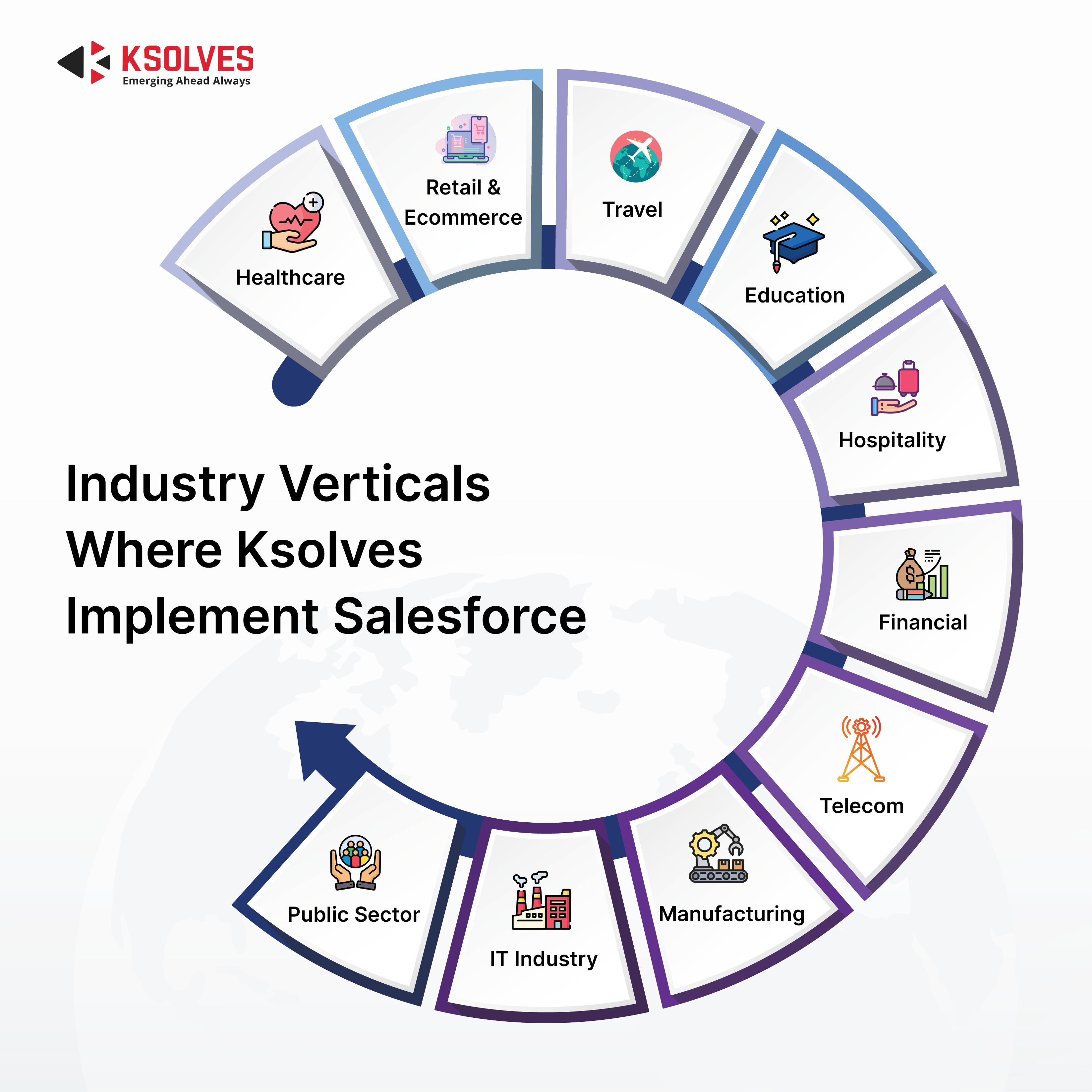
Industry Verticals Where Ksolves Implements Salesforce
Ksolves can find unique business challenges across various industries and deliver the Salesforce solution as per the customer’s needs. Our certified Salesforce professionals assist businesses in implementing Salesforce and its associated products to optimize business operations.
Other Salesforce Enterprise Products That Ksolves Implement
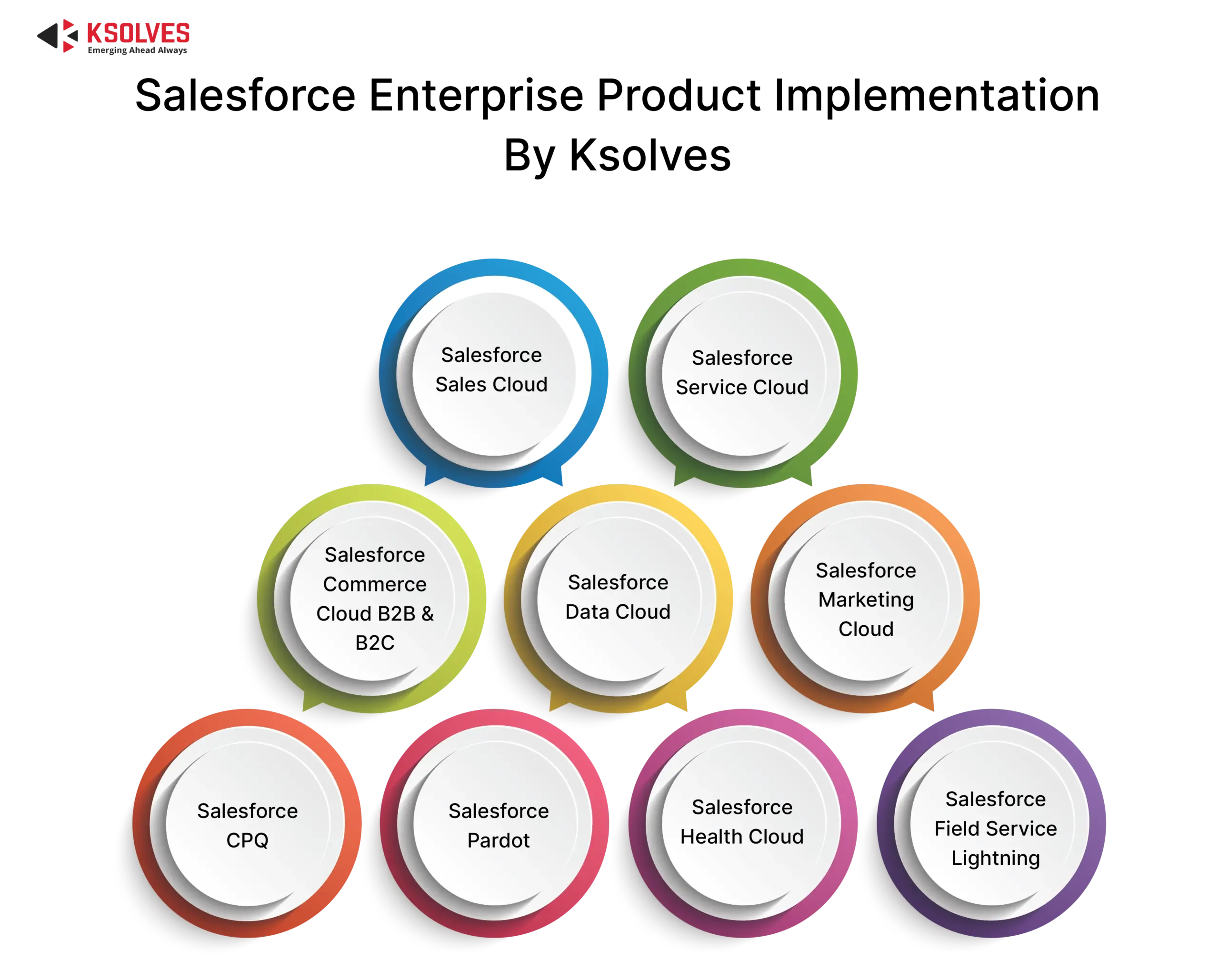
Not only Salesforce Implementation services, but Ksolves professionals specialize in implementing the various Salesforce products by addressing business challenges. Those products include:
1. Sales Cloud
With Ksolves, you can manage customer relationships and interactions effectively by opting for the Salesforce Sales Cloud Implementation approach.
2. Service Cloud
Ksolves team professionals focus on delivering the right customer service experience with Salesforce Service Cloud Implementation.
3. Commerce Cloud B2B & B2C
By opting for Salesforce Commerce Cloud implementation, you can engage the B2B and B2C E-Commerce experiences to manage the business sales process.
4. Data Cloud
Ksolves Salesforce Data Cloud implementation will help businesses unify the customer data for a 360-degree view by providing a holistic understanding of consumers.
5. Marketing Cloud
Our certified professionals offer expertise in automating and personalizing marketing campaigns for businesses across the globe with Salesforce Marketing Cloud implementation.
6. Salesforce CPQ
Ksolves Salesforce CPQ Implementation service enables you to configure, price, and quote complex products and services efficiently.
7. Pardot
Ksolves implements the B2B Marketing Automation tools that nurture the leads and drive sales growth.
8. Health Cloud
Ksolves Health Cloud implementation works on managing patient engagement and care coordination for healthcare organizations.
9. Field Service Lightning (FSL)
By implementing the Ksolves Field Service Lightning implementation, you can automate and optimize the field service operations and ensure efficient service delivery.
Expert Salesforce Implementation with Ksolves
Choosing the right implementation partner can make a significant difference to the success of a Salesforce project. Businesses need a team that understands not only the technical capabilities of Salesforce but also how those capabilities translate into practical operational improvements.
As a Salesforce Summit Partner, Ksolves brings experience in Salesforce consulting, implementation, customisation, data migration, integration, and ongoing support. The company has also retained its Summit Partner status for the third consecutive year in 2026, reflecting its continued presence in the Salesforce partner ecosystem.
Ksolves supports businesses across different industries with solutions tailored to their operational requirements. Its certified Salesforce professionals work across Sales Cloud, Service Cloud, Experience Cloud, Data Cloud, Agentforce, and other Salesforce technologies.
The value of this expertise can be seen in several implementation projects:
- E-commerce and Retail: In its Salesforce implementation for an e-commerce brand, Ksolves helped unify customer information using Data Cloud, introduce personalised marketing journeys, and automate customer service processes. The implementation delivered a reported 35% increase in repeat purchases within six months.
- Lead Management and CRM Migration: In its Odoo-to-Salesforce CRM migration project, Ksolves introduced automated lead capture, Gmail integration, marketing connectivity, and financial system integrations. The solution helped reduce manual data entry by 50%.
- Sales and Customer Service Automation: In a Salesforce Agentforce implementation for a SaaS provider, Ksolves introduced AI agents to automate routine support activities, sales data entry, and email drafting. The project reduced average case resolution time by 55%.
These projects demonstrate how Salesforce can be configured around specific business challenges instead of following a one-size-fits-all implementation model.
Close Out
A successful Salesforce implementation requires a clear strategy, reliable technical execution, and consistent employee involvement. From defining business objectives and preparing existing data to configuring workflows, integrating applications, and training employees, every stage contributes to the overall outcome.
Businesses should also remember that implementation is an ongoing process. Regular performance reviews, platform updates, user feedback, and process improvements help ensure that Salesforce continues to meet changing operational requirements.
Ultimately, the goal is not simply to introduce another CRM platform. It is to create a connected business environment where teams can access accurate customer information, reduce repetitive work, make informed decisions, and deliver better customer experiences.
With the right implementation strategy and guidance from an experienced Salesforce Summit Partner, businesses can build a CRM environment that supports both immediate operational needs and long-term growth.
Frequently Asked Questions
1. How long does a Salesforce implementation take?
The timeline depends on business requirements, data volume, customisation, integrations, and the number of users. A straightforward implementation may take a few weeks, while complex enterprise deployments can take several months.
2. What are the main stages of Salesforce implementation?
The main stages include requirement analysis, project planning, platform configuration, customisation, data migration, integration, testing, deployment, user training, and ongoing maintenance.
3. What are the common challenges in Salesforce implementation?
Common challenges include poor data quality, unclear business requirements, excessive customisation, integration failures, insufficient testing, security misconfigurations, and low user adoption.
4. How can businesses improve Salesforce user adoption?
Businesses can improve adoption through role-based training, simplified workflows, clear documentation, regular feedback sessions, internal support, and monitoring of user engagement metrics.
5. Why should businesses work with a Salesforce Summit Partner?
A Salesforce Summit Partner brings validated Salesforce expertise, implementation experience, technical resources, and knowledge of the broader Salesforce ecosystem. This can help businesses manage complex deployments, reduce implementation risks, and build scalable CRM environments.


 Rakesh Kumar