



Ksolves Cloud Agent
Making Sure Your AWS Bill Only Includes What You Use.
Ksolves Cloud Agent delivers AWS FinOps automation to every account owner's inbox, daily or weekly, no dashboards needed.
 Read-only Access
Daily or weekly Reporting
Cross-account
Zero Dashboard Dependency
Read-only Access
Daily or weekly Reporting
Cross-account
Zero Dashboard Dependency
Estimated Monthly AWS Waste
$76,164
across 5 monitored accounts · 16 regions
 14 idle EC2 instances
$8,400/mo
14 idle EC2 instances
$8,400/mo
 23 untagged resources
unattributed
23 untagged resources
unattributed
 3 cost anomalies
+$2,100
3 cost anomalies
+$2,100

What Makes AWS Bill Go Higher, Every Month
Only 6% of companies report zero avoidable cloud waste. For everyone else, the waste is invisible until the invoice arrives.
Idle resources, active billing
The median EC2 runs at 7 to 12% CPU. Stopped instances, unattached volumes, and reserved IPs keep charging regardless.
No tags, no accountability
Untagged resources have no owner. Nobody claims them, nobody cleans them, and the cost sits unattributed on every billing report.
Spend spikes nobody catches
Without daily AWS FinOps monitoring, a cost anomaly runs for days before anyone notices. By then, it is already on the invoice.
Too many accounts to check manually
Checking every account across 16 regions is hours of work every week. Most teams skip it. Waste compounds.
The Blueprint of Trust: Our
Global Compliance Framework


Want to Know if Your AWS Bill Has These?
Get The Report In Your Inbox By Tomorrow Morning

The AWS Cost Optimization now has a Shortcut - Ksolves Cloud Agent
Ksolves Cloud Agent handles cloud cost management and AWS cost optimization services across all your accounts, automatically. Fixing the most expensive blind spots in one scan.
Checks every EC2, RDS, S3, EBS, and various other AWS resources against your tag policy. Lists each violation with the exact tag missing, the resource ID, and the region. Proper tagging improves cost traceability by 45% on average.
As a top AWS FinOps Agent, it flags resources that are running, reserved, or attached but not earning their cost. Every finding includes estimated monthly waste in dollars.
Pulls 30 days of billing data daily from AWS Cost Explorer. Fire alerts before problems become invoices.
How it Works
Configured once. Runs on its own after that.
Ksolves configures your accounts
One-time setup: IAM roles, account owners, budget thresholds, required tags, and scan schedule.
Temporary credentials, per account, per scan
STS AssumeRole credentials expire after one hour. No stored keys in any account.
Every account scanned across all regions
AWS CloudWatch, Cost Explorer, EC2, and RDS APIs. No third-party services.
Findings grouped by owner, credentials stripped
Each owner's report contains only their accounts. Credentials never reach the report layer.
Report delivered to each owner's inbox
One HTML email per owner. Daily or weekly, your configured schedule.
How it Works
Configured once. Runs on its own after that.
Ksolves configures your accounts
One-time setup: IAM roles, account owners, budget thresholds, required tags, and scan schedule.
Temporary credentials, per account, per scan
STS AssumeRole credentials expire after one hour. No stored keys in any account.
Every account scanned across all regions
AWS CloudWatch, Cost Explorer, EC2, and RDS APIs. No third-party services.
Findings grouped by owner, credentials stripped
Each owner's report contains only their accounts. Credentials never reach the report layer.
Report delivered to each owner's inbox
One HTML email per owner. Daily or weekly, your configured schedule.
Your Data Stays Safe, while costs
go lower. It's our promise.
See What Your Team Would Receive Every Morning
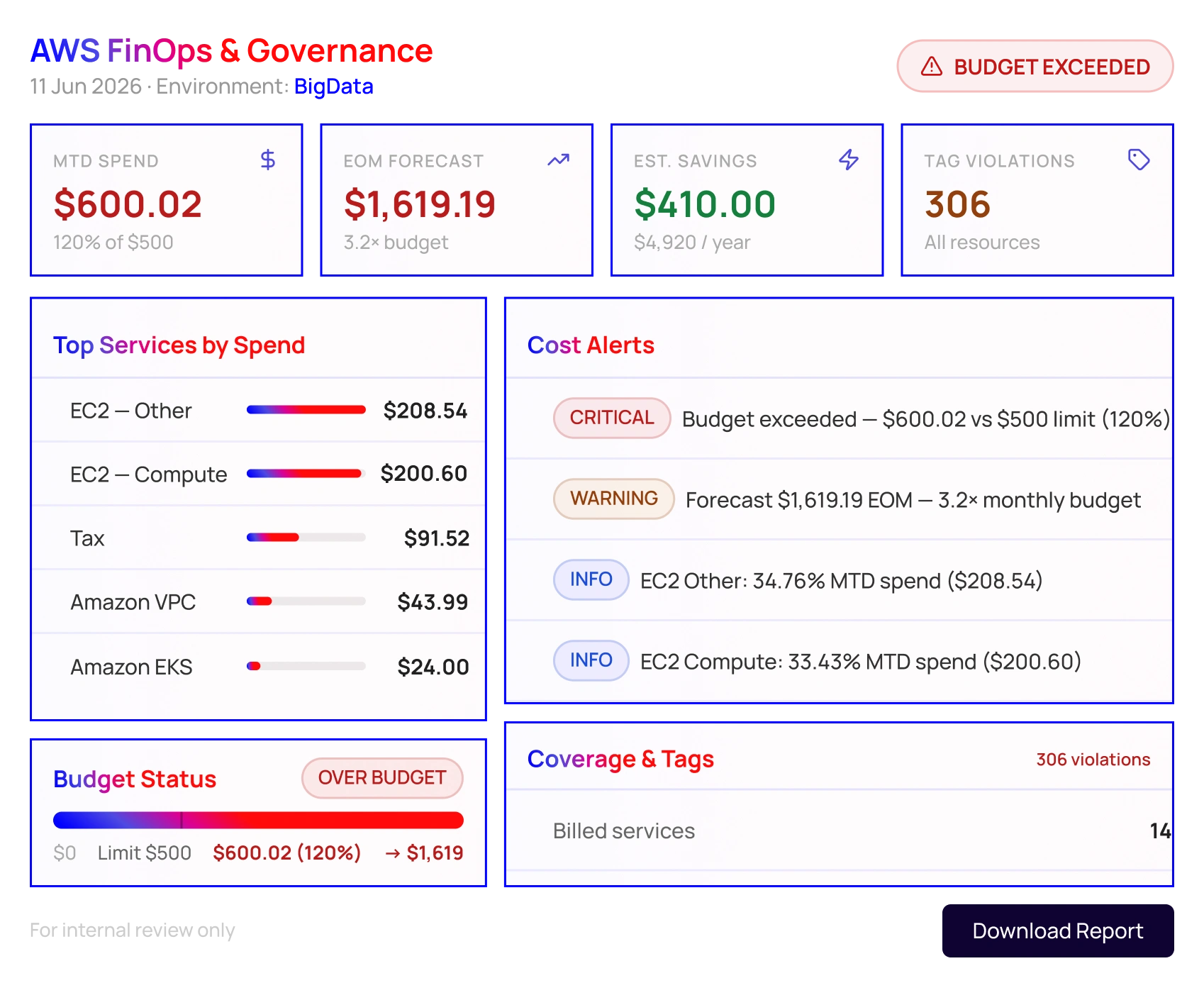
Safety is Not a Setting Here. It is the Permission Model
Every FinOps automation tool needs read access. Here is exactly what that means for Ksolves Cloud Agent.
No permanent credentials
Only temporary STS credentials are used. They expire after one hour automatically.
Least-privilege access
A read-only IAM policy scoped exactly to what each scan requires. Nothing more.
Credentials stripped before reporting
Session credentials are removed before findings are aggregated or emailed.
Cross-account isolation
Each account is assumed and scanned independently.
A Bill That Counts Every GB, Minute, And Request Should be Optimized Regularly.
New resources get created every week. Some will be idle by Friday. Ksolves AWS FinOps Agent catches them before they become three months of billing history.
Daily
Spend spikes and new idle resources flagged within 24 hours.
Weekly
For accounts that move more slowly, same coverage, less noise.
Per owner
Each person sees their accounts. Nobody is buried in someone else's findings.
Built to Get Better. Coming Soon to Ksolves Cloud Agent.
As one of the most actively developed AWS cost management tools in our portfolio, Ksolves Cloud Agent adds new scan modules every month. Teams that start now grow with it at no extra cost.
 Coming Soon
FinOps accuracy
Rightsizing recommendations from AWS Compute Optimizer, Reserved Instance, and Savings Plans suggestions, all pulled directly into your existing report.
 Coming Soon
Security posture
IAM and SCP analysis, Security Group review, security service enablement audit, and a unified AWS security scorecard mapped to CIS frameworks.
 Coming Soon
Broader AWS coverage
Encryption checks, public exposure analysis, and detailed WAF coverage across all major AWS services.
Every new module ships to existing deployments. No re-engagement, no additional setup.
Get in before the next module ships.
Not on AWS? Ksolves Cloud Agent is coming to your cloud too.
The cloud cost management capabilities powering Ksolves Cloud Agent on AWS are coming to Azure and GCP. One agent, every cloud you run.

Governance, idle resource detection, cost analytics, and per-owner reporting are coming to Azure environments.

The same FinOps automation capability set is extended to Google Cloud accounts, regions, and owners.
Right now, somewhere in your AWS accounts, a resource is billing for nothing.
Find out exactly what and how much, in the first scan with the Ksolves Cloud Agent
 Request a demo
Request a demo
Request a demo
Request a demo
Request a demo
Request a demo
Request a demo
Request a demo
Request a demo
Request a demo
Request a demo
Frequently Asked Questions
Straight answers on access, data, setup, and ownership. If your question is not here, you can book a free consultation call.
No. The IAM role is strictly read-only. No write, modify, or delete permissions at the policy level.
No. The system runs on your own infrastructure or a Ksolves-hosted instance. Nothing passes through a third-party platform.
No fixed limit. Teams typically start with 3 to 5 accounts and scale from there.
A few days, depending on the account count. Ksolves handles the full configuration.
One-time engagement. You own the system after handover. An optional support retainer is available but not required.
Edit one configuration node and deploy the read-only role. Handover documentation covers this step-by-step.





























