



Everything You Need to Know About Zoho MCP
Zoho
5 MIN READ
June 8, 2026

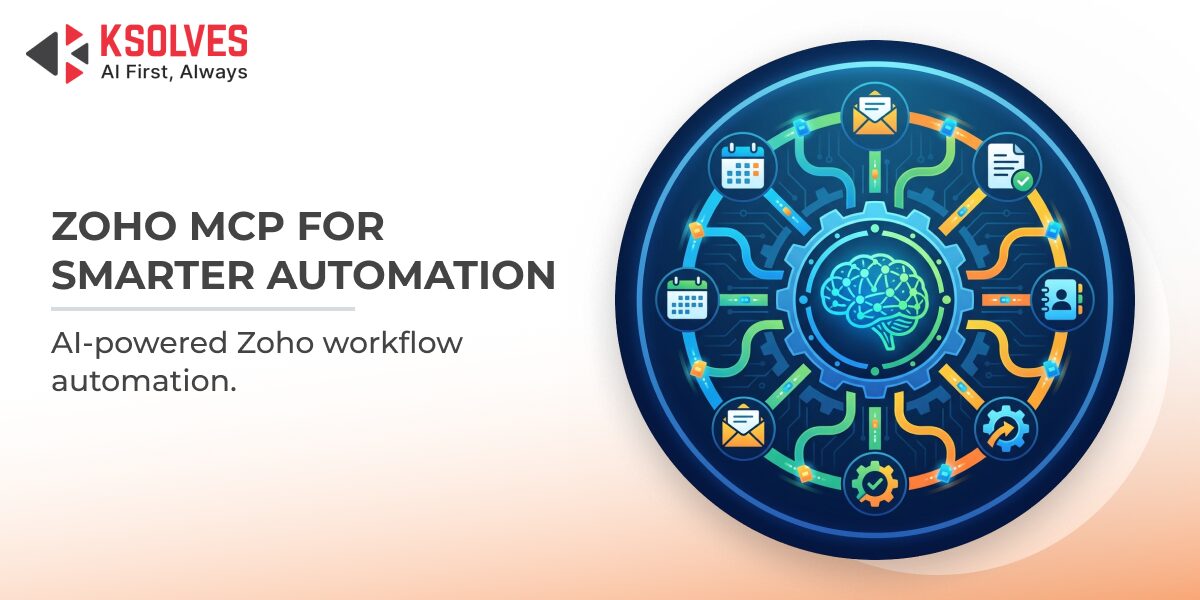
Your CRM holds the lead. Your invoicing tool holds the balance. Your helpdesk holds the ticket. Three apps. Three logins. Three different workflows to complete one customer update. Zoho MCP was built to end exactly that kind of friction. It transforms every Zoho application into an intelligent, agent-ready endpoint, where a single natural language instruction triggers real actions across your entire business stack. No switching. No scripting. No waiting.
This blog covers what Zoho MCP is, how it works, what makes it different from traditional API integrations, and what businesses can realistically do with it today.
The Problem Zoho MCP Was Built to Solve
According to a Harvard Business Review study, the average worker toggles between applications roughly 1,200 times a day. That is nearly five full working weeks a year, lost entirely to context switching. Every tab opened, every form filled, and every manual handoff is time that should be spent on work that actually moves the business forward.
Zoho MCP is the direct answer to this problem.
What Is Zoho MCP?
Zoho MCP stands for Model Context Protocol. It is Zoho’s official implementation of an open standard originally developed by Anthropic. The protocol defines how AI agents communicate with external tools, data sources, and business systems in a standardized, secure, and scalable way.
Think of it the way HTTP made the web interoperable, or the way SMTP unified email. MCP is the shared communication layer that lets AI agents take real action across your software stack, rather than sitting on the sidelines offering advice.
Zoho MCP is the product built on top of this standard. It allows you to create MCP servers that expose tools, actions, and contextual data from across the entire Zoho suite. Any compatible AI agent, whether GPT, Claude, Gemini, or a custom-built model, can connect to these servers, understand the available actions, and execute them using plain language instructions.
How Zoho MCP Works: Step by Step
The process is straightforward once the MCP server is configured:
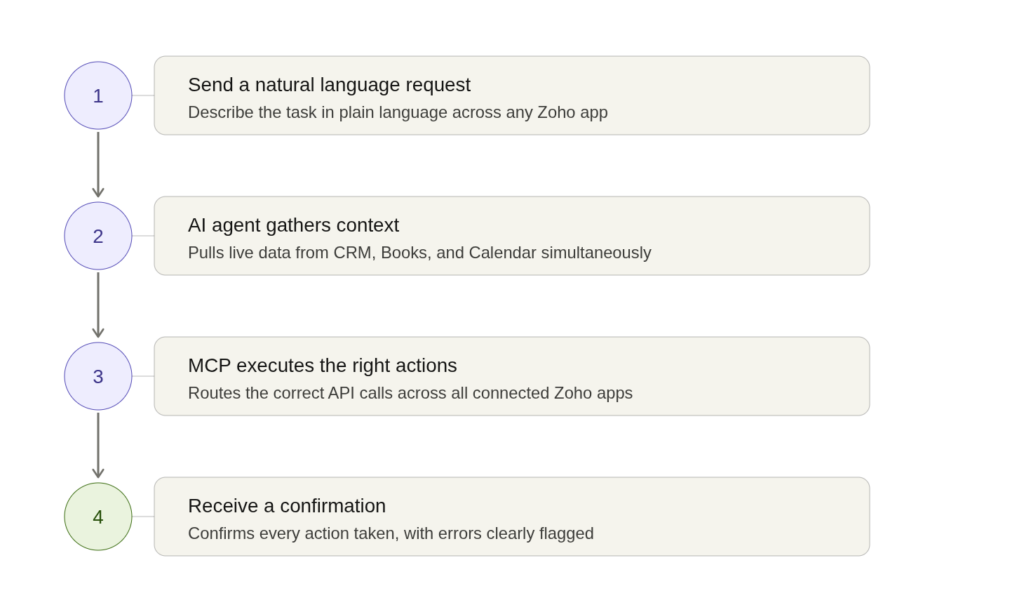
- You send a natural language request. For example: “Close the Acme deal, generate the invoice, and schedule a follow-up call.”
- The AI agent gathers context. It queries Zoho MCP to fetch relevant data from CRM, Books, and Calendar simultaneously.
- MCP executes the right actions. The server proxies the correct Zoho API calls across every connected app at once.
- You get a confirmation. The system returns a structured response confirming every action taken, with errors clearly flagged if anything needs attention.
The setup is low-code. You configure your MCP server through the Zoho MCP console, copy the generated server URL, and add it to your AI client configuration. From there, the agent is ready to act.
What Makes Zoho MCP Different from a Regular API?
Traditional API integrations require custom code written specifically for each workflow. Every new connection is a new project. Zoho MCP removes that overhead by providing a standardized, self-describing interface that any MCP-compatible AI agent can read and use without custom scripting.
There is another critical difference: context. A standard API call asks for one piece of data. Zoho MCP gives the AI a unified view of your entire customer record, across CRM, Books, and Desk simultaneously, so it can act with the full picture rather than a fragment of it.
While Zoho MCP uses Anthropic’s open standard, enterprises running Salesforce can achieve similar AI-agent orchestration through Agentforce consulting services – connecting Einstein AI, Data Cloud, and Salesforce workflows through the same agentic execution model.
Real-World Use Cases Across the Zoho Suite
Zoho MCP supports over 15 Zoho applications and connects to more than 300 third-party tools via Zoho Flow. Here are the most impactful use cases businesses are running today:
- Zoho CRM: Auto-qualify leads, update deal stages, schedule follow-ups, and log meetings from a single prompt.
- Zoho Books: Generate invoices, flag overdue payments, and produce financial summaries without opening the application.
- Zoho Desk: Monitor unresolved tickets overnight, automatically escalate priority issues, and send status updates to customers.
- Zoho Analytics: Answer business questions in plain English and surface anomalies without writing a single SQL query.
- Multi-app orchestration: Trigger a sequence across CRM, Books, and Cliq from one instruction, with every step confirmed and logged.
Why Zoho MCP Is Built for Enterprise Security
Every agent action in Zoho MCP is governed by permission-scoped access controls. Agents operate under the authorized user’s existing Zoho security model. They cannot perform actions beyond what the user is allowed to do. All data handling is encrypted and backed by enterprise-grade audit trails.
This is not a workaround on top of existing security. It is integrated into it.
How Ksolves Helps You Get There with Zoho Implementation Services
Deploying Zoho MCP requires more than flipping a switch, as it requires understanding your business workflows, mapping them to the right MCP server configurations, and ensuring your data model is structured for agent-level access. This is where expert Zoho implementation services make the difference.
Ksolves works with businesses to design, configure, and deploy Zoho MCP environments that reflect how your teams actually work. From CRM-to-finance automation to cross-departmental agent orchestration, our team ensures your MCP setup is built for reliability, security, and measurable ROI from day one.
Conclusion
Zoho MCP is not a chatbot layer or an experimental feature. It is a fundamental shift in how AI agents connect with business software. It closes the gap between insight and action, turning natural language instructions into real, cross-app execution. For businesses already using the Zoho ecosystem, the case for adoption is clear: less manual work, faster workflows, and a system that actually responds to how people communicate. If you are ready to move from app-hopping to agent-driven automation, connect with Ksolves to build the right MCP foundation for your business or send us your query at [email protected].
Frequently Asked Questions
What is Zoho MCP and how does it work?
How is Zoho MCP different from a traditional API integration?
Which Zoho applications are supported by Zoho MCP?
Is Zoho MCP secure enough for enterprise use?
What are the most impactful business use cases for Zoho MCP?
Can businesses implement Zoho MCP without technical expertise?
How long does a Zoho MCP implementation typically take?
Have questions about deploying Zoho MCP for your business? Contact our team for a free consultation.































Author
About the Author Editorial Team The Ksolves Editorial Team includes certified Salesforce experts, Big Data engineers, AI/ML specialists, Zoho consultants, and experienced technology writers focused on delivering clear, actionable insights for modern businesses. With hands-on experience across Salesforce, Big Data platforms, AI/ML solutions, application development, software testing, and Zoho ERP/CRM, the team publishes practical guides, real-world use cases, and industry updates that support smarter decisions and faster growth. Every article is created to solve business challenges, guide technology adoption, and keep organizations aligned with evolving digital ecosystems.
Share with