



Agentforce Grid for Manufacturing: How AI Triages Warranty Claims and Flags Safety Risks
Agentforce
5 MIN READ
August 6, 2026

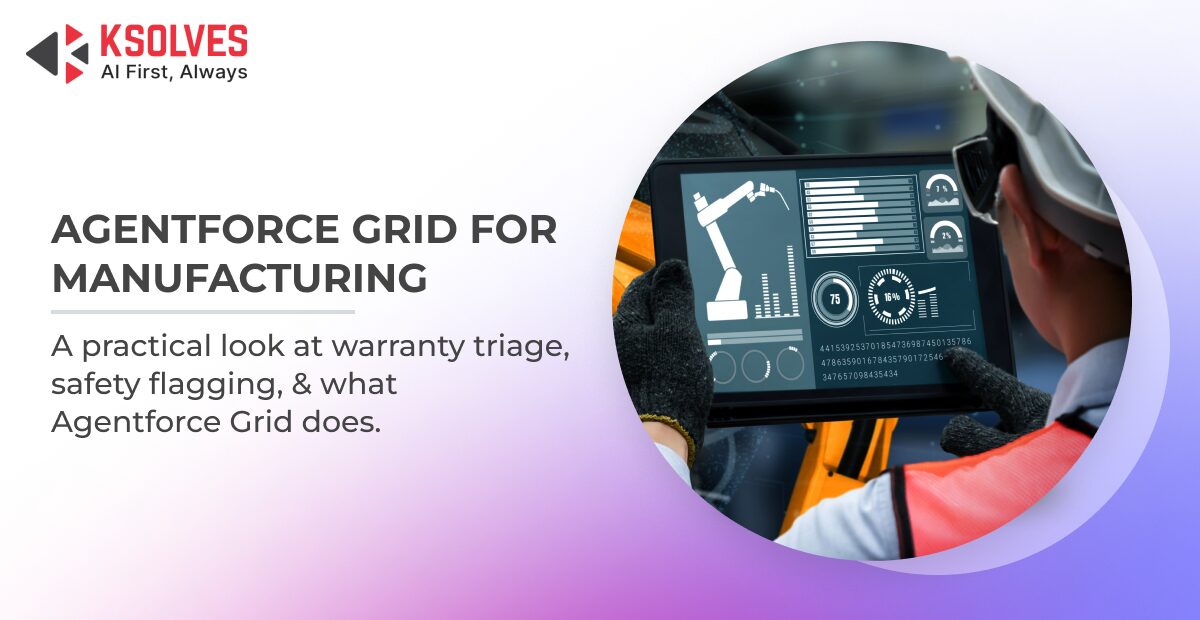
Warranty is where a manufacturer finds out, after the fact, whether a product held up the way it was supposed to. Every claim carries a small piece of that answer: which part, which batch, which failure, where. Read those pieces early enough, across enough claims, and you catch a defect while it’s still a service bulletin.
Most manufacturers already have this data sitting in the claim record. Part number, defect code, production batch, geography, model year, all captured at intake as a matter of course. Reading three or four claims and noticing they share a batch and a failure mode takes a person a few minutes. Reading that same pattern across a few hundred claims a week, while also doing everything else warranty review requires, asks something a team can’t sustain on manual review alone.
Agentforce Grid gives that ongoing cross-referencing a place to actually live: a workflow that checks every incoming claim against the ones already in the queue, continuously, instead of waiting for someone to notice a pattern by memory.
What Is Agentforce Grid?
Agentforce Grid is a spreadsheet-style AI workspace built directly inside Salesforce, where each column can query data, run an AI prompt, or trigger an action, and every column passes its result to the next.
There are three kinds of columns:
- Data columns pull records straight from Salesforce or Data 360; no exporting required.
- Action columns update fields, run formulas, or kick off downstream automation.
- AI columns run a prompt or an agent against whatever’s already in the row.
A column can also run only under certain conditions, using a simple rule written in Salesforce’s own expression language. That matters because AI steps are the expensive part of any workflow, and you don’t want them running on every row when only a handful actually need it.
This is also why Salesforce calls it the end of the “copy-paste tax.” The old way of doing this was exporting a few thousand records to a CSV, running a model in a separate tab, then pasting the results back in by hand. Grid skips all of that, since the data never leaves Salesforce in the first place.
Security follows the same logic. Grid respects whatever object-level and field-level permissions a user already has. If someone can’t normally see a field, Grid doesn’t quietly hand it to them just because it sits in a workflow. That’s a small detail with a big consequence for warranty data, since a lot of it, defect codes, safety notes, is exactly the kind of thing that should stay restricted.
Ready to Put Your Warranty Data to Work Inside Salesforce?
Where Warranty Claims Data Lives in Salesforce
Warranty claims data lives in Warranty Lifecycle Management inside Agentforce Manufacturing (formerly Manufacturing Cloud), which already stores claim text, part number, defect code, production batch, model year, and geography as standard fields.
None of this needs new integration work, since the same data your team already collects for standard warranty administration is exactly what a Grid workflow reads from to do triage, and the real gap has always been reviewing it fast enough, and broadly enough, to catch a pattern before it grows into something bigger.
How Agentforce Grid Triages Warranty Claims
Agentforce Grid triages warranty claims by running each one through a sequence of columns that classify severity, check for clustering against other recent claims, and route the result automatically or to a human reviewer.
A working setup runs roughly like this, one column at a time:
- Pull the claim: A data column grabs the part number, defect code, batch, model year, geography, and the raw claim text.
- Classify it: An AI column reads the claim text and tags its severity, likely failure category, and whether the language hints at a safety concern versus routine wear. This one runs on every row.
- Check for a pattern: A conditional data column, triggered only when step 2 flags anything above routine, checks how many other recent claims share the same part, batch, and failure category.
- Flag the risk: If step 3 turns up a cluster past a set threshold, a conditional column marks the claim as a potential safety risk instead of an isolated defect and tags the related claims as part of the same group.
- Route it: Routine, non-clustered claims move on to standard processing automatically. Anything flagged in step 4 goes straight to a quality engineer’s queue, with the cluster data already attached.
Because steps 3 and 4 only fire when they’re needed, the expensive checks run on a fraction of total claims, not all of them. And since Grid is built to prototype on a single row first, you can test the logic on one claim before turning it loose on thousands. It’s one of the clearest Agentforce Grid manufacturing industry use cases showing up right now, precisely because warranty data already sits in a structured, queryable form.
How AI Flags Safety Risks in Manufacturing Warranty Claims
AI flags a safety risk when multiple claims share the same part, batch, and failure mode within a short window, not simply when overall claim volume rises.
What Separates a Safety Signal From a Normal Claim Spike
A rise in claims for an aging component is often just an aging fleet catching up with itself, and claim volume alone can’t tell that apart from a real defect.
What actually points to a systemic problem is a combination: the same part, the same batch or a narrow batch range, and the same failure mode, showing up across several claims in a short window, often concentrated in one region or model year. A single claim can’t show you that, but a workflow checking all of those axes against the same data, continuously, can.
Why Human Review Still Owns the Safety Decision
Grid flags and routes a claim, but it never decides what happens to it next. A safety-risk classification lands in a review queue with the supporting data attached, but it doesn’t trigger a recall, a parts hold, or a customer notification on its own. Auto-escalating every cluster past a threshold, with no human in the loop, would flood engineers with noise and wear down trust in the system fast. Recall decisions also carry legal weight that has to be traced back to a person, not a model.
The permission model backs this up. Since Grid respects the access a user already has, and keeps a record of who queried what and when, the audit trail lives inside Salesforce instead of a spreadsheet nobody can trace six months later.
What Changes for Quality and Engineering Teams
Triage that runs continuously surfaces a defect pattern at the third or fourth claim instead of the thirtieth.
Without a setup like this, engineering usually only sees a warranty pattern once it’s already visible in an aggregated report, weeks or months after the first claim came in. It also frees up where people spend their time day to day. Most claims are routine, and once Grid is doing that first pass, reviewers spend their time on the small set that’s already been flagged and clustered, not on reading every claim to decide whether it deserves a second look.
Why Ksolves for Agentforce Grid Implementation
Ksolves brings Salesforce Summit Partner-level configuration experience to Agentforce Manufacturing, plus the AI-augmented delivery that makes a triage workflow like this reliable instead of just fast. The clearest benefits of Agentforce Grid for manufacturing show up in how much earlier a real safety pattern surfaces, not in how much manual work disappears.
The column logic in a triage grid is only as good as the thresholds and conditions behind it. Set the clustering threshold too low, and quality engineers drown in false positives. Set it too high, and a real pattern slips through. Getting this right takes both Salesforce configuration depth and a working understanding of how warranty and quality teams actually operate day to day, not just how the platform works in theory.
Every consultant on the Ksolves team uses AI as a daily working tool, which is part of why implementations like this typically ship in roughly half the standard timeline, with configuration reviewed and tested before it reaches your quality team, not after.
Conclusion
Warranty data was never the missing piece, since manufacturers have been capturing part numbers, defect codes, and batch records for years; what they’ve lacked is a way to check that data against itself, continuously, at the speed a real defect pattern demands. Agentforce Grid puts that check directly into the workflow that already holds the data, so a safety pattern gets caught while it’s still a handful of claims instead of a recall.
FAQs
What is Agentforce Grid?
Agentforce Grid is a spreadsheet-style AI workspace built directly inside Salesforce, where each column can pull data, run an AI prompt, or trigger an action, and results pass from one column to the next. It lets teams prototype an AI workflow on a single record before running it across thousands, without exporting data anywhere. For manufacturers, that means warranty claims can be triaged and clustered without ever leaving Salesforce.
What happens if a manufacturer misses an early warranty defect pattern?
A defect that isn’t caught early keeps shipping until claim volume forces attention, by which point it has usually escalated from a service bulletin into a recall. Recalls carry far higher costs than early fixes, in both payout and reputation. Continuous claim-by-claim checking, rather than periodic aggregated reporting, is what catches the pattern while it’s still small.
How does Agentforce Grid decide which warranty claims to escalate?
Agentforce Grid runs each claim through a sequence of columns that classify severity, check for clustering against other recent claims sharing the same part, batch, and failure mode, and route the result automatically or to a human reviewer. Clustering checks only run on claims already flagged as above-routine, so the expensive AI steps stay limited to a fraction of total volume. Ksolves configures these thresholds so manufacturers catch real patterns without flooding quality engineers with false positives.
How is Agentforce Grid different from exporting warranty claims to a spreadsheet for analysis?
The older approach means exporting records to a CSV, running analysis in a separate tool, and pasting results back into Salesforce by hand, a process Salesforce calls the copy-paste tax. Agentforce Grid runs the same triage logic inside Salesforce, so the data never leaves and existing field-level permissions still apply. That keeps restricted warranty data, like defect codes and safety notes, from being exposed outside its normal access controls.
When should a manufacturer set up an Agentforce Grid triage workflow?
A manufacturer is a good candidate as soon as warranty claim volume outpaces what a reviewer can manually cross-reference for shared parts, batches, and failure modes, often a few hundred claims a week. Since Grid reads directly from existing Warranty Lifecycle Management fields inside Agentforce Manufacturing, no new integration work is required to start. Ksolves typically prototypes the logic on a single claim before scaling it across the full queue.
Who should manufacturers work with to implement Agentforce Grid for warranty triage?
Manufacturers need a partner with both Salesforce configuration depth and a working understanding of how warranty and quality teams operate day to day, since clustering thresholds set too low or too high undermine the whole workflow. Ksolves is a Salesforce Summit Partner that pairs Agentforce Manufacturing configuration experience with AI-augmented delivery, typically shipping implementations in roughly half the standard timeline. Every build is reviewed and tested before it reaches a manufacturer’s quality team.
Does Agentforce Grid decide on its own whether to issue a recall?
No. Grid flags and routes a claim with supporting cluster data attached, but a human reviewer always makes the final call on parts holds, customer notifications, or recalls. Auto-escalating every flagged cluster without human review would flood engineers with noise and undermine trust in the system. The permission model also logs who queried what and when, keeping the audit trail inside Salesforce rather than an untraceable spreadsheet.
Have a question about implementing Agentforce Grid for your warranty workflow? Contact our team.































Author
About the Author Editorial Team The Ksolves Editorial Team includes certified Salesforce experts, Big Data engineers, AI/ML specialists, Zoho consultants, and experienced technology writers focused on delivering clear, actionable insights for modern businesses. With hands-on experience across Salesforce, Big Data platforms, AI/ML solutions, application development, software testing, and Zoho ERP/CRM, the team publishes practical guides, real-world use cases, and industry updates that support smarter decisions and faster growth. Every article is created to solve business challenges, guide technology adoption, and keep organizations aligned with evolving digital ecosystems.
Share with