



Salesforce Financial Services Cloud (FSC) for Insurance: Claims Automation & Compliance Setup
Financial Services Cloud
5 MIN READ
October 31, 2026

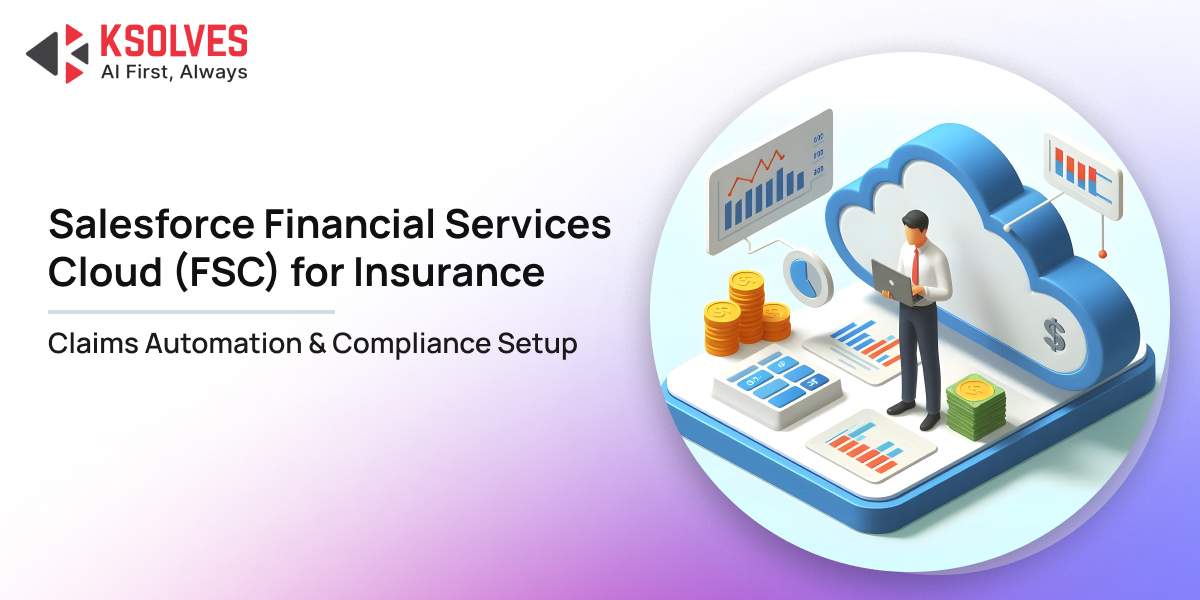
Salesforce announced that insurance companies had selected Agentforce to advance its AI transformation, including claims processing. The initiative focuses on verifying documents, identifying missing information, and routing exceptions for review, demonstrating how insurers are applying AI to specific stages of the claims journey.
The need for better claims handling is clear because Salesforce previously reported that 43% of consumers surveyed had to follow up repeatedly during the insurance claims process, highlighting the frustration that can arise when information, communication, and case ownership are poorly coordinated.
For insurance companies, the problem often starts with disconnected policy records, incomplete claim submissions, and approval workflows that depend on manual follow-ups. A customer may submit every requested document but still have no clear answer about the claim’s status. Meanwhile, claims handlers spend valuable time retrieving information instead of assessing cases.
Salesforce Financial Services Cloud (FSC), together with appropriate insurance claims capabilities, integrations, and automation, can help insurers create a more connected claims process. The objective is to reduce avoidable administrative work while maintaining accurate records, appropriate financial controls, and human oversight.
Let’s explore how to configure Salesforce for insurance claims automation, establish compliance controls, integrate field inspections and measure the operational impact.
What Is Salesforce Financial Services Cloud for Insurance?
Salesforce Financial Services Cloud is an enterprise CRM platform designed to unify policyholder records, relationship trees, and operational touchpoints across the business lifecycle. While our previous overview explores how FSC supports core insurance operations like policy administration and campaigns, this guide focuses specifically on how FSC coordinates the moving pieces of claims adjudication and regulatory compliance.
For insurers, this connected information can give claims handlers a clearer view of the policyholder’s history and interactions. However, Salesforce FSC alone should not be assumed to provide every capability required for end-to-end claims administration.
Dedicated insurance products or integrations may be needed for claims intake, adjudication, reserves, payment authorization, and settlement.
Consider a commercial property insurer receiving a claim after a warehouse fire. The customer service representative needs to identify the policyholder and capture the incident. The claims handler then needs to verify coverage, review photographs and inspection reports, assess the loss and obtain the necessary approvals.
A properly designed Salesforce environment can coordinate these activities and make relevant information available to authorized employees. The policy administration system may remain the source of truth for coverage, while connected claims and financial systems handle specialist processing.
The distinction is important when planning a Salesforce Financial Services Cloud implementation: the platform should support a defined claims process, not be treated as a replacement for every existing insurance system.
Where Insurance Claims Processing Breaks Down
Before automating claims, insurers should identify the specific operational problems that cause delays, repeated work, and compliance risks.
1. Incomplete first notice of loss
First notice of loss (FNOL) is the initial report that an insured event has occurred. If the customer provides an incomplete policy number, incident description, or supporting evidence, the claims team may need several follow-ups before assessment can begin.
A guided digital intake process can collect information based on the claim type, validate mandatory fields, and flag missing documents.
For example, a motor insurance FNOL workflow may request the accident date, vehicle details, incident location, and photographs. A property claim may require the affected address, a damage description, and supporting evidence.
The system should distinguish between information submitted by the policyholder and information verified against authoritative records. Entering a policy number must not automatically confirm that coverage applies.
2. Claims sitting in the wrong queue
A straightforward repair claim and a high-value commercial loss require different levels of investigation and approval.
When claims are assigned manually, cases can remain with the wrong team or wait for a specialist who has not been notified.
Configured routing rules can assign claims based on type, complexity, urgency, location, and financial exposure. For example, a routine claim may enter a standard processing queue, while a major property loss requires a senior adjuster’s review.
The rules must reflect approved claims procedures and include escalation paths for disputed coverage, suspected fraud, and unusual cases.
3. Missing documents and repeated follow-ups
A claim may be ready for assessment except for one missing repair estimate or assessor’s report. Without a clear record of outstanding requirements, the customer may receive repeated requests from different employees.
Salesforce workflows can create tasks, reminders, and escalation alerts when required evidence remains outstanding. Connected document management systems can make file references and submission status visible to authorized claims handlers.
The workflow should also identify who is responsible for the next action. A claim waiting for customer documents should not be treated in the same way as one awaiting an internal approval.
4. Unclear approval and payment status
A settlement recommendation, an approved payment, and a completed payment are three different stages.
If these stages are not recorded separately, customer service teams may provide inaccurate updates and managers may struggle to reconcile outstanding payments.
The claims workflow should record the approval decision, responsible approver, relevant financial authority, and payment confirmation. This provides a clearer operational history and reduces the risk of treating an approval notification as proof of settlement.
How to Set Up Claims Automation in Salesforce FSC
An effective implementation begins with the claims lifecycle, the information each stage requires, and the controls that must remain in place.
Step 1: Map the claims lifecycle and define ownership
Document the process from FNOL through policy verification, evidence collection, assessment, approval, settlement, and closure.
For each stage, define the responsible team, required information, expected turnaround time and conditions for escalation.
For example, a property claim may move from customer service to a claims handler, then to an external assessor and finally to a financial approver. Each hand-off should have a clear owner and a defined condition for moving the case forward.
This exercise also identifies which steps can be automated and which require professional judgement.
Step 2: Configure the insurance data model
Claims automation depends on accurate relationships between policyholders, policies, claims, claimants, assets, and financial records.
Establish which system owns each data type. A policy administration platform may manage coverage and policy status, while Salesforce coordinates service interactions and claims-related activities.
Integration design should address duplicate customer records, conflicting updates, missing policy information, and failed synchronization.
For instance, if a policy’s status cannot be retrieved from the authoritative system, the claim should be flagged for verification rather than treated as covered by default.
Step 3: Build guided FNOL and validation workflows
Configure intake forms and workflows according to the information needed for each insurance product.
A motor claim may require vehicle and accident details, while a health-related claim may involve different documentation and more restrictive access requirements.
Validation rules should identify missing information, inconsistent dates and incomplete submissions before the case progresses. Where the necessary insurance capabilities are available, dedicated FNOL workflows can support structured claim intake.
Test these rules against real scenarios, including duplicate submissions, incorrect policy references and claims requiring additional evidence.
Step 4: Automate claim assignment and financial approvals
Use defined rules to direct claims to the appropriate team and establish approval requirements based on the insurer’s policies.
For example, a claim within an approved financial authority limit may follow the standard approval route. A higher-value settlement may require a senior approver, while a disputed claim may need specialist review regardless of its estimated value.
Salesforce’s insurance claims capabilities include options for claim intake, claim history, adjuster workflows, and financial approval controls, depending on the products and configuration in use. Salesforce Claims Management documentation.
The implementation should record who approved the settlement, when the decision occurred, and which evidence supported it. Changes to approval thresholds must follow controlled testing and release procedures.
Step 5: Connect document, assessment and payment systems
Insurers often rely on separate systems for document storage, repair estimates, policy administration, and payment processing.
Integrations should make the information required by claims handlers available without creating confusion about which system owns the record.
Consider a warehouse damaged by a storm. An assessor uploads the inspection findings, the claims handler reviews the evidence, and an authorized manager approves the settlement. The payment system processes the instruction and returns confirmation.
The claims record should show each stage separately, allowing employees to identify whether the case is awaiting assessment, approval, or payment confirmation.
Related Case Study: Slashing Dispute & Settlement Delays in Salesforce FSC
Unifying fragmented systems into Salesforce FSC requires an event-driven architecture that preserves backend core system integrity. Discover how Ksolves built a tokenized integration layer in Salesforce FSC that cut dispute resolution times by 60% and reduced call handling time by 35% in our Salesforce FSC Real-Time UPI & Dispute Resolution Case Study.
Step 6: Test exceptions before launch
A successful implementation must handle more than the standard claim journey.
Test incomplete submissions, duplicate claims, policy mismatches, failed integrations, disputed coverage, missing evidence, and payments exceeding approval limits.
Compliance teams should verify access restrictions and audit records, while claims handlers should confirm that assignments, tasks, and status changes reflect actual working procedures.
A phased pilot can reveal issues before the workflow is rolled out across the organization.
Compliance Setup: Protecting Policyholder Data and Audit Trails
Claims automation must operate within the insurer’s regulatory obligations, internal policies, and approved decision-making procedures. Automation alone does not guarantee compliance.
Role-based access to sensitive records
Configure access according to each user’s responsibilities. A customer service representative may need claim status and the next required action, while medical records or sensitive investigation notes may require more restrictive access.
Review permissions for employees, brokers, external assessors, and service providers. Test access through reports, exports, mobile interfaces, and connected systems rather than checking only the main claims record.
Audit trails and documented decisions
Claims teams should be able to explain how a claim progressed and why a particular decision was made.
Maintain appropriate records of status changes, approvals, user actions, document references, and customer communications. Salesforce field history tracking and available audit capabilities can support this requirement, but their coverage and retention limits must be verified.
If a regulator or internal auditor asks why a settlement was approved, the organization should be able to identify the decision-maker, applicable authority, and supporting evidence.
Regulatory requirements and retention policies
Insurers operating in India should map their claims workflows to applicable Insurance Regulatory and Development Authority of India (IRDAI) requirements. Organizations operating in other jurisdictions must account for relevant privacy, consumer protection, claims-handling, and record-retention obligations.
Translate these requirements into operational controls, such as mandatory disclosures, approval thresholds, escalation deadlines, and restrictions on sensitive information.
Retention policies should cover Salesforce records, attachments, integration logs, and external document repositories. The organization should define how long each category of information must be retained and how it is securely disposed of when appropriate.
Human oversight for consequential decisions
Automation can collect documents, assign tasks, and identify missing information. These activities should not be confused with deciding whether a complex claim is covered.
Claims involving exclusions, disputed liability, suspected fraud, or substantial financial exposure may require specialist assessment and documented approval.
AI-generated summaries, classifications, and customer communications should be checked where errors could affect a material decision. The insurer should also test for inaccurate outputs, inconsistent treatment, and inappropriate disclosure of personal information.
Using Salesforce Field Service for Insurance Inspections
Some claims cannot be assessed remotely. Property damage, vehicle accidents, and equipment failures may require an assessor or technician to visit the site.
Salesforce Field Service can complement the claims process by coordinating inspections, work orders, appointments, and field activities. It is a separate capability from core FSC functionality, so the insurer should confirm licensing and integration requirements before including it in the solution.
A suitable field service scheduling software configuration can help assign inspections according to availability, skills, and location.
For insurers managing large assessor networks, mobile workflows and broader enterprise field service capabilities may also be relevant. However, these should remain supporting elements of the claims process rather than becoming the main focus of the FSC implementation.
How to Measure the Results of Claims Automation
Measure the performance of the claims process before and after implementation. The objective is to establish whether automation improves speed, accuracy, and control.
|
Metric |
What it reveals |
|
FNOL completeness |
Whether claims arrive with the required initial information |
|
Claims cycle time |
How long claims take to reach settlement or closure |
| Outstanding document rate |
How often cases wait for missing evidence |
|
Approval turnaround |
How quickly required financial or specialist decisions are made |
| Rework rate |
How frequently claims return because of incomplete or incorrect information |
|
Compliance exceptions |
Whether required controls or approvals have been missed |
| Payment completion time |
How long approved settlements take to reach completion |
|
Customer follow-up rate |
How often customers contact the insurer for avoidable status updates |
Compare results across similar claim types and levels of complexity. A straightforward motor claim should not be judged against the same target as a major commercial property loss.
Common Mistakes to Avoid
Automating a poorly designed process: Clarify ownership and remove unnecessary steps before introducing workflows.
Treating Salesforce as the only source of truth: Define which systems own policy, assessment, and payment information.
Giving users excessive access: Apply role-based controls and test access across connected applications.
Automating complex claim decisions without oversight: Establish specialist review and documented approval requirements.
Ignoring ongoing maintenance: Assign responsibility for reviewing permissions, integrations, workflows, and regulatory changes.
Build a More Efficient and Compliant Claims Process with Ksolves
Salesforce Financial Services Cloud can help insurers connect customer information, claims-related activities, and service workflows. With the right insurance capabilities, integrations, and controls, it can support more consistent claims intake, clearer ownership, and improved visibility into outstanding decisions.
At Ksolves, we can help insurers plan and implement Salesforce Financial Services Cloud around their existing workflows, data architecture, and compliance requirements. Its Salesforce services include FSC consulting, implementation, customization, and integration, helping organizations connect their Salesforce environment with relevant business systems. Explore Ksolves’ Salesforce Financial Services Cloud services.
If your claims team is still dealing with disconnected records, repeated document requests, or manual approval bottlenecks, speak with Ksolves about identifying the right automation opportunities and building a phased implementation roadmap.
Start with a defined claims use case, establish measurable targets, and build a solution that improves operational efficiency without compromising compliance.
Frequently Asked Questions
1. Can Salesforce FSC automate insurance claims processing?
Salesforce FSC can support connected customer and service workflows. End-to-end claims automation may require dedicated insurance claims capabilities, integrations, and configured approval controls.
2. How does Salesforce help insurers maintain compliance?
It can support role-based access, documented workflows, approval records, and audit capabilities. Compliance still depends on correct configuration, retention policies, and applicable regulatory requirements.
3. Can Salesforce automate first notice of loss (FNOL)?
Yes, with appropriately configured insurance claims capabilities, insurers can collect claim details, validate submissions, and identify missing information. Policy coverage must still be verified against the authoritative system.
4. Does Salesforce FSC support AI-powered claims automation?
AI capabilities can assist with tasks such as document verification, identifying missing information, and routing exceptions, depending on the products and configuration. Material claims decisions should have appropriate human oversight.
5. How can Ksolves help with Salesforce FSC implementation?
Ksolves offers Salesforce Financial Services Cloud consulting, implementation, customization, and integration services.
 Rakesh Kumar
What happens when customers stop searching for products themselves and start asking AI to find, compare, and recommend them? That […]
 Rakesh Kumar
AI assistants like Claude can now write Apex classes, test suites and Lightning Web Components in minutes. The real question […]
 Rakesh Kumar
Did you know that a few lines of Apex code that bypass CRUD or Field-Level Security (FLS) can delay an […]






























AUTHOR
Financial Services Cloud
Rakesh Kumar is a Salesforce Practice Lead and Application Architect at Ksolves India Limited, with over 11 years of experience in Salesforce development and enterprise solution architecture. He specializes in Salesforce Financial Services Cloud, Consumer Goods Cloud, Sales Cloud, Service Cloud, Commerce Cloud, Revenue Cloud, Data Cloud, and Agentforce. His expertise includes designing multi-cloud CRM solutions, integrating enterprise systems, developing reusable Salesforce accelerators, and implementing AI-driven workflows. A 12-time Salesforce-certified professional, Rakesh focuses on enterprise architecture, secure AI agent deployment, and transforming complex business processes into scalable, production-ready Salesforce solutions.
Share with