



DevSecOps: Integrating Security into Your DevOps Pipeline
DevOps
5 MIN READ
March 26, 2026

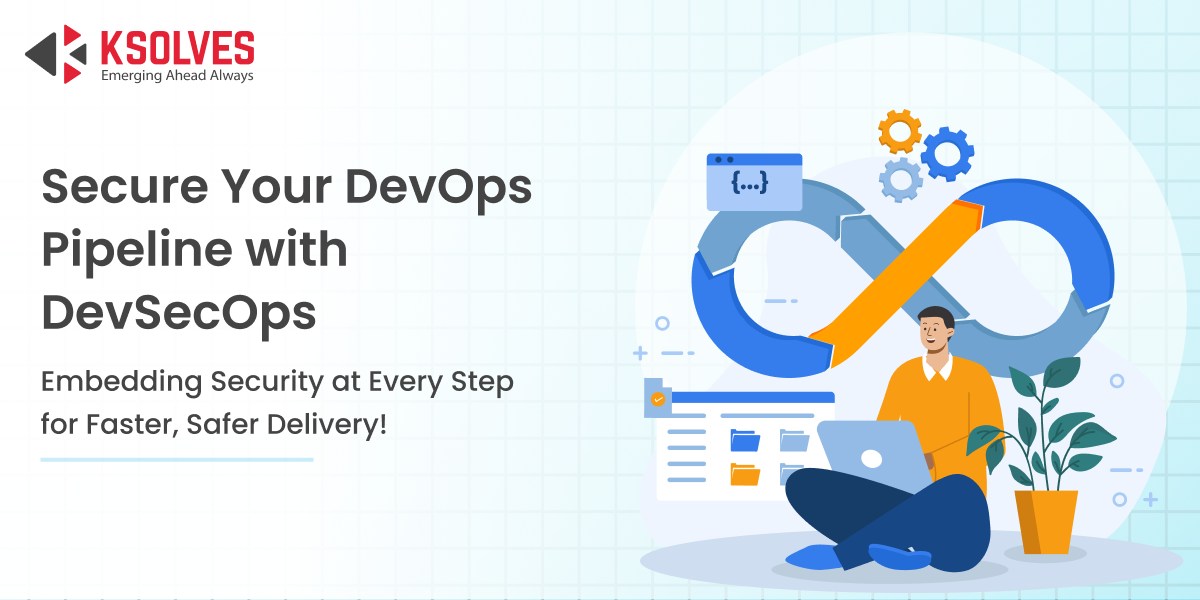
Today, DevOps has become a leading approach for rapidly building and updating software by bringing together development and operations teams to collaborate and automate tasks. It focuses on communication, teamwork, integration, and using automation to speed things up. But this fast pace often clashes with traditional security methods.
Usually, security happens at the end of the development process in a slow, step-by-step manner called “Waterfall Security.” This causes delays and extra work when problems or vulnerabilities are found late. This is one of several DevOps misconceptions that slow down secure delivery — many organizations still believe security must come last, or that speed and security are inherently at odds.
To fix this, DevSecOps was created. It adds security to the DevOps process as a shared and automatic task throughout the entire software development cycle.
The main idea of DevSecOps is the “Shift Left” approach: moving security checks and scans earlier, during planning and coding. This way, security supports development instead of blocking it at the end.
Foundational Principles for a Secure DevOps Culture
To build a truly secure and collaborative DevOps environment, organizations must embrace core DevOps principles that blend people, processes, and technology. This makes security an ongoing, shared responsibility at every stage of development.
1. People & Culture
Encourage open collaboration and shared responsibility among Development, Security, and Operations teams, making security a part of everyone’s daily work. Build a culture where asking questions and sharing ideas about security is normal, and everyone feels empowered to contribute.
2. Automation & Processes
Use automation to seamlessly integrate security testing and governance checks within the development pipeline. Automate repetitive security tasks like vulnerability scans and compliance checks so issues are detected and fixed rapidly and consistently.
3. Security Tools as Guardrails
Add security tools that give instant feedback to developers, letting them identify and fix problems early instead of waiting for formal security reviews. These tools act like helpful guardrails, guiding teams to write secure code without slowing down their workflow.
4. Metrics & Continuous Improvement
Track clear and useful security metrics, such as time taken to fix vulnerabilities and the number of critical issues per software build, to find areas for improvement. Use these metrics to set goals, monitor progress, and encourage continuous learning and adaptation.
Also Read: DevOps – The Ultimate Guide
Integrating Security Across the CI/CD Pipeline (Shift Left)
Integrating security across the CI/CD pipeline means embedding automated security checks and processes at every stage, from development to deployment. This helps identify and fix vulnerabilities early, reducing risks while maintaining fast delivery.
- Plan and Code Phase (Developer Workstation)
- Threat Modeling: Involves systematically examining designs and user stories to identify possible security risks before code is written. This helps developers and teams anticipate how attackers might target the software and build protective measures from day one.
- Secure Coding Practices: Developers are trained on writing secure code and equipped with tools like IDE plugins that highlight potential security flaws in real-time as they code. This proactive approach reduces the chances of common errors such as injection flaws or insecure data handling.
- Secrets Management: Developers use secure vaults and automated secrets tools to store credentials and API keys, avoiding risky practices like hardcoding passwords and secrets into source code. This ensures sensitive data remains protected, even if a repository becomes public.
- Build and Test Phase (Continuous Integration – CI)
- Static Application Security Testing (SAST): Source code is automatically scanned by SAST tools for vulnerabilities and coding errors before the application is run. This ensures that insecure code is caught early in the lifecycle, preventing flaws from entering production.
- Software Composition Analysis (SCA): SCA tools inspect all open-source and third-party libraries for security issues and identify known vulnerabilities like CVEs. This protects projects from threats in dependencies and ensures compliance with licensing requirements.
- Unit and Integration Security Tests: Security-focused unit and integration tests are added to standard test suites. For instance, checking that input is properly validated or that authentication logic behaves as expected. These automated tests help maintain security best practices throughout code changes.
- Deployment Phase (Continuous Delivery – CD)
- Infrastructure as Code (IaC) Scanning: Automated tools scan Infrastructure as Code files, like Terraform or CloudFormation, for misconfigurations and insecure settings before deployment. This prevents vulnerabilities related to cloud resources and access controls.
- Container and Image Scanning: Specialized scanners analyze Docker images and Kubernetes manifests for outdated libraries, known vulnerabilities, and configuration errors. This ensures that deployed containers are secure, reducing the risk of attacks in runtime environments.
Also Read: Merging Business Logic and DevOps
Post-Deployment and Runtime Security (Shift Right)
Post-deployment and runtime security focuses on protecting applications after they are live by continuously monitoring, detecting, and responding to threats in real-time. This “shift right” approach ensures resilience by securing the application environment throughout its operation, not just during development.
- Dynamic Application Security Testing (DAST): DAST involves testing the application while it is running, simulating external attacks, such as penetration testing or fuzz testing, to find vulnerabilities that may only appear in a live environment. It operates without access to the source code, making it useful for catching runtime issues like authentication bypasses or configuration flaws that static analysis can miss.
- Runtime Application Self-Protection (RASP): RASP integrates security controls within the application’s operational environment to actively detect and block threats in real-time. Unlike traditional firewalls, RASP monitors the app’s internal state and user actions to automatically stop attacks as they happen, providing robust protection against issues such as injection attacks or abnormal behaviors.
- Continuous Monitoring and Logging: After deployment, security does not stop. Organizations must continuously collect logs, track network activity, and utilize SIEM systems to monitor for suspicious patterns. This process helps teams quickly identify threats, conduct forensic analysis, and respond to incidents before they escalate.
- Automated Incident Response: When a breach or critical vulnerability is detected in production, automated systems can trigger predefined actions, such as isolating affected components, applying emergency patches, or locking down access. This rapid response capability reduces impact and recovery times, ensuring security teams can mitigate threats efficiently and limit damage to the organization.
Key Tools and Technologies
Here are key tools and technologies used in modern DevSecOps and container security:
- CI/CD Tools: Jenkins, GitLab CI, GitHub Actions, Azure DevOps. Automate and orchestrate security steps within the development pipeline.
- Static Analysis Tools: SonarQube, Snyk, Checkmarx. Perform code quality and security scans before deployment.
- Container Security Tools: Clair, Trivy, Aqua Security. Scan container images for vulnerabilities, misconfigurations, and runtime threats.
- IaC Security: Checkov, Terrascan, KICS. Scan Infrastructure as Code files, such as Terraform and CloudFormation, for security issues.
- Cloud Security: Cloud Security Posture Management (CSPM) tools. Monitor cloud environments for security compliance and misconfigurations.
Conclusion
Adopting DevSecOps delivers numerous benefits, including faster time-to-market, reduced costs by catching vulnerabilities early, improved code quality, and enhanced regulatory compliance. By embedding security throughout the development lifecycle, organizations minimize risks while accelerating innovation. For organizations wondering how to get started, understanding why businesses need DevOps consulting can help leadership build the internal case for security-first pipeline transformation.
Looking ahead, the future state of DevSecOps envisions security as an invisible, fully embedded part of software development. It empowers developers to build securely without friction and allows security teams to focus on threat intelligence and strategic initiatives that protect the organization at scale.
At Ksolves, our expert Salesforce and DevOps consultancy services help businesses design, implement, and optimize DevSecOps pipelines tailored to their unique needs. We bring deep technical expertise and industry best practices to integrate security tools and automate workflows. So, contact us today at [email protected].
Frequently Asked Questions
What is DevSecOps?
DevSecOps is the practice of integrating security into the entire DevOps pipeline, embedding security testing and automation early in the software development lifecycle to ensure faster, more secure software delivery.
Why is DevSecOps important?
DevSecOps helps identify and fix vulnerabilities early, reducing risks and costs, and enabling organizations to deliver high-quality, compliant software faster.
What are the core principles of DevSecOps?
Key principles include fostering a collaborative culture among development, security, and operations teams; automating security processes; using security tools as continuous feedback mechanisms; and tracking security metrics for continuous improvement.
How does security integrate into the CI/CD pipeline?
Security is integrated through automated checks at every stage, including threat modeling and secure coding during the planning and coding phases. During build and test, static and composition scans are performed to identify vulnerabilities, and in deployment, security checks on infrastructure and containers are conducted to ensure a secure release.
What post-deployment security practices are recommended?
Continuous dynamic testing (DAST), runtime protection (RASP), monitoring and logging via SIEM tools, and automated incident response help secure applications in live environments.
Still have questions?
Contact our team — we’re happy to help.































Author
About the Author Editorial Team The Ksolves Editorial Team includes certified Salesforce experts, Big Data engineers, AI/ML specialists, Zoho consultants, and experienced technology writers focused on delivering clear, actionable insights for modern businesses. With hands-on experience across Salesforce, Big Data platforms, AI/ML solutions, application development, software testing, and Zoho ERP/CRM, the team publishes practical guides, real-world use cases, and industry updates that support smarter decisions and faster growth. Every article is created to solve business challenges, guide technology adoption, and keep organizations aligned with evolving digital ecosystems.
Share with