



How Online Retailers Track the Full E-Commerce Funnel in GA4 on an Odoo E-commerce Website
Odoo
5 MIN READ
September 14, 2026

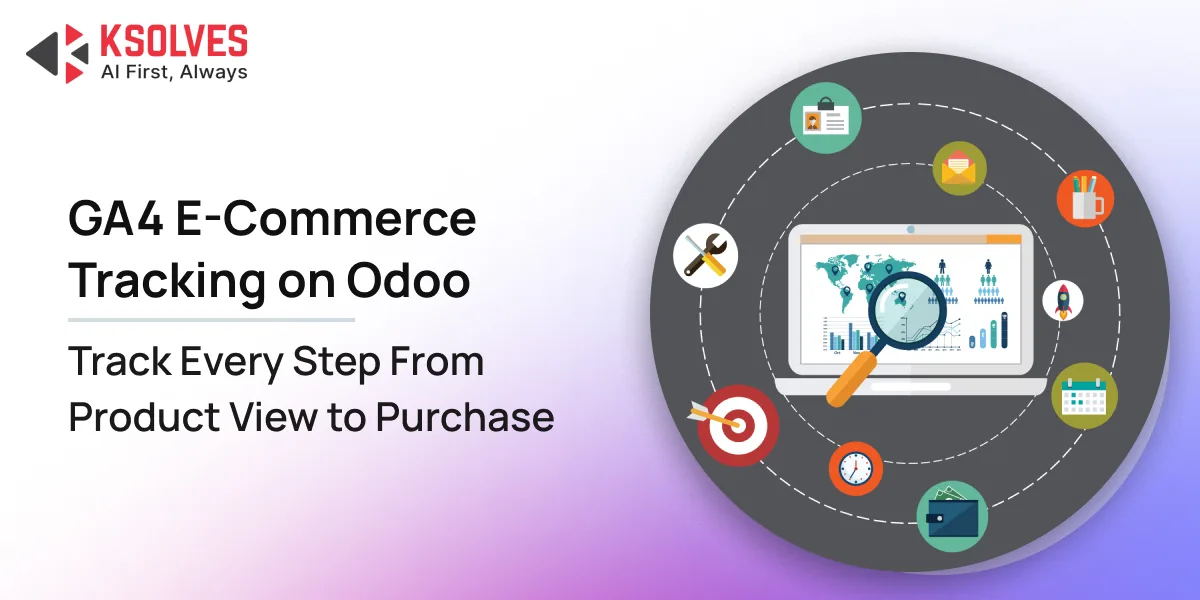
Most Odoo e-commerce stores send just one basic signal to Google Analytics 4: a page view.
That tells you someone visited your website. It does not tell you what happened next.
You cannot see which product they viewed, what they added to the cart, where they left checkout, or whether the purchase was completed. For an online retailer, that creates a major reporting gap.
Without full-funnel GA4 ecommerce tracking, your team may know that conversions dropped. But you may not know why.
This is where GA4 e-commerce tracking for Odoo becomes important. A complete implementation can track the customer journey from product discovery to purchase. It can also improve purchase tracking, support consent requirements, and give your marketing team better data for decision-making.
Why the E-Commerce Funnel Goes Dark in GA4
Odoo’s native website analytics can provide basic website tracking. But basic page views are not enough for ecommerce reporting.
GA4 uses specific ecommerce events to understand shopping activity. These include:
- view_item_list
- select_item
- view_item
- add_to_cart
- remove_from_cart
- view_cart
- begin_checkout
- add_shipping_info
- add_payment_info
- purchase
Without these events, GA4 can show website traffic and page views. But important ecommerce reports remain incomplete.
You may not know:
- Which products receive the most attention.
- How many visitors add products to their carts.
- How many shoppers start checkout.
- Where customers abandon checkout.
- Which channels generate purchases.
- How much revenue each campaign generates.
Some retailers try to solve this with Google Tag Manager and custom data-layer implementations. This can work, but it adds another layer to maintain.
Odoo updates can also change website templates or frontend elements. A tracking setup that depends heavily on those elements can require additional maintenance.
Understanding the Odoo to GA4 Data Gap
When an Odoo store does not have reliable GA4 ecommerce data, there are usually three major gaps.
1. Limited Event Coverage
Basic tracking may capture page views. It does not necessarily capture the complete shopping journey.
Important actions such as product views, cart additions, checkout steps, and purchases need to be tracked as structured GA4 events.
2. Unreliable Purchase Tracking
Purchase tracking is especially important.
Client-side tracking depends on the customer’s browser and the purchase confirmation page. Ad blockers, consent settings, connection issues, or page reloads can prevent the event from reaching GA4.
That can lead to differences between actual Odoo sales and reported GA4 revenue.
3. Missing Consent Signals
Analytics tracking also needs to respect user consent.
For stores serving users in regions with privacy requirements, Google Consent Mode V2 helps communicate the visitor’s consent choices to Google’s measurement and advertising systems.
A complete Odoo GA4 implementation should therefore consider event tracking, purchase reliability, and consent management together.
Is Your Odoo Store’s GA4 Data Missing Key Parts of the Funnel?
How Full-Funnel GA4 Tracking Works on Odoo
A complete GA4 e-commerce tracking implementation for Odoo 19 can cover 17 customer actions across the shopping, promotional, and engagement journey.
Page views are handled separately as part of the website tracking setup. More specific customer actions can then be captured as structured GA4 events.
Shopping and Checkout Events
-
view_item_list
This event fires when products are displayed on a shop or category page. It helps you understand which products customers are being shown.
-
select_item
This event fires when a visitor selects a product from a product listing. It helps measure product-listing engagement.
-
view_item
This event fires when a visitor opens a product detail page. Product information such as item name, category, brand, and price can be included with the event.
-
add_to_cart
This event records when a customer adds a product to their cart. It is one of the most important signals for understanding purchase intent.
-
remove_from_cart
This event records when a customer removes an item from the cart. It can help identify products that customers reconsider before checkout.
-
view_cart
This event fires when the customer opens the cart. The event can include the products in the cart and relevant cart values.
-
begin_checkout
This event records when a customer starts the checkout process. It creates an important point in the ecommerce funnel.
-
add_shipping_info
This event records the shipping step of the checkout journey. It helps identify how many customers progress beyond the initial checkout stage.
-
add_payment_info
This event records when a customer provides payment information. It helps measure progress toward the final purchase.
-
purchase
This event records a completed order. For reliable revenue reporting, purchase tracking can combine browser-side and server-side confirmation.
Wishlist and Promotion Events
-
add_to_wishlist
This event records when a customer adds a product to their wishlist. It provides another signal of purchase interest.
-
view_promotion
This event records when a promotional banner or carousel becomes visible to a visitor. It can help measure promotion exposure.
-
select_promotion
This event records when a visitor clicks a promotional banner or campaign element. It helps connect promotional engagement with later ecommerce activity.
Sign-Up and Engagement Events
-
sign_up
This event records the creation of a new customer account.
-
login
This event records when an existing customer logs into the store.
-
generate_lead
This event can be used when a visitor submits a contact or enquiry form.
-
search
This event records searches performed on the ecommerce website. Search data can help retailers understand what customers are actively looking for.
Server-Side Purchase Tracking: Closing the Ad Blocker Gap
The purchase event is one of the most important ecommerce events in GA4. It is also one of the events that can be affected by client-side tracking issues.
A customer may complete an order in Odoo, but the browser may fail to send the purchase event. This can happen because of ad blockers, consent settings, connection problems, or issues with the confirmation page.
The result is simple.
Odoo records a sale, but GA4 does not record the purchase. A more reliable approach is to confirm purchases from Odoo’s order records.
When an order reaches the appropriate confirmed state, the implementation can send purchase information to GA4 through the GA4 Measurement Protocol.
The event can include information such as:
- Transaction ID
- Items purchased
- Revenue
- Tax
- Shipping
- Coupon information
- GA4 client information, where available
Transaction ID-based deduplication can also help prevent the same purchase from being counted more than once when both client-side and server-side tracking are used. This creates a stronger connection between your Odoo sales data and GA4 revenue reporting.
Privacy by Design with Google Consent Mode V2
Full-funnel tracking should not come at the expense of privacy. For Odoo ecommerce stores, GA4 tracking should work with the website’s consent mechanism.
Google Consent Mode V2 supports four important consent signals:
- analytics_storage
- ad_storage
- ad_user_data
- ad_personalization
A privacy-focused implementation can start with the appropriate consent settings and update them when visitors make their choices through the cookie consent interface.
This helps your analytics setup respect user consent while allowing Google’s systems to use eligible modelling capabilities where applicable.
For businesses operating in regions with privacy requirements such as the EU, consent-aware tracking is an important part of the overall analytics architecture.
Add Custom Dimensions and User Properties to GA4
Standard GA4 ecommerce events provide valuable information. But retailers often need more context. For example, you may want to analyze customers based on:
- Membership tier
- Account manager
- Customer type
- Internal product category
- Business segment
Custom dimensions allow additional information from Odoo to be used in GA4 reporting. A field-path approach can make this easier. Instead of adding custom JavaScript for every field, the implementation can map an Odoo field to the required tracking data.
User properties serve a different purpose. They describe characteristics associated with the user rather than a single event. This gives marketing teams more ways to segment customers and analyze behavior.
Turn GA4 Funnel Data into Action with an Odoo Dashboard
Collecting ecommerce data is only the first step. Your team also needs an easy way to monitor it. A native analytics dashboard inside Odoo can bring key ecommerce metrics into one place.
For example, a dashboard can include:
- Event KPIs
- Purchase volume
- Revenue
- Checkout funnel performance
- Daily event volume
- Top products by views
- Cart activity
- Conversion trends
A funnel view can also show important stages such as:
View to Cart → Cart to Checkout → Checkout to Purchase
This makes it easier to identify where customers are dropping out of the buying journey. A structured event log inside Odoo provides another benefit.
Your team can use it to investigate tracking issues. If a number in GA4 looks unusual, the event history can help identify what happened and when.
Best Practices for GA4 Ecommerce Tracking on Odoo
A reliable Odoo GA4 implementation should follow a few core practices.
- Track Purchases Server-Side
Do not rely only on the customer’s browser to record completed orders. Use Odoo order data to support reliable purchase confirmation. - Respect User Consent
Start tracking according to the store’s consent configuration. Update consent signals when the visitor changes their preferences. - Keep Event Logs
Maintain structured event logs so your team can troubleshoot tracking problems later. - Monitor Event Silence
Set up alerts when important events stop appearing. A tracking issue should be detected within hours, not weeks. - Register Custom Dimensions in GA4
Create and configure custom dimensions in GA4 before using them for reporting. - Exclude Internal Traffic
Keep staff and internal traffic out of conversion reports where appropriate. This helps keep ecommerce metrics cleaner.
When Should You Add Full-Funnel GA4 Tracking to Your Odoo Store?
Full-funnel tracking is not limited to large ecommerce businesses. It can be valuable whenever your team relies on data to make marketing or conversion decisions.
Consider improving your Odoo GA4 tracking if:
- Marketing decisions are based mainly on page views.
- You cannot identify where customers abandon checkout.
- GA4 revenue does not match your Odoo sales data.
- Google Ads ROAS appears lower than expected.
- Your store uses a cookie consent banner but tracking is not connected to it.
- You operate multiple GA4 properties or ecommerce brands.
- Your marketing team needs product-level conversion data.
- You need better visibility into the customer journey.
The earlier these gaps are addressed, the easier it becomes to build reliable reporting.
Why Choose Ksolves for Odoo Google Analytics 4 Integration?
Ksolves is an Odoo Gold Partner with experience building customized Odoo solutions for businesses with complex requirements.
Our Google Analytics 4 ecommerce tracking solution for Odoo is designed as a native Odoo 19 module. It brings key tracking capabilities into the Odoo environment without relying on external community dependencies.
The implementation can cover:
- Full ecommerce event tracking.
- Server-side purchase confirmation.
- Google Consent Mode V2.
- Custom dimensions.
- User properties.
- Event logging.
- Event-silence alerts.
- Native Odoo analytics dashboards.
Whether you need to instrument your ecommerce funnel, connect analytics platforms, or build custom Odoo reporting, Ksolves can help create an analytics setup that fits your business and technology stack.
Conclusion
A page view can tell you that someone visited your Odoo store. It cannot tell you why they did not buy. Full-funnel GA4 ecommerce tracking on Odoo provides visibility across the customer journey. It can track product discovery, cart activity, checkout steps, and completed purchases.
Add server-side purchase confirmation, Consent Mode V2, custom dimensions, and event monitoring, and your analytics setup becomes much more reliable.
The result is better data for marketing teams, ecommerce managers, and product teams. Instead of guessing where customers drop off, you can use actual funnel data to find the problem and take action.
Ready to see your complete Odoo ecommerce funnel in GA4?
Frequently Asked Questions































AUTHOR
Odoo
Neha Negi, Presales and Business Associate Head at Ksolves is a results-driven ERP consultant with over 8 years of expertise in designing and implementing tailored ERP solutions. She has a proven track record of leading successful projects from concept to completion, driving organizational efficiency and success.
Share with