



Odoo Customization: When Should You Customize Your ERP?
Odoo
5 MIN READ
August 25, 2026

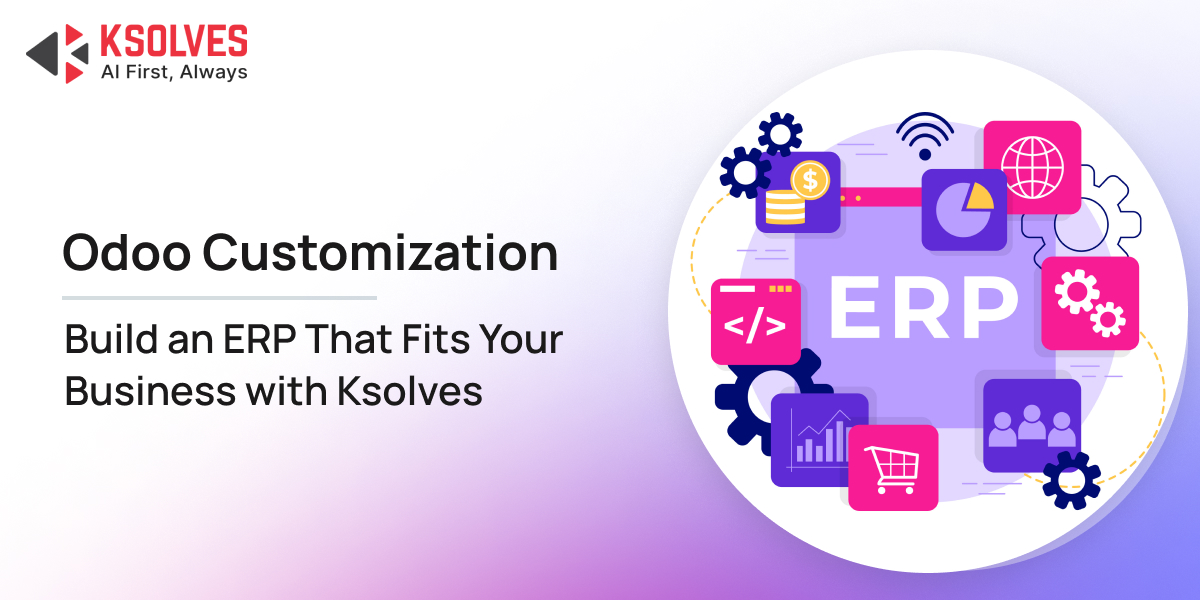
Odoo is designed to adapt to different business needs. With its wide range of applications, configurable workflows, and modular architecture, many businesses can manage their operations without changing the core platform.
But what happens when your business process does not fit neatly into Odoo’s standard functionality?
That is where Odoo customization comes in.
The important question, however, is not “Can we customize Odoo?” It is:
“Should we customize Odoo?”
A customization can eliminate manual work, improve productivity, and create a better-fit ERP. But unnecessary customization can also increase complexity, maintenance costs, and upgrade challenges.
This guide explains when Odoo customization makes sense, when it does not, and how to make the right decision for your business.
What is Odoo Customization?
No two businesses operate exactly the same way. While Odoo provides a broad set of standard features and configurable workflows, some businesses have processes that go beyond what the platform offers out of the box.
Odoo customization is the process of modifying or extending Odoo to address these specific business requirements. It can involve anything from adjusting existing workflows and user interfaces to developing entirely new modules and integrations.
Businesses may customize Odoo to:
- Create specialized approval and authorization workflows.
- Adapt sales, purchasing, or manufacturing processes to their operations.
- Integrate Odoo with legacy systems or third-party platforms.
- Add industry-specific features and business logic.
- Build custom dashboards, reports, and KPIs.
- Automate repetitive processes and eliminate manual intervention.
But there is an important distinction: customization should solve a genuine business gap, not simply change Odoo because a different process feels more familiar.
Before investing in custom development, businesses should first explore whether the requirement can be addressed through standard Odoo functionality, configuration, or an existing Odoo app. This keeps the ERP simpler, easier to maintain, and more upgrade-friendly while ensuring customization is reserved for areas where it delivers real business value.
Also Read: Top 10 Benefits of Odoo Customization for Retail Businesses
When Should You Customize Odoo?
Not every business needs a heavily customized ERP. But certain situations make customization valuable.
1. Your Business Has a Unique Workflow
Every business has processes that may differ from the standard way an ERP operates.
For example, a manufacturing company may have a multi-level quality approval process before a finished product can be moved to inventory.
If the standard Odoo workflow cannot accommodate this process, customization can introduce the required approvals, validations, and automated actions.
Customize when:
Your process provides a genuine business advantage and changing it to match the ERP would create inefficiencies.
2. You Have Industry-Specific Requirements
Different industries operate differently.
A pharmaceutical company, for example, may require specialized batch tracking and compliance workflows. A logistics company may need customized shipment processes, while a rental business may require specialized asset availability and booking logic.
Odoo provides extensive industry functionality, but some organizations need capabilities that are specific to their operating model.
Customization can bridge that gap without forcing the business to abandon its established processes.
Also Read: Customizing Odoo for Niche Industries
3. You Need “So-Called (Complex)” Integrations
Your ERP rarely operates in isolation. Businesses often use platforms for:
- E-commerce
- Payment processing
- CRM
- Banking
- Shipping
- Manufacturing
- HR
- Marketing
- Business intelligence
If these systems need to exchange data with Odoo and an existing connector does not meet the requirement, custom integration may be necessary.
For example, a company could customize Odoo to automatically synchronize orders, inventory, customer information, and shipment details between its ERP and multiple sales channels.
The goal is not simply to connect two systems. It is to create a seamless flow of information without manual data entry.
4. You Have Regulatory or Compliance Requirements
Some businesses operate under strict regulatory requirements.
These may involve:
- Mandatory approvals.
- Audit trails.
- Specialized documentation.
- Tax calculations.
- Data validation.
- Industry-specific reporting.
If standard Odoo functionality does not fully satisfy these requirements, customization can help implement the necessary controls.
In such cases, customization is not about making Odoo “look different.” It is about making the ERP support the organization’s operational and compliance obligations.
5. Standard Reporting Is Not Enough
Odoo provides reporting capabilities across its applications. But management teams sometimes need business-specific insights that are not available out of the box.
For example, a company may want a dashboard combining:
Sales + Inventory + Profitability + Customer Performance + Production
in a single view.
Custom dashboards and reports can bring together data from multiple Odoo applications and present it according to the organization’s KPIs.
This is particularly valuable when decision-makers need information in a specific format to monitor business performance.
6. You Need a Specialized Portal or User Experience
Sometimes the requirement extends beyond the Odoo backend.
A business may need a customized:
- Customer portal.
- Vendor portal.
- Employee portal.
- Partner interface.
- Self-service workflow.
Instead of requiring users to navigate complex ERP screens, customization can provide a focused interface designed around their specific tasks.
This can improve usability while reducing unnecessary interactions with the ERP.
Also Read: Scalability and Performance Optimization: Odoo 17 Customization Best Practices
When Should You NOT Customize Odoo?
Customization can be useful, but more customization does not mean a better ERP. In many cases, customization should be avoided.
1. Odoo Already Provides the Required Feature
If Odoo already supports the process, modifying it unnecessarily can create technical debt. Before requesting development, check whether the requirement can be achieved through:
- Standard Odoo features.
- Configuration.
- Automated actions.
- Existing workflows.
- Odoo Studio.
- A suitable third-party app.
The simplest solution is often the best one.
2. You Are Customizing Just Because “That’s How We Used to Do It”
This is one of the most common ERP mistakes. A business may have an old process in its legacy system and assume that Odoo must replicate it exactly.
But migration to Odoo is also an opportunity to improve inefficient processes.
New ERP will always have a new way of doing things and we should evaluate training cost vs customisation + maintenance cost
Ask:
Does this process still add value, or are we simply preserving an old habit?
If the process can be simplified using standard Odoo functionality, customization may not be justified.
3. A Suitable Odoo App Already Exists
Before developing a feature from scratch, evaluate the available Odoo ecosystem.
If a mature application already solves the problem, installing and configuring it may be faster and more cost-effective than building a custom module.
However, third-party apps should still be evaluated for:
- Odoo version compatibility.
- Vendor support.
- Security.
- Code quality.
- Upgrade compatibility.
- Long-term maintenance.
4. The Business Benefit Is Too Small
Every customization has a cost, not only the initial development cost, but potentially also testing, maintenance, support, and future upgrades.
If a customization saves only a few minutes of work each month, it may not justify the investment. Customization should have a measurable business purpose.
New ERP will always have a new way of doing things and we should evaluate training cost vs customisation + maintenance cost.
Odoo Configuration vs. Customization vs. Custom Development
Not every business requirement calls for custom code. In fact, one of the most important decisions in an Odoo implementation is knowing when to configure, when to customize, and when to build from scratch.
Choosing the simplest approach that solves the business problem can reduce costs, simplify maintenance, and make future Odoo upgrades easier.
1. Odoo Configuration
Configuration means adapting Odoo using the features and settings it already provides, without changing the underlying code. It is usually the first option to consider when Odoo already supports the required process.
For example: Configuring purchase approval limits based on order value or user roles.
Best suited for:
- Standard business processes.
- Approval rules.
- User permissions.
- Accounting settings.
- Product and inventory configurations.
- Existing Odoo workflows.
2. Odoo Customization
Customization involves extending or modifying existing Odoo functionality to address a specific business requirement.
It is useful when standard configuration cannot fully support the way your business operates, but you do not need an entirely new application.
For example: Adding additional approval conditions to an existing purchase workflow based on department, purchase category, and order value.
Best suited for:
- Unique business workflows.
- Custom fields and screens.
- Specialized approvals.
- Custom reports and dashboards.
- Workflow automation.
- Extensions to existing Odoo modules.
3. Custom Development
Custom development is used when the required functionality does not exist in standard Odoo and cannot be effectively achieved by extending an existing feature.
This may involve building a new module, application, or complex business process specifically for the organization.
For example: Developing a specialized module to manage an industry-specific process that Odoo does not support out of the box.
Best suited for:
- Complex industry-specific requirements.
- Completely new business applications.
- Advanced automation.
- Complex integrations.
- Specialized platforms or portals.
Which Approach Should You Choose?
The goal should not be to customize as much as possible. Start with the simplest solution and introduce complexity only when the business requirement justifies it.
A practical decision path is:
Standard Odoo → Configuration → Existing Odoo App → Customization → Custom Development
Before choosing custom development, ask:
- Can Odoo already do this?
- If not, can it be configured?
- If not, is there an existing app?
- If neither works, does customization or custom development deliver enough business value to justify the investment?
This approach helps businesses build an Odoo environment that is flexible enough to fit their processes without becoming unnecessarily complex.
What Should You Consider Before Customizing Odoo?
Customization can solve important business challenges, but every modification adds another layer to your ERP. Before investing in custom development, evaluate whether the expected business value justifies the additional complexity.
1. Business Value
Start with the problem, not the feature.
Ask:
- What business problem will this customization solve?
- Will it reduce manual work or errors?
- Can it improve productivity or customer experience?
- Is the requirement critical to business operations?
If the benefit is difficult to define, the customization may not be worth pursuing.
2. Total Cost and ROI
The development cost is only part of the investment. Consider the total cost of ownership, including:
- Development.
- Testing and deployment.
- Maintenance.
- Support.
- Future upgrades.
- Additional integration requirements.
A customization should deliver measurable value over its lifetime, not just solve an immediate problem.
3. Impact on Future Odoo Upgrades
Custom code can make version upgrades more involved if it is not designed carefully.
Before development, consider:
- How will this customization behave in future Odoo versions?
- Can it be built as a separate module rather than modifying core code?
- Will it create dependencies on other custom features?
Upgradeability should be part of the design from day one.
4. Scalability
A customization that works well for a small operation may struggle as the business grows. Consider the future:
- Users.
- Transaction volumes.
- Data growth.
- Business locations.
- Integrations.
- Process complexity.
Build for where the business is going, not just where it is today.
5. Performance
Every additional workflow, automation, integration, or custom module can affect ERP performance if poorly designed.
Evaluate performance during the architecture and development stage, particularly for high-volume operations, complex reports, and real-time integrations.
6. Security and Access Control
Custom functionality must follow the same security standards as the rest of your ERP.
Consider:
- User roles and permissions.
- Access rights.
- Authentication.
- Sensitive data protection.
- Auditability.
- Secure integrations.
A customization that improves efficiency but creates a security gap is not a successful customization.
7. Maintenance and Ownership
Finally, ask who will maintain the customization after deployment.
Well-documented, modular, and maintainable custom code makes it easier to troubleshoot issues, onboard developers, implement enhancements, and manage future Odoo upgrades.
The best Odoo customization is not simply one that works; it is one that continues to deliver value without creating unnecessary technical debt.
How to Decide If Your Business Needs Odoo Customization
The fact that Odoo can be customized doesn’t mean it should be. A structured evaluation helps you find the simplest solution that meets your business needs while avoiding unnecessary development and long-term maintenance.
Step 1: Define the Business Problem
Start with the business challenge, not the feature you want to build.
Ask:
- What process is inefficient?
- What is causing errors or delays?
- What outcome do you want to improve?
- How frequently does the problem occur?
A clearly defined problem makes it easier to identify the right solution.
Step 2: Check Standard Odoo Functionality
Before changing anything, determine whether Odoo already supports the requirement.
Review the relevant Odoo module, workflows, automation options, and built-in features. Sometimes, a capability already exists but simply needs to be configured correctly.
Step 3: Explore Configuration Options
If the feature exists but does not currently behave as required, check whether configuration can bridge the gap.
This could involve:
- Workflow settings.
- User roles and access rights.
- Automated actions.
- Approval rules.
- Business settings.
If configuration solves the problem, there is usually no reason to introduce custom code.
Step 4: Evaluate Existing Odoo Apps
If standard functionality is insufficient, check whether an established Odoo application already addresses the requirement.
Evaluate the app for:
- Functionality.
- Odoo version compatibility.
- Security.
- Vendor support.
- Customization options.
- Upgrade compatibility.
Using a suitable existing solution can be faster and more cost-effective than developing one from scratch.
Step 5: Assess the Need for Customization
If the requirement still cannot be addressed, determine whether customization delivers enough business value to justify the additional complexity.
Customization makes sense when it can:
- Eliminate significant manual work.
- Support a critical business process.
- Improve operational efficiency.
- Provide a competitive advantage.
- Address an important industry-specific requirement.
Step 6: Consider Custom Development
If the requirement is highly specialized and cannot reasonably be achieved through standard functionality, configuration, or an existing app, custom development may be the right approach.
This could involve creating a new module, complex integration, specialized workflow, or entirely new functionality.
The Odoo Customization Decision Path
Business Problem → Standard Odoo → Configuration → Existing Odoo App → Customization → Custom Development
The principle is simple:
Use standard Odoo wherever possible. Customize where necessary. Build from scratch only when the business case justifies it.
This approach keeps your Odoo environment flexible without making it unnecessarily complex, helping you balance business requirements with cost, maintainability, and future upgrades.
How Ksolves Helps Businesses Customize Odoo
Odoo customization is most effective when it starts with a clear understanding of the business, not with a decision to write custom code.
Ksolves, an AI-first Odoo development company, helps businesses identify where standard Odoo is sufficient and where customization can deliver meaningful value.
1. Understand the Business Requirement
Ksolves begins by understanding existing workflows, operational challenges, and business objectives. This helps determine whether the requirement can be solved through configuration, an existing Odoo app, customization, or custom development.
2. Build What Your Business Actually Needs
When standard Odoo cannot meet a genuine business requirement, Ksolves develops solutions tailored to the organization’s processes, including:
- Custom Odoo modules and features.
- Workflow and approval customization.
- Custom dashboards and reports.
- UI/UX enhancements.
- Industry-specific functionality.
- Third-party and enterprise integrations.
- Process automation.
3. Customize With Future Upgrades in Mind
Customization should not become a roadblock to future Odoo upgrades. Ksolves focuses on modular, maintainable development that minimizes unnecessary changes to the Odoo core and makes future migration easier to manage.
4. Optimize for Performance and Scalability
Custom solutions are designed with the organization’s current and future requirements in mind. From transaction volumes to integrations and growing user bases, the focus is on building solutions that can scale with the business.
5. Support Beyond Development
Customization does not end at deployment. Ksolves provides ongoing support, maintenance, optimization, and upgrade assistance to help businesses keep their customized Odoo environment reliable as their needs evolve.
The Goal: Customize Only Where It Matters
The objective is not to make Odoo different for the sake of being different.
It is to extend Odoo where standard functionality falls short, while keeping the ERP scalable, maintainable, and aligned with long-term business goals.
Final Words
Odoo customization can be a powerful way to make your ERP fit the way your business actually operates, but it should never be the default answer to every requirement.
The best approach is to start with standard Odoo, explore configuration and existing apps, and customize only when there is a clear business need and measurable value. When customization is necessary, thoughtful development can improve efficiency, automate complex processes, and support business growth without creating unnecessary technical debt.
With the right strategy and implementation partner, Odoo can evolve with your business rather than becoming a limitation. The goal is not to customize more. It is to customize smarter.
































AUTHOR
Odoo
Neha Negi, Presales and Business Associate Head at Ksolves is a results-driven ERP consultant with over 8 years of expertise in designing and implementing tailored ERP solutions. She has a proven track record of leading successful projects from concept to completion, driving organizational efficiency and success.
Share with