

 Salesforce
 5 MIN READ


In October 2025, Salesforce renamed Data Cloud to Data 360, highlighting its expanding role in connecting enterprise information to support AI, automation, and personalized customer experiences. This change reflects how businesses are rethinking the way they collect, manage, and use data.
Traditional databases still serve important purposes, but they cannot address every modern requirement, especially when organizations need AI systems to interpret customer conversations, emails, documents, and other unstructured information.
Salesforce announced the general availability of its Salesforce Data Cloud vector database capability in June 2024. According to the announcement, approximately 90% of enterprise data is unstructured, making it challenging for businesses to access and use this information effectively.
For organizations operating within the Salesforce ecosystem, this creates an opportunity to make previously difficult-to-access information more useful. By taking advantage of semantic search Salesforce features, vector databases in Salesforce Data Cloud allow businesses to search information according to its meaning and context rather than depending entirely on exact keyword matches.
This helps improve customer understanding, generate more relevant AI responses, and support informed business decisions.
What does this change mean for business leaders? Instead of asking employees to search through hundreds of documents to find specific information, organizations can make scattered business knowledge easier to access and apply.
What Are Vector Databases in Salesforce Data Cloud?
A vector database is a database technology designed to store and retrieve information by understanding its semantic meaning and context.
Unlike conventional databases that primarily depend on exact keyword matches, vector databases can recognize relationships between different expressions.
For instance, when someone searches for “refund status,” a traditional keyword-based system may prioritize records containing those specific words. However, a vector database can also recognize that “Where is my money after returning the product?” relates to the same requirement, even though the sentence uses different terminology.
This capability comes from converting information into numerical representations known as vector embeddings data cloud engine processes. These embeddings capture the semantic meaning of information and help systems identify content with similar meanings.
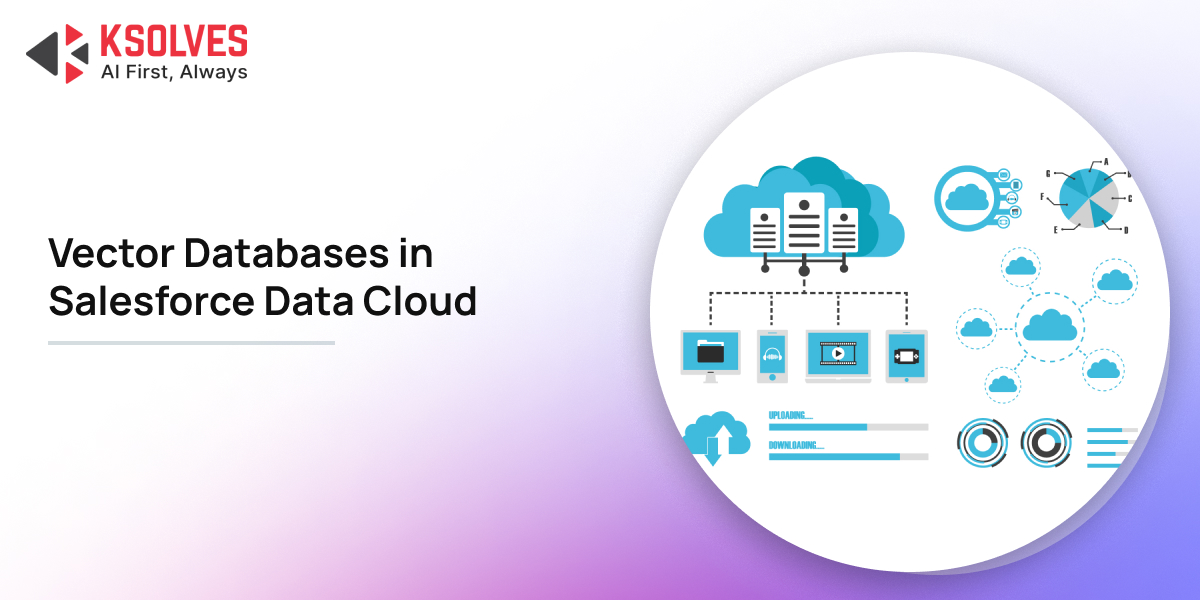
Within Salesforce Data Cloud (now known as Data 360), vector databases make unstructured business information easier to organize, retrieve, and use across the enterprise.
Organizations can work with information collected from different sources, including:
- Customer service conversations and interactions.
- Product manuals, documentation, and PDFs.
- Business emails and meeting notes.
- Customer reviews, feedback, and surveys.
- Knowledge articles and service requests.
- Sales and marketing resources.
Making these sources searchable improves information accessibility for Salesforce applications, AI-powered tools, and business teams.
For decision-makers: The real advantage is not just having more information stored in one place—it is making existing business knowledge easier to discover and apply across everyday operations.
Why Vector Databases Matter for Salesforce Data Cloud
Customer information usually exists across multiple platforms and formats. For example, purchase history may be available in a CRM, product specifications may sit inside documents, customer complaints may appear in support tickets, and individual preferences may be mentioned in email conversations.
Although each source contains useful information, connecting these details can be difficult for employees. Utilizing a Salesforce Data Cloud vector database helps bridge this gap by making information searchable according to its meaning.
1. Turning Unstructured Data Into Useful Business Information
Unstructured information often contains valuable customer insights. However, conventional database searches may struggle to recognize relationships between different descriptions of the same problem.
Consider a retail business receiving thousands of customer reviews every month. Customers might share comments such as:
- “The delivery was late.”
- “My order arrived after the promised date.”
- “The product took too long to reach me.”
Although these statements use different expressions, they communicate a similar delivery-related concern.
A vector database can recognize the semantic connection between these comments and group them around a common issue. This gives businesses a clearer understanding of recurring customer complaints.
- Business impact: Teams can recognize repeated problems, understand customer expectations, and prioritize improvements without manually examining every individual review.
2. Providing Relevant Information to Improve AI Responses
AI applications become more useful when they can access accurate and relevant business information.
Without sufficient company-specific context, an AI assistant may generate generic responses that overlook internal policies, product specifications, or a customer’s previous interactions.
Vector databases help improve this process through a robust RAG architecture Salesforce implementation. Retrieval-Augmented Generation (RAG) enables AI systems to retrieve relevant information from business data before generating an answer.
For example, when a customer asks about a product warranty, the system can locate the applicable warranty document and provide its contents as context for the AI-generated response.
This approach allows the AI application to use the organization’s existing knowledge rather than depending entirely on general AI knowledge.
- Business impact: More relevant answers, fewer unrelated responses, and greater consistency across customer interactions.
3. Creating More Personalized Customer Experiences
Customers increasingly expect businesses to recognize their preferences, requirements, and previous interactions.
Vector databases help organizations identify connections between customer activities, even when the information is recorded in different formats.
For example, a customer may browse a particular product category, discuss a related requirement during a customer support call, and later send an email asking about a specific feature.
By searching these interactions according to their context using Salesforce vector search, businesses can develop a more complete picture of customer interests and requirements.
- Business impact: Organizations can create more relevant product recommendations, personalized marketing campaigns, and meaningful customer engagement opportunities.
How Vector Databases Work in Salesforce Data Cloud
Understanding the underlying process makes it easier for business decision-makers to identify how vector databases fit into their Salesforce environment.
Salesforce Data Cloud uses a structured process to prepare business information and make it available for relevant searches.
Step 1: Bring Information Together From Multiple Sources
The process starts by collecting relevant information within Data Cloud. This may include customer records, internal knowledge articles, emails, PDF documents, service tickets, and other business resources. The objective is to make information from different sources accessible through a connected data environment.
Step 2: Break Large Documents Into Smaller Sections
Once the information is collected, large documents are separated into smaller, meaningful sections. This technique is known as chunking. For example, a 100-page product manual can be divided into separate sections covering installation, troubleshooting, maintenance, and warranty details. Breaking documents into smaller sections makes it easier for the system to retrieve the exact information relevant to a user’s question.
Step 3: Generate Vector Embeddings
After chunking, the system converts each section into numerical representations called vector embeddings data cloud modules can read. These embeddings capture the semantic meaning of the content, allowing the search system to recognize related information even when a user’s question uses different words from the original document.
Step 4: Prepare Search Indexes
The processed information is organized within a search-optimized index. Salesforce Data Cloud supports different search methods, including vector search and a hybrid search index data cloud setup:
- Vector search: Retrieves information according to semantic meaning and similarity.
- Keyword search: Identifies information using matching words and phrases.
- Hybrid search: Combines keyword matching with semantic search to improve retrieval relevance.
For example, when someone searches for “ways to fix a slow-running application,” a hybrid search considers the overall meaning of the question alongside specific technical terms or software error codes.
Step 5: Retrieve Relevant Information to Generate AI Responses
When a user submits a question, the system searches the index and identifies relevant information. A retriever then passes the selected content into the AI prompt as additional context. The AI application uses this information to generate a response closely aligned with the user’s requirement.
Top Business Use Cases of Vector Databases in Salesforce Data Cloud
Vector databases support several core business functions, including sales, customer service, marketing, and operations.
1. Smarter Customer Support and Faster Case Resolution
Customer service teams regularly handle questions about billing, product performance, deliveries, and account-related issues. Finding relevant answers across historical cases, product documentation, and knowledge articles can consume considerable employee time.
Vector databases allow Salesforce applications to retrieve relevant information based on the meaning of a customer’s actual problem.
- Real-world example: An electronics company receives hundreds of complaints about laptop overheating. Customers describe the issue in different ways: “My laptop gets too hot,” “The device heats up during video calls,” or “The fan runs continuously.” Using semantic search Salesforce tools, the system recognizes the underlying connection between these complaints, retrieves relevant troubleshooting steps, and equips support reps or AI agents to resolve the issue quickly.
- Business benefit: Less time spent searching manually, more consistent customer responses, and faster case resolution.
Specialized Salesforce Data 360 Services can help enterprises unify the enterprise data layer and build scalable vector search indexes.
2. Delivering More Relevant Sales Recommendations
Sales professionals often work with customer information distributed across CRM records, emails, product documentation, and meeting conversations. A vector database helps identify useful information based on a prospect’s requirements and previous interactions.
- Real-world example: During a meeting, a prospect mentions that managing customer information across departments is their biggest bottleneck. Using Salesforce vector search, the sales representative can instantly locate relevant case studies and implementation documents addressing similar challenges, enabling them to present a tailored proposal rather than a generic slide deck.
- Business benefit: More meaningful sales conversations, relevant recommendations, and higher conversion rates.
3. Creating More Relevant Marketing Campaigns
Effective marketing depends on understanding customer interests, preferences, and purchasing requirements. These insights often appear scattered across product reviews, survey responses, and support conversations.
- Real-world example: An online fashion retailer notices that customer feedback repeatedly mentions “comfortable clothing,” “breathable fabrics,” and “everyday usability.” Vector search clusters these distinct expressions into a single actionable preference theme, allowing the marketing team to design targeted campaigns promoting everyday wear collections.
- Business benefit: Higher audience engagement and marketing messages that better reflect real customer sentiment.
4. Making Internal Knowledge Easier for Employees to Access
Large organizations manage extensive collections of internal documents, company policies, training resources, and operational guidelines.
- Real-world example: A new employee at a financial services company needs to understand customer verification procedures. Rather than opening multiple folders, the employee submits a natural-language query and immediately receives relevant excerpts from approved internal policy documents.
- Business benefit: Streamlined access to company knowledge, improved employee productivity, and reduced dependence on manual document searches.
5. Analyzing Customer Feedback at Scale
Reviewing thousands of customer comments, survey responses, and product reviews manually is inefficient. Vector databases can categorize feedback according to underlying themes automatically.
- Real-world example: A telecommunications company receives complaints citing “dropped calls,” “weak network coverage,” and “unstable connections.” The system groups these comments around a common network reliability issue, helping business leaders prioritize infrastructure upgrades.
- Business benefit: Clearer visibility into customer sentiment and data-backed product and service decisions.
Vector Search vs. Traditional Search: What Should Businesses Choose?
Traditional keyword search and vector search both serve important enterprise purposes. The suitable approach depends on the underlying data and the expected business outcome.
| Feature / Criteria | Traditional Keyword Search | Vector Search |
| Search Approach | Exact or closely matching words | Context, meaning, and intent |
| Language Flexibility | Strict; relies on matching terms | High; recognizes different expressions |
| Best Suited For | SKUs, order IDs, names, exact terms | Customer queries, unstructured documents |
| Context Understanding | Limited | Advanced semantic similarity |
| Example Query | Search for “refund policy” | Search for “How do I get my money back?” |
In practice, a hybrid search index data cloud implementation offers the most balanced performance. For instance, a support team may need to search for an exact product model number while simultaneously analyzing how a customer describes a technical issue in plain language. Hybrid search supports both requirements within a single query.
Key Benefits of Vector Databases for Business Decision-Makers
Apart from improving search capabilities, vector databases contribute to several broader organizational objectives:
- Improved Operational Efficiency: Employees spend less time searching through disparate documents and more time resolving customer requests.
- Better Customer Experiences: AI applications retrieve relevant context using a robust RAG architecture Salesforce framework, producing personalized responses tailored to individual customer needs.
- Stronger Business Intelligence: Organizations uncover key patterns across unstructured reviews, support tickets, and sales calls.
- More Effective AI Adoption: Grounding generative AI models in real company knowledge makes AI tools reliable for daily business tasks.
- Greater Value From Existing Business Data: Unstructured datasets that were previously hard to search become accessible, actionable assets.
However, achieving these benefits depends on data quality, implementation planning, governance policies, and effective retrieval workflows. Simply deploying a vector database does not automatically guarantee accurate outputs.
Challenges Businesses Should Consider Before Implementation
While vector databases offer clear opportunities, organizations should account for key technical and operational factors prior to rollout:
- Data Quality: Incomplete, outdated, or duplicate records impact search accuracy. Organizations need sound data cleansing and governance practices to maintain reliable indexes.
- Data Security: Confidential customer records and internal policy documents require granular access permissions throughout the vector retrieval process.
- Implementation Costs: Data preparation, vector indexing, system integration, and ongoing maintenance require thorough strategy. Decision-makers should evaluate expected business ROI before investing.
- Search Relevance: Retrieved context may vary in usefulness across different query types. Teams should evaluate search performance regularly and adjust indexing strategies as needed.
- Continuous Monitoring: Enterprise content changes frequently. Source documents and vector indexes need continuous syncing to ensure AI tools retrieve current information.
The most effective strategy is to start with a clearly defined business use case rather than adopting vector technology purely due to market trends.
Final Thoughts
Adopting Salesforce Data Cloud involves more than simply connecting disparate datasets. Organizations need a structured approach to data integration, security governance, AI readiness, and long-term scalability.
Whether you need expert guidance setting up your data architecture or configuring AI agents, partnering with an experienced consultant ensures your implementation aligns with core operational goals:
Deploy autonomous, context-aware AI agents across your service and sales workflows with our dedicated Agentforce Consulting Services.
At Ksolves, we help organizations design, build, customize, and optimize Salesforce solutions tailored to their business objectives. From data migration and hybrid search setup to managed services, our team ensures your enterprise data delivers measurable value.
Frequently Asked Questions
1. What is the role of a vector database in Salesforce Data Cloud?
A Salesforce Data Cloud vector database enables organizations to store, index, and retrieve unstructured data (such as PDFs, emails, support tickets, and knowledge articles) based on semantic meaning and context rather than exact keyword matches.
2. How do vector databases improve Salesforce AI capabilities?
Vector databases support RAG architecture Salesforce implementations by retrieving contextually relevant company knowledge before an AI model generates an output. This grounds AI responses in real company data rather than general training knowledge.
3. Is vector search better than traditional keyword search?
Neither is universally better; they serve complementary needs. Keyword search excels at retrieving specific terms, IDs, or model numbers, whereas Salesforce vector search excels at understanding user intent and natural language. Implementing a hybrid search index data cloud model combines the benefits of both approaches.
4. What are vector embeddings in Salesforce Data Cloud?
Vector embeddings data cloud processes generate are numerical representations of text that capture semantic meaning. They allow search systems to match queries with relevant documents even when users state their questions using different phrasing.
5. What is Retrieval-Augmented Generation (RAG)?
Retrieval-Augmented Generation (RAG) is an AI architecture where external, authoritative data is retrieved from a database and supplied as context to an AI model alongside the user prompt, ensuring accurate, company-specific answers.