



Salesforce Data Model Design: Getting Objects and Relationships Right the First Time
Salesforce
5 MIN READ
October 7, 2026

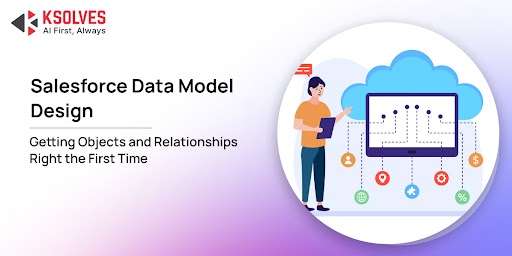
A poorly structured CRM can quietly become one of the most expensive problems in a growing business. Duplicate customer records, disconnected objects, and inconsistent relationships can distort reports, break automation, and make reliable decision-making harder.
Salesforce has reported that CRM systems can contain around 15% duplicate sales and service records, while roughly 20% of records may be useless or outdated.
The main problem for enterprises? It often starts with how the Salesforce data model is designed.
When Accounts, Contacts, Opportunities, Cases, Products, and custom objects are connected without clear business logic, teams can spend more time correcting Salesforce than using it. A sales manager may see an incomplete customer history, finance may struggle to reconcile revenue data, and service teams may miss important context when handling customer issues.
As the business grows, these small structural gaps can become expensive to fix. For decision-makers, the lesson is clear: getting Salesforce objects and relationships right from the beginning creates cleaner reporting, more dependable automation, and a CRM that can scale with the business.
What Is a Salesforce Data Model and Why Decision Makers Must Care
At its core, a Salesforce data model is the architectural blueprint of your entire business database. It dictates how your business entities, such as clients, sales opportunities, support tickets, invoices, and product lines, are represented (as Objects) and how they communicate with one another (through Relationships).
Think of your Salesforce instance as a modern commercial building. The user interface, dashboards, and automated flows are the visible interior design and office spaces. However, the data model is the steel frame and deep foundation.
If you construct walls on an uneven foundation, adding new floors later causes structural failure. In Salesforce terms, a hasty data design leads to system lag, inaccurate executive reporting, frustrated employees, and multi-million-dollar re-engineering projects down the road.
Executive Reality Check: Fixing a flawed data architecture post-deployment costs up to 10 times more than building a flexible, scalable model from day one. Engaging expert Salesforce consulting services early ensures your digital foundation scales gracefully with business growth.
The Building Blocks of Standard Objects, Custom Objects, and Strategic Trade-Offs
To lead a successful Salesforce strategy, decision-makers must understand the fundamental building blocks of the platform and when to deploy them.
1. Standard Objects: The Platform’s Pre-Built Foundation
Salesforce comes out-of-the-box with pre-configured entities designed around global business standards:
- Accounts: Companies, organizations, or individual customers you do business with.
- Contacts: Individual people associated with those accounts.
- Leads: Potential prospective customers who haven’t yet been qualified.
- Opportunities: Active sales deals in your pipeline tracking revenue, stages, and close dates.
- Cases: Customer support issues, inquiries, or service tickets.
2. Custom Objects: Tailoring the Platform to Your Unique Business Model
While standard objects handle generic sales and service workflows, every business has proprietary processes. Custom Objects allow you to store data unique to your business operations, such as “Projects,” “Equipment Inspections,” “Invoices,” or “Property Listings.”
The Decision Framework: Standard vs. Custom
A common executive mistake is over-customization and creating custom objects for workflows that Standard Objects were explicitly designed to handle.
This mistake breaks built-in features like Salesforce Forecasting, Lead Conversion, and standard pipeline analytics.
|
Evaluation Metric |
Standard Objects (e.g., Opportunity) | Custom Objects (e.g., Client Portfolio) |
|
Out-of-the-Box Features |
Includes built-in forecasting, stage history, and sales paths. | Requires manual creation of custom fields, logic, and reports. |
|
AppExchange Integration |
Seamless compatibility with third-party tools. |
May require custom API mapping and development. |
| Maintenance Cost | Low; maintained and updated automatically by Salesforce. |
Moderate to High; requires ongoing internal admin oversight. |
| Best Use Case | Standard B2B/B2C sales pipelines, customer management. |
Industry-specific operational data and unique workflows. |
How to Choose the Right Object Relationships?
Data objects define how data flows across your organization, who can see specific records, and how reports aggregate metrics. In Salesforce, two primary relationship types drive data architecture:
1. Lookup Relationships (Flexible, Independent Connections)
A Lookup relationship links two objects loosely. Think of it as a loose association where each record maintains its independence.
- Key Characteristic: Deleting the parent record does not delete the child record.
- Security & Sharing: The child object maintains its own independent security settings.
- Real Example: A B2B IT consultancy links a “Support Case” to a “Hardware Vendor” object via a Lookup. If the hardware vendor profile is updated or removed, the historical support ticket remains fully intact for audit compliance.
2. Master-Detail Relationships (Tightly Coupled Parent-Child Dependencies)
A Master-Detail relationship creates a strict parent-child hierarchy where the child record cannot exist without its parent.
- Key Characteristic: Deleting the Master (parent) automatically deletes all associated Detail (child) records (Cascade Delete).
- Security & Sharing: The child record automatically inherits all security and access permissions from the parent.
- Advanced Capabilities: Enables Roll-Up Summary Fields, allowing parent records to automatically calculate sums, averages, or counts of child records.
- Real Example: An enterprise logistics firm links “Invoice Line Items” (Detail) to an “Overall Invoice” (Master). If the Invoice is removed, line items are cleared automatically, and the overall invoice total updates dynamically as line items are added.
3. Many-to-Many Relationships (Junction Objects)
When multiple records on one side need to connect to multiple records on another, a Junction Object is deployed. For instance, in a commercial real estate firm, multiple “Tenants” can lease multiple “Properties.” A junction object named “Lease Agreement” bridges the two with Master-Detail links on both sides.
Key Takeaway: Choosing between Lookup, Master-Detail, and Junction relationships shapes your entire data model, impacting cascading deletes, security model inheritance, and reporting functionality.
However, even with the right relationship types, subtle data architecture missteps can severely degrade system performance and inflate costs over time.
3 Common Data Architecture Mistakes That Cost Organizations Millions
Poor data modeling rarely breaks a system overnight; instead, it creates progressive friction that slows down revenue teams and drives up technical debt. Understanding these three critical pitfalls empowers executives to make informed architectural decisions early.
1. Over-Customization
When organizations try to force every business process into a single object, such as adding hundreds of custom fields to the standard Account or Contact objects, they create a “many object.” This leads to severe page loading delays, confusing layouts for end users, and hitting limits on system automation.
Partnering with seasoned Salesforce consulting services helps identify when to split data cleanly into related custom objects rather than overloading existing ones.
2. Misconfigured Relationships Breaking Executive Reporting
Using a Lookup relationship when a Master-Detail relationship is required prevents leadership from using native Roll-Up Summary fields.
As a result, finance and sales executives cannot see real-time totals (such as total active deal value or aggregate account billing) directly on parent records, forcing teams to export raw data into spreadsheets for manual calculation.
3. Ignoring Data Skew and Scalability Limits
Data skew occurs when more than 10,000 child records are linked to a single parent record.
When automated processes or users attempt to update these records simultaneously, Salesforce locks the parent record to ensure data integrity, causing system timeouts and failed automated workflows across the organization.
5 Rules to Get Salesforce Data Design Right the First Time
A Salesforce data model should make the business easier to understand, not force teams to work around the system. These five rules help decision-makers avoid structural problems that become expensive to fix later.
1. Map the Customer Journey Before Creating Objects
Start with what actually happens in the business. For example, a B2B company may move from Account → Contact → Opportunity → Contract → Subscription → Case. Each object should represent a meaningful stage or entity in that journey. This prevents teams from creating objects simply because a department requests them.
2. Decide What Deserves an Object and What Needs Only a Field
Not every piece of information needs its own object. “Preferred Contact Method” can be an Account field. But “Subscription” may need its own object if it has a product, start date, renewal date, value and status. A useful rule: if the information has its own lifecycle and needs to be reported on independently, consider making it an object.
3. Define Relationships in Plain Business Language
Before configuring Salesforce, write down relationships such as
- One Account can have many Contacts
- One Account can have many Opportunities
- One Opportunity can contain multiple Products
- One Project can involve multiple Consultants
If the team cannot explain a relationship clearly, it is too early to configure it.
4. Test the Model Against Real Executive Questions
Do not wait until dashboards are being built to discover that important records are disconnected. Take five real questions from leadership, such as “Which customers have high revenue but increasing support cases?” Then check whether Salesforce can answer them from the proposed relationships without manual spreadsheets or complex workarounds.
5. Design for the Business You Will Have, Not Just the Business You Have Today
A model built for 500 customers may struggle at 50,000. Consider what happens when the company adds new products, enters another market, acquires a business or connects Salesforce with an ERP or billing platform.
The best model is one that can absorb that growth without creating duplicate objects, inconsistent fields or complicated workarounds.
Remember, good Salesforce data design is about creating the right structure and one that users understand, leaders can trust, and the business can scale.
Final Thoughts
A Salesforce implementation should not become a collection of objects, fields and relationships that only the technical team understands. The data model should reflect how the business actually sells, serves, and grows.
Salesforce itself highlights that data modelling defines how business entities are structured and related, helping organizations maintain consistency and support reporting, scalability, and automation.
For decision-makers, the priority is not creating the most complex Salesforce architecture. It is creating a clear, scalable, and business-focused model where every object has a purpose and every relationship has a reason.
If your Salesforce org has duplicate objects, disconnected data, difficult reporting, or relationships that no longer reflect your business, contact us at Ksolves to review your Salesforce data model and identify the changes needed to create a cleaner, more scalable CRM foundation.
Frequently Asked Questions
1. What is a Salesforce data model?
A Salesforce data model defines the objects, fields, and relationships used to organize business information. It determines how records such as Accounts, Contacts, Opportunities and custom objects connect.
2. When should I create a custom Salesforce object?
Create a custom object when the information represents a distinct business entity with its own records, lifecycle, relationships, or reporting requirements. Not every new data requirement needs a custom object.
3. What is the difference between lookup and master-detail relationships?
A lookup creates a relatively flexible connection between two objects. A master-detail relationship creates a stronger parent-child dependency and can affect record ownership, visibility, and deletion behavior.
4. How do I know if my Salesforce data model is poorly designed?
Warning signs include duplicate objects, excessive custom fields, disconnected records, complicated reports, manual spreadsheet work, and automation that requires frequent workarounds.
5. Can a Salesforce data model be changed after implementation?
Yes, but changes can affect existing records, reports, automation, integrations, and other configurations. That is why it is better to validate objects and relationships against real business processes before implementation. Salesforce also recommends considering relationship behavior and limitations before creating them.































AUTHOR
Salesforce
Rakesh Kumar is a Salesforce Practice Lead and Application Architect at Ksolves India Limited, with over 11 years of experience in Salesforce development and enterprise solution architecture. He specializes in Salesforce Financial Services Cloud, Consumer Goods Cloud, Sales Cloud, Service Cloud, Commerce Cloud, Revenue Cloud, Data Cloud, and Agentforce. His expertise includes designing multi-cloud CRM solutions, integrating enterprise systems, developing reusable Salesforce accelerators, and implementing AI-driven workflows. A 12-time Salesforce-certified professional, Rakesh focuses on enterprise architecture, secure AI agent deployment, and transforming complex business processes into scalable, production-ready Salesforce solutions.
Share with