



Workflow Automation with Apache NiFi
Big Data
5 MIN READ
May 11, 2026

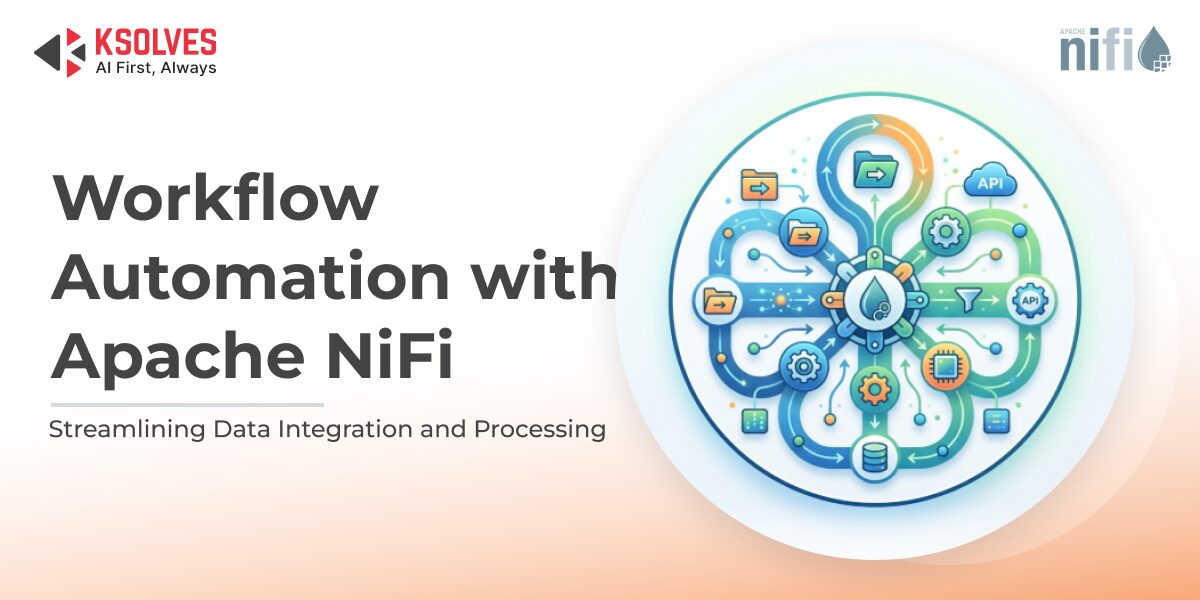
In the era of data-driven decision-making, automating workflows is no longer an option, but it’s a necessity. Workflow automation for NiFi has emerged as a game-changer for businesses that need to manage complex data pipelines efficiently. Apache NiFi Workflow Automation Services offer a state-of-the-art solution for businesses looking to transform their data operations with intelligent, scalable automation.
By leveraging NiFi’s powerful capabilities, organizations can simplify complex data workflows, eliminate time-consuming manual processes, and harness the full potential of their enterprise data infrastructure. What sets NiFi apart is its ability to automate intricate data flows with minimal coding expertise required, making it accessible to a wide range of users, from data engineers to business analysts. These services not only optimize efficiency but also provide the flexibility and scalability needed to adapt to evolving business needs in a data-driven world. In this NiFi workflow automation guide, we’ll explore how to leverage NiFi to simplify data operations and improve overall efficiency.
What is Apache NiFi?
Apache NiFi is a robust, easy-to-use platform for automating the flow of data between systems. It allows users to design, manage, and monitor data pipelines in real-time. NiFi is unique because of its ability to handle both batch and streaming data workflows, all while offering fine-grained control over data routing, transformation, and processing. Its user-friendly interface, based on flows and processors, allows non-technical users to create complex workflows with minimal effort.
Key Features That Make NiFi Perfect for Workflow Automation
- Real-Time Data Movement
One of the standout features of NiFi is its ability to process and move data in real-time. This means you can set up automated workflows that react instantly to changes in your data, whether it’s a new customer record, an inventory update, or a financial transaction. Real-time processing is essential for today’s applications, where timely insights are critical for making informed decisions.
- Easy-to-Use User Interface
NiFi’s drag-and-drop UI allows users to design complex workflows without writing a single line of code. This makes it an excellent choice for teams that need quick automation but lack a deep programming background.
- Data Provenance
NiFi doesn’t just move data; it also tracks the entire journey of the data through its system. This feature, known as data provenance, provides full visibility into your data flows, enabling you to track where your data came from, how it was transformed, and where it’s going. This ensures greater accountability and transparency.
- Scalability
As your data needs grow, NiFi scales effortlessly to accommodate increased data volume and complexity. Whether you’re processing a small amount of data or handling massive enterprise-scale workflows, NiFi’s distributed architecture ensures that performance stays optimized.
- Advanced Data Routing and Transformation
NiFi’s advanced processors allow you to route, filter, and transform data in powerful ways. You can apply various actions like enrichment, aggregation, and transformation to tailor your data before sending it to its destination.
Steps to Automate Your Workflow with NiFi
Now, after understanding what NiFi is capable of, let’s check out the steps used in Workflow Automation for NiFi.
- Step 1: Install Apache NiFi
To get started with NiFi, download and install the software from the official Apache NiFi website. It’s available for various operating systems, and the installation process is straightforward.
- Step 2: Design Your First Data Flow
Once NiFi is installed, you can access the NiFi UI by navigating to http://localhost:8080/nifi. From there, you’ll be able to design your first data flow by adding processors. Processors are the building blocks of NiFi workflows—they handle tasks like reading from a file, transforming data, or sending it to another system. You can drag these processors onto the canvas and configure them to define your data flow.
- Step 3: Connect Processors Using FlowFiles
After placing your processors, you’ll need to connect them using FlowFiles. A FlowFile represents a unit of work in NiFi and carries data through the processors. Think of FlowFiles as the vehicles carrying your data through various stages of your automated workflow.
- Step 4: Configure Processor Settings
Each processor in NiFi has configurable settings. For example, a GetFile processor might allow you to specify the directory to pull files from, while a PutDatabaseRecord processor will require database connection details. Customize each processor based on your specific requirements.
- Step 5: Test and Monitor Your Workflow
After setting up your data flow, NiFi provides tools to test the flow to ensure that everything is working smoothly. The platform also offers monitoring capabilities to check the health of your workflows and make adjustments as needed.
Best Practices for NiFi Workflow Automation
While NiFi makes automation incredibly easy, there are a few best practices to ensure you’re using it effectively:
- Keep It Simple: Don’t overcomplicate your data flows. Break down large, complex workflows into smaller, manageable tasks.
- Leverage Templates: If you have common workflows, consider creating NiFi templates to quickly replicate workflows across different systems or environments.
- Monitor Performance: As your data volume grows, regularly monitor the performance of your workflows to ensure that NiFi is processing data as efficiently as possible.
Error Handling: Always set up proper error-handling mechanisms, such as retries or dead-letter queues, to deal with failures gracefully.
Why Choose NiFi for Workflow Automation?
While there are many tools available for data automation, NiFi stands out for its flexibility, scalability, and ease of use. Whether you are dealing with complex data pipelines, real-time streams, or large-scale data integration projects, NiFi provides an efficient solution that ensures your workflows run smoothly. In addition, NiFi’s open-source nature allows businesses to avoid the expensive licensing fees associated with proprietary software, making it a cost-effective solution for automating workflows.
Conclusion
Apache NiFi is an indispensable tool for businesses looking to automate their data workflows. With its intuitive interface, powerful real-time processing capabilities, and seamless integration with various data sources, NiFi is perfect for organizations seeking to streamline their data operations. By automating repetitive processes, improving data quality, and reducing costs, NiFi helps businesses unlock the true potential of their data, ensuring they remain agile and competitive in today’s fast-paced world.
Ksolves provides expert NiFi consulting services to help businesses optimize their data pipelines and implement effective workflow automation strategies. With Ksolves assistance, organizations can unlock the full potential of their data infrastructure, scale operations effortlessly, and achieve faster, more reliable insights, ensuring they stay competitive in today’s fast-paced, data-driven world.
































Author
About the Author Editorial Team The Ksolves Editorial Team includes certified Salesforce experts, Big Data engineers, AI/ML specialists, Zoho consultants, and experienced technology writers focused on delivering clear, actionable insights for modern businesses. With hands-on experience across Salesforce, Big Data platforms, AI/ML solutions, application development, software testing, and Zoho ERP/CRM, the team publishes practical guides, real-world use cases, and industry updates that support smarter decisions and faster growth. Every article is created to solve business challenges, guide technology adoption, and keep organizations aligned with evolving digital ecosystems.
Share with