



Odoo POS: Features, Benefits, and Use Cases for Modern Enterprise
Odoo
5 MIN READ
August 13, 2026

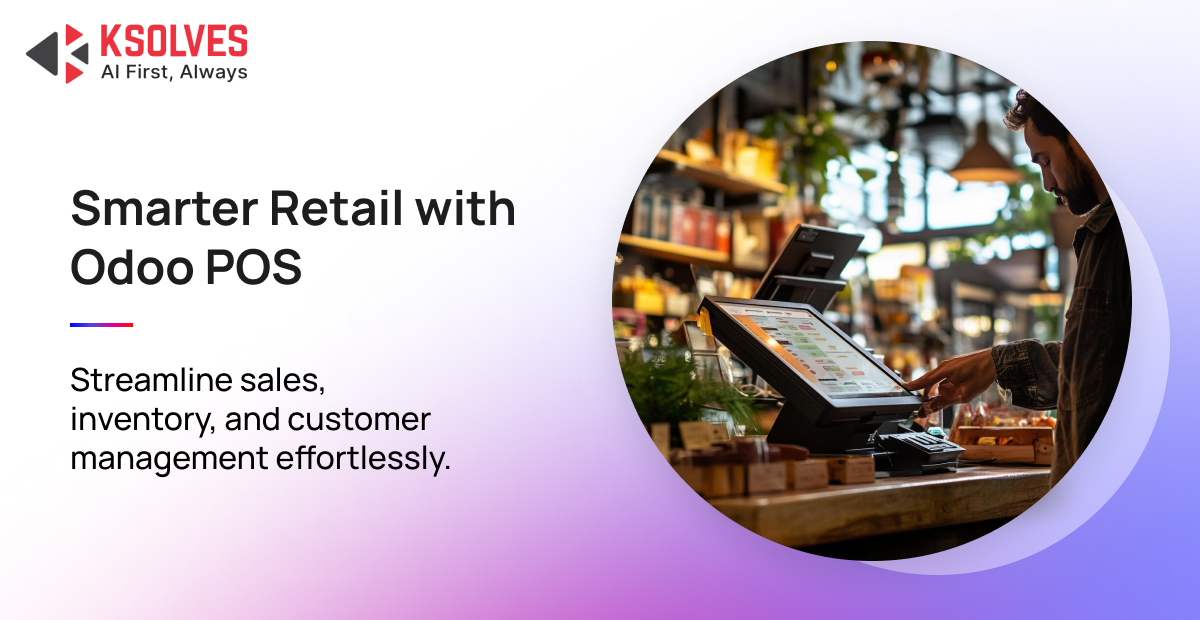
What happens when your point-of-sale system stops working during your busiest business hours, and how much is an outdated POS system costing your business without you realising it? Long billing queues, delayed transactions, inventory mismatches, and disconnected systems can quickly lead to lost sales and frustrated customers.
According to research by Oxford Economics, IT downtime costs enterprises an average of $5,600 per minute. These numbers show why businesses are replacing traditional POS software with integrated platforms like Odoo POS, which keeps sales, inventory, accounting, and customer data connected in real time.
When transaction infrastructure operates in isolation, decision-makers face higher Total Cost of Ownership (TCO), continuous reconciliation errors, and poor inventory visibility across sales channels.
To overcome these operational challenges, more businesses are adopting Odoo POS, an integrated solution that connects sales, inventory, accounting, and customer management in one platform. But what makes Odoo POS different from a traditional POS system?
Odoo POS vs Traditional POS Systems: Why Monolithic POS Is Holding Businesses Back
For decades, enterprise retail relied on legacy monolithic POS platforms (such as Micros, NCR, or legacy standalone desktop software). These systems function as isolated databases that interface with central ERPs via fragile overnight batch ETL (Extract, Transform, Load) pipelines or custom API wrappers.
Now, unlike traditional legacy terminals that rely on permanent client-server connections or fragile local desktop databases, Odoo POS utilizes a progressive WebApp framework built on HTML5, JavaScript, and Python.
It uses browser-level IndexedDB/WebSQL storage to maintain local operational independence while continuously syncing via asynchronous JSON-RPC calls to an integrated PostgreSQL database.
| Architectural Attribute | Traditional Monolithic POS Systems | Odoo POS Solution |
|---|---|---|
| Network Resilience | Requires persistent server connection during network outages. | Offline-first architecture; continues sales, receipts, and scanning without internet. |
| Data Synchronization | Delayed batch processing (nightly sync) or high-latency middleware integrations. | Real-time bi-directional sync with ERP inventory, accounting, and CRM modules. |
| Hardware Compatibility | Locked into proprietary, expensive hardware vendor lock-in contracts. | Hardware-agnostic; runs on tablets, PCs, POS terminals via lightweight Odoo IoT Box. |
| Omnichannel Integration | Siloed inventory ledgers between physical retail stores and e-commerce platforms. | Unified single database and instantly reserves stock across physical stores & webshops. |
| Total Cost of Ownership | High upfront licensing fees, seat costs, and expensive third-party connector maintenance. | open-source/Enterprise pricing, zero middleware fees, lower maintenance TCO. |
In this comparison, the fundamental advantage lies in unified architecture. Legacy platforms require separate third-party integrations for inventory control, customer management, loyalty programs, and financial accounting. Each connector introduces API failure points and sync delays.
Top Odoo POS Features That Simplify Business Operations
Decision-makers evaluating point-of-sale infrastructure must balance end-user ergonomics with backend scalability. Odoo POS features are engineered to address both operational speed at the counter and technical operations in the backend architecture.
1. Offline-First Architecture & Automated Re-Synchronization
The core resilience of Odoo POS stems from its client-side execution model. When a cashier launches a POS session, the application downloads the product catalog, pricing rules, barcode maps, and active customer profiles directly into the browser’s local memory (IndexedDB).
For example, in the event of network termination, cashiers can print receipts, process barcoded items, compute cash changes, and issue loyalty credits uninterrupted.
Once connectivity is restored, the application silently executes a background sync queue, resolving transaction sequences and committing pending sales orders into the primary PostgreSQL database without disrupting ongoing operations.
2. Double-Entry Inventory Ledger & Multi-Warehouse Tracking
Standard retail POS platforms increment or decrement a static stock counter. In contrast, Odoo POS implements a double-entry inventory management methodology. Every checkout transaction creates a formal stock movement from a physical location (e.g., Physical Locations/Main Store/Shelf A) to a customer location (Virtual Locations/Customers).
This granular level of tracking allows enterprise managers to maintain real-time visibility across multi-warehouse environments, trigger automated reordering points when safety stock thresholds are breached, and eliminate manual end-of-day stock reconciliations.
3. Omnichannel Customer Management & Dynamic Loyalty Engines
Modern consumers demand unified experiences whether buying online or in-store. Odoo POS unifies customer profiles across physical registers and digital storefronts. Key features include:
- Cross-Channel Loyalty Points: Customers earn loyalty points in-store and redeem them during online checkout or vice versa.
- Targeted Promotional Rules: Configure complex discounting engines based on volume thresholds, customer categories, time-bound flash sales, or buy-one-get-one (BOGO) logic.
- Unified Digital Gift Cards: Issue serialized electronic gift cards at the counter that can be scanned via mobile wallet or used on e-commerce sites.
4. Hardware Agnosticism & The Odoo IoT Box Integration
Avoid expensive hardware lock-in. Odoo Point of Sale runs on any web-enabled device including iPads, Android tablets, Microsoft Surface devices, and specialized touchscreen POS terminals.
To connect legacy receipt printers, barcode scanners, cash drawers, customer-facing displays, and electronic weight scales, Odoo utilizes the Odoo IoT Box (a Linux-based microcontroller) or direct WebUSB/WebBluetooth browser drivers, eliminating driver conflicts and proprietary interface costs.
Business Benefits of Odoo POS for Executive Decision-Makers
As businesses grow, managing separate systems for billing, inventory, finance, and CRM becomes expensive and difficult to maintain. Gartner Peer Insights reports that unified retail platforms can reduce the total cost of ownership by 35%–50%. Odoo POS brings these functions together on a single platform, reducing IT complexity and ongoing costs.
-
Strengthen Inventory Accuracy
Poor inventory visibility often leads to stockouts, overstocking, and lost revenue. By synchronising inventory with every sale, Odoo POS gives businesses accurate, real-time stock visibility. A prime example of this in action is a fast-growing regional supermarket chain that achieved a 25% reduction in stockouts after Ksolves implemented a fully integrated Odoo ERP, unifying procurement, inventory, POS, and finance into a single platform with AI-driven delivery.
-
Improve Store Performance
Slow checkouts affect both customer satisfaction and employee productivity. According to CIO.com, modern POS solutions can improve operational efficiency by up to 25%. Odoo POS speeds up transactions with a user-friendly interface, barcode scanning, and offline functionality.
-
Scale with Confidence
Business expansion should not require rebuilding operational processes. Scalable retail platforms always simplify multi-store growth. With built-in support for multiple companies, currencies, and tax structures, Odoo POS enables businesses to expand while maintaining consistent operations.
Also Read: Why Startups Prefer Odoo ERP as Their Product Backbone | Benefits & Key Integrations
Real-World Odoo POS Use Cases Across Different Industries
Every industry has different operational needs. A clothing retailer, a restaurant, and a wholesale distributor cannot rely on the same checkout process or inventory workflow.
That is where Odoo POS stands out. Its flexible and customisable architecture allows businesses to tailor the solution to their daily operations while keeping sales, inventory, finance, and customer data connected.
1. Odoo POS for Retail (Managing Multiple Stores with Ease)
Retail businesses need accurate inventory, seamless omnichannel operations, and a consistent customer experience across every store.
Imagine a fashion brand with 15 outlets across different cities. A customer visits one store looking for a medium-sized jacket that’s out of stock. Instead of losing the sale, the sales executive uses Odoo POS to instantly check stock availability at nearby branches, reserve the product, and arrange store pickup or home delivery.
At checkout, the system automatically applies loyalty points and promotional discounts while updating inventory across all locations in real time. This allows retailers to reduce lost sales, improve inventory visibility, and deliver a smoother shopping experience.
2. Odoo POS for Restaurants (Faster Service During Peak Hours)
Restaurants require a POS system that supports their entire operation. From sending orders to the kitchen and managing table occupancy to tracking ingredient consumption, every step must work together to deliver faster service and better operational control.
For example, during the lunch rush, a family restaurant receives over 120 orders within two hours. Servers place orders directly from tablets, and they are instantly routed to the correct kitchen stations.
If a customer requests “no onions” or an extra topping, the kitchen receives the update immediately. Once the meal is billed, Odoo POS automatically deducts the required ingredients from inventory, helping managers monitor food costs without manual calculations.
3. Odoo POS for Supermarkets (Handling High-Volume Transactions Efficiently)
Now imagine a supermarket running a weekend promotion experiences long checkout queues. Cashiers scan products using barcode readers, while fresh fruits and vegetables are automatically priced through integrated weighing scales.
Promotional offers such as “Buy 2, Get 1 Free” are applied instantly without manual intervention. Even if internet connectivity is interrupted, Odoo POS continues processing transactions offline and synchronises all sales once the connection is restored.
This helps supermarkets reduce billing delays, minimise pricing errors, and maintain uninterrupted operations during busy periods.
4. Odoo POS for Wholesale Businesses (Simplifying Bulk Sales)
Wholesale businesses manage larger orders, customer-specific pricing, and credit-based transactions that traditional POS systems often struggle to handle. For example, a building materials supplier serves contractors with negotiated pricing agreements.
When a contractor visits the trade counter, the sales executive retrieves the customer’s account, applies the agreed pricing automatically, verifies the available credit limit, and generates a tax invoice within minutes. If only part of the order is available, Odoo POS updates inventory immediately and schedules the remaining products for warehouse dispatch.
This streamlines B2B transactions, reduces manual work, and helps wholesale businesses deliver faster, more accurate order fulfilment.
Final Thoughts
A modern point-of-sale system should connect sales, inventory, accounting, customer data, and business operations into one unified platform. Odoo POS helps businesses eliminate data silos, improve inventory accuracy, speed up checkout, and scale across multiple locations with confidence.
Whether you operate a retail store, restaurant, supermarket, or wholesale business, investing in the right POS solution can improve operational efficiency and support long-term growth.
Looking to implement Odoo POS successfully? Partner with Ksolves, an experienced Odoo implementation expert that accelerates every stage of your Odoo journey with an AI-first approach.
Contact the Ksolves team to create a tailored Odoo POS implementation roadmap that fits your operational goals.
FAQs
- What is Odoo POS? Odoo POS is an integrated point-of-sale solution within the Odoo ERP ecosystem that connects sales, inventory, accounting, CRM, and customer data in one platform for seamless business operations.
- Which businesses can benefit from Odoo POS? Odoo POS is ideal for retail stores, restaurants, supermarkets, wholesale businesses, and multi-location enterprises that need real-time inventory management, faster billing, and centralized operations.
- Can Odoo POS work without an internet connection? Yes. Odoo POS supports offline mode, allowing businesses to continue processing sales during internet outages. Transactions automatically sync with the central database once the connection is restored.
- Why should businesses choose professional Odoo POS implementation services? Professional Odoo POS implementation services ensure the system is configured to match your business processes, integrates with existing tools, minimizes deployment risks, and helps you achieve a faster return on investment.































AUTHOR
Odoo
Share with