



How Odoo’s Auto-Reconciliation Engine Works: A Complete Guide
Odoo
5 MIN READ
July 29, 2026

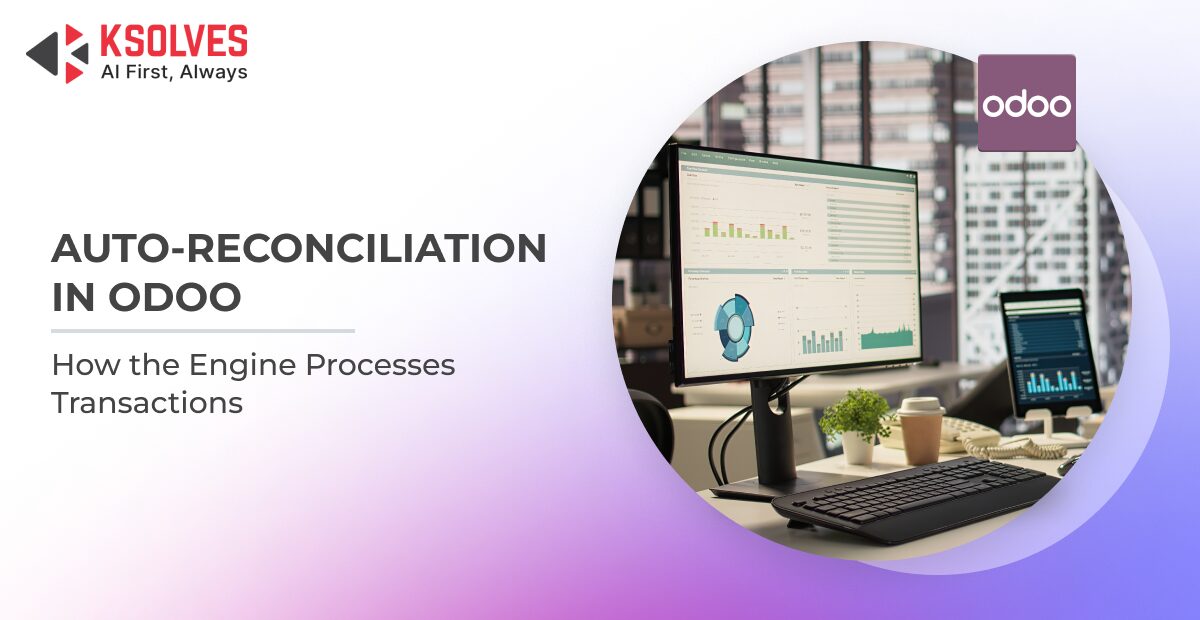
Efficient financial management depends on accurate and timely reconciliation. As businesses process hundreds or even thousands of accounting transactions daily, manually matching invoices, payments, and bank entries becomes both time-consuming and error-prone. This is where Odoo’s Auto-Reconciliation Engine plays a vital role.
The Odoo Accounting module includes built-in reconciliation capabilities that help automate the matching of accounting entries based on predefined rules and transaction data. By reducing manual intervention, businesses can accelerate financial close, improve record accuracy, and maintain cleaner accounting books.
However, many organizations have unique reconciliation requirements that extend beyond Odoo’s standard capabilities. Successfully implementing these customizations requires a thorough understanding of the reconciliation architecture and workflow to ensure that custom logic integrates seamlessly without affecting core accounting functionality.
In this guide, we’ll explore how Odoo Auto-Reconciliation works, its underlying architecture, common customization scenarios, and best practices for extending the reconciliation engine safely.
What is Auto-Reconciliation in Odoo?
Auto-reconciliation is the process of automatically matching related accounting transactions without requiring manual intervention. Instead of accountants manually identifying corresponding entries, Odoo evaluates eligible records based on defined criteria and performs reconciliation whenever a valid match is found.
The primary objective is to ensure that outstanding receivables and payables are cleared correctly while maintaining accurate financial records.
Also Read: Effortless Accounting with Odoo: Your Multipurpose Cloud-Based Solution
Manual vs. Automatic Reconciliation
| Manual Reconciliation | Auto-Reconciliation |
| Users manually select matching entries. | Odoo automatically matches eligible transactions. |
| Suitable for exceptional cases. | Ideal for repetitive and high-volume transactions. |
| Time-intensive. | Saves significant accounting effort. |
| Higher possibility of human error. | Provides greater consistency when properly configured. |
Common Business Scenarios
Odoo’s auto-reconciliation is commonly used for:
- Matching customer payments with invoices.
- Reconciling vendor payments against bills.
- Processing bank statement transactions.
- Clearing outstanding receivable and payable balances.
- Reconciling transactions generated through payment providers.
These automated processes help finance teams spend less time on repetitive tasks and more time on exception handling and financial analysis.
Also Read: Top 4 Odoo Apps to Simplify Accounting and Finance for Small and Medium-Sized Businesses
Understanding Odoo’s Auto-Reconciliation Architecture
To customize reconciliation effectively, developers first need to understand how Odoo’s accounting models interact during the reconciliation process.
Rather than relying on a single model, the reconciliation engine works across multiple accounting components that collectively manage transaction creation, matching, and settlement.
1. Journal Entries (account.move)
Every accounting transaction in Odoo is recorded as a journal entry. Whether an invoice is created, a payment is registered, or a vendor bill is posted, Odoo generates an account.move record representing the complete accounting transaction.
This serves as the parent record containing all accounting details for that transaction.
2. Journal Items (account.move.line)
Each journal entry consists of one or more journal items stored as account.move.line.
These individual lines represent debits and credits and form the basis of reconciliation. During the reconciliation process, Odoo evaluates eligible journal items rather than entire journal entries.
For example:
- Customer invoice receivable line
- Customer payment receivable line
These two journal items can be matched and reconciled when their values satisfy the reconciliation criteria.
3. Bank Statements
For organizations using bank synchronization or importing bank statements, Odoo processes incoming bank transactions and attempts to match them with existing accounting records.
This enables faster reconciliation of incoming and outgoing payments while reducing manual bookkeeping.
4. Reconciliation Models
Odoo also supports Reconciliation Models, which define matching rules for recurring reconciliation scenarios.
Depending on business requirements, these models can automate tasks such as:
- Matching transactions using payment references
- Applying write-offs
- Assigning accounts automatically
- Handling common reconciliation patterns
Together, these components create a structured and extensible reconciliation framework.
Also Read: 10 Reasons Why Odoo is Savior For Your Accounting
How the Auto-Reconciliation Workflow Works
Although reconciliation appears straightforward from the user interface, several accounting processes occur behind the scenes.
A typical reconciliation workflow follows these stages.
Step 1: Accounting Entries Are Created
Business operations such as invoice validation, payment registration, or bill posting generate journal entries and corresponding journal items.
At this stage, receivable or payable balances remain open until matching transactions become available.
Step 2: Odoo Identifies Eligible Journal Items
The reconciliation engine evaluates journal items that belong to reconcilable accounts.
It checks factors such as:
- Partner
- Account type
- Outstanding balance
- Currency
- Payment information
- Matching references
Only eligible journal items proceed to reconciliation.
Step 3: Matching Rules Are Applied
Odoo attempts to determine whether transactions satisfy the required matching conditions.
Depending on the workflow, matching may be based on:
- Exact amounts
- Payment references
- Invoice numbers
- Bank statement information
- Configured reconciliation models
If valid matches are found, the reconciliation process continues automatically.
Step 4: Full or Partial Reconciliation
Based on the available balances, Odoo performs either:
- Full reconciliation, when balances are completely cleared.
- Partial reconciliation, when only a portion of the outstanding amount is settled.
This flexibility allows organizations to process installment payments and partial settlements without disrupting accounting records.
Step 5: Accounting Records Are Updated
Once reconciliation is complete:
- Outstanding balances are updated.
- Receivable or payable items are marked accordingly.
- Financial reports reflect the latest accounting status.
- Users can track reconciled transactions through the accounting interface.
This workflow ensures consistency across accounting operations while maintaining complete auditability.
When Does Standard Auto-Reconciliation Fall Short?
Odoo’s standard reconciliation engine addresses many common accounting scenarios. However, organizations often require business-specific reconciliation rules that cannot be achieved through default configuration alone.
Some examples include:
- Custom Payment References
Organizations may receive payment identifiers that differ from standard invoice numbers, requiring custom matching logic.
- Industry-Specific Reconciliation Rules
Certain industries rely on unique transaction references, settlement processes, or accounting practices that require additional validation before reconciliation.
- Multi-Step Validation
Some businesses require transactions to satisfy multiple conditions before reconciliation can occur, such as validating payment sources or verifying custom fields.
- Complex Matching Logic
Organizations may need reconciliation based on combinations of attributes rather than a single matching criterion.
In such cases, developers may extend the reconciliation process while preserving Odoo’s standard accounting behavior.
When Does Standard Auto-Reconciliation Fall Short?
Odoo’s standard reconciliation engine addresses many common accounting scenarios. However, organizations often require business-specific reconciliation rules that cannot be achieved through default configuration alone.
Some examples include:
- Custom Payment References
Organizations may receive payment identifiers that differ from standard invoice numbers, requiring custom matching logic.
- Industry-Specific Reconciliation Rules
Certain industries rely on unique transaction references, settlement processes, or accounting practices that require additional validation before reconciliation.
- Multi-Step Validation
Some businesses require transactions to satisfy multiple conditions before reconciliation can occur, such as validating payment sources or verifying custom fields.
- Complex Matching Logic
Organizations may need reconciliation based on combinations of attributes rather than a single matching criterion.
In such cases, developers may extend the reconciliation process while preserving Odoo’s standard accounting behavior.
Best Practices for Customizing the Reconciliation Engine
Customizing accounting functionality requires careful planning. Since reconciliation directly affects financial records, modifications should always prioritize stability, maintainability, and upgrade compatibility.
1. Understand the Standard Workflow First
Before introducing custom logic, developers should understand how Odoo’s reconciliation engine processes accounting entries.
A clear understanding helps identify the correct extension points while minimizing unintended side effects.
2. Extend Instead of Modifying Core Logic
Direct modifications to Odoo’s core accounting modules should generally be avoided.
Instead, developers should leverage Odoo’s extensibility mechanisms to add custom business logic while preserving standard functionality.
This approach simplifies future upgrades and reduces maintenance effort.
3. Keep Custom Logic Modular
Business rules should remain isolated from standard accounting processes wherever possible.
A modular design makes enhancements easier to maintain, debug, and extend as business requirements evolve.
4. Preserve Upgrade Compatibility
Following Odoo development best practices helps ensure that future upgrades require minimal rework.
Upgrade-friendly customizations reduce long-term implementation costs while maintaining system stability.
5. Test Across Multiple Scenarios
Every reconciliation customization should be validated against different accounting situations, including:
- Full payments
- Partial payments
- Multiple invoices
- Credit notes
- Multi-currency transactions
- Bank reconciliation workflows
Comprehensive testing helps ensure reliable financial operations.
Common Challenges Developers Face
Because Odoo Accounting is highly interconnected, developers often encounter several technical challenges during reconciliation customization.
- Understanding the Execution Flow
The reconciliation process spans multiple accounting models, making it difficult to identify where business logic should be introduced.
- Identifying Safe Extension Points
Adding custom behavior at the wrong stage can produce inconsistent reconciliation results or interfere with future upgrades.
- Handling Partial Reconciliation
Supporting partially settled transactions while maintaining accurate accounting balances requires careful implementation.
- Protecting Accounting Integrity
Even minor changes can affect financial reporting if reconciliation behavior is altered incorrectly.
Developers should prioritize preserving accounting consistency throughout the customization process.
How AI Can Help Developers Understand Complex Odoo Modules
Modern AI tools are becoming valuable assistants for developers working with large frameworks like Odoo.
Rather than replacing technical expertise, AI accelerates the learning process by helping developers analyze complex codebases more efficiently.
Some practical use cases include:
- Understanding relationships between accounting models.
- Exploring execution flows across interconnected methods.
- Identifying relevant extension points for customization.
- Explaining unfamiliar accounting workflows.
- Accelerating documentation and code analysis.
While implementation decisions still depend on developer expertise, AI can significantly reduce the time required to understand complex modules before customization begins.
Conclusion
Odoo’s Auto-Reconciliation Engine plays a crucial role in automating financial reconciliation, reducing manual effort, and improving accounting accuracy. Understanding its architecture, workflow, and customization approach enables developers to extend its capabilities while maintaining performance, stability, and upgrade compatibility.
At Ksolves, an AI-first Odoo development company, our certified Odoo experts help businesses design, customize, and optimize Odoo Accounting solutions tailored to their unique financial workflows. Whether you need advanced reconciliation logic, seamless integrations, or end-to-end Odoo implementation, we deliver scalable, future-ready solutions that maximize the value of your Odoo investment.































AUTHOR
Odoo
Share with