
 Salesforce
 5 MIN READ


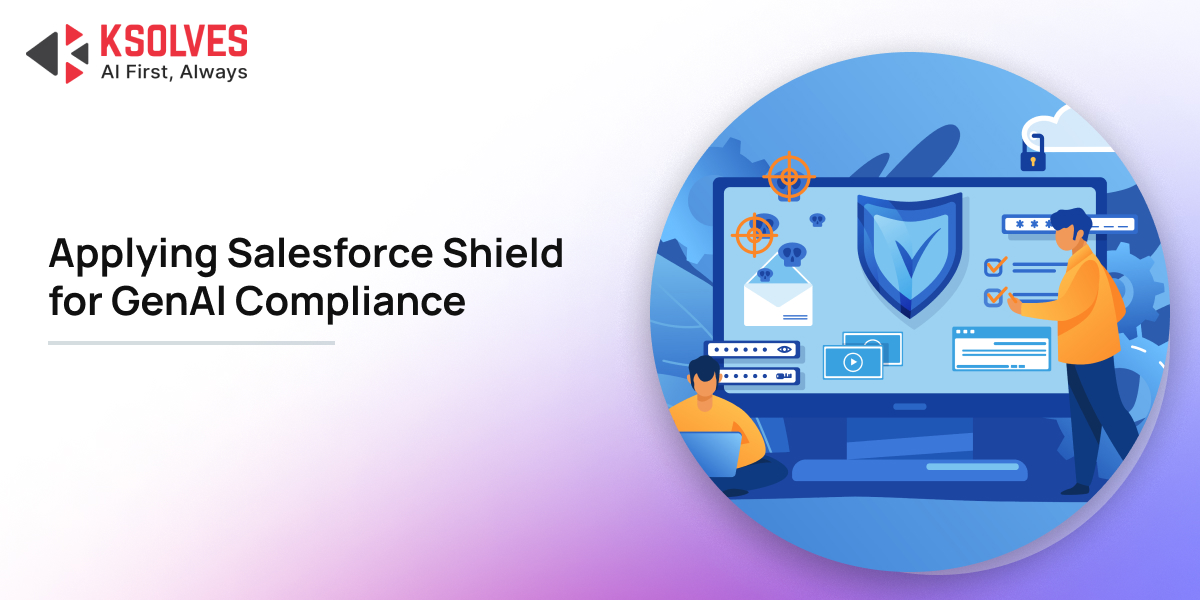
Businesses continued to face growing pressure to adopt generative AI while protecting customer information and meeting strict data privacy requirements. Salesforce AI tools can help teams summarize customer conversations, draft emails, analyze service cases, and generate sales recommendations in seconds. However, the same tools can introduce new risks when responses contain personal information, financial details, or sensitive healthcare data.
The challenge is whether the organization can control the data used to create that response, understand where the information goes, and prove that appropriate security measures were followed.
According to IBM’s Cost of a Data Breach Report 2025, the global average cost of a data breach reached $4.44 million. This figure highlights why organizations must treat data protection as a business priority when introducing AI into customer-facing systems.
Consider a healthcare provider using Salesforce to summarize patient support cases. An AI-generated summary might save a service agent several minutes, but it could also expose sensitive patient details to someone who should not see them. Similarly, a financial services company might use AI to draft customer emails that accidentally include confidential account information.
As organizations rapidly integrate Einstein GPT and autonomous Agentforce workflows, Chief Information Officers (CIOs) and Chief Compliance Officers (CCOs) find themselves at a critical crossroad. How do you harness the speed of AI-generated summaries, automated replies, and predictive case management without violating strict frameworks like GDPR, HIPAA, and SOC2?
What Is Salesforce Shield, and Why Does GenAI Need It?
Salesforce Shield is a set of security tools designed to give organizations greater control over sensitive CRM data. It helps protect information, monitor user activity, and maintain historical records that can support compliance reviews.
Salesforce Shield includes four key capabilities:
Shield Platform Encryption, Event Monitoring, Field Audit Trail, and Data Detect. Here is how each capability contributes to AI security.
| Salesforce Shield feature | How it helps protect GenAI workflows |
| Platform Encryption | Protects supported Salesforce data at rest, including sensitive customer fields. |
| Event Monitoring | Provides visibility into user activity, data access, and selected system events. |
| Field Audit Trail | Preserves changes to selected fields for longer-term investigations and compliance reviews. |
| Data Detect | Helps discover and classify sensitive information stored in Salesforce. |
These tools address different parts of the security process. Encryption protects stored information, monitoring improves visibility, and audit trails help explain what changed over time.
However, the Salesforce data security model does not automatically make every AI-generated response compliant. Organizations must also configure permissions, review AI settings, establish data retention rules, and decide when human approval is required.
For example, a bank may encrypt customer account details and monitor access to financial records. If an AI assistant generates an email containing an account number, the bank still needs controls to prevent that information from reaching an unauthorized recipient.
That is why Salesforce Shield should be part of a wider AI security strategy rather than treated as a standalone compliance solution.
How Salesforce Shield and the Einstein Trust Layer Secure the AI Prompt Lifecycle
Every GenAI response begins with a prompt. That prompt may include a user’s instructions, CRM records, customer conversation history, or information retrieved from a knowledge base.
If sensitive information enters this process, security controls must protect it before, during, and after generation.
Salesforce’s Einstein Trust Layer provides AI-specific safeguards, including secure data retrieval, configurable data masking for supported features, prompt defenses, toxicity detection, and protections governing external model providers.
1. Protect data before it reaches the AI model
Suppose a healthcare support agent asks Salesforce AI to summarize a patient’s service case. The case contains the patient’s name, contact information, and appointment details.
For supported embedded generative AI features, configured data masking can replace sensitive values with placeholders before the prompt is sent to an external large language model (LLM).
This reduces the amount of identifiable information exposed to the model. The Trust Layer can also restore masked values in the returned response where the feature supports that behavior.
However, masking is not universal. Salesforce documentation states that LLM data masking is disabled for agents, so organizations must verify the controls available for their specific AI feature before deployment.
2. Encrypt data in transit and at rest
Encryption protects information in two different situations.
- In transit: Salesforce documents the use of TLS encryption when data passes between the Einstein Trust Layer and external model providers.
- At rest: Shield Platform Encryption protects supported Salesforce data while it is stored, according to the organization’s encryption configuration.
These protections serve different purposes. TLS helps secure communication, while Platform Encryption protects supported stored data. Shield encryption should not be assumed to cover every copy of a prompt or generated response across external services, integrations, exports, and logs.
3. Control what the AI can access
AI-generated answers are only as secure as the information available to the system.
Einstein’s secure data retrieval can respect the Salesforce permissions of the user running the prompt. In such cases, Salesforce advisory can helps prevent AI from using CRM information that the user is not authorized to access.
Practical example: A customer service representative can access order status and shipping details but cannot view internal fraud investigation notes. An AI-generated response should use the information the representative is authorized to access, not confidential notes available only to a restricted team.
IT teams should test these permissions with different user roles before releasing AI features to production.
Auditing GenAI Output: Building Reliable Audit Trails in Salesforce
Protecting data is only one part of compliance. Organizations must also demonstrate how sensitive information was accessed, who used AI, and what happened when a security issue occurred.
This is where GenAI audit trails in CRM become important.
Salesforce Shield’s Event Monitoring provides detailed information about supported user activity and system events. Field Audit Trail preserves historical changes to selected fields. These capabilities help investigators understand activity and reconstruct changes, but they do not automatically record every AI prompt and complete generated response.
What should compliance teams monitor?
Consider a financial services company that uses AI to summarize customer complaints and draft responses.
Its monitoring strategy could include:
- User activity: Identify who accessed customer records and when.
- Data exports: Investigate unusual downloads or report exports involving sensitive records.
- Record changes: Track changes to selected fields, such as complaint status or customer risk classification.
- AI interactions: Where supported, retain appropriate prompt and response records through the Einstein Trust Layer or a governed logging solution.
- Security exceptions: Flag unusual activity for investigation by the security team.
The objective is to create enough evidence to investigate incidents without collecting unnecessary personal information.
A practical example of AI response auditing
Imagine that an AI-generated customer email accidentally includes a confidential account reference.
A well-designed process would allow the compliance team to investigate the event systematically:
- Identify the Salesforce user and customer record involved.
- Review available Event Monitoring data to understand relevant access and activity.
- Check the applicable AI interaction logs, where available, to examine the prompt, response, and relevant trust signals.
- Determine whether the information was sent externally, displayed internally, or stored in another system.
- Record the investigation, apply corrective measures, and update the relevant AI instructions or controls.
This approach helps organizations move beyond simply detecting a problem to understanding its cause and preventing it from happening again.
One important distinction: Salesforce’s Einstein Trust Layer documentation describes prompt, response, and trust-signal logging in Data 360 for supported configurations. Compliance teams should confirm the applicable product, licensing, logging settings, retention period, and access controls before relying on those records as audit evidence.
Salesforce AI Governance: Best Practices for Regulated Industries
Strong Salesforce AI governance means deciding which data AI can use, which outputs it can generate, who can access those outputs, and how long relevant records should be retained.
For organizations working under GDPR, HIPAA, or SOC 2 requirements, these decisions should be made before AI features go live.
1. Apply data masking to sensitive information
Data masking helps reduce the exposure of personal information during AI processing. Identify fields containing names, email addresses, telephone numbers, health information, financial identifiers, and other sensitive data.
For supported Einstein generative AI features, configure masking policies based on the sensitivity of the information and the business purpose.
Example: An insurance company uses AI to summarize a claim. The model may need the claim type and relevant policy conditions, but it may not need the customer’s full address or bank account details. The company should test whether unnecessary identifiers can be masked while preserving the context required for a useful summary.
2. Establish clear data retention policies
Salesforce documents a zero-data-retention policy for data sent to its external LLM providers through the Einstein Trust Layer. Under this arrangement, external providers do not retain the submitted data for model training, and the data is deleted after the response is returned, subject to the applicable service terms and documented exceptions.
However, zero data retention at an external model provider does not mean that no data is stored anywhere.
Generated responses may still be saved in Salesforce records, interaction logs, downstream applications, or other systems, depending on the configuration.
Compliance teams should therefore define separate retention policies for:
- Prompts and generated responses.
- Salesforce customer records and attachments.
- AI audit logs and security events.
- Copies exported to analytics or third-party systems.
Each category should have an approved retention period, access rules, and a deletion process.
3. Enforce least-privilege access
Not every employee needs access to every customer record or AI-generated response.
Use Salesforce profiles, permission sets, field-level security, and record-sharing rules to limit access according to job responsibilities.
For instance, a healthcare contact center representative may need appointment information, while a clinical team member may require additional patient details. An AI assistant should not become a shortcut around these access restrictions.
Review permissions regularly, particularly when introducing new AI features or changing existing workflows.
4. Require human review for high-risk responses
AI-generated text can be inaccurate, incomplete, or inappropriate for its intended audience. Security controls cannot guarantee that every response is factually correct or legally acceptable.
For high-risk scenarios, introduce human approval before a response is sent or a consequential action is taken.
Examples include:
- Healthcare communications involving sensitive patient information.
- Financial recommendations or explanations of account restrictions.
- Insurance claim decisions and regulatory notices.
- Customer communications containing confidential contractual information.
Human review should focus on accuracy, data exposure, and compliance with approved communication policies.
5. Test controls before production deployment
Testing should cover both expected use and realistic failure scenarios.
Ask your implementation team to test whether unauthorized users can access restricted records through AI, whether sensitive values are masked in supported features, whether logs capture the necessary evidence, and whether retention settings work as intended.
Salesforce Shield’s Data Detect can also help identify sensitive information that may have been overlooked during earlier data classification.
HIPAA-Compliant AI in Salesforce: What Healthcare Teams Must Know
Healthcare organizations face additional responsibilities when using AI with protected health information (PHI). HIPAA compliant AI Salesforce implementations require more than enabling encryption. Organizations must evaluate the complete handling of protected information, including access controls, audit mechanisms, risk management, vendor arrangements, and applicable contractual requirements.
Consider a hospital using Salesforce to manage patient inquiries. An AI assistant generates a summary of a conversation containing a patient’s name, appointment details, and treatment-related information.
A sensible implementation would:
- Restrict access to the relevant patient records.
- Apply appropriate encryption to supported stored data.
- Configure available masking and AI privacy controls for the selected feature.
- Maintain suitable records of access and relevant AI interactions.
- Review generated summaries before using them in sensitive clinical or administrative decisions.
- Confirm that applicable vendors, services, and data flows meet the organization’s HIPAA obligations.
HIPAA does not automatically approve a particular Salesforce configuration or AI feature. Organizations must assess their actual deployment, applicable business associate agreements, and required safeguards.
The same principle applies to other frameworks. GDPR requires organizations to assess lawful processing, data minimization, transparency, and individuals’ rights where applicable. SOC 2 examinations assess controls against relevant trust services criteria and the scope of the examination.
Measuring Salesforce Shield GenAI Compliance: Metrics That Matter
Decision-makers need evidence that security controls are working, not simply confirmation that the software has been installed. Establish a baseline before deployment and review the following indicators monthly or quarterly, depending on risk.
|
Metric |
What it tells you |
|
Sensitive fields classified |
Whether important customer data has been identified. |
|
AI use cases security-tested |
Whether planned AI workflows have passed security checks. |
| Unauthorized access incidents |
Whether access controls are preventing inappropriate data exposure. |
| AI logging coverage | Whether required prompts, responses, and relevant events are recorded where supported. |
| Policy exceptions | Where masking, retention, or access settings require attention. |
| Human review completion | Whether high-risk AI responses receive the required approval. |
| Incident investigation time | How quickly teams can understand and respond to potential exposure. |
Set measurable targets based on your risk assessment. For example, an organization might require all high-risk AI use cases to pass a documented security review before launch.
Implementing Salesforce Shield with Ksolves: From Assessment to Audit Readiness
Configuring encryption and audit settings is only one part of a successful implementation. Organizations must also align Salesforce security controls with their AI use cases, existing integrations, business policies, and compliance requirements.
Ksolves offers Salesforce professional services covering implementation, integration, customization, and ongoing support.
A practical implementation approach can follow four stages.
Stage 1: Assess your current Salesforce environment
Identify sensitive records, existing encryption settings, user permissions, AI-enabled features, third-party integrations, and current audit capabilities.
Stage 2: Design the security controls
Map each AI use case to the appropriate encryption, access, masking, monitoring, retention, and approval requirements. Confirm which controls are available for the selected Salesforce products.
Stage 3: Implement and test
Configure the required settings, validate user access, test AI-generated responses, and check whether monitoring and logging provide the evidence compliance teams need.
Stage 4: Monitor and improve
Review incidents, audit findings, permission changes, and new AI use cases regularly. Update the controls as business processes and regulatory obligations evolve. Organizations looking for tailored support can explore Salesforce implementation solutions.
The goal is not to slow down AI adoption. It is to introduce AI in a way that gives security teams visibility, business users clear boundaries, and decision-makers confidence in the controls protecting customer data.
Make Salesforce GenAI Secure, Auditable, and Ready for Growth
Generative AI can make Salesforce teams more productive by summarizing cases, drafting customer communications, and helping employees find relevant information faster. But those benefits must not come at the expense of customer privacy or regulatory accountability.
Salesforce Shield provides essential building blocks through Platform Encryption, Event Monitoring, Field Audit Trail, and Data Detect. The Einstein Trust Layer adds AI-specific safeguards, including secure data retrieval, supported data masking, prompt defenses, and protections for interactions with external model providers.
For IT leaders and compliance officers, the next step is to assess existing controls against the AI workflows your organization plans to deploy.
Ready to strengthen your Salesforce AI security? Connect with Salesforce consultation partners. At Ksolves, we help enterprises in Salesforce security assessment, Shield implementation, and governance approach tailored to your organization’s needs.
Frequently Asked Questions
- What is Salesforce Shield, and how does it support GenAI compliance?
Salesforce Shield provides encryption, activity monitoring, audit trails, and sensitive data discovery to help protect customer information in AI-powered workflows.
- Does Salesforce Shield automatically make GenAI responses compliant?
No. Organizations must also configure user permissions, data masking, retention policies, AI governance, and human approval processes.
- How does the Einstein Trust Layer protect sensitive data?
It offers safeguards such as data masking for supported features, secure data retrieval, prompt defense, toxicity detection, and protections for external model interactions.
- Can Salesforce Shield help organizations meet GDPR and HIPAA requirements?
Yes. Its security capabilities can support compliance efforts, but organizations must implement appropriate safeguards and assess their complete Salesforce environment against applicable regulatory requirements.
- How can Ksolves help implement Salesforce Shield for GenAI security?
Ksolves provides Salesforce implementation, integration, customization, and support services to help organizations configure security controls, test AI workflows, and strengthen compliance readiness.