



ServiceNow HRSD Implementation: The Complete Guide for HR Leaders
ServiceNow
5 MIN READ
September 10, 2026

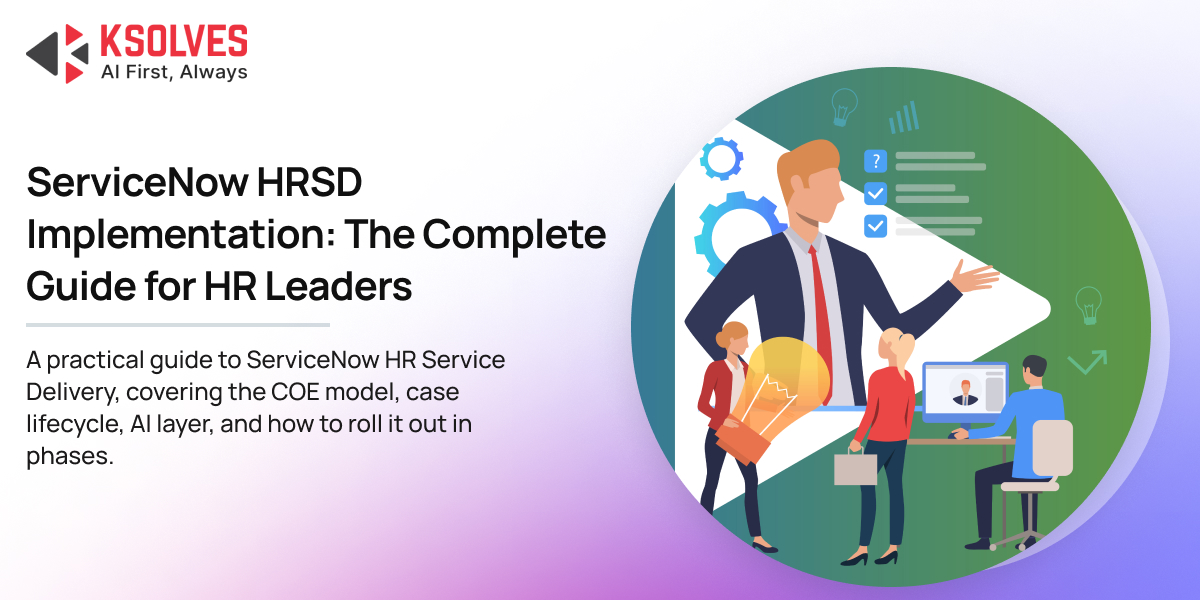
Picture the way most HR teams still run. An employee has a question about a deduction on their payslip, so they email the one HR contact whose name they happen to know. That person is on leave, so the message sits. Three days later it gets forwarded to someone in payroll, who asks for details the employee already provided. There’s no record, no timeline, and no way for anyone, least of all leadership, to see how many of these are happening or how long they take.
This guide is written for the people scoping that decision. It covers what HRSD really is, the one concept to understand before anything else makes sense, the mechanics of how work is created, routed, worked, and closed, and how to roll it out so the program proves its value early and keeps earning the next phase. A leader who understands the moving parts makes far better calls about scope, sequence, and what to ask of a partner.
What ServiceNow HRSD Actually Is
HRSD isn’t your payroll engine or your system of record for employee data; those live in your core HR system. HRSD is the service layer that sits on top of them, where requests come in, get routed, get worked, and get measured, across the whole employee journey from hire to retire.
The platform is made of a few building blocks that fit together.
The front door is Employee Center, the unified self-service portal where employees find policies, search knowledge, and raise requests, on the web or from their phone. Older ServiceNow HR projects may know it by its earlier name, Employee Service Center. Employee Center is the current portal, and it’s multi-departmental by design, so HR can sit alongside IT, facilities, and legal behind a single experience. A Manager Hub gives people leaders their own view of team requests, approvals, and journeys.
Behind the door is HR Case and Knowledge Management. Every request becomes a case: documented, assigned, time-bound, and trackable. Alongside it, a curated knowledge base lets employees answer their own routine questions before they ever raise a case. This pairing is the core of HRSD, and it’s where manual entry and lost email threads disappear.
Underneath that is the structure and the data: the COE model, which we’ll come to next, plus HR Profile, which holds confidential employee information under tight controls, Employee Document Management for structured file storage, and the integrations that keep HRSD in step with your core HR system.
On top sits the intelligence. Performance Analytics turns case data into dashboards and trends, and Now Assist for HR adds the AI layer.
The practical point for a leader: you stand up the front door and the case engine first, get it working for one or two areas, and grow from there.
The Foundation: What You Switch On, and in What Order
HRSD doesn’t exist in a fresh instance until you activate it. The capability arrives as a set of plugins, and which ones you turn on determines what becomes available. Four families matter at the start.
- HR Core brings Case and Knowledge Management, the heart of HRSD and the prerequisite for almost everything else, so it goes on first.
- HR Service Portal brings Employee Center, the employee-facing experience.
- HR Lifecycle Events, which requires the enterprise tier, brings the journey capability for onboarding, offboarding, and transitions.
- HR Integrations connects HRSD to your core HR system, alongside Employee Document Management for retention-controlled file storage.
Two practical notes that prevent early friction. In a non-production instance, you can load demonstration data with the plugin so your team sees realistic records while learning, and you should skip that demo data in production. After activating these plugins, sign out and back in so the new applications and navigation appear cleanly.
The Idea That Makes HRSD Work: The COE Model
If you take one concept away from this guide, make it this one. The Center of Excellence model, usually shortened to COE, is how HRSD organizes every service, and almost every other decision flows from it.
A COE groups HR work by discipline. Total Rewards is a COE. Employee Relations is a COE. Payroll, Talent Management, Workforce Administration, Lifecycle Events, and HR IT Operations are COEs. Underneath each one, services are organized into a simple hierarchy: a Center of Excellence holds topic categories, a topic category holds topic details, and a topic detail holds the actual HR services, the thing an employee requests, which is what creates a case. A benefits enrollment request might sit under Total Rewards, then Benefits, then Retirement plans, then the specific service for 401k enrollment.
Here’s the part that’s easy to miss and expensive to get wrong. A COE is technically an extension of the HR case. Each COE stores its cases in its own separate child table behind the scenes, so payroll cases physically don’t live in the same place as employee relations cases. That separation is what lets HRSD keep highly sensitive data confidential, route work correctly, and report cleanly. When a leader asks how many payroll issues came in last quarter, the structure turns that into one click instead of a week of spreadsheet work. The same structure is why a field that exists on the payroll case, like an account type, doesn’t clutter every other case type.
Two pieces of advice that will save you pain later. First, ServiceNow ships a generous set of COEs out of the box; work with what exists, raise gaps with ServiceNow, and let them extend the model in a future release rather than forking it yourself. Disable the COEs you don’t need to keep the structure clean. Second, the COE you choose at case creation is what routes the record to the correct child table, so getting the topic structure right is foundational, not cosmetic.
Planning Your HRSD Rollout? Talk to Ksolves About Getting the COE Structure Right From Day One!
Roles and Personas: Who Can See and Do What
HR data is among the most sensitive in any organization, so the access model is part of the design from the start. HRSD ships a rich set of roles, and getting them right early avoids painful retrofits.
A few roles carry most of the weight. The HR administrator role, sn_hr_core.admin, is the platform owner for HRSD, able to configure the application, manage services and templates, and run advanced tasks like bulk case creation. It’s the most powerful HR role and contains many lesser roles within it. The basic agent role, sn_hr_core.basic, is what a day-to-day HR agent needs to see and work cases. Around those sit more granular roles: case reader and case writer, profile reader and profile writer, manager, and an integration admin for the connections to your core HR system. Two more matter when you reach the relevant features: an agent workspace role for the HR Agent Workspace, and an Advanced Work Assignment agent role for anyone who should be offered routed work.
The leading practice is to grant roles to groups, not individuals. People get assigned to the right HR group, the group carries the roles, and access flows from membership, keeping administration sane as the team grows.
One capability that surprises people: HRSD can restrict even a platform administrator from viewing the most sensitive employee data. A system administrator typically sees only the basic profile fields inherited from the user record, not the confidential ones, unless they hold the specific HR roles. That’s by design, and part of why HR can trust the platform with information they’d never put in a shared spreadsheet.
Creating and Capturing a Case
A request can enter HRSD through more than one door, and a leader should understand all of them because they shape the employee experience.
The first is self-service: an employee opens Employee Center, finds the right catalog item, and submits it, with a record producer creating the case on the correct table behind the scenes. The second is an HR professional creating a case on someone’s behalf, which matters for people who can’t reach the portal yet, like a new hire before their access is provisioned; the agent searches for the employee, opens the case for that subject person, and selects the HR service. The third is the HR Agent Workspace, the modern interface where agents live, which can also create cases directly.
When an employee genuinely isn’t yet in the system, a skip verification option lets an agent create the case without linking it to an existing user record, removing a real bottleneck during onboarding.
The case creation experience itself is configurable without code. Case creation configuration controls how agent search behaves, including the minimum characters before a search runs, how many results a page returns, and which fields appear when searching for an employee or a case. It also controls which fields show in the employee information panel and the case details panel. A case creation service configuration lets you add fields that only appear for a specific service, such as an account type and deposit amount surfacing only for a direct deposit inquiry under payroll. The intake form adapts to the work instead of forcing every case through one generic shape.
How a Case Moves: The Lifecycle
A case opens in draft when an agent creates it, or registered when it comes straight from the portal. It moves to ready when set to be worked, at which point routing assigns it. It moves to work in progress when the agent starts, then to awaiting acceptance while the employee confirms satisfaction, and finally to closed complete. A closed HR case doesn’t reopen the way an IT incident might, a deliberate choice, since HR work often needs a clean, defensible audit trail.
That audit trail is one of the quiet reasons HRSD pays off. Every state change, comment, attachment, and approval is recorded against the case, so when a question arises months later about who did what and when, the answer is in one place.
Getting Work to the Right Person: Assignment, Matching, and Skills
A small stack of mechanisms working together is what makes the routing trustworthy, and each plays a distinct part.
Assignment rules place a new case with the right group. A rule might say that any Total Rewards case with an empty assignment group goes to the HR Tier 1 group. These rules can be conditioned on the COE, the service, or any field on the case, and fire as the case becomes ready.
Matching rules then pick the right person inside that group, calling an HR assignment routine that weighs skills, location, and current workload so a case lands with the least loaded qualified person rather than piling onto whoever is already busy. This is what turns a queue into balanced, owned work.
Skills are the tags that make matching meaningful. Define skills like payroll, hiring, or employee relations, assign them to agents, and the matching logic uses them so a hiring question reaches someone with the hiring skill. Skills can be managed individually or assigned through a group so members inherit them.
Escalation rules handle cases that one tier can’t resolve. When an agent escalates, the case reassigns up the chain, typically from tier one to tier two and then tier three, with the platform applying the right next group automatically. At the top of the chain there’s nowhere further to escalate, and the platform reflects that.
Advanced Work Assignment: Routing by Availability, Capacity, and Skill
For teams that want tighter control over who gets what and when, Advanced Work Assignment, or AWA, adds a layer on top of the basic rules. Instead of a case simply appearing in a queue, it’s offered to an available agent who accepts or declines within a time limit. If they decline, or the timer runs out, it moves to the next eligible person, looping until someone accepts. Offline agents are never offered work, resulting in fair distribution with nothing left unclaimed.
Setting AWA up is a chain of a few connected pieces. A service channel defines where work items for a given service or table are collected, with conditions that decide which cases enter it and capacity rules that decide when to route. A queue sits under the channel and holds the work, with its own routing condition. An assignment eligibility record ties the queue to an assignment rule that decides how cases are offered, for instance to the agent who was assigned least recently or the one with the most spare capacity, along with a rejection and timeout setting controlling how long an agent has to respond before the case moves on. Presence states, available, away, and offline, map to the channel so only available agents receive prompts.
For any of this to work, agents in scope need the right roles, including the basic HR role, the agent workspace role, and the AWA agent role, and the service channel has to be active before presence states can reference it. A single inactive channel or missing role can quietly stop the whole flow.
Configuring HR Services: Fulfillment Types and What They Unlock
The HR service is where a great deal of the real design happens, because the service decides how a case gets fulfilled. The lever that matters most is the fulfillment type.
- Manual simply copies values from the linked template onto the case, the right choice for straightforward services where an agent reads the case and acts.
- Service activity generates approvals, tasks, and even child cases in a defined order without building a separate workflow, the workhorse for multi-step services that don’t need full process automation.
- Workflow runs a legacy workflow named on the template.
- Flow runs a Flow Designer flow, the modern automation engine, triggered when the case is created.
- Advanced combines a service activity with a workflow when you need both.
Service activities deserve a closer look because they cover so many real cases. Within one, you can add an approval that routes dynamically, for example to the subject person’s manager or to the manager of the assignment group, drawn straight from the case rather than hard-coded. You control the order with simple numbering, so an approval at order ten runs before a task at order twenty. You decide what happens when an approver is missing, whether to skip or replace them, whether the activity waits for everyone or proceeds on the first response, and what happens on rejection, including the option to resubmit. After the approval, a task activity can generate work for an employee or a fulfiller using an HR template. Built this way, a service can request a manager approval, then create a task for the employee to upload a document, then route a final step, all without a line of code.
Services can also close themselves intelligently. You can set a case to close automatically once all its to-dos are complete, or only the mandatory ones, and add a close offset so the case waits a set number of days after the work is done before it finalizes. Add HR criteria to control who can request a service, and a checklist to ensure the agent doesn’t skip a required step, and the service becomes a small, reliable process in its own right.
HR Templates: Consistency Without Retyping
Templates are how HRSD keeps cases consistent and saves agents from retyping the same information. There are two flavors. A COE case template populates fields on the case itself, like short description, skill, and assignment group, so a 401k enrollment case always opens with the right defaults. An HR task template populates a task generated by a service activity or a journey.
An assignment type on a template lets you route by skill and group or to a named user, overriding default rules when a particular task should always go to a particular place. Task templates also define the HR task type, which is where the employee experience gets shaped: a checklist to tick off, a request to upload a document, an electronic signature on a specific document, a prompt for user input, a survey, a simple mark complete, or a link to a URL or video. Choosing the right task type is what makes a journey feel guided rather than confusing.
One field-tested caution worth passing to your implementation team: avoid flipping repeatedly between the modern and classic template editors, since switching back and forth can clear fields. Pick one and stay in it.
Fulfillment Instructions: Telling the Agent Exactly What to Do
Fulfillment instructions are the focused, targeted guidance that appears on a case to tell the agent how to complete it efficiently. You can attach them by HR case group, by service, by table, by a condition, or by a combination, so the guidance can even vary by employee location, and you can link knowledge articles so the agent has the full reference a click away.
This feature looks small and matters enormously, for two reasons. First, it’s how a newer agent performs like an experienced one, since the steps travel with the case. Second, well-written, service-specific fulfillment instructions are the single most important input to the AI layer covered below. A team that invests in them is investing in every future automation.
Beyond Cases: Journeys and the Moments That Matter
Not every HR process is a single question with a single answer. Onboarding a new hire, moving someone between departments, supporting a parental leave, offboarding a leaver: these are journeys that span multiple teams and play out over days or weeks.
HRSD handles these through lifecycle events, now brought together under Employee Journey Management, which combines the older Lifecycle Events and Journey Accelerator capabilities into one place, with the option to use predefined journey templates. A journey is built from activity sets, the stages, and activities, the individual tasks and approvals inside each stage.
Every lifecycle event has an event type, onboarding, offboarding, transition, or HR service, largely terminology describing the journey rather than changing how it works. Critically, a lifecycle event only triggers when it’s attached to an HR service, since the service is what an employee requests and therefore what starts the journey. Inside the event, each activity set has a trigger type that decides when it fires: immediately, on a specific date, when another activity set completes, or on a scripted condition. Each activity is one of a few types: one for the employee creates a task for the subject person, one for a fulfiller creates a task for the assigned agent, an approval routes a decision, and a flow runs automation. You can target an audience with HR criteria so an activity only appears for the right people.
The value for a leader is coordination without chasing. Instead of a manual checklist passed between IT, facilities, and HR, the journey orchestrates the work, triggers the right tasks to the right owners, and gives everyone visibility into where things stand. For high-stakes moments like enterprise onboarding and transitions, that orchestration turns a stressful first week into a smooth one.
HR Profile and Confidentiality
HR Profile is where HRSD stores the confidential picture of an employee, deliberately separate from the public user record. The profile inherits basic fields like name, email, and phone from the user record, then holds the sensitive material: employment history, position, beneficiaries, emergency contacts, leave and absence, compensation, and national tax identifiers.
The security model is strict. Field-level controls and access control lists mean only authorized HR roles can see sensitive fields, and even a platform administrator can be restricted to the basic information. For the most sensitive identifiers, like a national tax identifier or social security number, HRSD supports encryption through a key management framework, protecting the value rather than leaving it in plain text. Related lists on the profile capture beneficiaries, health, insurance, and retirement benefit details, all under the same confidentiality controls.
Profiles don’t have to be created one at a time. A generate function can create HR profiles in bulk from user records, filtered by a condition like company or employment type, useful when onboarding a large group at once. In most mature setups, though, profile data stays current through an integration from your core HR system rather than manual entry.
Handling Sensitive HR Data? Get a Straight Assessment of Your HRSD Access and Security Model!
Targeting the Right Audience: HR Criteria and User Criteria
Two related mechanisms decide who sees what. HR criteria define the audience for HR content, services, and cases. You build them with the standard condition builder, and they can call a script include for more complex logic, so you can make a service available only to employees in a particular country, or create cases only for a defined group. An HR criteria can convert into a user criteria, which governs visibility of a catalog item or knowledge article on the portal. Together they let you control accessibility precisely, so a service meant for one population reaches only that population, and a sensitive knowledge article reaches only the people who should read it. HR criteria also drive the filtering for bulk operations, the next topic.
Scaling the Routine: Bulk Creation and Transfers
Two features handle volume and correction, and both are everyday tools for a busy HR operation.
Bulk case creation lets you raise the same case for many employees at once, exactly what you want for an annual recertification, a payroll issue affecting a population, or onboarding a cohort. Define the target by uploading a template of users, by a user criteria, or by a filter on the profile; choose the HR service, and the platform creates one parent case with a child case for each employee. The work runs through a scheduled job that processes periodically, and can be run on demand. Because cases route through the normal rules, each child case still lands with the right owner.
Transfer case handles the inevitable misroute. A request often arrives as a general inquiry and turns out to belong to payroll after investigation. An agent reclassifies it to the correct HR service instead of closing it and starting over. You can keep the existing case number, cancelling the original record as the number carries to the new case, or generate a new number, and either way the platform tracks where the case came from and where it went. Child tasks on the original are closed as part of the move, so the employee experiences continuity rather than a confusing restart.
The Employee Experience: Employee Center, To-Dos, and Configuration
Employee Center is more than a request form. It’s where employees track their open and closed cases, complete tasks assigned to them, approve what needs approving, and find knowledge. The to-do area, with its open and complete tabs, is the employee’s personal queue, and it’s configurable: a to-do configuration controls which records appear in each tab, and widget mappings control how each kind of work renders, so an approval shows approve and reject controls while a task shows a complete action.
The agent and employee views of a case are configurable too, without code. A header and editor configuration controls the title row, the person row, and the details row, so different audiences see the fields that matter to them. For conversational intake, the Virtual Agent can deflect routine questions and guide employees to the right service before a case is ever created. The experience adapts to your processes instead of forcing your processes to fit a fixed screen.
The AI Layer: Now Assist for HR and Agentic Workflows
AI in HRSD rides on top of the case, knowledge, and journey foundation you’ve already built, which is exactly why the foundation has to come first.
Now Assist for HR brings generative AI into case and knowledge work. It can summarize a long case so an agent gets the context in seconds, draft a response, draft a knowledge article for review, and let employees search the knowledge base conversationally rather than hunting through articles.
On top of that sits the agentic layer, delivered as the Resolve HR Case flow, a set of out-of-the-box agentic workflows working together:
- The first predicts the right HR service for an incoming request and transfers it there, so a vague general inquiry gets routed to the correct place automatically, after which normal assignment and matching rules take over.
- The second detects whether a case is routine or critical, using criticality rules you can tune in plain language, and for routine questions answers automatically from your knowledge, deflecting the case without a human touching it.
- The third assists a human agent on a critical case by drafting a step-by-step resolution plan from your fulfillment instructions and similar past cases, which the agent reviews, edits, and approves. The human stays in control of the decisions that matter, and the AI’s work is labeled and logged for audit.
A leader should know the prerequisites, since they shape sequence and budget. The agentic workflows are part of the Now Assist for HR add-on, sitting in the higher HRSD tiers. They depend on the HRSD core, on an AI Search profile pointing at your closed cases and knowledge bases, and on a Group Action Framework that clusters similar past cases to suggest resolutions when fulfillment instructions are thin. The out-of-the-box workflows are built and managed in AI Agent Studio and are read-only by design, so you duplicate them to customize triggers, prompts, and tools. In their current form they apply to services with a manual fulfillment type and cover the COEs with the exception of Employee Relations and Lifecycle Events.
Clean, structured, action-oriented content makes them work well; thin or messy content makes them stumble. The leading practice is to develop specific fulfillment instructions for each HR service, not just a pile of articles. AI can accelerate a well-built process, but it has nothing to work with if the process itself hasn’t been built.
Visibility: Reporting, Dashboards, Manager Hub, and Surveys
Case data is only valuable if leaders can see it, and this belongs in the earliest phase of a program, not a later one. Out-of-the-box reports and Performance Analytics dashboards give you the trends early: how many cases are open, where they sit by topic, which are aging past target, how the team is performing. Dashboards can be shared and access-controlled, so a leader sees their own team’s view and nothing beyond it.
Manager Hub gives people leaders a dedicated workspace pulling together team requests, pending approvals, journeys, and performance into a single pane, reducing administrative load and giving managers the context to lead. The HR request satisfaction survey closes the loop on quality, triggering on defined conditions, gathering employee feedback after a case resolves, and rolling up into a scorecard so the team sees where to improve. This visibility is what keeps a program funded and pointed at the right outcomes throughout its life, not just at year-end.
Integrations to Your Core HR System
HRSD is the service layer, so it has to stay in step with your system of record. A typical inbound integration defines the source credentials for your core HR system, uses web services to retrieve the data, lands it in staging tables, maps it with transform logic into target tables like HR Profile, validates it, and runs on a schedule so profiles and cases reflect reality without manual updates. Modern integrations favor lightweight, secure services over older protocols, and a job tracker and logs let you confirm each sync ran and diagnose it if it didn’t. Outbound integrations push data the other way when a downstream system needs it. This is what keeps confidential, authoritative employee data flowing automatically, which is what makes the rest of HRSD trustworthy.
The Foundations That Decide Success
Two HRSD programs with identical licenses can land very differently, and the difference is almost always in the foundations rather than the features. Three carry most of the weight, and all three have run through this guide already: the access and confidentiality model anchored in roles and HR Profile, which has to be deliberate since retrofitting security is painful; knowledge quality, the engine behind both employee self-service and the AI layer, where articles written clearly and as step-by-step instructions pay back more than almost anything else; and service-specific fulfillment instructions, the connective tissue that makes agents consistent today and AI effective tomorrow.
These pieces decide whether the program earns its keep, and they’re exactly where experience with prior HRSD builds pays off.
How to Roll It Out: A Phased Plan
The most common way HRSD implementations stall is trying to do everything at once. The reliable pattern is to start narrow, prove value, and climb.
Begin with the foundation: HR case and Knowledge Management, Employee Center, and one or two COEs mapping to your most painful, highest-volume work, with a knowledge base for routine questions. Get the front door open and every request flowing into a tracked case with an owner and a service level. Then add the rigor: assignment and matching rules, skills, Advanced Work Assignment, fulfillment instructions, and templates, so work routes correctly and consistently. From there, automate the moments that matter with lifecycle events and journeys. Only once that base is solid, layer in Now Assist for HR and agentic resolution on top of clean knowledge and instructions, with Manager Hub and analytics giving leadership the view.
Anchor each phase to one or two outcomes tied to a real problem, and baseline them before you change anything. A program that can stand in front of leadership and show a trend- fewer payroll cases aging past target, faster first response on benefits questions- will get its next phase funded. One that switched on a lot of features without a target will struggle to explain why it mattered.
What This Looks Like in Practice
The untracked inbox. A company had employees emailing HR directly, with nothing tracked. The gap wasn’t effort; it was structure. The first phase stood up Employee Center and HR Case and Knowledge Management across two COEs, payroll and general inquiry, with assignment and matching rules so cases reached the right owner and a knowledge base for routine questions. Every request had an owner and a service level; manual entry was eliminated, and leadership had a single view of HR demand.
The onboarding checklist that dropped things. A team’s onboarding was a manual checklist passed between IT, facilities, and HR, with things regularly falling through the cracks. We built it as a journey, with activity sets spanning the departments and approvals and tasks generated automatically as each stage completed, each task using the right HR task type so employees always knew what to do next. The client got a consistent onboarding experience, the admin burden came off the team, and nothing slipped between owners.
The knowledge base too thin for AI. A team wanted to add AI, but their knowledge base was thin and inconsistent. We structured the knowledge, wrote service-specific fulfillment instructions, and confirmed the AI Search profile pointed at the right closed cases and knowledge, then enabled automated resolution for routine cases. Routine questions started deflecting on their own, freeing agents for the complex cases that genuinely need a person.
Our Take
The COE model is the part of HRSD leaders most often underestimate before a project starts and appreciate most once it’s live. It looks like a taxonomy exercise on paper. In practice, it’s the single design decision that determines whether reporting is one click or a week of spreadsheet reconciliation, and whether the AI layer has a shot at working later. Get this right early, and almost everything downstream gets easier.
The other pattern worth naming directly: the programs that stumble on Now Assist for HR almost never fail because of the AI. They fail because fulfillment instructions and knowledge were treated as a documentation chore rather than a design input from day one. That work has to happen regardless of whether AI ever gets switched on, and the teams that do it well are the ones who then find the AI layer works with almost no extra effort.
Where to Start Your HRSD Rollout
If you’re scoping HRSD, the highest-leverage early decisions are the COE structure, the access model, and which one or two painful processes to stand up first. Get those right, and the rest of the program, routing, journeys, AI, builds on solid ground rather than around gaps you’ll need to fix later.
Ksolves approaches HRSD as a maturity climb rather than a one-time install. We listen before we build, since the right first phase comes from your actual pain points, not a template. We favor a configuration-first approach that protects your ability to upgrade cleanly, which matters in a product adding capabilities like agentic AI every release. We staff engagements with senior, certified people and name them, so you know who’s doing the work, and we stay engaged well past go-live.
Ready to Map Your First HRSD Phase? Bring Us Your Hardest HR Process and Let’s Plan the Climb!































AUTHOR
ServiceNow
Share with