



AI-Driven Odoo Dashboards for Strategic Planning: How Businesses Are Using Data to Plan Ahead
Odoo
5 MIN READ
September 2, 2024

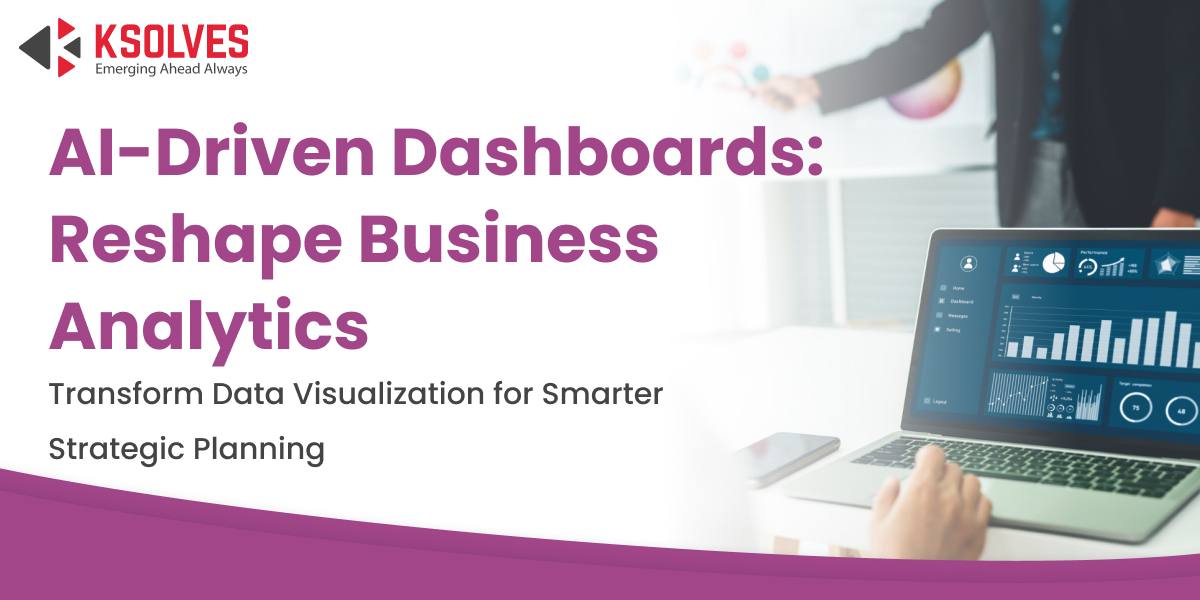
Do you know, approximately 35% of businesses globally have integrated AI-driven dashboards into their operations? The adoption rates are projected to increase as AI technology continues to advance.
Imagine dashboards that do more than just show data; they actively assist you in understanding intricate analyses and facilitating more intuitive decision-making. This is how business analytics will look in the future, with AI-driven dashboards.
Ksolves’ Dashboard Ninja with AI has been introduced to address exactly these business challenges. Sifting through endless spreadsheets and static reports is no longer necessary. With an AI-driven Odoo Dashboard, enterprises can transform how they engage with data.
These tools are designed to be more than just passive displays. They actively interact with your data, offering real-time insights, predictive analytics, and dynamic visualizations that evolve with your business needs.
In this blog, we’ll learn how AI-powered dashboards are changing the strategic planning process. They provide an advanced fusion of automation, personalization, and insightful analysis, enabling businesses to stay ahead of change rather than just keep up with it.
Benefits of Odoo AI Dashboards
Let’s explore how these advanced dashboards improve business analytics and set the stage for smarter, more strategic decision-making.
1. Enhanced Data Visualization
AI-driven dashboards are competent at raising data visualization to a new level of refinement. They simplify the interpretation of large, complicated data sets for decision-makers. These tools utilize AI algorithms to produce dynamic, user-friendly visualizations that provide a more in-depth understanding of how well businesses are performing.
- Dynamic Visualizations: AI can automatically update visualizations to reflect real-time data modification without human intervention. Therefore, users are updated with the latest information. For instance, changes in sales data are dynamically reflected in the dashboard and enable real-time analysis.
- Advanced Charts and Graphs: Odoo AI dashboards produce more dynamic and insightful visual representations. This includes interactive graphs, scatter plots, and heat maps to help users better comprehend patterns and trends.
- Personalized Views: With a custom Odoo Dashboard, the information is more relevant and clear to users. Odoo dashboard customization offers users the ability to personalize their dashboards to display the data that is most relevant to their roles.
2. Predictive Analytics and Forecasting
The forecasting and predictive analytics capabilities of AI-driven Odoo dashboards are among their most practical features. AI can produce forecasts that assist businesses in anticipating future trends and making proactive decisions by examining historical data and recognizing patterns.
- Trend Analysis: By using an AI dashboard, businesses can forecast future outcomes like sales performance, market demand, and customer behavior. It utilizes AI algorithms to analyse historical data and find trends and connections.
- Scenario Planning: Companies can model several scenarios and evaluate possible effects by using AI-driven dashboards. Businesses can assess, for instance, the potential effects of various marketing tactics on sales or the potential effects of supply chain interruptions on inventory levels.
- Automated Insights: AI provides automated insights and recommendations based on predictive analytics, allowing businesses to make informed decisions without needing an in-depth understanding of the data.
3. Real-Time Data Integration
AI-powered dashboards excel at combining real-time data from multiple sources. They present a complete, real-time view of business performance. This real-time integration enables quick decisions and swift reactions to changes.
- Unified Data Sources: AI dashboards can extract data from sources like social media, financial databases, and CRM systems. This creates a precise and comprehensive view of corporate operations.
- Instant Updates: Data integration keeps information up-to-date. So, when dashboards update in real time, decision-makers may act on the latest data.
- Quick Issue Response: AI dashboards can help firms quickly address critical issues. They do this by sending alerts for important data changes or anomalies, helping identify operational bottlenecks before they escalate.
4. Intelligent Data Analysis
AI-driven dashboards provide cognitive data analysis capabilities beyond traditional analytics. These tools use natural language processing and machine learning to find patterns and insights that might not be immediately obvious.
- Automated Data Discovery: AI can automatically find correlations, trends, and anomalies in massive data sets, bringing to light significant information that could otherwise be overlooked. This is particularly valuable for identifying hidden bottlenecks and surfacing growth opportunities across business operations.
- Natural Language Queries: When interacting with their dashboards through natural language queries, users can create charts using simple keywords such as “Show data of the top-performing products last quarter” and receive timely, understandable responses.
- Contextual Recommendations: AI-driven dashboards offer suggestions for activities to optimize performance or identify areas for improvement based on data analysis.
5. Better Decision-Making and Strategic Planning
AI-powered dashboards give companies the ability to plan strategically and make better decisions. Through the provision of predictive forecasts and actionable insights, these tools assist organizations in managing complexity and making confident future plans.
- Data-Driven Strategy: By utilizing AI insights, companies can develop data-driven plans that ensure decisions are supported by actual data rather than gut feelings.
- Strategic Alignment: By combining real-time data and predictive forecasts with corporate strategies, dashboards help make sure that plans are adaptable to both present trends and future expectations.
- Performance Monitoring: Businesses can track their progress towards strategic goals and make necessary plan adjustments to obtain desired results by continuously monitoring key performance indicators (KPIs).
Also Read – Discover How AI Dashboards can Improve Your Lead Conversion Rates
Dashboard Ninja with AI: The Best Odoo Dashboard
Dashboard Ninja with AI, developed by Ksolves, stands out as the premier Odoo dashboard solution due to its advanced AI-driven features, integration with all Odoo modules, and user-centric design. It transforms raw data into actionable intelligence, offering unmatched flexibility and efficiency for businesses across industries. Below are the key features that make Dashboard Ninja with AI the best Odoo dashboard:
- AI-Driven Insights: Select a model name, and the AI generates complete dashboard items automatically: charts, KPIs, and visualizations configured without manual setup. You can also generate items using keywords for more targeted views.
- Drag-and-Drop Dashboard Builder: Offers an intuitive interface to create and customize dashboards without coding, using widgets like graphs, KPIs, heatmaps, and charts for tailored visualizations.
- Odoo-Wide Compatibility: Integrates with all Odoo modules, including Sales, CRM, Inventory, Accounting, HR, and custom modules, ensuring a unified view of business operations in one dashboard. Works with Odoo Community, Enterprise, and Odoo.sh.
- Real-Time Data Updates: Automatically refreshes dashboards as Odoo data changes, providing up-to-date insights for timely decisions.
- Advanced Filtering and Drill-Downs: Allows users to apply filters and explore data layers for deeper insights, making it easy to uncover trends and patterns.
- Role-Based Access Controls: Ensures sensitive data is secure by restricting dashboard access to authorized team members, enhancing data privacy. For even more granular control, Ksolves’ Access Manager Ninja adds field-level, record-level, and menu-level access rules.
- Mobile-Ready Design: Provides access to dashboards on any device, enabling decision-makers to stay informed on the go.
- Multiple Export Formats: Supports downloading dashboard items in Excel, CSV, PDF, PNG, and JSON formats for easy sharing and reporting.
- 17 Visualization Types: From tiles and line charts to funnel, radar, flower, and map views, every data story has a format that fits.
- No-Code Customization: Empowers users to design visually appealing dashboards with the drag-and-drop builder, streamlining the process without technical expertise.
- Per-Item Collaboration Channels: Each dashboard item gets its own dedicated communication channel, allowing teams to discuss insights and make decisions right where the data is displayed.
- Multi-Company and Multi-Currency Support: For businesses operating across entities or geographies, Dashboard Ninja handles multi-company and multi-currency data natively.
- Bookmarking: Save frequently accessed dashboards for one-click access, useful for daily stand-ups or recurring review meetings.
- Data Security: Dashboard Ninja’s AI only sends the table structure to the Ksolves AI Server for chart generation. Your actual business data never leaves your instance.
For teams that need cross-model data combinations in a single dashboard item (like pulling sales and inventory data together), the Advanced Dashboard Ninja with AI extends the standard version with SQL Query-based items.
How Dashboard Ninja Complements Odoo 19’s Native AI
Odoo 19 introduced a dedicated AI application with configurable agents, natural language search, and AI fields in Studio. Dashboard Ninja with AI complements these capabilities by extending the reporting and visualization layer with depth that Odoo’s native dashboards don’t yet offer: 17 chart types, AI-generated layouts, per-item collaboration, and cross-model data views. Together, they give businesses conversational access to data (via Odoo 19’s AI) and deep visual intelligence on top of it (via Dashboard Ninja).
Conclusion
Dashboard Ninja with AI is more than a straightforward reporting tool; it is a complete solution for turning Odoo data into actionable business intelligence. The AI-powered dashboard simplifies complex data interpretation and serves as a strategic tool by providing real-time insights across sales, operations, finance, HR, and project management. Businesses can use these insights to identify bottlenecks, spot growth opportunities, make strategic decisions, and optimize processes.
If you are trying to address your business challenges with a customized Odoo solution, then Dashboard Ninja with AI is the right choice. Ksolves is a leading Odoo development company and Odoo Best Partner 2025. Explore our Odoo consulting services or get in touch with our team of 100+ certified Odoo specialists to find the right setup for your needs.
Also read: How to Build Your First Sales Dashboard in Odoo with Dashboard Ninja & AI
Frequently Asked Questions
- What makes Dashboard Ninja with AI different from other Odoo dashboards?
Dashboard Ninja with AI stands out due to its AI-powered dashboard generation (select a model, and the AI builds the charts), no-code customization, and integration with all Odoo modules. It offers real-time data updates, 17 visualization types, per-item collaboration channels, and a user-friendly drag-and-drop builder. It works with both Odoo Community and Enterprise editions and supports multi-company and multi-currency setups.
- Can Dashboard Ninja with AI be customized for specific business needs?
Yes, Dashboard Ninja with AI offers extensive customization options. Users can create tailored dashboards using a no-code interface, choose from 17 visualization types, and apply advanced filters to focus on data most relevant to their roles or business objectives. For deeper customization, contact the Ksolves team.
- How does Dashboard Ninja with AI ensure data security?
Dashboard Ninja with AI includes role-based access controls, allowing businesses to restrict dashboard access to authorized users only. The AI only sends the table structure to the Ksolves AI Server for generation; your actual business data never leaves your Odoo instance. For additional granular control, Access Manager Ninja adds field-level and record-level restrictions.
- Is Dashboard Ninja with AI suitable for non-technical users?
Absolutely. The drag-and-drop dashboard builder, AI-powered generation, and keyword-based item creation make it easy for non-technical users to create, customize, and interact with dashboards without needing coding or data analysis expertise. Predefined templates also provide a starting point that users can customize further.
- Can Dashboard Ninja with AI integrate with external data sources?
Yes, Dashboard Ninja with AI supports data integration from Odoo modules as well as external sources including Excel, CSV, PostgreSQL, and MySQL databases. This means teams can combine Odoo data with external datasets in a single unified dashboard view.


































AUTHOR
Odoo
Neha Negi, Presales and Business Associate Head at Ksolves is a results-driven ERP consultant with over 8 years of expertise in designing and implementing tailored ERP solutions. She has a proven track record of leading successful projects from concept to completion, driving organizational efficiency and success.
Share with