



4 Best Odoo Apps for Inventory Management: Improve Stock Control and Visibility
Odoo
5 MIN READ
April 24, 2026

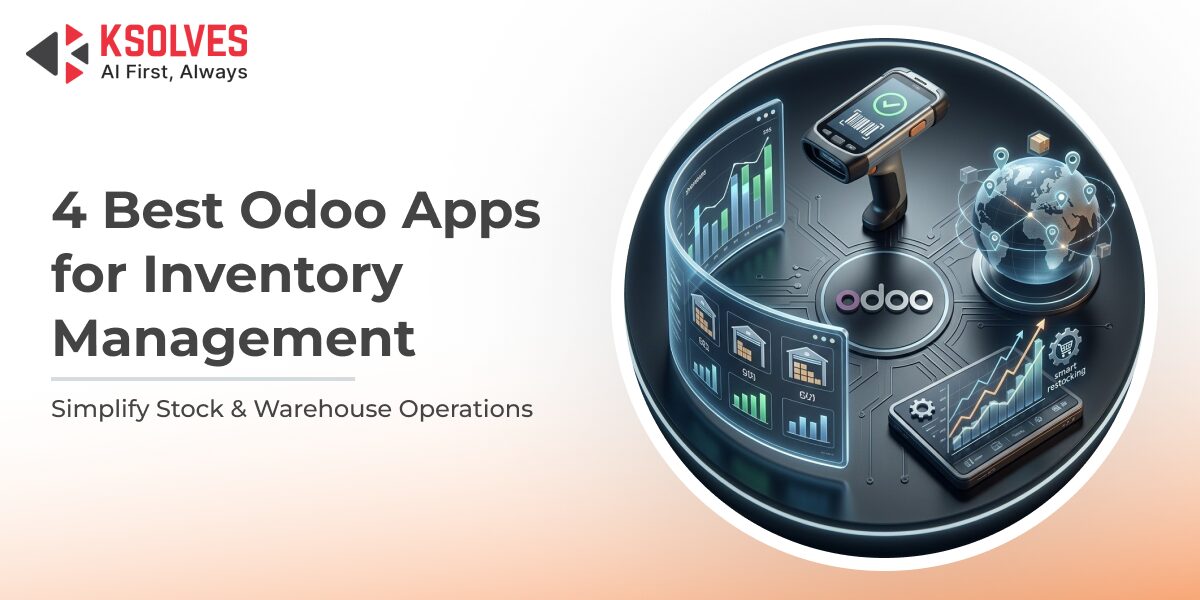
Odoo offers a robust inventory management system, covering stock tracking, warehouse operations, and seamless integration with sales and purchase processes. For many businesses, it provides a strong starting point to bring structure and visibility to inventory.
However, as operations grow, inventory becomes more complex.
- Stock moves across multiple locations
- Demand fluctuates more frequently
- Real-time accuracy becomes harder to maintain
- Standard workflows need more flexibility
At this stage, businesses often need more than out-of-the-box features. They require deeper control, smarter automation, and tools that align closely with their day-to-day operations.
This is where Odoo apps play a critical role, extending core functionality and addressing specific inventory challenges without disrupting the existing system.
In this blog, we’ll explore some of the best Odoo apps developed by Ksolves, an AI-first Odoo development company, that help streamline and simplify inventory management.
The Everyday Inventory Struggles Businesses Face
Inventory issues rarely show up as one big problem. They build up through small, recurring gaps in daily operations. And over time, those gaps start affecting everything from order fulfillment to customer experience.
If you’re managing inventory regularly, this probably sounds familiar:
- “Why is this item out of stock again?”, even when the system showed availability.
- Excess stock sitting idle, quietly tying up working capital.
- Limited or delayed visibility across multiple warehouses.
- Manual errors are creeping into stock updates and reports.
- Disconnect between sales, purchase, and warehouse teams.
What makes this challenging isn’t just the frequency of these issues; it’s the ripple effect they create. A single stock mismatch can delay orders, disrupt planning, and impact customer trust.
Over time, teams shift from proactive inventory management to reactive problem-solving. And that’s when inventory stops being a strength and starts becoming a bottleneck for growth.
Why Standard Odoo Isn’t Always Enough
Odoo ERP gives you a solid starting point for inventory management. It brings your stock, warehouses, sales, and purchases into one connected system, replacing scattered processes with structure and visibility.
And in the early stages, that works well. You can track inventory, manage movements, and maintain control without much friction.
But as your operations grow, inventory stops being linear.
- More products, more locations, more transactions.
- Faster stock movement with less room for delay.
- Increasing dependency on real-time accuracy.
- More exceptions that standard workflows can’t handle.
This is where the experience starts to change.
You’re no longer just tracking inventory; you’re constantly adjusting it. Teams begin adding manual checks, workarounds, and extra steps to “make things work.” What should be automated starts depending on people.
At this point, basic functionality isn’t the problem, but it’s the lack of depth.
You need:
- Smarter automation that adapts to changing demand.
- Faster, more intuitive workflows for daily operations.
- Deeper insights that go beyond standard reports.
- Greater control across warehouses, teams, and processes.
That’s where specialized Odoo apps make the difference.
They don’t replace your system, but they strengthen it. By extending Odoo’s core capabilities, these apps address real operational gaps and help your inventory processes keep up with how your business actually runs.
What are Odoo Apps? Why Do You Need Them for Inventory Management?
Odoo is built as a modular platform, meaning you can extend its core functionality using apps. Odoo apps are plug-and-play enhancements designed to add specific features, improve usability, or solve particular business challenges without changing the entire system.
Think of them as building blocks. While Odoo gives you the foundation, apps help you shape the system around how your business actually operates.
What are Odoo Apps?
Odoo apps are:
- Ready-to-use modules that extend existing features.
- Designed to solve specific operational gaps.
- Easily integrated into your current Odoo environment.
- Scalable as your business grows.
They can enhance everything from reporting and automation to user experience and advanced workflows, without disrupting your core setup.
Why Do You Need Odoo Apps for Inventory Management?
Inventory is one of the most dynamic parts of any business. As complexity increases, standard features often need reinforcement.
Here’s where Odoo apps become essential:
- Bridging Functional Gaps: Add capabilities that go beyond standard inventory features.
- Improving Accuracy: Reduce manual intervention and minimize stock discrepancies.
- Enhancing Speed: Streamline warehouse operations like picking, packing, and transfers.
- Enabling Smarter Decisions: Get deeper insights with advanced reporting and analytics.
- Supporting Scale: Adapt your system as you expand across products, locations, and channels.
In short, Odoo apps turn a functional inventory system into a high-performing one, helping you move from basic tracking to complete control.
Ksolves Store: 70+ Odoo Apps by Ksolves
As an Odoo Gold Partner and a leading AI-driven Odoo development company, Ksolves has built a powerful ecosystem of 70+ Odoo apps on Ksolves Store. But more importantly, each app is created with a clear purpose: to fix what slows businesses down inside Odoo.
Instead of adding complexity, these apps focus on simplifying everyday operations, whether it’s inventory, warehouse management, reporting, or user workflows. The idea is simple: make Odoo work the way your business actually runs.
Think of it this way: most businesses don’t struggle because they lack a system. They struggle because their system doesn’t fully adapt to their processes. That’s the gap Ksolves apps are designed to close.
What makes this approach even more effective is Ksolves’ AI-first delivery model.
- Patterns and inefficiencies are identified early using AI-driven analysis.
- Apps are designed with smarter automation built in, not added later.
- Data is transformed into actionable insights, not just reports.
This combination of deep Odoo expertise and AI-led execution ensures that every app goes beyond functionality. It delivers clarity, speed, and control where it matters most.
Ksolves’ Top 4 Odoo Apps for Streamlined Inventory Management
Here’s a list of the top Odoo apps, developed by Ksolves, available on the Ksolves Store to streamline inventory management.
1. Multi-Company Inventory Transfer
Managing inventory across multiple companies or warehouses can quickly become complex, especially when transfers aren’t straightforward.
Multi-Company Inventory Transfer app by Ksolves simplifies this process by enabling seamless stock movement across the same or different companies – all in a single step.
Instead of relying on complicated configurations or multi-step processes, this app brings clarity and control to inter-company inventory operations, making transfers faster, more transparent, and easier to manage.
Key Features
- Single-step inventory transfer between the same and different companies.
- Clear and detailed transfer information (Company From, Company To, source and destination locations, schedule date).
- Comprehensive logs for tracking all inventory transfers.
- Detailed product-level insights including quantity available and quantity transferred.
- Easy access to transfer history with reference, partner, source document, and status details.
Business Challenges It Solves
- Eliminates the need for complex rules to transfer inventory within the same company.
- Removes limitations in standard Odoo for inter-company stock transfers.
- Reduces manual effort and confusion in managing multi-company inventory movements.
- Improves visibility into stock movement across warehouses and entities.
Benefits
- Faster and more efficient inventory transfers.
- Improved accuracy and transparency across operations.
- Better coordination between multiple companies and warehouses.
- Reduced operational complexity with simplified workflows.
- Enhanced tracking and accountability for every inventory movement.
Get it here.
2. Inventory Quality Check
Maintaining inventory quality isn’t just about tracking stock. It’s about ensuring that every item moving through your warehouse meets defined standards.
Inventory Quality Check app by Ksolves brings structured quality control into your inventory operations, helping you monitor, validate, and act on quality at every stage.
By embedding quality checks directly into inventory workflows, this app ensures that issues are identified early before they impact operations or customers.
Key Features
- Quality checks based on multiple criteria such as:
- Inventory picking orders.
- Operations like receipt, internal transfer, and delivery.
- Product types.
- Automatic quality alerts triggered on failed checks.
- Detailed quality alert logs capturing root causes and corrective actions.
- Controlled stock movement – only allowed after passing quality checks.
- Defined quality alert stages: New, Confirmed, Action Proposed, Resolved.
- Advanced search, filter, and group-by options for better dashboard visibility.
Business Challenges It Solves
- Lack of built-in quality control mechanisms in the standard Odoo inventory.
- Difficulty in identifying and tracking quality issues in real time.
- No structured process to handle failed quality checks.
- Risk of moving or delivering substandard inventory.
Benefits
- Improved product quality and consistency across operations.
- Early detection and resolution of quality issues.
- Better accountability with structured quality workflows.
- Reduced risk of defective products reaching customers.
- Enhanced visibility into quality performance and trends.
Get it here.
3. Inventory Dashboard Ninja
Inventory data is only useful if you can actually understand and act on it. Inventory Dashboard Ninja by Ksolves transforms raw inventory data into visually rich, real-time dashboards, helping you monitor operations at a glance.
Available as a ready-to-use template with another Odoo app, Dashboard Ninja with AI, this app allows you to create inventory dashboards in just a few clicks. Instead of digging through reports, you get a clear, visual snapshot of everything that matters instantly.
Key Features
- Ready-to-use inventory dashboard template for quick setup.
- AI-powered dashboard creation for faster customization.
- Visual widgets, including tiles, bar charts, line charts, pie charts, and more
- Real-time tracking of:
- Internal transfers, delivery orders, and inventory receipts.
- Inventory valuation and stock quantities.
- Product and stock movements.
- Stock distribution across locations.
- Advanced insights like:
- Inventory ageing reports.
- Open inward and outward stock.
- Total reserved stock.
- Top 10 selling items.
- Interactive dashboards with filtering and drill-down capabilities.
Business Challenges It Solves
- Lack of clear visibility into inventory performance.
- Time-consuming manual reporting and data analysis.
- Difficulty in tracking multiple inventory metrics in one place.
- Limited ability to make quick, data-driven decisions.
Benefits
- Instant visibility into key inventory metrics.
- Faster and smarter decision-making with AI-powered insights.
- Reduced dependency on manual report generation.
- Improved operational monitoring across warehouses and processes.
- Custom dashboards tailored to your business needs.
Get it here.
4. Warehouse Report
Access to the right data at the right time is critical for effective inventory management. Warehouse Reports app by Ksolves simplifies reporting by enabling users to generate detailed, real-time warehouse reports, without relying on technical expertise.
Instead of waiting on custom report development or manual data compilation, this app puts complete reporting control in the hands of your team, making it easier to monitor, analyze, and act on inventory data instantly.
Key Features
- Real-time reports based on dynamic user filters.
- Easy-to-use filtering and customization options.
- Pre-built reports including:
- Stock Aging (with and without movement)
- Stock Status
- Stock Location Transfer
- Stock Valuation
- Stock Measures
- Stock Movements
- Ability to create multiple reports based on time and filter context.
- Unified “All Reports” view for quick access.
- No technical assistance required for report generation.
Business Challenges It Solves
- Dependency on technical teams for report creation.
- Delayed access to critical warehouse and inventory data.
- Limited visibility into stock movement, aging, and valuation.
- Difficulty in generating customized reports for different scenarios.
Benefits
- Faster access to real-time, actionable insights.
- Improved decision-making with on-demand reporting.
- Reduced reliance on technical support.
- Greater flexibility in analyzing inventory data.
- Better visibility into warehouse performance and stock trends.
Get it here.
Final Words
Inventory management is at the heart of smooth business operations, but as complexity grows, so do the challenges. What starts as simple stock tracking quickly turns into managing multiple locations, maintaining accuracy, ensuring quality, and making sense of growing data.
That’s where the right set of tools makes all the difference. With Odoo as your foundation and Ksolves’ specialized apps layered on top, inventory management becomes more structured, visible, and efficient.
From enabling seamless multi-company transfers and quality checks to delivering real-time insights and mobile accessibility, the above Odoo apps by Ksolves are designed to solve real, everyday inventory problems.
Need apps to streamline beyond inventory? Check out Odoo apps on the Ksolves Store!































Author
About the Author Editorial Team The Ksolves Editorial Team includes certified Salesforce experts, Big Data engineers, AI/ML specialists, Zoho consultants, and experienced technology writers focused on delivering clear, actionable insights for modern businesses. With hands-on experience across Salesforce, Big Data platforms, AI/ML solutions, application development, software testing, and Zoho ERP/CRM, the team publishes practical guides, real-world use cases, and industry updates that support smarter decisions and faster growth. Every article is created to solve business challenges, guide technology adoption, and keep organizations aligned with evolving digital ecosystems.
Share with