


 Odoo
 5 MIN READ


Odoo’s List View provides a central place to browse, search, and manage business records. As teams work with larger datasets, however, they may need more flexibility in how they view information, locate records, and perform routine actions.
For example, a sales user may want to keep customer and order details visible, while an inventory user may prefer a different column arrangement. When these requirements change frequently, relying on developer-led view customization can mean repeated development work and redeployment. Users may also need to search specific fields, copy values, or duplicate records without repeatedly opening individual entries.
Odoo provides standard list-view functionality for these tasks. Ksolves List View Manager extends that experience with additional search, customization, and productivity features.
Native Odoo List View vs. List View Manager: At a Glance
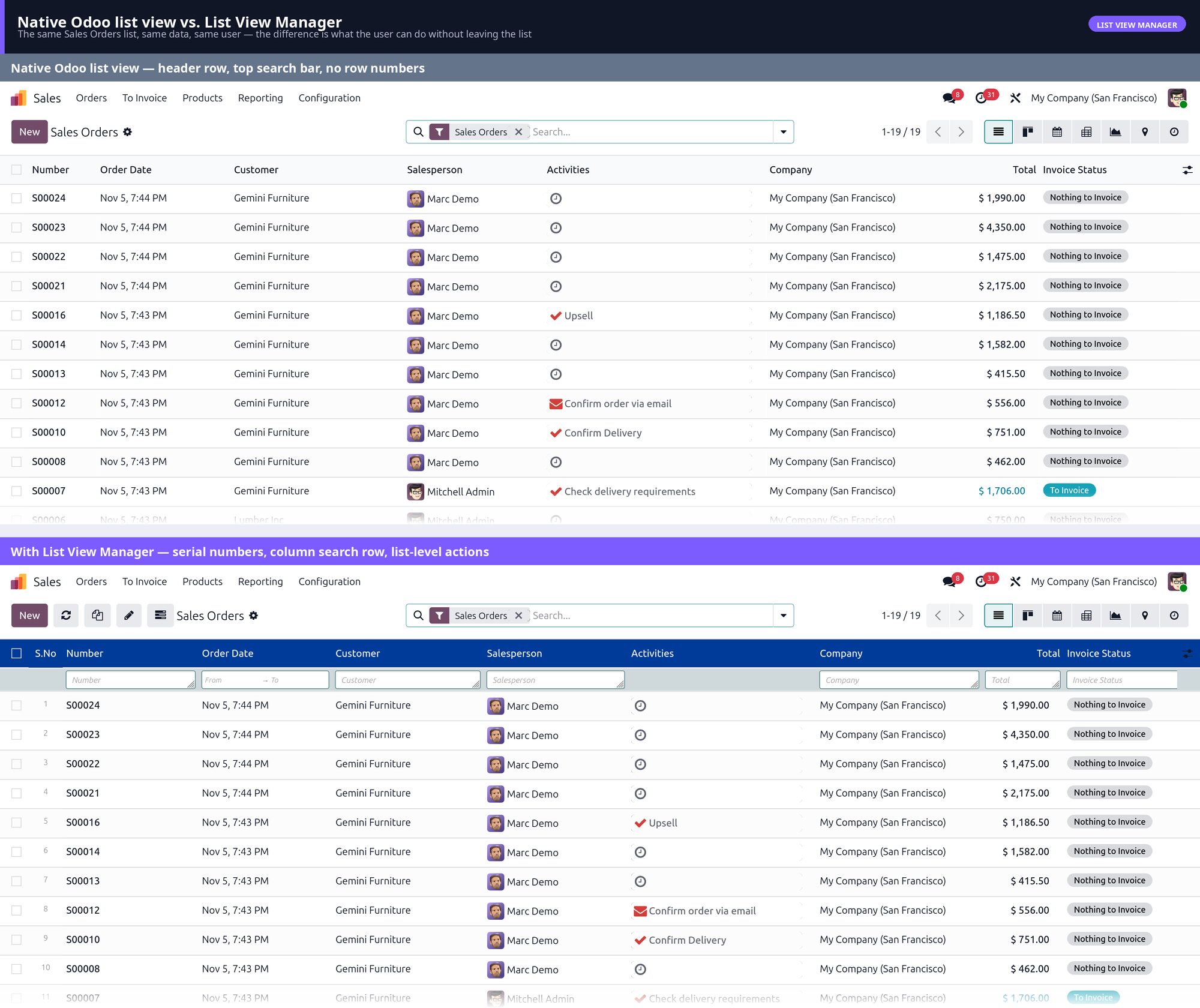
The main difference is the level of flexibility available when users work with records.
| Capability | Native Odoo List View | With List View Manager |
|---|---|---|
| Column visibility | Depends on the view configuration and available controls | Hide or show columns dynamically |
| Column arrangement | Depends on the configured view and available controls | Reorder columns using drag and drop |
| Column renaming | May require view configuration | Rename columns through Dynamic List |
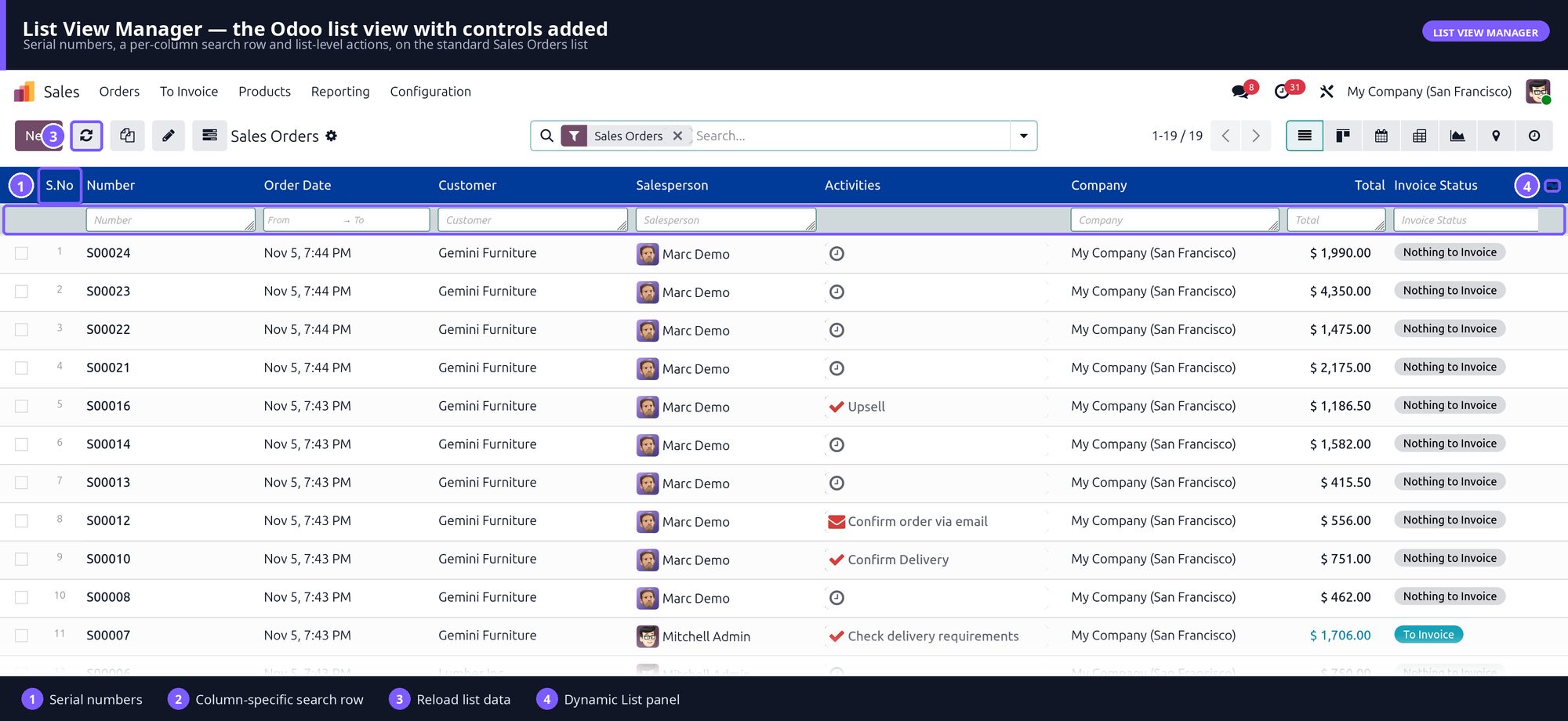
| Column-specific search | Standard search options depend on the view and field | Additional column-level and advanced search |
| Many2one and Many2many search | Depends on the field and standard search behavior | Additional search support for these fields |
| Column resizing | Depends on the Odoo version and view behavior | Resize columns and retain preferred widths |
| Copy field values | Depends on the available interface and field behavior | Copy field values directly from the list view |
| Record duplication | Available through standard record actions where supported | Duplicate records directly from the list view, including multiple records |
| Serial numbers | Not a standard feature across every list view | Enable serial numbers |
| Row highlighting | Depends on the interface | Highlight rows on hover |
| Data reload | Standard interface behavior | Reload list data without refreshing the entire page |
| User-specific layout | Depends on the available view controls and configuration | Save Dynamic List preferences per user |
List View Manager adds controls around the existing Odoo List View. It is designed to make everyday record management more flexible, rather than replace Odoo’s underlying record-management functionality.
Also Read: 6 Things Odoo’s Default List View Won’t Let You Do and How to Fix Them
Managing Large Datasets: Where the Native List View Can Fall Short
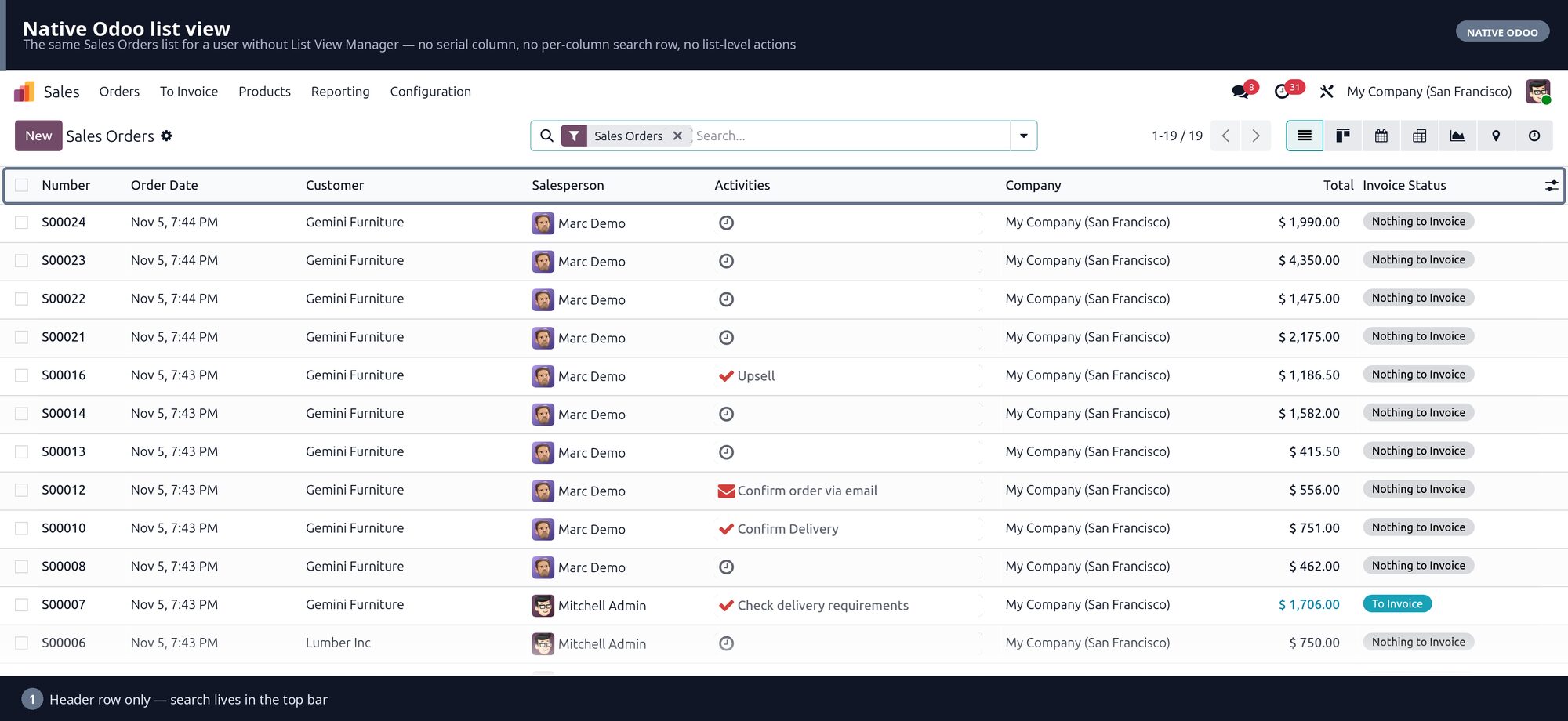
The native Odoo List View supports multiple ways to display, search, and manage records. Odoo also allows list views to be customized through view configuration.
However, users may need additional controls for their daily work. Here are four common situations where List View Manager can help.
1. Finding Records in Large Lists Using Column-Specific Search
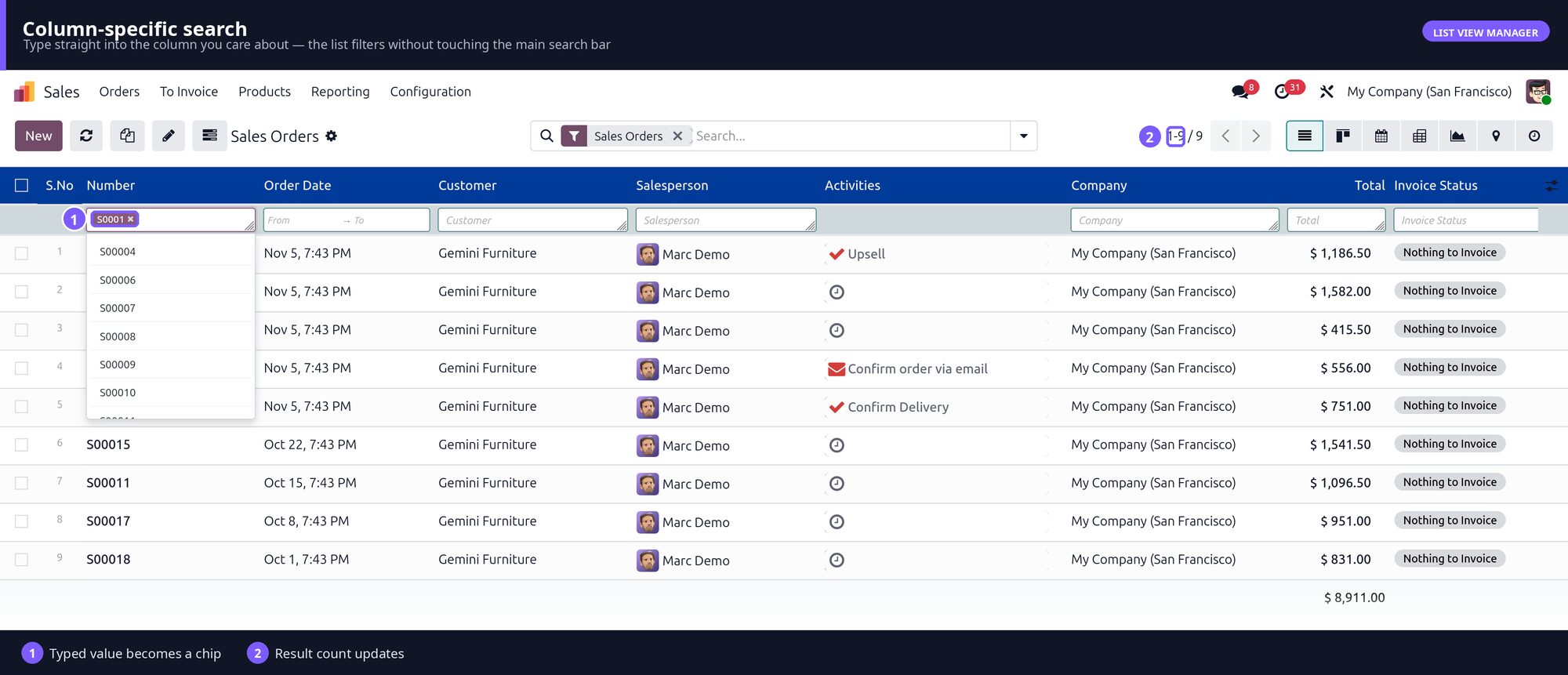
When a list contains many records, finding a particular value can take extra effort. Users may need to apply filters, adjust search criteria, or navigate through the available search options.
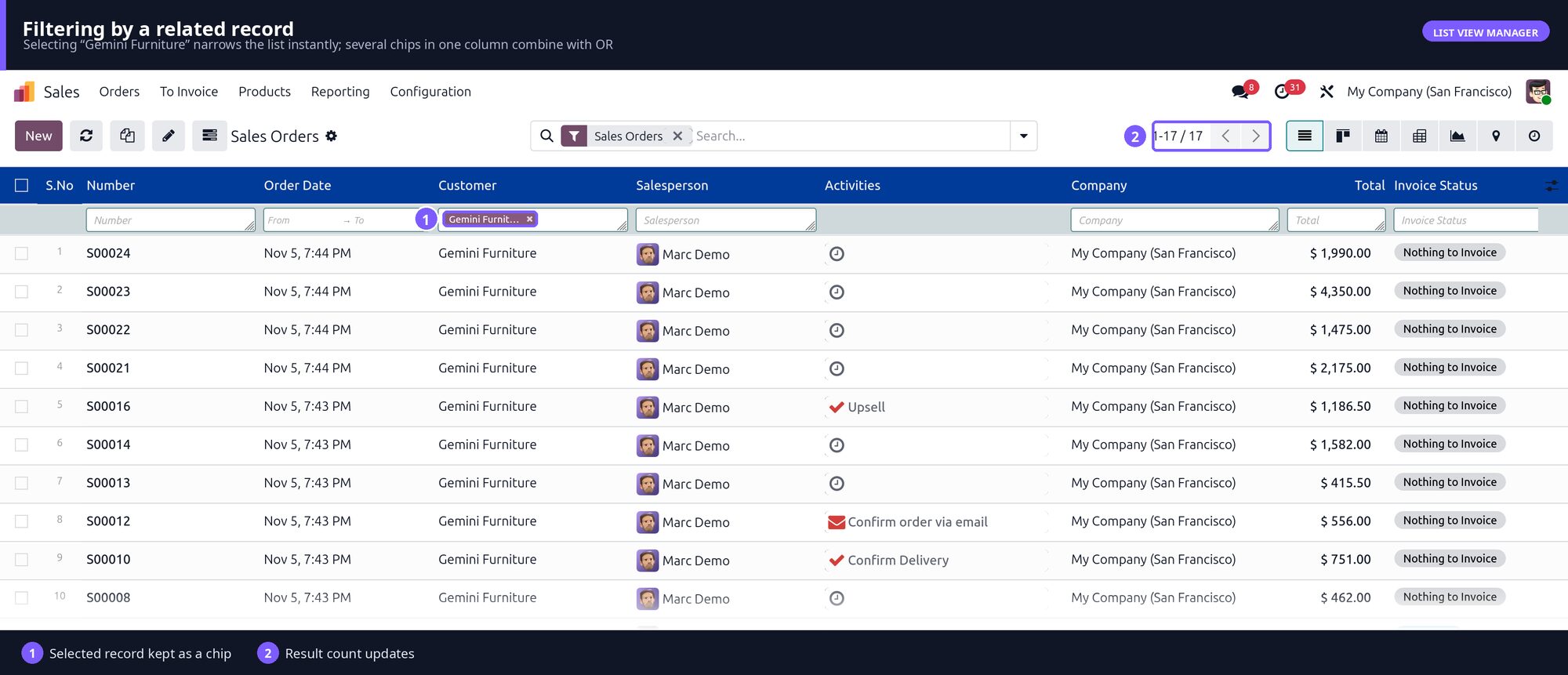
List View Manager adds column-specific search and advanced search functionality. It also supports searches on Many2one and Many2many fields, helping users locate relevant records through the fields they work with.
For example, a user reviewing sales orders may want to find records associated with a particular customer or related field. Column-level search provides another way to narrow down the list.
Also Read: Transforming Financial Data Management in Odoo with List View Manager
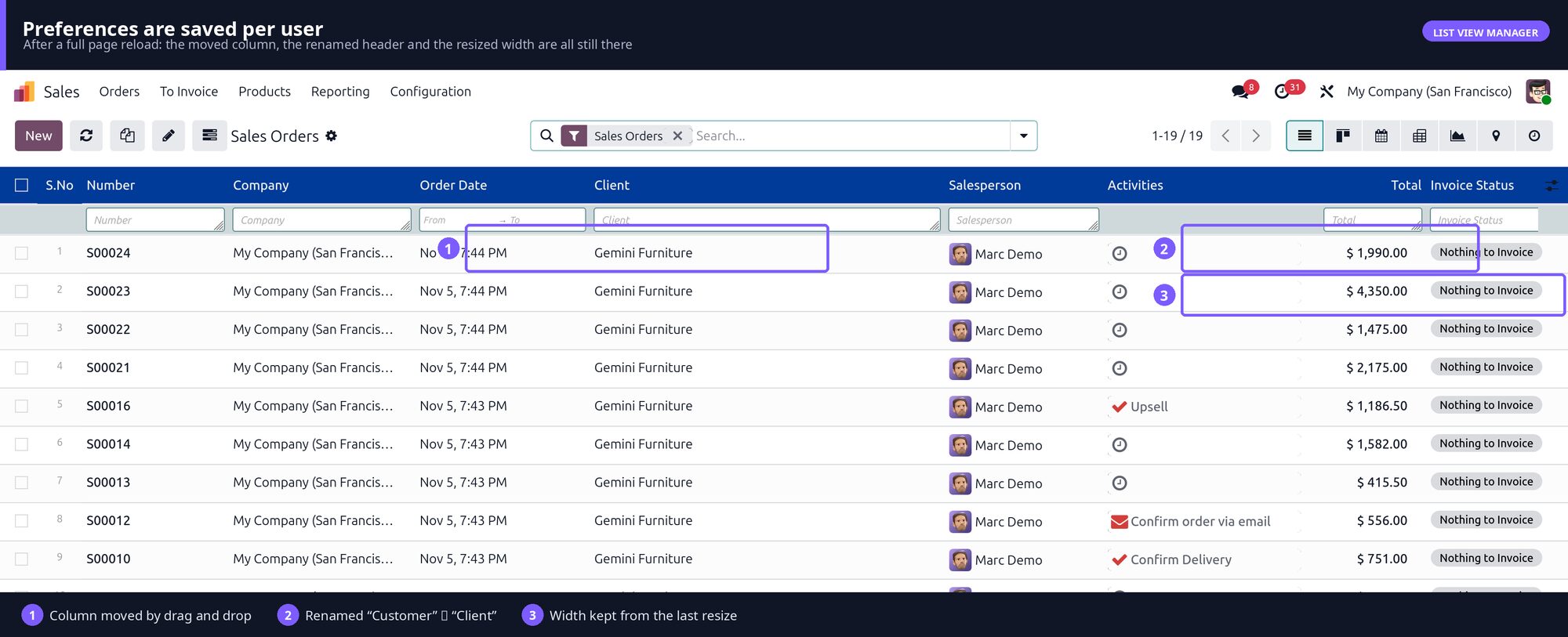
2. Organizing Columns Around Different Workflows
A fixed column arrangement may not suit every user’s responsibilities. A sales representative may prioritize customer and order information, while an inventory user may prefer product and warehouse-related fields.
List View Manager’s Dynamic List functionality lets users customize their columns on the fly, without needing developer assistance. Users can:
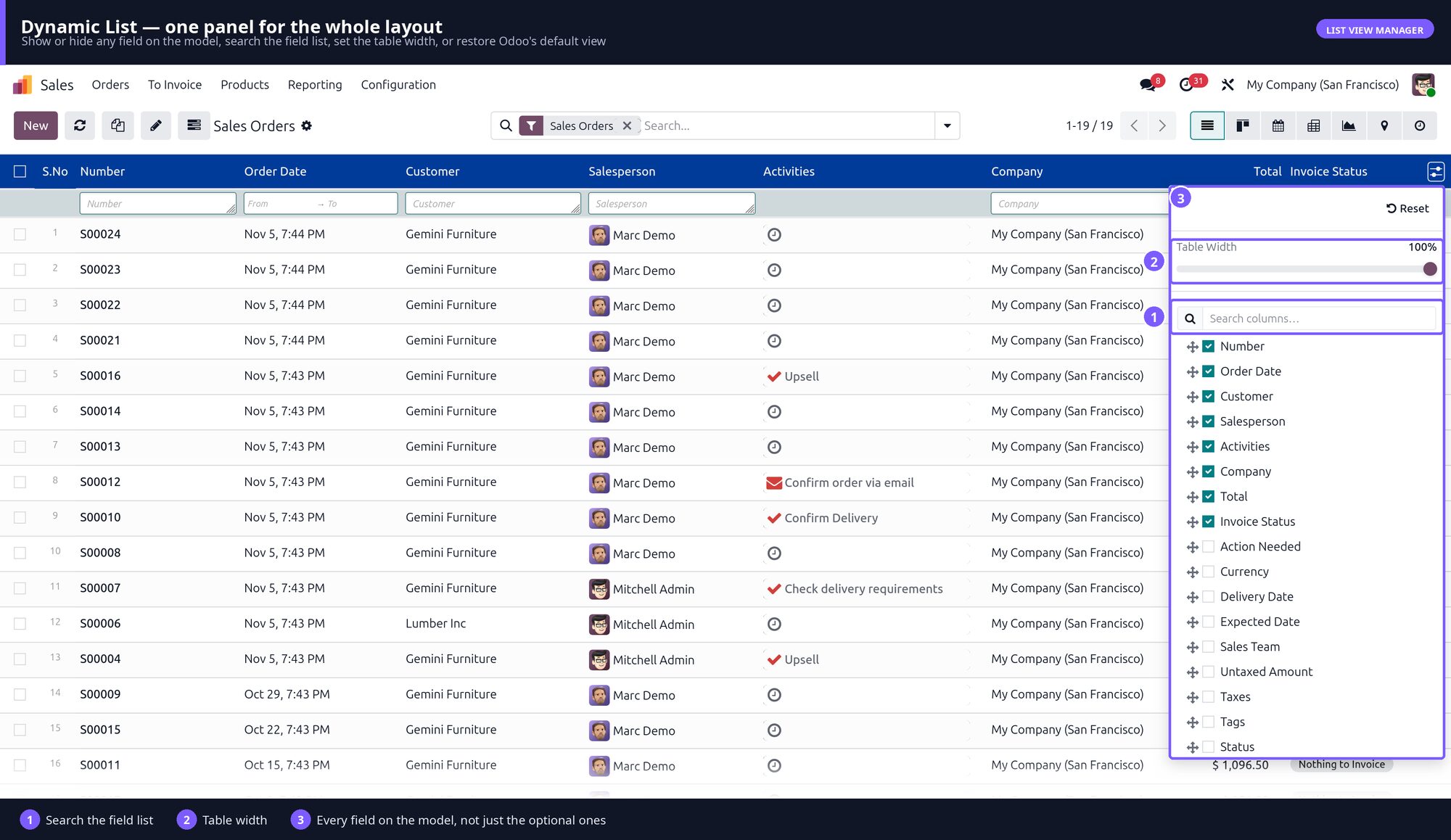
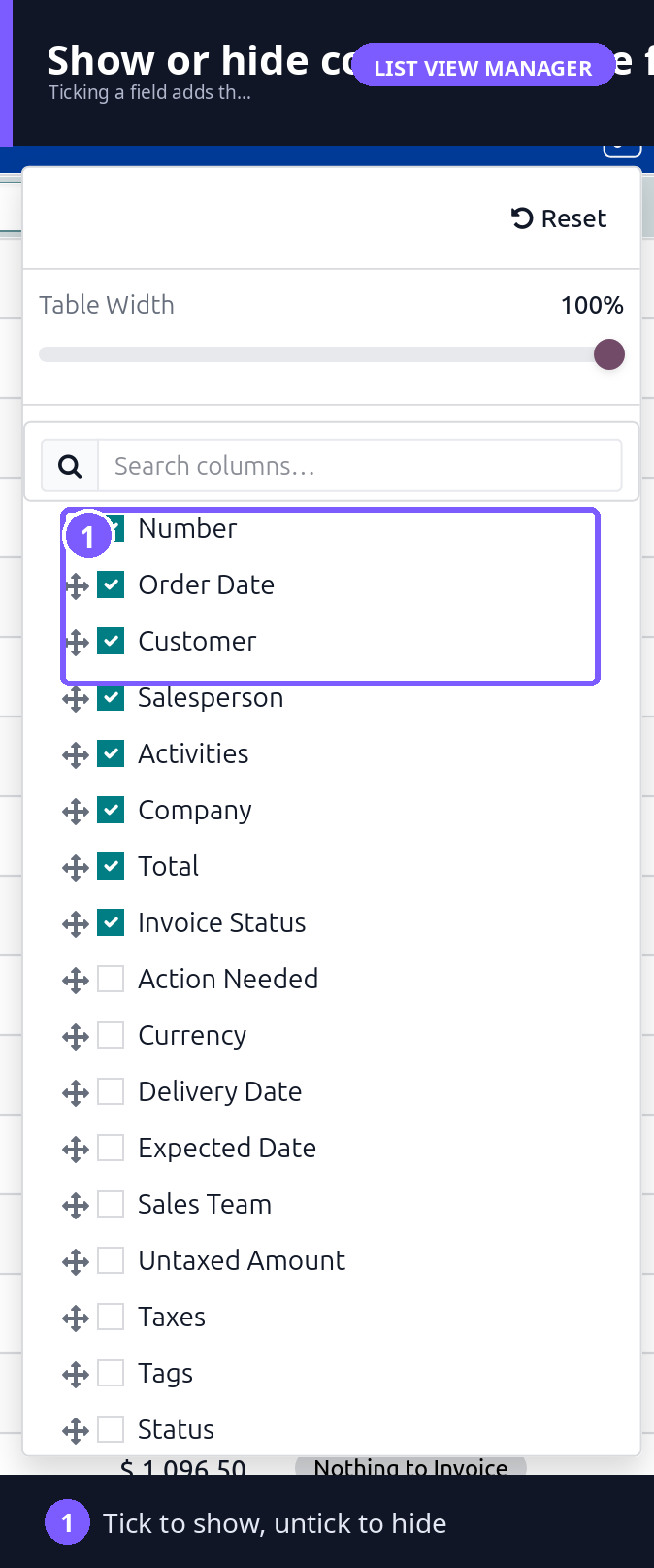
- Hide or show columns
- Reorder columns using drag and drop
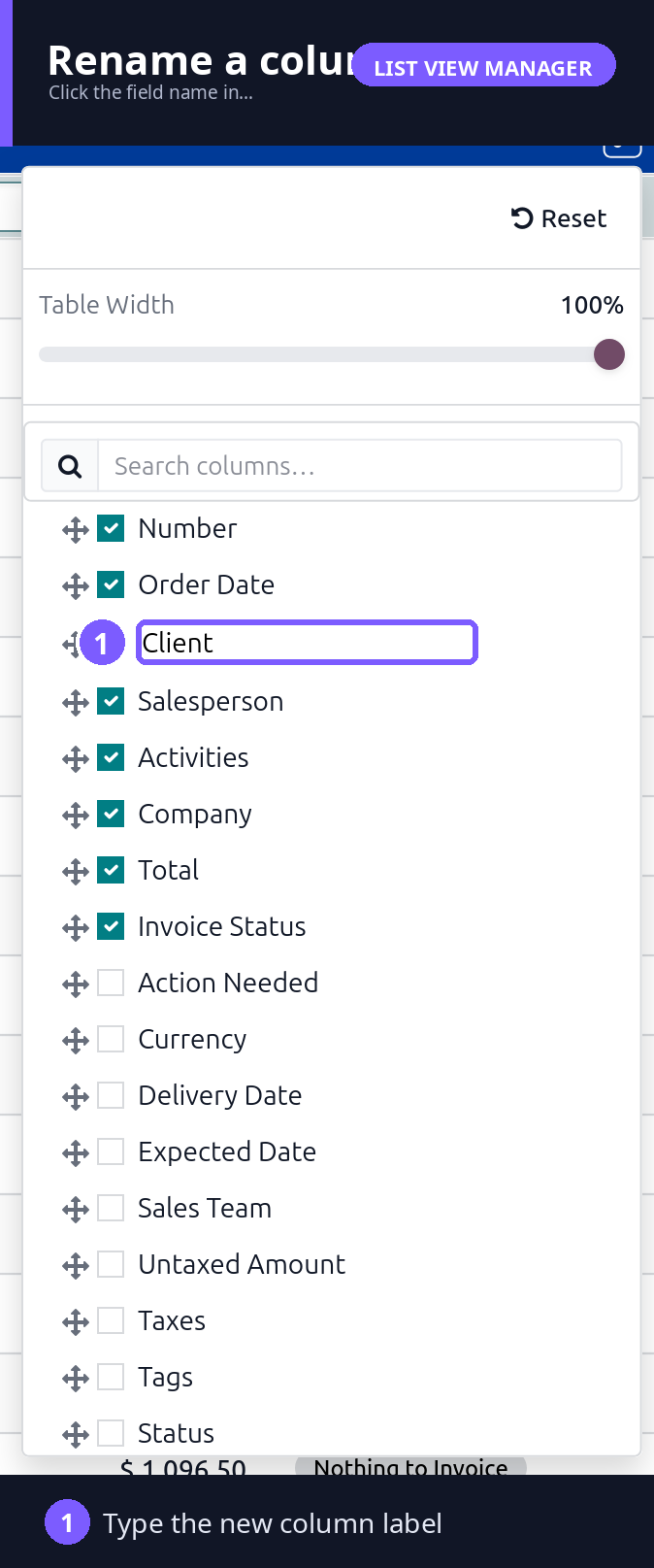
- Rename columns
- Restore the default list view
- Save preferences per user
This makes it easier for users to arrange the information they need without relying on a single preferred layout for everyone.
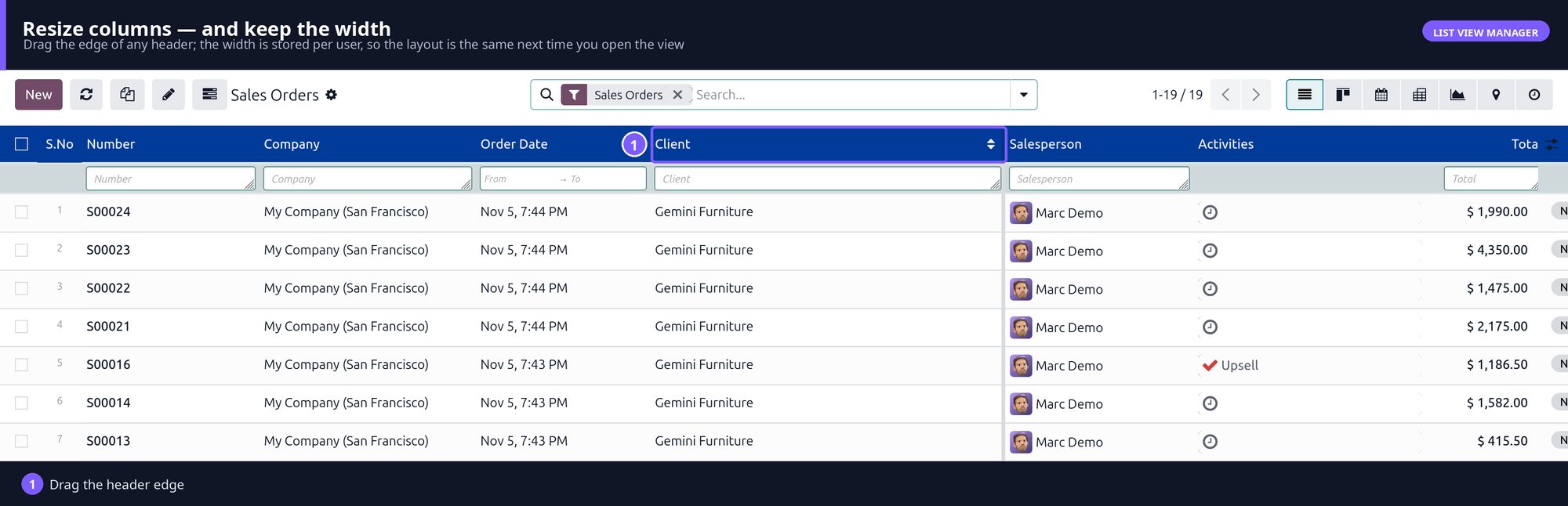
3. Reading Information Without Repeated Resizing
Long names, references, and other field values may require more space than the default column width provides.
List View Manager allows users to resize columns and retain their preferred widths when they reopen the view. This reduces the need to repeat the same adjustments during subsequent sessions.
4. Performing Simple Actions Without Opening Records
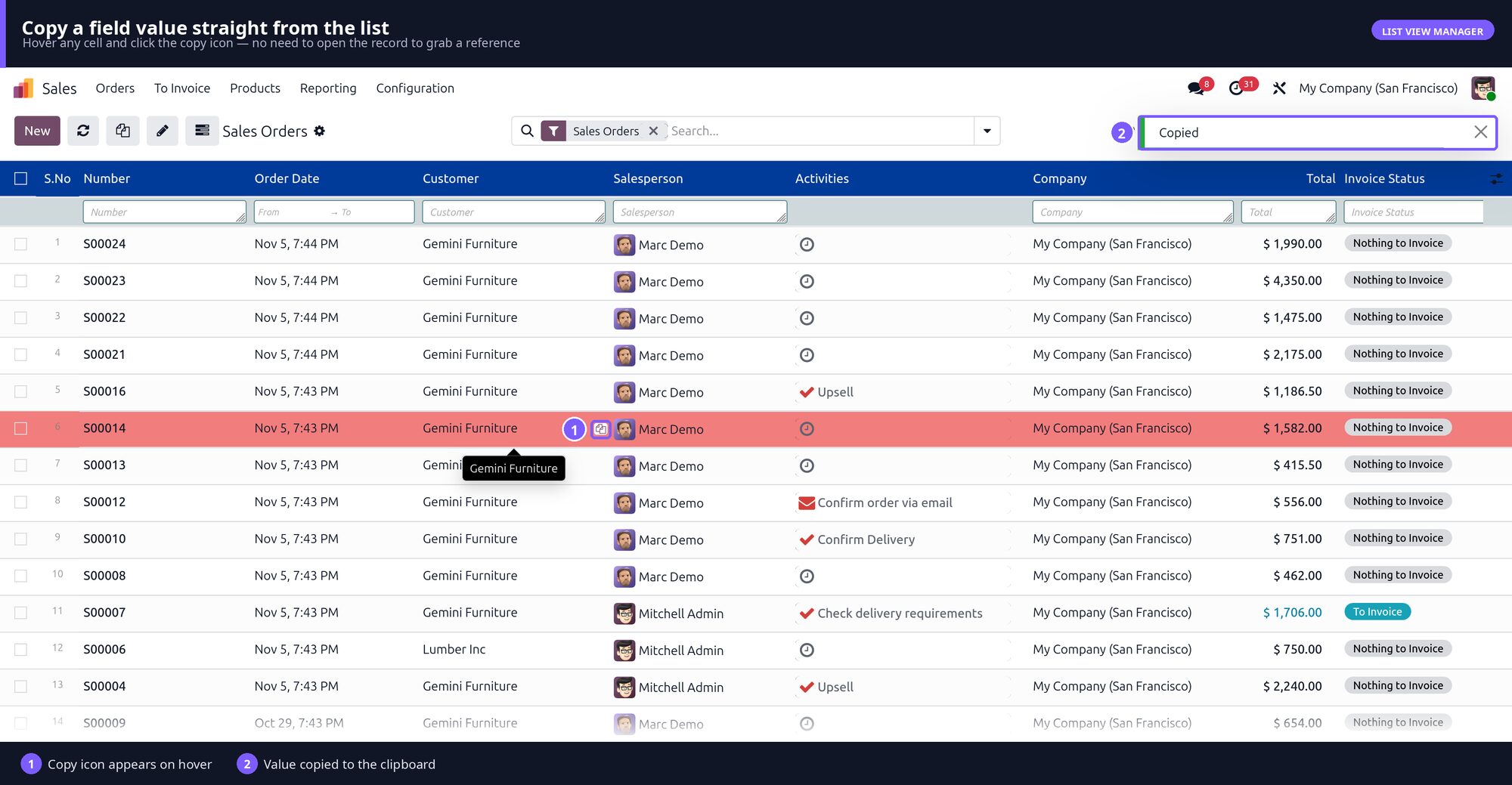
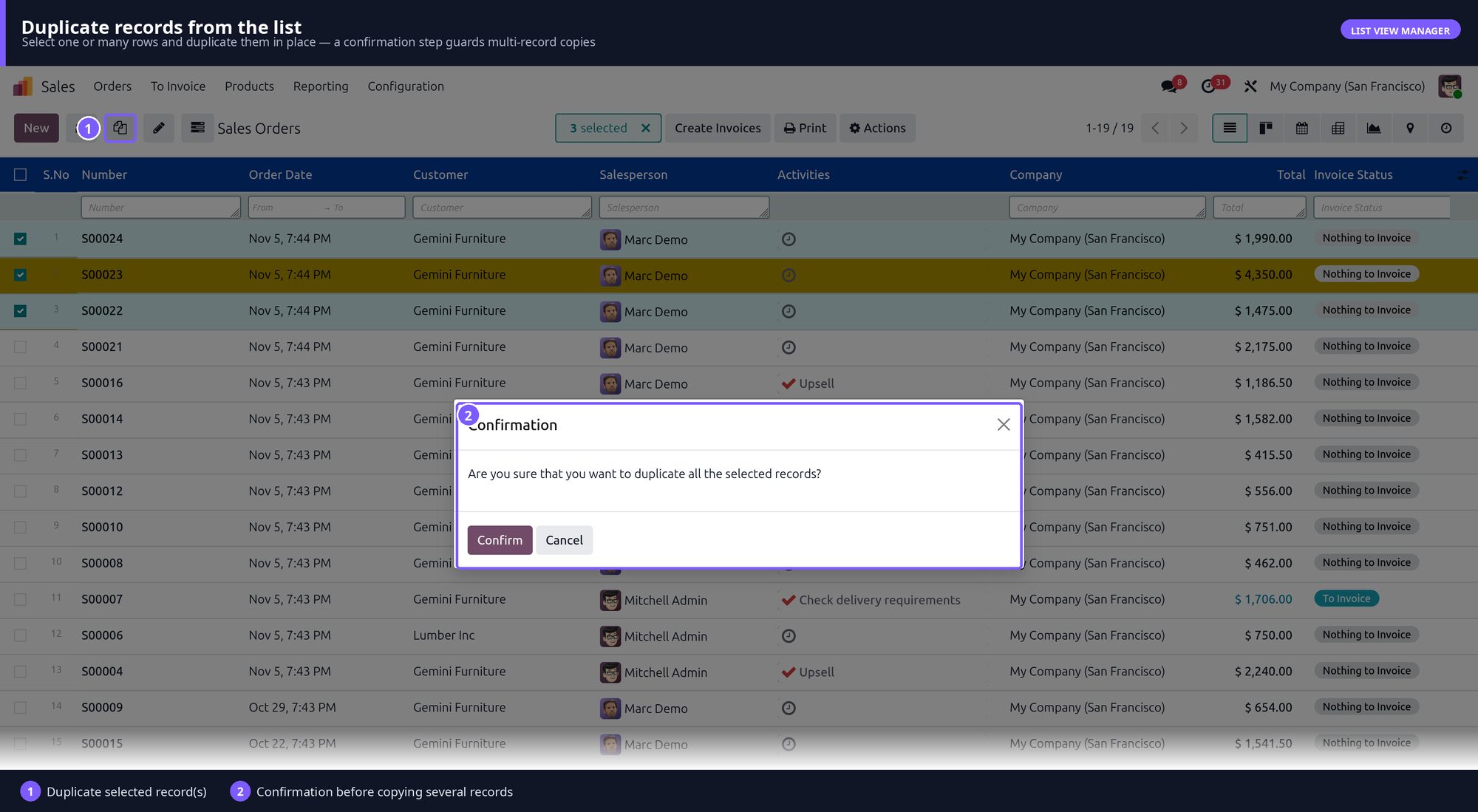
Some tasks require only a single field value or a duplicate of an existing record.
List View Manager allows users to copy field values directly from list-view columns. It also supports duplicating individual or multiple records directly from the Tree/List View.
These capabilities can reduce unnecessary navigation when users perform these tasks repeatedly.
Want more flexibility when working with Odoo records?
Feature-by-Feature Comparison: Native Odoo vs. List View Manager
Let’s examine how the product’s capabilities address specific list-view tasks.
1. Search and Filtering
Odoo provides native search views, filters, and grouping options. Their availability and behavior depend on the configured view and fields.
List View Manager adds another layer of search functionality through column-level inputs and advanced search.
When this matters: Users who regularly look for particular values across large lists may benefit from having additional search controls closer to the relevant columns.
Also Read: Boosting Efficiency in Logistics and Supply Chain with List View Manager in Odoo
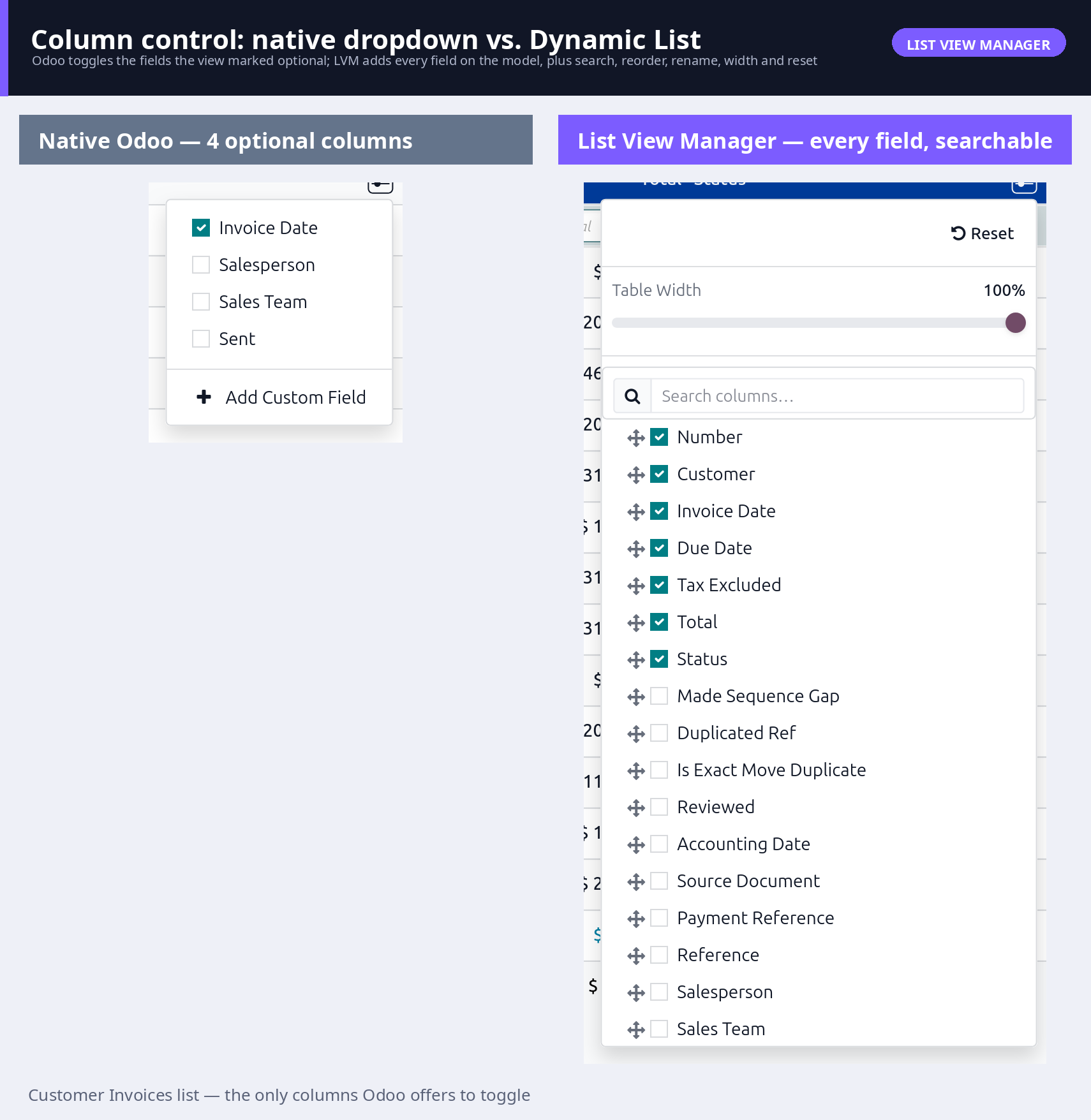
2. Column Customization
Odoo’s native view configuration supports options such as optional columns. List View Manager extends the user-facing customization options through Dynamic List.
Users can hide, show, reorder, and rename columns. Their preferences are saved per user, and they can restore the default list view when needed.
When this matters: Teams whose members need different field arrangements for their daily responsibilities
3. Record-Level Actions
Odoo’s native list views support record actions, with available operations depending on the view, permissions, and configuration.
List View Manager specifically adds the ability to copy field values and duplicate records directly from the list view.
When this matters: Users who frequently copy references or duplicate records and want to avoid opening each record to perform these actions.
4. Navigation and Visibility
Working with long lists requires more than search functionality. Users also need a clear view of the information displayed.
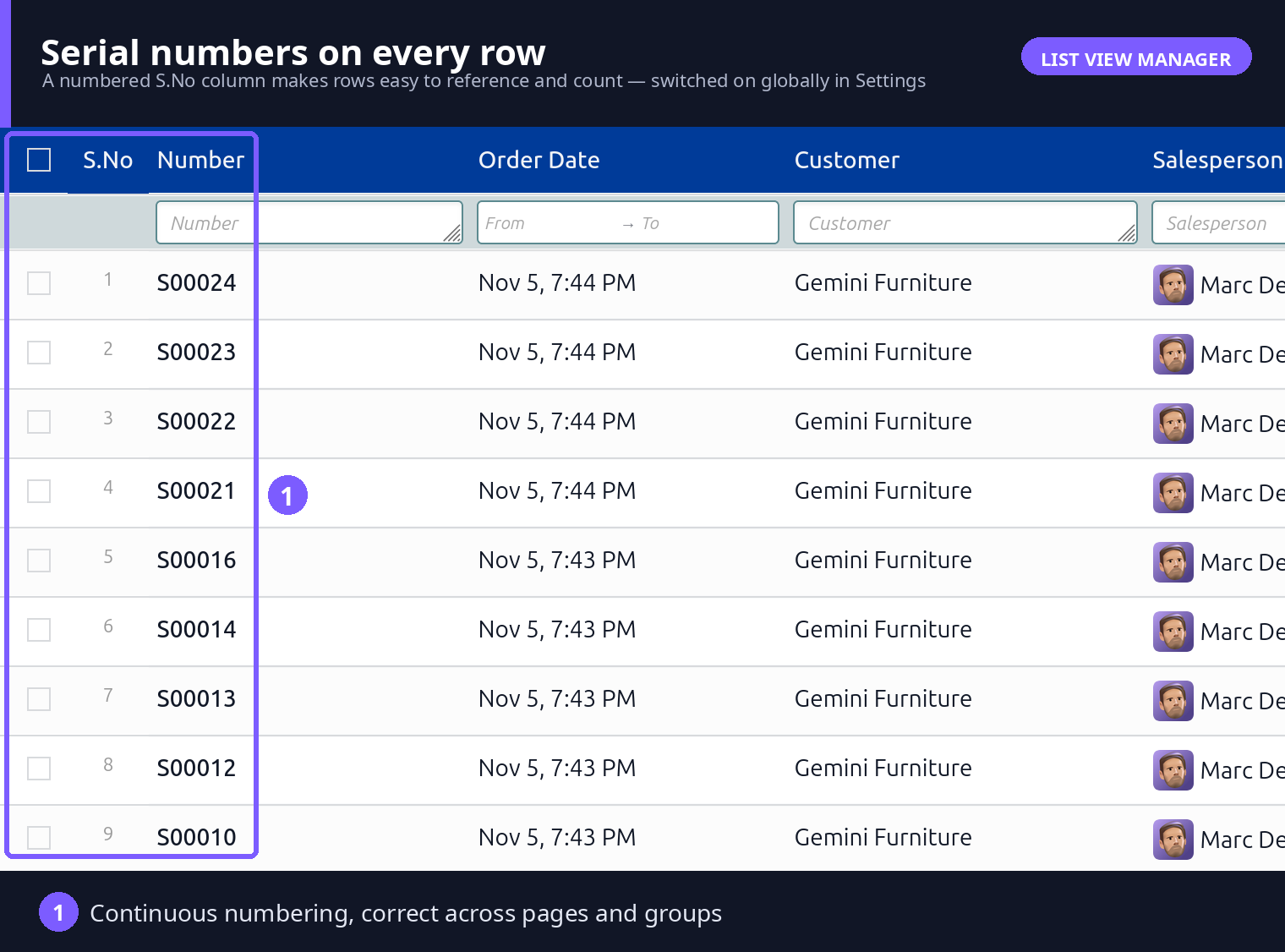
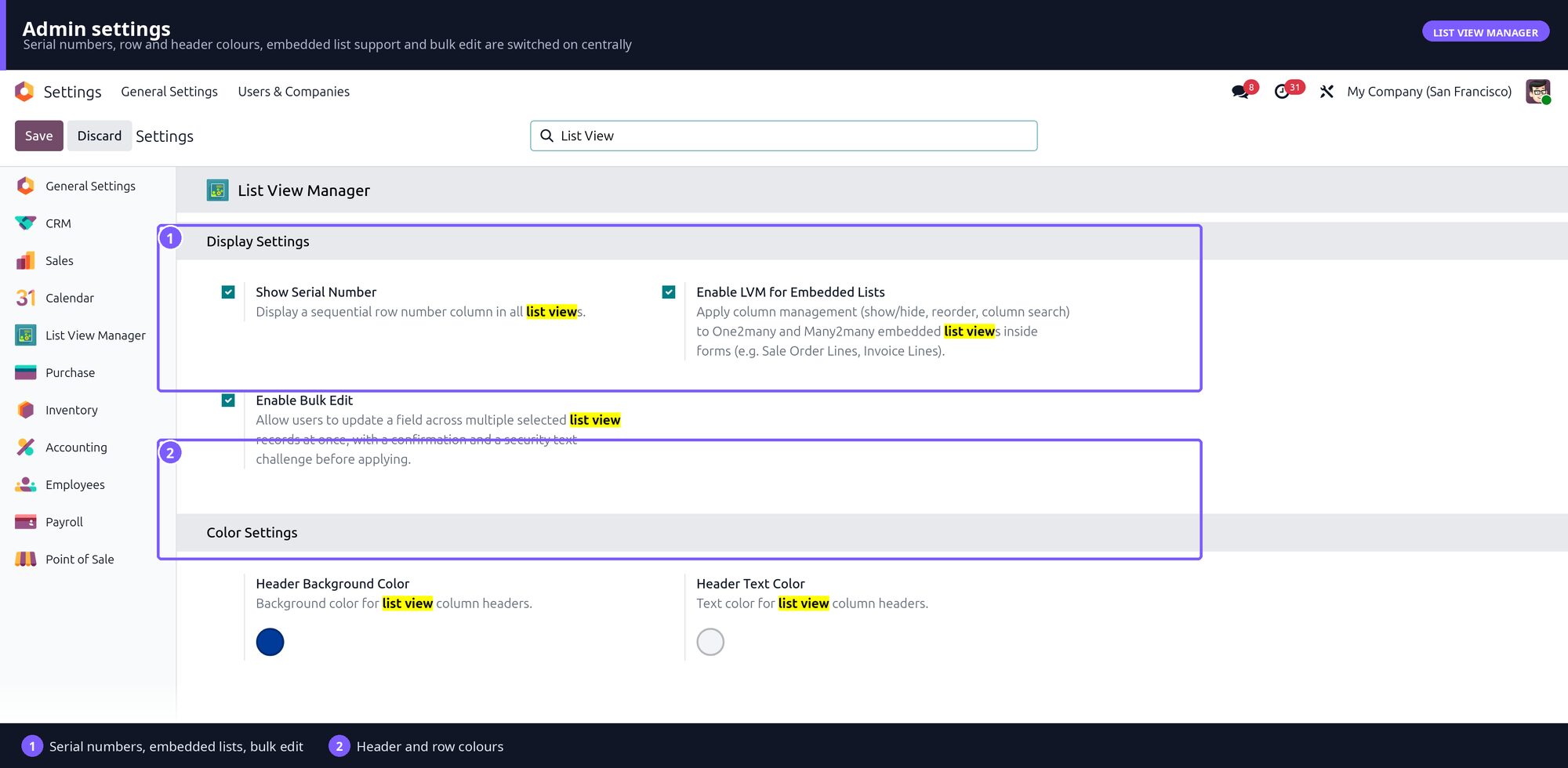
List View Manager adds serial numbers, row highlighting on hover, column resizing, and quick data reload without refreshing the entire page.
When this matters: Users who spend much of their working day reviewing and navigating Odoo records.
Also Read: How Custom List Views Reduce Manual Work and Errors in Odoo Back-Office Operations
When Should You Consider List View Manager?
List View Manager is worth considering when your team’s challenges relate to how users interact with Odoo List Views.
You may benefit from the app if:
- Your team frequently searches large lists. Column-specific and advanced search provide additional ways to locate records.
- Different users need different layouts. Dynamic List supports user-specific column preferences.
- Users repeatedly adjust column widths. Resizable columns help create a more readable layout.
- Simple tasks involve too many steps. Direct field-value copying and list-level record duplication reduce unnecessary navigation.
- Users need better visual cues. Serial numbers and row highlighting make list entries easier to scan.
- Refreshing the entire page interrupts the workflow. The app provides an option to reload list data without a full-page refresh.
There is one important distinction to make: List View Manager improves the list-view experience; it is not a database or server performance optimization tool.
If Odoo is slow because of inefficient queries, heavy customizations, insufficient infrastructure, or other backend issues, those problems require separate investigation. Adding a list-view productivity app does not automatically resolve them.
Make searching and managing Odoo records easier with List View Manager.
How List View Manager Helps Teams Work With Large Datasets
The value of List View Manager comes from bringing several practical improvements together in one app.
- Organize
Customize column visibility, order, and names to keep relevant information accessible. Save preferences per user. - Search
Use column-specific and advanced search, including additional search support for Many2one and Many2many fields. - Navigate
Use serial numbers, hover highlighting, and adjustable column widths to make list views easier to work with. - Act
Copy field values and duplicate records directly from the list view instead of opening each record first. - Refresh
Reload list data using the app’s refresh control without refreshing the entire page.
These features are especially relevant to teams that repeatedly perform the same search, navigation, and record-management tasks throughout the day.
Final Words
Odoo’s native List View provides the foundation for viewing and managing business records. As datasets grow and daily workflows become more demanding, users may need greater flexibility in how they search, organize, and interact with that information.
Ksolves List View Manager extends the native experience with customizable columns, additional search options, direct field-value copying, list-level record duplication, and practical navigation controls. It helps users spend less time managing the interface and more time working with the records they need.
Frequently Asked Questions
Does List View Manager replace Odoo’s native List View?
No. List View Manager enhances the existing Odoo List/Tree View with additional search, customization, navigation, and record-action capabilities.
Can users customize columns independently?
Yes. The Dynamic List functionality supports hiding, showing, reordering, and renaming columns. User preferences are saved individually, and users can restore the default list view.
Does List View Manager support Many2one and Many2many search?
Yes. The product provides additional search support for Many2one and Many2many fields, alongside its column-specific and advanced search functionality.
Can List View Manager improve Odoo’s database performance?
The product focuses on list-view usability and productivity. It should not be treated as a solution for slow database queries, server limitations, or other underlying performance problems.
Can users copy values and duplicate records directly from the list view?
Yes. Users can copy field values without opening the record and duplicate individual or multiple records directly from the Tree/List View.
Does List View Manager retain column-width settings?
Yes. Users can resize columns and retain their preferred widths when reopening the view.
Can users reload list data without refreshing the page?
Yes. List View Manager includes a refresh control that reloads the data without requiring a full-page refresh.