

 Odoo
 5 MIN READ


A new Odoo version promises better features, improved workflows, and opportunities to streamline business operations. But getting there isn’t as simple as moving your existing database to a new environment.
What happens to your custom modules? Will your integrations continue working? Is your existing data clean enough to migrate? And how do you ensure daily operations aren’t disrupted during the transition?
These are the questions businesses need to address before starting an Odoo migration. Overlooking even one critical dependency can lead to unexpected downtime, data inconsistencies, compatibility issues, and additional costs.
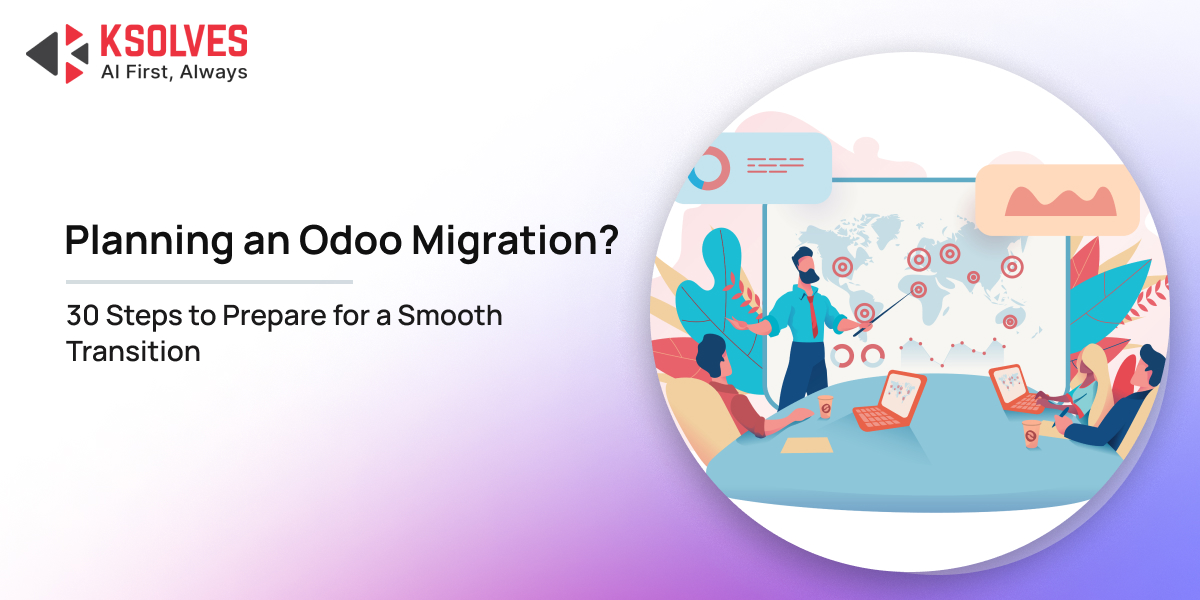
A well-planned migration starts with the right preparation. This Odoo migration checklist covers 30 essential things to do before you begin, helping you assess your existing system, prepare your data, identify potential risks, and establish a clear migration plan.
Odoo Migration Checklist: 30 Things to Do Before You Start
The following checklist covers five important areas of Odoo migration preparation: existing environment assessment, data readiness, customization compatibility, migration planning, and execution readiness.
A. Assess Your Existing Odoo Environment
Before planning the migration, understand how your current Odoo environment is configured and used across the business.
- Identify Your Current Odoo Version
Document the Odoo version currently running your business operations. This helps determine the upgrade path, supported migration options, and compatibility requirements for the target version. - Review Existing Odoo Modules and Applications
List all installed Odoo applications and modules, including Accounting, Inventory, Sales, CRM, Manufacturing, and HR. Identify which applications are actively used and which are no longer required.
Also Read: Odoo Migration Cost: 8 Key Factors That Affect the Budget
- Review Odoo Studio Customizations
Identify all changes made using Odoo Studio, including customized fields, views, automated actions, reports, and approval workflows. Check whether these configurations are supported in the target Odoo version and determine if any adjustments are required during migration. - Identify Custom Modules and Modifications
Document all custom modules, modified workflows, automated actions, and business-specific functionalities. These may require code changes or redevelopment to work with the target Odoo version. - Audit Third-Party Integrations
Identify external systems connected to Odoo, such as payment gateways, eCommerce platforms, shipping providers, and accounting applications. Document how data moves between these systems and Odoo. - Evaluate Your Existing Infrastructure and Hosting
Review your current hosting environment, server capacity, database configuration, storage, and performance. Determine whether the existing infrastructure can support the target Odoo version and expected business workload.
Not sure whether your existing Odoo setup is ready for migration?
B. Review and Prepare Your Data
Data readiness is a critical part of Odoo data migration. Transferring inaccurate, duplicated, or outdated information can create operational and reporting problems after migration.
- Audit Existing Databases
Review the existing Odoo database to understand its size, structure, record volume, and overall condition. Identify large tables, unused records, and database-level dependencies that may affect migration. - Identify Duplicate and Outdated Records
Find duplicate customer profiles, inactive vendors, obsolete products, and outdated transactions. Decide which records should be retained, archived, merged, or excluded. - Clean Up Inconsistent and Incomplete Data
Check for missing fields, incorrect formats, inconsistent naming conventions, and invalid references. Standardize the data before transferring it to the new environment. - Review Data Relationships and Dependencies
Identify relationships between customers, vendors, products, invoices, orders, inventory, and accounting records. Ensure that dependent records can be migrated without breaking their associations. - Define Your Data Migration Requirements
Determine which data needs to be migrated, including master data, transactional records, historical information, attachments, and audit-related information. Define the required data retention period and any exclusions.
Also Read: Tally to Odoo Migration: Where AI Fits Into the Data Migration Workflow
C. Evaluate Customizations and Integrations
Customizations and integrations often require additional attention during an Odoo version upgrade. Review them early to avoid compatibility issues during migration.
- Check Custom Module Compatibility
Evaluate whether existing custom modules are compatible with the target Odoo version. Review deprecated methods, changed APIs, framework updates, and modified module dependencies. - Identify Custom Code That Needs Modification
Review custom Python code, XML views, JavaScript components, automated actions, and workflow modifications. Identify components that need redevelopment or adjustments to function correctly in the new version. - Review Third-Party App Compatibility
Check whether third-party applications and Odoo Marketplace modules support your target version. Identify alternatives for applications that are no longer maintained or compatible.
Also Read: SAP HANA to Odoo Migration with AI: Why Businesses Are Making the Switch
- Assess API and External System Integrations
Review API endpoints, authentication methods, webhooks, and scheduled synchronization processes. Confirm whether external systems need configuration changes to work with the migrated Odoo environment. - Identify Features That Can Be Replaced with Standard Odoo Functionality
Evaluate whether existing customizations can be replaced with standard Odoo features. Reducing unnecessary custom code can simplify migration, minimize maintenance, and improve compatibility with future upgrades.
See How Ksolves Helped a Manufacturer Migrate from SAP8HANA to Odoo with AI in 7 Days
D. Plan the Odoo Migration Strategy
A clear migration strategy helps businesses manage timelines, resources, costs, and potential disruptions.
- Define Your Migration Scope
Specify which business applications, departments, workflows, databases, and integrations are included in the migration. Establish clear boundaries to prevent scope changes during execution. - Choose the Appropriate Migration Approach
Determine whether you need a standard version upgrade, database migration, or a broader ERP migration. The approach depends on your current system, customizations, data structure, and business requirements. - Select Your Target Odoo Version and Hosting Option
Choose the Odoo version that aligns with your business requirements. Evaluate Odoo Online, Odoo.sh, and on-premises hosting based on customization needs, infrastructure control, scalability, and maintenance requirements. - Estimate Migration Costs and Resource Requirements
Account for development, data migration, infrastructure, testing, third-party applications, and support costs. Identify the technical resources and internal team members required to complete the migration. - Establish a Realistic Migration Timeline
Break the migration into assessment, development, data preparation, testing, deployment, and post-migration support phases. Assign deadlines to each phase and account for potential delays.
Also Read: How to Migrate from Odoo 18 to Odoo 19: Step-by-Step Guide
E. Prepare for Migration Execution
Once the migration strategy is defined, prepare the technical environment and internal teams for a controlled transition.
- Assign Migration Responsibilities to Your Team
Define responsibilities for developers, database administrators, functional consultants, project managers, and business users. Establish clear communication channels for reporting issues and tracking progress. - Create a Complete Database Backup
Take a full backup of your existing Odoo database, including relevant filestore data and configurations. Verify that the backup can be restored successfully before beginning migration. - Set Up a Staging Environment
Create a separate staging environment that mirrors your production setup as closely as possible. Use it to test migration scripts, custom modules, integrations, and business workflows without affecting live operations. - Conduct a Gap Analysis
Compare your existing Odoo environment with the target version to identify differences in features, workflows, configurations, and business requirements. Document missing functionalities, process changes, and areas requiring customization or redevelopment to ensure the migrated system meets your operational needs. - Plan Testing and Validation Activities
Define testing requirements for migrated data, business workflows, custom modules, integrations, and reports. Include functional testing, integration testing, user acceptance testing (UAT), and performance testing. - Prepare Your Team Through User Training
Identify the employees and departments that will use the migrated Odoo environment. Plan training sessions to familiarize them with updated features, modified workflows, and any changes to their daily operations. Prepare user guides and documentation to help employees adapt to the new system with minimal disruption. - Review Security Roles and Access Permissions
Audit user roles, access rights, record rules, and approval permissions. Identify outdated privileges and document any changes required to maintain appropriate access controls in the new Odoo environment. - Validate Reports and Business-Critical Documents
List essential business reports, invoices, sales orders, and customized documents. Check their layouts, calculations, and data sources to ensure they function correctly after migration. - Prepare a Rollback and Post-Migration Support Plan
Define the steps for reverting to the previous environment if critical migration issues occur. Also, establish a post-migration support plan to monitor system performance, resolve errors, and assist users after go-live.
Also Read: 5 Reasons Why You Need Odoo Enterprise Migration
Common Mistakes to Avoid Before Odoo Migration
An Odoo migration can become more complicated when critical preparation steps are overlooked. Small oversights during planning can turn into major issues during deployment, affecting data accuracy, business workflows, and system availability.
Here are five common mistakes to watch out for before starting your migration:
- Overlooking Custom Module Dependencies: Failing to identify custom modules, modified workflows, and their dependencies can result in compatibility issues or broken functionality in the new Odoo version.
- Migrating Unclean Data: Moving duplicate records, outdated information, and incomplete entries without proper cleanup can lead to inaccurate reports and operational inconsistencies.
- Ignoring Third-Party Integration Compatibility: Existing payment gateways, shipping applications, and external systems may not support the target Odoo version, potentially disrupting data exchange after migration.
- Rushing Through Testing: Skipping functional testing, integration testing, and user acceptance testing can leave critical workflow errors undetected until the new system goes live.
- Neglecting Backup and Rollback Planning: Starting migration without verified database backups and a recovery plan can make it difficult to restore operations if something goes wrong.
How Ksolves Helps You Prepare for Odoo Migration
An Odoo migration involves more than upgrading software or transferring database records. It requires careful planning to ensure your existing business workflows, custom functionalities, integrations, and historical data continue working as expected.
With top-tier Odoo migration services, Ksolves helps businesses manage the technical and functional aspects of migration. Our team evaluates your existing environment, identifies potential migration challenges, and develops an approach aligned with your business requirements.
Our Odoo migration services cover:
- Pre-Migration Assessment: Analyze your existing Odoo version, database, custom modules, and integrations to identify dependencies and migration requirements.
- Custom Module Migration: Adapt existing customizations and business-specific functionalities to ensure compatibility with the target Odoo version.
- Odoo Data Migration: Clean, map, transfer, and validate business data while maintaining data relationships and accuracy.
- Third-Party Integration Migration: Update APIs, external applications, and integration workflows to maintain connectivity across business systems.
- Testing and Validation: Verify migrated data, custom functionalities, reports, and business workflows before production deployment.
- Post-Migration Support: Monitor system performance, troubleshoot migration-related issues, and assist your team after go-live.
Whether you are upgrading to a newer Odoo version or transitioning from another ERP platform, Ksolves helps you approach migration with a clear plan, technical expertise, and attention to business continuity.
Final Words
A successful Odoo migration begins with thorough preparation. From auditing existing data and reviewing custom modules to checking integrations and planning testing, every step plays an important role in minimizing migration risks and ensuring business continuity. Use this Odoo migration checklist to assess your readiness before getting started.
However, a smooth migration also requires the right technical expertise. As an Odoo Gold Partner, Ksolves helps businesses plan and execute Odoo migrations, ensuring their data, customizations, and workflows align with the target environment.
Partner with Ksolves to make your Odoo migration more structured, predictable, and business-ready.