



Tally to Odoo Migration: Where AI Fits Into the Data Migration Workflow
Odoo
5 MIN READ
August 31, 2026

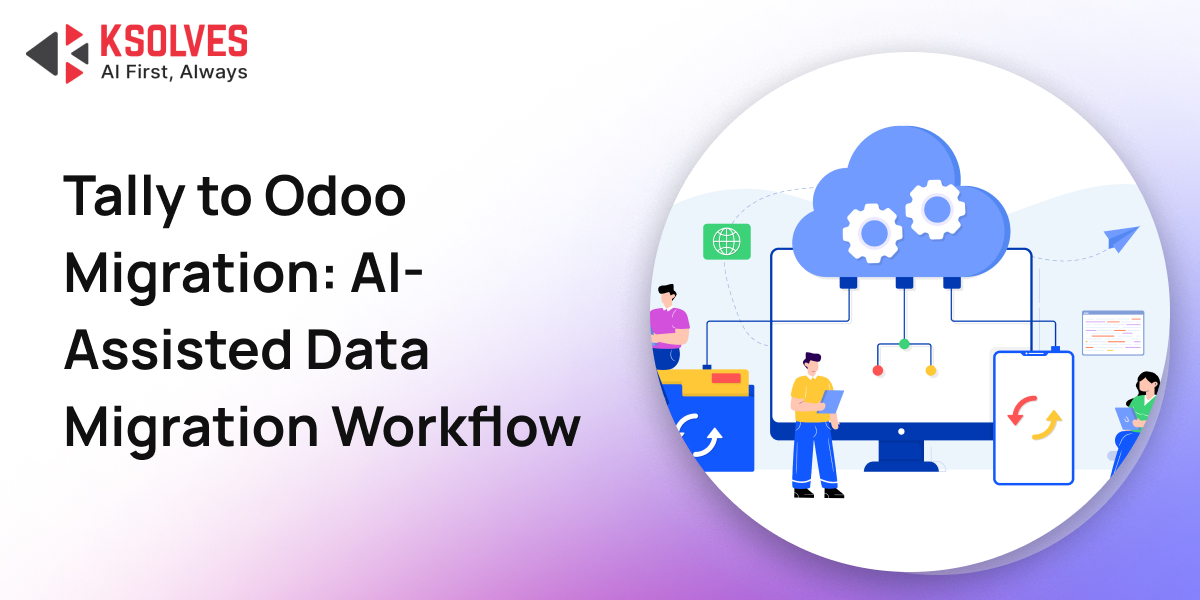
Migrating from Tally to Odoo is rarely difficult because of Odoo configuration alone. The bigger challenge is preparing years of financial, customer, vendor, product, tax, and transaction data for a completely different data structure.
For businesses with several years of Tally history, data preparation can become one of the most time-consuming parts of the migration. Ledgers, vouchers, stock items, GST details, addresses, opening balances, and account structures all need to be analysed, cleaned, mapped, transformed, and validated before they can be imported into Odoo.
This is where AI can make a practical difference.
AI does not replace the migration consultant or make business decisions automatically. Its strongest role is helping teams analyse large exports, create first drafts, generate transformation logic, identify potential inconsistencies, and reduce repetitive preparation work.
The most effective approach is simple: AI drafts. The consultant validates.
Why Tally-to-Odoo Data Migration Takes Time
Tally and Odoo structure business data differently.
Tally commonly represents accounting information through ledgers, groups, vouchers, and stock items. Odoo distributes this information across structured models such as res.partner, account.account, product.template, and account.move.
As a result, migration is not simply a matter of exporting data from Tally and importing it into Odoo.
The data often needs to go through several stages:
Tally Export → Data Analysis → Cleaning → Mapping → Transformation → Validation → Odoo Import
Several recurring challenges make this process particularly demanding:
- Account structures: Tally ledger groups do not always correspond directly to Odoo account types and account groups.
- Customers and vendors: A party ledger in Tally may need to be represented in Odoo as a partner with the appropriate customer or vendor classification.
- Products: Tally stock items may need to be structured across Odoo’s product models with categories, units of measure, taxes, and other attributes.
- GST information: GSTINs, HSN codes, and tax configurations may be incomplete, inconsistently formatted, or missing.
- Opening balances: Historical balances need to be represented correctly in Odoo’s accounting structure.
- Addresses: Indian addresses are frequently stored as free-form text rather than separate street, city, state, and PIN fields.
The challenge, therefore, is not just moving records. It is making the records structurally and logically compatible with Odoo.
Also Read: Tally vs Odoo: Which ERP is Best for Your Business in 2025?
Where AI Can Help in a Tally-to-Odoo Migration
AI is most useful in tasks where the work involves analysing patterns, creating a first draft, writing repetitive transformation logic, or identifying potential inconsistencies.
It is less suitable for decisions that depend on the client’s accounting policies or the actual state of their Odoo environment.
Here are some of the most practical applications.
1. Analyse Tally Exports Before Data Mapping
Tally exports can arrive as Excel files or XML data, and their structure can vary depending on the Tally version, configuration, and accounting practices used by the business.
Before designing a migration strategy, the team needs to understand the data.
AI can help generate an initial field inventory by analysing the export and identifying:
- Available columns and fields.
- Likely ledger, amount, date, tax, and reference fields.
- Null or incomplete fields.
- Potentially duplicated information.
- Fields requiring transformation.
- Data that may need to be mapped to Odoo models.
This does not replace detailed data profiling, but it can give consultants a much faster starting point.
Instead of beginning a review with an unfamiliar spreadsheet, the consultant can start with an initial picture of the dataset and focus the discussion on the areas that actually require investigation.
2. Build the First Version of the Tally-to-Odoo Mapping
Field mapping is one of the central activities in a migration.
A typical mapping exercise may involve determining how Tally data should populate Odoo models and fields, including:
- Tally ledger information → account.account
- Party information → res.partner
- Stock item information → product.template and related product data
- Transaction information → account.move
- Tax information → Odoo tax configuration
- Address information → structured partner address fields
AI can generate an initial mapping table based on the available Tally fields and the intended Odoo model.
For example, it can help identify likely relationships between:
Tally Party Data → Partner Name, GSTIN, PAN, Address, Customer/Vendor Classification
or:
Tally Stock Data → Product Name, Category, UoM, Tax Configuration
The important distinction is that this is a draft mapping, not an approved mapping.
A ledger that appears to be an expense based on its name may actually represent a balance-sheet account because of the client’s accounting structure. Similarly, a field that looks like a customer field may have a different business meaning in the client’s books.
AI can accelerate the first version. The consultant still needs to make the final decision.
3. Generate Data Transformation Logic
Migration data rarely arrives in exactly the format required by Odoo.
Common transformation requirements include:
- Splitting unstructured addresses.
- Normalising GSTIN formats.
- Cleaning inconsistent values.
- Standardising state names.
- Identifying duplicate records.
- Transforming opening balance values.
- Converting fields into import-compatible formats.
AI can help generate Python or pandas logic for these repetitive transformations.
For example, instead of manually writing the first version of a script that identifies PIN codes within an address column, a consultant can provide sample data and ask AI to generate the initial parsing logic.
The workflow then becomes:
Sample Data → AI-Generated Logic → Consultant Review → Test Dataset → Corrections → Full Dataset
This is considerably safer than allowing generated code to run directly against the complete migration dataset.
4. Normalise Indian Address Data
Address data is a particularly practical example of where AI-assisted development can reduce repetitive work.
An address exported from Tally may look something like a single unstructured string containing:
- House or street information
- Locality
- City
- State
- PIN code
The same state may also appear in different spellings or formats across records.
A transformation utility can be created to identify patterns and produce separate fields for Odoo:
Original Address → Street | City | State | PIN
AI can assist with developing the initial parsing and normalisation logic, while the migration team tests it against representative client data.
The important step is testing the parser against real variations rather than assuming that one pattern will work across every Indian address.
5. Validate the Chart of Accounts Before Import
The Chart of Accounts deserves particular attention because accounting configuration affects downstream transactions and reporting.
Before importing a mapped COA, AI can be used as an additional review layer to flag potential issues such as:
- Missing account classifications.
- Potentially incorrect account types.
- Accounts that may require reconciliation.
- Tax accounts that appear to have incomplete configuration.
- Possible intercompany accounts.
- Inconsistent naming or grouping.
This can help surface items for consultant review before the data reaches Odoo.
However, AI cannot determine the correct accounting treatment solely from a ledger name.
The client’s actual accounting structure and business rules remain the source of truth.
6. Prepare Odoo Import Structures
Odoo imports depend on the target model and its relationships with other records.
For example, importing accounting transactions may require the relevant accounts and related records to exist first. Product and partner imports can similarly involve dependencies between models and fields.
AI can help generate an initial CSV column structure for models such as:
- res.partner
- product.template
- account.account
- stock.quant
- account.move
This is particularly useful for reducing mechanical errors in the first version of an import template.
But generated field names and import structures should always be checked against the actual Odoo environment before an import is executed.
The Right Division of Work Between AI and Consultants
The most useful way to think about AI in migration is not as an autonomous migration engine, but as a migration preparation assistant.
|
Migration Activity |
AI’s Role |
Consultant’s Role |
|
Export analysis |
Identify fields and patterns | Confirm data meaning |
|
Field mapping |
Create initial mapping | Approve business logic |
|
Data transformation |
Draft scripts | Test and correct scripts |
| Address parsing | Generate parsing logic |
Validate against real addresses |
| COA review | Flag potential inconsistencies |
Confirm accounting treatment |
| CSV preparation | Draft column structures |
Verify against Odoo |
|
Import sequencing |
Provide guidance | Validate actual model dependencies |
|
Tax mapping |
Suggest potential mappings |
Confirm client-specific tax rules |
| Final validation | Identify anomalies |
Perform business validation |
This division is important because technical formatting and business interpretation are not the same problem.
Where AI Should Not Be Trusted Without Review
The biggest migration risks are often not obvious formatting errors. They are business-logic errors.
Consider a Tally ledger that has an ambiguous name. AI can infer a likely account classification, but it cannot know with certainty how that account is treated within the client’s books.
The same applies to tax configuration.
GST mappings may depend on the client’s actual tax structure, rates, product classifications, HSN requirements, and business processes. A generated mapping should therefore be treated as a starting point for review.
There is also an important technical consideration: Odoo versions change.
Field names, models, import behaviour, and configuration options can differ between Odoo versions. AI-generated references should therefore be checked against the actual Odoo version and live environment before they are used.
A Practical AI-Assisted Migration Workflow
A structured workflow can make AI useful without introducing unnecessary risk.
Step 1: Profile the Tally Data
Start with the raw export.
Use AI to identify fields, missing values, patterns, duplicates, and potential transformation requirements.
Step 2: Create the Mapping Draft
Map Tally fields to the relevant Odoo models and fields.
Use AI to produce the first version, then have the consultant review every business-critical mapping.
Step 3: Identify Transformation Requirements
Separate straightforward fields from those requiring data cleaning or restructuring.
Examples include addresses, GSTINs, account balances, tax values, and duplicate records.
Step 4: Generate Transformation Scripts
Use AI to draft Python or pandas scripts for repeatable transformations.
Test these against a controlled sample before processing the complete dataset.
Step 5: Validate the Accounting Structure
Review the Chart of Accounts, account types, tax configuration, reconciliation requirements, and other accounting-specific rules.
AI can flag potential issues; the consultant determines what is actually correct.
Step 6: Prepare Import Templates
Generate the required Odoo import structures and verify the field names against the actual Odoo environment.
Step 7: Test Before Full Import
Run the transformed data through a controlled test import.
Check both technical results and business outcomes before proceeding with the complete migration.
Step 8: Perform Business Validation
The final validation should confirm that migrated data behaves correctly inside Odoo, not merely that the import completed successfully.
What Kind of Time Savings Can AI Deliver?
The amount of time saved depends heavily on data quality, migration complexity, and how much historical information needs to be migrated.
In migration workflows where AI is used for preparation and drafting, the largest gains typically occur in the early stages.
Examples of areas where teams can expect meaningful efficiency improvements include:
- Tally export analysis: faster field discovery and initial profiling
- Field mapping: faster creation of the first mapping draft
- Transformation scripts: faster development of repetitive cleaning logic
- COA review: faster identification of potential configuration issues
- CSV preparation: faster creation of initial import structures
- Parsing tools: faster development of one-off data normalisation utilities
The precise percentage will vary from project to project. Data quality, number of years being migrated, number of companies, customisations in Tally, and the number of Odoo models involved all influence the effort required.
How Ksolves Helps With Tally to Odoo Migration
Moving from Tally to Odoo requires more than exporting and importing data. Ksolves, an AI-first Odoo development company, combines Odoo expertise with an AI-assisted migration approach to make the transition structured, accurate, and easier to manage.
We help with Tally data analysis, field mapping, data cleaning, transformation, and Odoo import preparation, covering critical data such as accounts, customers, vendors, products, taxes, addresses, and opening balances. AI helps accelerate repetitive analysis and preparation, while our Odoo consultants validate business logic and ensure the data fits the target Odoo environment.
From migration planning and test imports to final data validation, our migration services focus on preserving data integrity while minimizing disruption to business operations. The result is a controlled Tally-to-Odoo transition with cleaner data, fewer migration surprises, and an Odoo system ready for day-to-day operations.
Conclusion
AI can significantly improve the preparation stages of a Tally-to-Odoo migration by accelerating data analysis, mapping, transformation scripting, validation checks, and import preparation. But AI should remain an assistant, not the decision-maker. Accounting treatment, tax configuration, Odoo model dependencies, and business-specific rules require human validation.
If you are planning a Tally-to-Odoo migration and want to understand how much of your existing data can be migrated, transformed, and validated efficiently, connect with Ksolves Odoo experts to discuss your migration requirements.































AUTHOR
Odoo
Neha Negi, Presales and Business Associate Head at Ksolves is a results-driven ERP consultant with over 8 years of expertise in designing and implementing tailored ERP solutions. She has a proven track record of leading successful projects from concept to completion, driving organizational efficiency and success.
Share with