



Manual Testing vs Automated Testing: When to Use Each and Why
QA
5 MIN READ
June 17, 2026

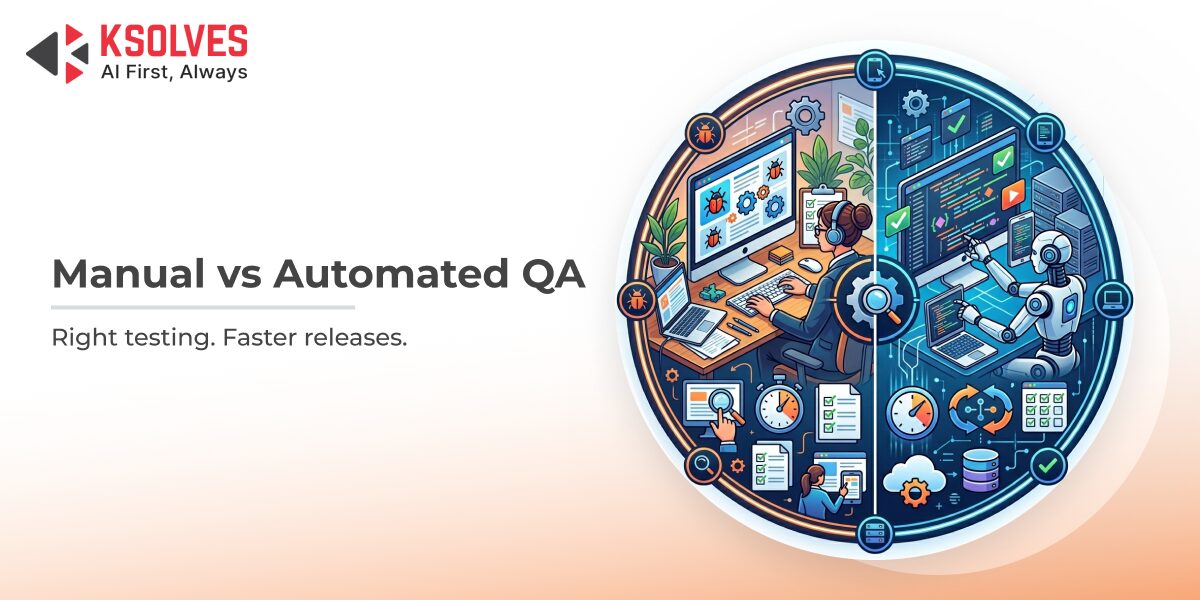
Every software release is a bet on quality. Ship too fast without testing, and bugs reach your users. Test too slowly, and your competitors ship first. The debate between manual and automated testing sits right at the center of this tension, and most teams get it wrong not because they lack tools, but because they lack clarity on when to use which approach.
Manual testing relies on human judgment to explore, validate, and experience software the way real users do. Automated testing uses scripts and tools to execute repetitive checks at machine speed. Neither approach is universally superior. The real advantage lies in knowing exactly when each one earns its place in your pipeline.
This blog breaks down the core differences, use cases, cost trade-offs, and a practical decision framework to help your QA team make smarter testing choices in 2026 and beyond.
The State of Software Testing: Why This Debate Matters More Than Ever
The testing landscape has shifted dramatically. Software complexity has grown, release cycles have compressed, and quality expectations have never been higher. The consequence of getting testing strategy wrong is no longer just technical debt. It translates directly into revenue loss, brand damage, and customer churn.
According to a report, which surveyed 1,400 QA professionals, 82% of testers still use manual testing in their day-to-day work, even as automation adoption accelerates. The data paints a clear picture: the industry is not choosing one over the other. It is building a smarter hybrid, and teams that master this balance gain a decisive competitive edge.
What Is Manual Testing?
Manual testing is the process where a QA engineer interacts with an application directly, without the use of automation scripts, to identify bugs, usability issues, and unexpected behavior.
A human tester follows test cases, explores features, and applies contextual judgment that no script can replicate. They notice when a button technically works but feels wrong. They catch edge cases that were never written into a test plan. They evaluate whether a user journey is intuitive, not just functional.
Where Manual Testing Excels
- Exploratory Testing: Unscripted, investigative testing where testers discover behavior they did not expect. This is where creative human thinking uncovers the bugs automation misses.
- Usability Testing: Evaluating the user experience, visual design, accessibility, and how natural a workflow feels.
- Ad-hoc Testing: Quick, informal validation without formal test cases, often used in early development stages.
- Early-Stage Feature Testing: When a feature is new and requirements are still evolving, human judgment adapts faster than scripts.
- One-Time Scenarios: Tests that will never be repeated do not justify the time investment of writing and maintaining automation scripts.
What Is Automated Testing?
Automated testing uses scripts, frameworks, and tools to execute pre-defined test cases against a software application, comparing actual outputs to expected results without human intervention. Tools like Selenium, Cypress, Playwright, Appium, and JUnit allow teams to run thousands of tests in minutes, execute them overnight, and trigger them automatically on every code push. The speed and repeatability of automated testing are its defining advantages.
Where Automated Testing Excels
- Regression Testing: Every time code changes, automated tests verify that existing functionality has not broken. This is the most widely automated test type across QA teams today.
- Load and Performance Testing: Simulating thousands of concurrent users is only possible through automation.
- Repetitive Functional Tests: Login flows, form validations, and data-entry checks that run identically every sprint are perfect candidates for automation.
- CI/CD Integration: Automated tests embedded in continuous integration pipelines catch bugs at the point of code commit, not weeks later.
- Cross-Browser and Cross-Device Testing: Running the same test across 20 browser-OS combinations simultaneously is impossible manually but trivial with automation.
- API Testing: API-level checks are among the most commonly automated test categories because they are stable, repeatable, and high-value.
Manual Testing vs Automated Testing: Head-to-Head Comparison
| Criteria | Manual Testing | Automated Testing |
| Speed | Slow for repetitive tasks | Fast and scalable |
| Initial Cost | Low (no setup) | Higher (tooling, scripting) |
| Long-Term Cost | Grows with test scope | Reduces per-test cost over time |
| Human Judgment | Strong | None |
| Exploratory Capability | Excellent | Very limited |
| Consistency | Prone to human error | Highly consistent |
| Maintenance Effort | Low | Moderate to high (script upkeep) |
| Best For | UX, edge cases, new features | Regression, performance, CI/CD |
| Feedback Speed | Slower | Immediate in the pipeline |
| Scalability | Limited by team size | Near unlimited |
The Real Cost Comparison: Where Teams Go Wrong
One of the most persistent myths in QA is that manual testing is free because it requires no tooling investment. That belief is expensive. When you translate tester hours into salary costs and multiply that across dozens of regression cycles per year, manual testing at scale becomes significantly more expensive than an automated suite.
On the flip side, automation is not always the economical choice either. Writing an automated test for a feature that will change in two sprints creates throw-away work. The automation scripts themselves require maintenance, and outdated scripts create false confidence when they pass against a broken feature.
The key driver of automation ROI is not just running tests faster. It is freeing engineers from repetitive work so they can focus on higher-value testing.
When to Use Manual Testing: A Practical Decision Guide
Use manual testing when:
- The feature is brand new and requirements are still being defined. Scripts written for unstable requirements become a maintenance burden.
- The test is a one-off scenario. If a test case will only be run once or twice, the time to automate it exceeds the time to execute it manually.
- The test requires human perception. Does this color contrast look accessible? Does this animation feel smooth? Does this error message read as confusing? These questions have no script-based answer.
- You are doing exploratory or usability testing. Real users do not follow scripts. Neither should exploratory testers.
- The application is in active redesign. Automated tests break constantly during heavy UI changes, draining engineering time on script fixes rather than actual testing.
- The budget or timeline does not support automation setup. For short-lived projects or MVPs, manual testing often delivers faster time-to-value.
When to Use Automated Testing: A Practical Decision Guide
Use automated testing when:
- The test needs to run repeatedly. Regression suites executed every sprint are the highest-value automation investment.
- Speed is a business requirement. If your team ships daily, you cannot afford manual regression cycles.
- Consistency is critical. Automated tests perform identically every single run. Human testers introduce variability.
- You are testing performance or load. No human team can simulate 10,000 concurrent users.
- Cross-platform coverage is needed. Browser compatibility across Chrome, Firefox, Safari, Edge, and mobile requires automation to be practical.
- You have a stable, mature codebase. The more stable the code, the better the ROI on automation, since scripts need less maintenance.
- You are integrating testing into CI/CD. Automated tests are the only practical way to shift testing left in a continuous delivery environment.
The Hybrid Testing Model: What High-Performing Teams Actually Do
The most effective QA teams in 2025 are not choosing between manual and automated testing. They are building a deliberate hybrid strategy that assigns each type of testing to the work it does best.
The Hybrid Testing Pyramid in Practice
A well-structured hybrid strategy typically follows this layered model:
Layer 1: Automated Unit Tests (Base): Fast, lightweight tests written by developers. These run on every commit and catch code-level bugs before they reach QA. Highest ROI in terms of bugs caught per dollar spent.
Layer 2: Automated Integration and API Tests: Validate that components communicate correctly. Medium maintenance, very high coverage value.
Layer 3: Automated Regression and Functional Tests: End-to-end flows that protect critical business paths. Run in CI/CD pipelines. Require more maintenance but prevent costly production regressions.
Layer 4: Manual Exploratory Testing (Top): Human testers explore new features, validate UX, test edge cases, and perform ad-hoc investigations that automation cannot replicate. Smaller in volume but irreplaceable in value.
The AI Accelerator
AI is beginning to reshape both layers. AI-assisted test generation, script optimization, and defect prediction are becoming standard capabilities in modern QA pipelines. AI-assisted testing does not replace the hybrid model. It makes both layers more intelligent and more efficient.
Common Mistakes Teams Make When Choosing a Testing Approach
Over-automating: Automating every test case, including unstable UI tests and one-time checks, creates a maintenance nightmare. Teams end up spending more time fixing broken scripts than catching actual bugs.
Under-automating regression: Running regression manually for every sprint is the single most common source of delayed releases and escaped defects. If your regression suite is not automated, it will eventually become your release bottleneck.
Treating automation as a replacement: Teams that cut manual testers after implementing automation consistently see a rise in UX bugs and edge-case failures. Automation covers what you expected. Manual testing finds what you did not.
Starting automation too late: Starting automation conversations at the project architecture phase, not the deployment phase, dramatically improves outcomes.
Ignoring maintenance costs: Automated test scripts are code. They age, break, and require upkeep. Teams that do not budget for script maintenance end up with a suite full of false positives that erodes trust in automation entirely.
How Ksolves Test Automation Services Help You Strike the Right Balance
Building an effective hybrid testing strategy requires more than tools. It requires expertise, process design, and a deep understanding of your application architecture, release velocity, and business risk tolerance.
Ksolves Test Automation Services are designed to help enterprises move beyond the manual-versus-automation debate and build a testing strategy that actually scales. Whether you are a team struggling with slow regression cycles, high defect escape rates, or a CI/CD pipeline without meaningful test coverage, Ksolves brings the engineering depth and QA methodology to close those gaps.
Our approach covers end-to-end automation framework design, tool selection (Selenium, Playwright, Cypress, Appium, and more), CI/CD pipeline integration, and a clear assessment of where manual exploratory testing continues to deliver value that no script can replace. We do not sell automation for its own sake. We architect test strategies aligned to your specific release cadence, codebase stability, and quality goals.
Teams that work with Ksolves consistently reduce regression cycle times, improve defect-detection rates, and free their QA engineers to focus on high-judgment testing that genuinely requires human expertise.
Conclusion
Manual testing and automated testing are not rivals. They are complementary disciplines that, when deployed strategically, produce software quality that neither could achieve alone. The teams that ship confidently and consistently are not the ones that automate everything or tested everything manually. They are the ones who built a deliberate framework that assigns each approach to the work it does best.
Start with your regression suite. Automate what repeats. Protect exploratory and usability testing from being cut. And if you need a partner who has done this across complex enterprise environments, connect with Ksolves to build a testing strategy built for the way your team actually ships.

































Author
About the Author Editorial Team The Ksolves Editorial Team includes certified Salesforce experts, Big Data engineers, AI/ML specialists, Zoho consultants, and experienced technology writers focused on delivering clear, actionable insights for modern businesses. With hands-on experience across Salesforce, Big Data platforms, AI/ML solutions, application development, software testing, and Zoho ERP/CRM, the team publishes practical guides, real-world use cases, and industry updates that support smarter decisions and faster growth. Every article is created to solve business challenges, guide technology adoption, and keep organizations aligned with evolving digital ecosystems.
Share with