



ERPNext for Educational Institutions: The Implementation Guide for Operations Leaders
ERPNext
5 MIN READ
March 17, 2026

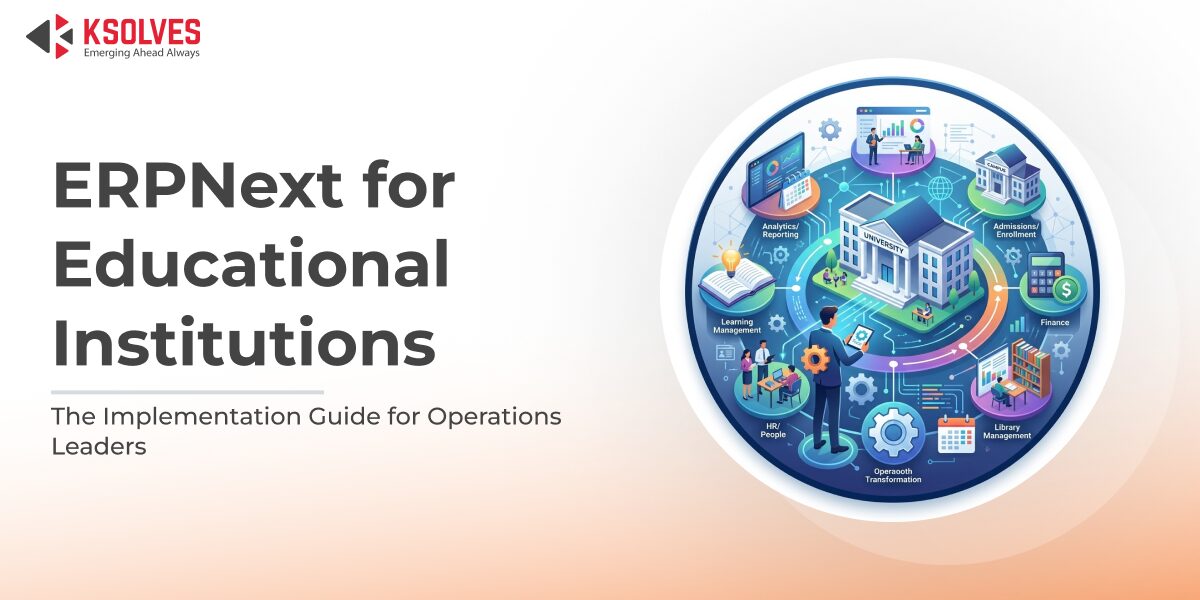
Most institutions reach a point where the systems that were supposed to make operations easier start creating more work than they save. The finance team is exporting student enrollment data by hand every billing cycle because the SIS and the accounting platform don’t talk to each other. The admissions team is tracking application status in a shared spreadsheet because that’s still faster than whatever the portal does. And somewhere in the middle of all this, an IT administrator is maintaining integrations that were built years ago by someone who no longer works there.
When Ksolves starts working with an institution, this is usually what we find. Not one broken system, but several systems that were each chosen for a specific reason and never designed to work together. The operational cost of that fragmentation, in staff time, reporting delays, and decisions made on incomplete data, is rarely visible until something goes wrong. And at a university running thousands of active student records, something always eventually goes wrong.
That’s the problem ERPNext for educational institutions is built to solve, and it’s what this guide covers in practical terms.
Why Educational Institutions Outgrow Their Current Systems
Most institutions don’t start with bad software. They started with software that was right for one problem at one moment. A student information system gets added, then a separate accounting platform, then an HR tool. Five years later, the institution runs on several systems that share no data and each need their own administrator.
Open source ERP for schools and universities offers a way out of this without the licensing costs and vendor lock-in that come with enterprise platforms. ERPNext in particular was built to handle the full operational lifecycle of an academic institution on a single database, student records, finance, HR, admissions, and scheduling, all connected by default rather than integrated by workaround.
Also Read – ERPNext for Clinics: Simplifying Appointment Scheduling & Billing
What ERPNext’s Education Module Covers
-
Student Lifecycle and Records Management
From the moment a prospective student submits an inquiry to the day they graduate, every record lives in the same database. Fee history, attendance, course assignments, and academic progress are all connected to the same student profile. There are no semester-end exports and no manual reconciliation between the SIS and the finance system. For institutions dealing with growing enrollment volumes, this alone removes a significant administrative burden from operations staff.
-
ERPNext Fee Management for Colleges
Define fee structures by program, academic level, or installment schedule. Once fee structures are configured, invoices can be generated from enrollment records without manual rebuilding each cycle. Payment tracking, outstanding invoice management, payment reminders, and bank reconciliation all happen within the same module. Finance teams get real-time receivables visibility without running a single manual export. Multi-campus billing and multi-currency scenarios are both supported natively, making this module particularly well-suited for university groups managing multiple locations.
-
Admissions Workflow Automation
The admissions pipeline in ERPNext functions like a purpose-built CRM. Inquiries are captured via web form, assigned to a counselor, and moved through defined stages with automated follow-up tasks and status communications. For a deeper look at configuring this, see our guide to ERPNext admissions workflow automation.
-
HR, Payroll, and Staff Management
Hiring, onboarding, payroll, leave tracking, and compliance, all in one place. Employee data connects directly to academic and financial records, giving operations leaders a complete view without switching platforms.
-
Accounting and Financial Reporting
A full double-entry accounting system with cost center allocation, budget tracking, and financial statements is built in. Multi-ledger and multi-cost-center structures support grant funding, government reporting, and multi-campus consolidation natively.
Also Read – ERPNext for Lean Manufacturing: Reducing Waste, Increasing Efficiency
Where ERPNext Delivers the Fastest ROI
- Fee management automation: It delivers impact within the first billing cycle. Staff time shifts away from manual invoicing, and overdue receivables become visible in real time.
- Admissions workflow standardization: Turns a reactive, person-dependent process into a systematic one. Follow-up becomes automatic and enrollment conversion improves because no inquiry gets lost in someone’s inbox.
- Unified reporting: Enrollment data, fee collection status, attendance records, and payroll in one report, pulled in minutes instead of days. For institutions that spend the better part of a week assembling board reports from multiple systems, this is often the clearest before-and-after in the entire deployment.
ERPNext Education Module Implementation: What to Expect
A properly scoped implementation follows five phases:
Discovery and Workflow Mapping
Every configuration decision depends on understanding the current operational state: which systems run, where data lives, and what is manual that should not be. Skipping this phase significantly increases the risk of scope creep and budget overrun.
Data Migration from Legacy SIS to ERPNext
This is where most education ERP projects stall. Student records need to be extracted, cleaned, mapped to ERPNext’s structure, and validated before import. Institutions on systems ten or more years old frequently discover data quality issues they weren’t aware of.
Module Configuration and User Training
Most institutions achieve what they need through ERPNext’s native configuration options without custom development. Training must be role-specific: admissions staff, finance teams, and HR administrators each need training in the context of their actual configured workflows, not a generic product walkthrough.
Also Read – ERPNext for Wholesale Businesses: Managing Orders, Stock, and Credit
Is ERPNext the Right Fit for Your Institution?
Three questions matter more than any product demo.
- How clean is your current data? Data quality is the variable most institutions underestimate. Poor quality extends migration timelines and is the leading cause of go-live delays.
- Who owns the project internally? Every successful ERPNext implementation has a named internal owner with authority to make decisions and drive adoption. Without one, projects drift.
- What does post-go-live support look like? Define this before signing. The period immediately after go-live is where most issues surface. A responsive implementation partner is the difference between a system that gets adopted and one that gets quietly abandoned.
Work With Ksolves
Ksolves is an official Frappe and ERPNext implementation partner with a dedicated education practice. Every engagement starts with operational discovery, not a sales demo. The team has delivered ERPNext implementations for educational institutions with complex HR, finance, and compliance requirements.
If you are evaluating ERPNext or navigating an implementation that has stalled, Ksolves will give you a clear picture of where you are and what the realistic path forward looks like.
































AUTHOR
ERPNext
Share with