



Should You Build an Odoo Module or Buy an Odoo App?
Odoo
5 MIN READ
October 7, 2026

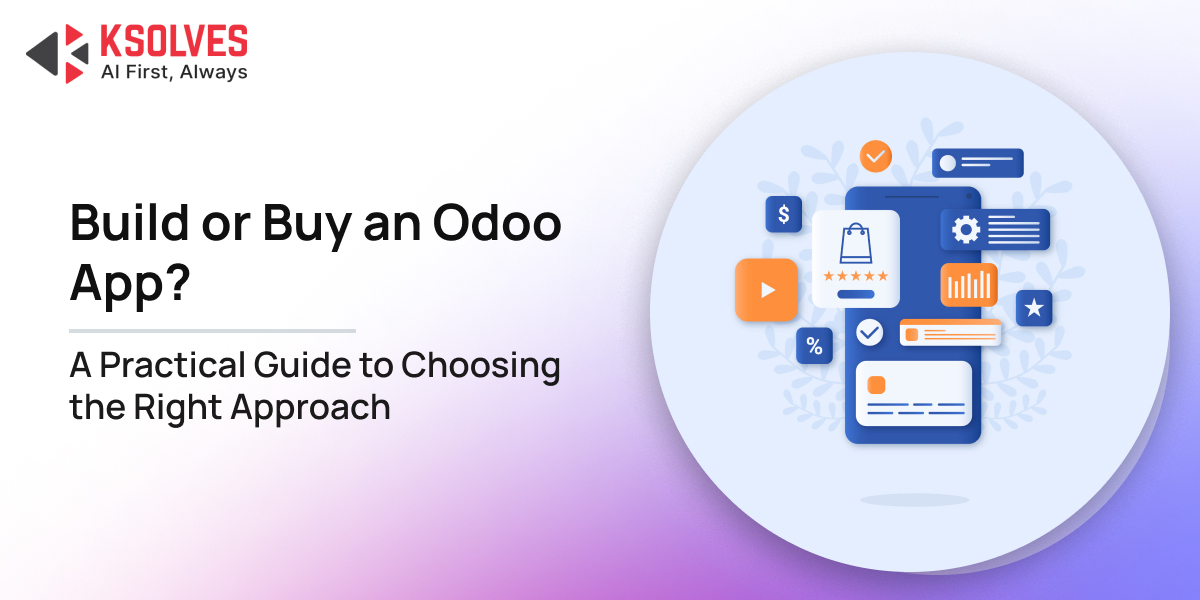
You need a new capability in Odoo. Maybe your team wants a better dashboard, a specialized approval flow, a document automation feature, or an integration with another system.
The first question is often: “Can we build it?”
The more useful question is: “Should we build it?”
Odoo gives businesses several ways to extend their ERP. You can configure standard functionality, install an existing app, customize an existing module, or develop a new module from scratch. Each option can solve the same business problem, but the cost, implementation time, maintenance effort, and level of control can be very different.
Buying an Odoo app may get you live quickly, but the cheapest app is not automatically the cheapest solution. Building a custom module gives you control, but that control comes with development and long-term maintenance responsibilities.
So, how do you decide?
Build vs. Buy: What Are You Actually Choosing?
At first glance, the decision appears straightforward:
Buy an Odoo app → install existing functionality.
Build an Odoo module → develop the functionality yourself or through an Odoo development partner.
In practice, there is a third option that businesses frequently overlook:
Buy + Customize → start with an existing app and develop only the functionality it does not cover.
There is also a fourth option that should always be considered first:
Configure Standard Odoo → use functionality already available in Odoo without introducing another module.
That makes the real decision less about build vs. buy and more about choosing the right level of intervention.
A useful progression is:
Configure → Buy → Customize → Build
The further you move along this spectrum, the more control you generally gain but so does the amount of technical ownership.
When Buying an Odoo App Makes More Sense
An existing Odoo app can be a sensible choice when the requirement is common and a mature solution already exists.
For example, if you need functionality for advanced dashboards, additional access controls, list-view management, document processing, or another well-defined use case, there may already be applications designed specifically for it.
In such cases, developing everything from scratch may simply duplicate work that has already been done.
Consider buying an Odoo app when:
- The requirement is common across Odoo implementations.
- An existing app covers most of your functional requirements.
- You need the capability relatively quickly.
- The app is actively maintained for your Odoo version.
- The required customization is limited.
- The functionality is useful but not a unique competitive differentiator.
- The vendor provides adequate documentation and support.
- The app has a reasonable upgrade and maintenance path.
For example, suppose your sales team needs a more flexible dashboarding solution. If an established app already provides the required reporting capabilities and integrates cleanly with your Odoo setup, building an entirely new reporting framework may not create additional business value.
The objective is not to own the code. The objective is to solve the business problem reliably.
Also Read: 7 Best Odoo Apps by Ksolves to take your Business to the Next Level
When Building a Custom Odoo Module Is the Better Choice
There are requirements that an off-the-shelf app simply cannot handle without significant compromises. This is where custom development starts making more sense.
A custom Odoo module is particularly useful when your business follows workflows that are substantially different from standard processes or when the functionality needs to integrate deeply with proprietary systems.
Build a custom module when:
- Your workflow is highly specialized.
- Existing apps cover only a small portion of the requirement.
- Available apps require extensive modifications.
- You need complex integrations with proprietary systems.
- The functionality is strategically important to your business.
- You need complete control over the business logic.
- You need functionality that does not reasonably exist as an off-the-shelf solution.
- The solution needs to evolve according to your own product or operational roadmap.
Consider a manufacturer with a highly specialized production process involving proprietary quality checks, approval rules, machine integrations, and production-stage logic.
An existing manufacturing extension might cover some of these requirements. But if making it fit requires changing large parts of its workflow, adding numerous overrides, and maintaining several patches, starting with a clean custom module may be more sustainable.
Also Read: Top Odoo App Every Manufacturing Business Needs for Operational Efficiency
The 8 Factors to Compare Before Making the Decision
The most reliable build-vs-buy decisions happen when businesses evaluate the entire lifecycle of the solution rather than comparing an app’s price with a developer’s hourly rate.
1. Business Fit
Start with the business requirement, not the technology. Ask:
- What problem are we trying to solve?
- Which users will use the functionality?
- What workflow should it support?
- What is mandatory versus nice to have?
- Can the business process adapt to an existing solution?
- Which requirements are genuinely non-negotiable?
An app that offers 50 features is not necessarily better than one that offers 10 features if those 10 features match your workflow.
Likewise, building a module simply because your team wants a slightly different interface may not justify the additional ownership.
2. Initial Cost
The upfront cost is usually the easiest number to compare, and one of the least useful on its own. For an existing app, you may need to account for:
- License or subscription fees.
- Configuration.
- Implementation.
- Customization.
- Integration.
- Support.
For a custom module, consider:
- Requirement analysis.
- UI/UX development.
- Backend development.
- Testing.
- Integration.
- Deployment.
- Documentation.
A third-party app may cost less initially. But if it requires extensive customization, the difference can disappear quickly.
Similarly, a custom module may have a higher initial cost but require less modification later. Do not compare only the purchase price with the development estimate. Compare the complete implementation cost.
3. Total Cost of Ownership
This is where many build-vs-buy decisions become more complicated. An Odoo module is not a one-time purchase or one-time development task. It becomes part of your ERP environment.
Over time, costs can include:
For a purchased app:
- License renewals.
- Vendor support.
- Paid upgrades.
- Customization.
- Integration maintenance.
- Troubleshooting.
- Compatibility work.
For a custom module:
- Bug fixes.
- Developer support.
- Testing.
- Enhancements.
- Odoo version upgrades.
- Infrastructure and deployment.
- Documentation and knowledge transfer.
The right question is therefore not: “Which option costs less today?”
It is: “Which option will cost less to operate and maintain over its expected lifecycle?”
4. Time to Deploy
If a reliable app already solves your problem, buying can significantly reduce the time between identifying a requirement and using the functionality. But there is an important caveat. Installation is not the same as implementation.
An app may still require configuration, data preparation, user training, access rules, testing, and integration.
Custom development generally takes longer because the solution needs to be designed, developed, tested, and deployed.
However, rushing into an app that does not fit your workflow can create a different kind of delay: customization, troubleshooting, and eventual replacement.
So speed matters, but only when the solution is actually suitable.
Also Read: Top 4 Odoo Apps to Simplify Accounting and Finance for Small and Medium-Sized Businesses
5. Customization Requirements
This is often the deciding factor. Suppose an existing app covers 85% of your requirements. That sounds promising. But what does the remaining 15% involve?
If the missing functionality is a minor field, report, or workflow adjustment, customization may be perfectly reasonable.
If that 15% involves rewriting the app’s core workflow, modifying several models, replacing its interface, or changing fundamental business logic, the calculation changes.
The more deeply you modify a third-party module, the more important it becomes to understand:
- What code is being changed?
- Which parts are inherited versus overridden?
- What dependencies exist?
- Who will maintain the customizations?
- How will upgrades be handled?
A useful rule is:
Small gap → customize.
Large structural gap → reconsider whether the app is the right foundation.
6. Odoo Version Compatibility
Odoo upgrades are an important part of the decision. An app may work well on your current Odoo version, but what happens when you move to a newer version?
Before buying, check:
- Which Odoo versions are supported?
- Is the vendor actively releasing updates?
- How frequently is the app maintained?
- Does the vendor provide upgrade versions?
- Are your customizations compatible with those updates?
- Does the app depend on other third-party modules?
Custom development does not eliminate upgrade work either. A custom module also needs to be reviewed and potentially adapted when the underlying Odoo version changes.
That is why upgradeability should be considered before implementation rather than after the upgrade becomes unavoidable.
7. Security and Code Quality
An Odoo app becomes part of your ERP environment. It may interact with business-critical records, users, permissions, and workflows. Therefore, do not evaluate an app only by screenshots and feature lists.
Look at:
- Developer reputation.
- Maintenance history.
- Documentation.
- Access control implementation.
- Dependencies.
- Data access.
- Code quality.
- Support responsiveness.
- Odoo version compatibility.
- Update frequency.
For sensitive workflows, security and access control deserve particular attention.
The same applies to custom development. A poorly designed custom module can introduce unnecessary complexity or security risks just as an unsuitable third-party app can.
The source of the code matters less than the quality of the code and the discipline behind maintaining it.
Also Read: Data Security in Odoo: Protecting Your Business Information
8. Scalability and Future Requirements
Your requirement today may not be your requirement two years from now. Perhaps you currently have 20 users and one company. Later, you may have multiple companies, additional warehouses, more transactions, or several external integrations.
Before choosing an approach, ask:
- Will the solution handle increased transaction volume?
- Does it support multi-company requirements?
- Can additional users be added without major changes?
- Can new workflows be introduced?
- Can integrations be extended?
- Will reporting requirements grow?
- Will the module become dependent on a specific developer or vendor?
A solution that works perfectly for a small implementation may not be the right foundation for a larger Odoo environment.
The Hidden Cost of Buying an Odoo App
“Buy” often sounds like the low-risk option. Sometimes it is. Sometimes it is not. The hidden cost usually appears when the app does not fit as neatly as expected.
For example, you may purchase an application because it solves eight out of ten requirements. Then you discover that the remaining two requirements require significant custom development.
Other potential costs can include:
- Vendor Dependency
Your organization may depend on the vendor for updates, bug fixes, or compatibility with future Odoo versions. - Multiple App Dependencies
One requirement may eventually require several applications from different vendors, creating additional dependencies inside the same database. - Customization Costs
The more you modify an app, the more carefully you need to manage those modifications during future updates. - Replacement Costs
If an app is no longer maintained or stops fitting your requirements, replacing it can involve data migration, process changes, retraining, and redevelopment.
None of this means third-party Odoo apps are a bad choice. It simply means that buying an app should involve technical due diligence, not just feature comparison.
The Hidden Cost of Building an Odoo Module
Custom development provides control, but control comes with responsibility. A custom module requires more than writing code. You need:
- Clear requirements.
- Technical architecture.
- Development.
- Testing.
- Security review.
- Deployment.
- Documentation.
- Ongoing maintenance.
- Upgrade planning.
There is also a knowledge risk. If only one developer understands how the module works, future maintenance can become difficult when that person is unavailable.
A well-built custom module should therefore be treated as a maintainable software asset, not as a one-off script created to solve today’s problem.
That means using Odoo’s supported extension mechanisms, keeping customizations modular, documenting business logic, and avoiding unnecessary modifications to core functionality.
Don’t Evaluate an Odoo App by Features Alone
Feature count can be misleading. An app listing may contain an impressive list of capabilities, but that does not tell you whether the module will fit your implementation.
Before purchasing, investigate the solution from both a business and technical perspective.
Ask these questions:
- Does it support your Odoo version?
A feature is useful only if the application is compatible with the environment where you need it. - Is the app actively maintained?
Look at recent updates and the vendor’s track record. - Who developed it?
Understand the developer’s experience and reputation. - How much customization will you need?
Map the app against your actual requirements rather than relying on its feature list. - What are the dependencies?
Check whether the application relies on other modules or specific configurations. - How does support work?
Understand what happens when you encounter a bug, need assistance, or upgrade Odoo. - What happens during an Odoo upgrade?
This question is particularly important if the app becomes part of a long-term ERP implementation. - Can you test it before committing?
A demonstration or controlled test environment can reveal gaps that a feature list cannot.
The goal is not to find the app with the most features.
It is to find the solution with the best combination of fit, reliability, maintainability, and cost.
A Practical Build-vs-Buy Decision Framework
You can simplify the decision by asking a series of questions.
- Does standard Odoo already solve the requirement?
Yes → Configure Odoo.
Do not introduce another module if standard functionality already meets the business need.
No → Continue evaluating. - Does a reliable Odoo app cover most of the requirement?
Yes → Consider buying the app.
If only minor gaps remain, evaluate targeted customization.
No → Continue evaluating. - Does the app require extensive customization?
Yes → Compare customization against building from scratch.
If customization starts changing the fundamental behavior of the application, building may become more sustainable. - Is the requirement highly specialized or strategically important?
Yes → Strongly consider a custom module.
If the functionality represents a unique business process or competitive capability, owning the underlying implementation may provide greater long-term control.
This can be summarized as:
Standard Odoo → Configure
Existing app + strong fit → Buy
Existing app + small gaps → Buy + Customize
Unique requirement + poor app fit → Build
How Ksolves, an Odoo Gold Partner, Can Help You Make the Decision
The right Odoo approach should begin with your business requirement, not with a predetermined decision to buy an app or build a module.
As an Odoo Gold Partner, Ksolves can help businesses evaluate the requirement across standard Odoo functionality, existing apps, customization possibilities, and custom development. The focus should be on finding the most practical and maintainable solution for the specific workflow.
Ksolves can help you:
- Map business requirements to standard Odoo functionality.
- Identify where configuration is sufficient.
- Evaluate suitable third-party applications.
- Assess technical and functional compatibility.
- Estimate customization effort.
- Compare implementation and long-term ownership costs.
- Identify potential Odoo upgrade implications.
- Customize existing solutions where it makes technical sense.
- Build custom Odoo modules when an off-the-shelf solution is not the right fit.
The goal is not to recommend a custom module simply because it can be built—or an app simply because one already exists.
Final Words
Choosing between an Odoo app and a custom module comes down to more than upfront cost. Business fit, customization effort, scalability, upgradeability, and long-term maintenance all matter when deciding what makes sense for your ERP.
Configure when standard Odoo works, buy when an existing app fits, customize when the gaps are manageable, and build when your requirements truly demand it. The right choice is the one that solves today’s need without creating tomorrow’s technical burden.































AUTHOR
Odoo
Neha Negi, Presales and Business Associate Head at Ksolves is a results-driven ERP consultant with over 8 years of expertise in designing and implementing tailored ERP solutions. She has a proven track record of leading successful projects from concept to completion, driving organizational efficiency and success.
Share with