



NiFi Connectors: Turning Complex Dataflows into a Simple Wizard
Big Data
5 MIN READ
August 5, 2026

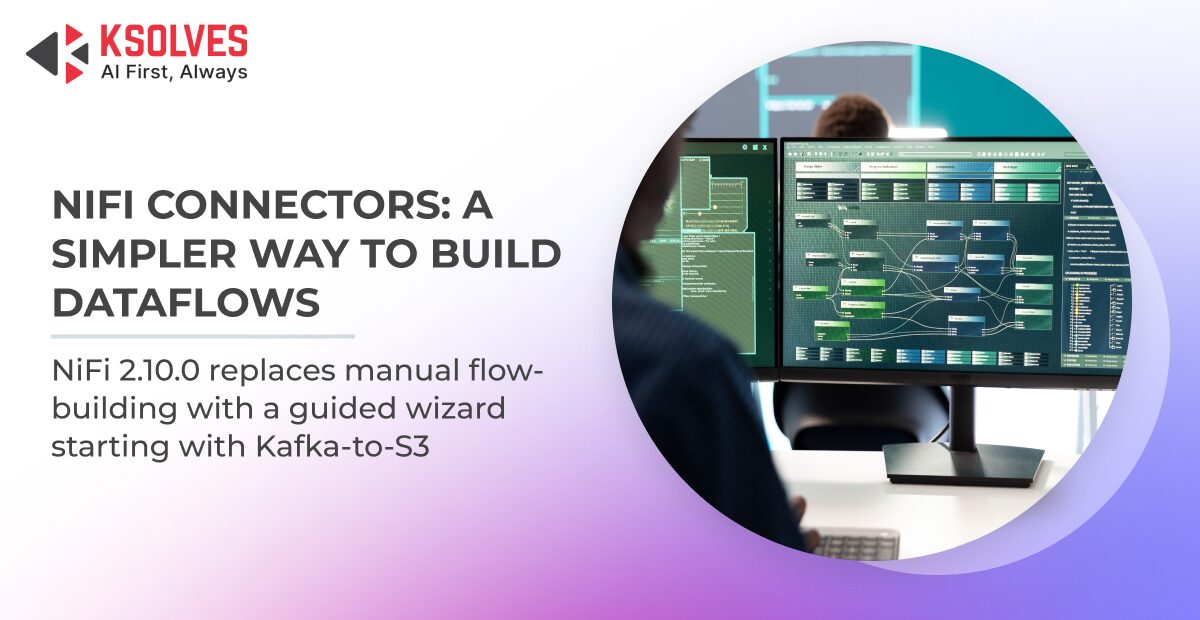
Apache NiFi has always been a powerful tool for building dataflows. That power, however, comes with a learning curve. Standing up even a “standard” pipeline — say, moving data from Kafka into object storage — means dragging processors onto the canvas, wiring them together, configuring controller services, and tuning dozens of properties correctly.
NiFi’s newer Connectors feature is designed to remove that barrier. This post explains what Connectors are, how they work, and walks through the first reference implementation — the Kafka-to-S3 connector — using details taken directly from the NiFi 2.10.0 source and the documentation shipped with the connector.
What is a Connector?
A Connector is a pre-built, wizard-configured data pipeline that manages its own Process Group internally. Instead of assembling processors by hand, a user fills in a short, guided configuration wizard, and NiFi builds and maintains the underlying flow automatically.
The key distinction: a Connector is not a processor. It is a higher-level abstraction that sits above the canvas. Behind the scenes it still produces an ordinary NiFi flow made of real processors and controller services — but the user configuring it never has to see or touch that complexity unless they want to.
Connectors first appeared as an initial framework capability, and NiFi 2.10.0 added the user-facing UI that makes them usable end to end. Apache NiFi’s release notes record the initial Connectors support landing in the 2.9.0 release, dated April 10, 2026, with the interface work following in 2.10.0.
Teams still on an older release should know how to validate a NiFi version upgrade before jumping to 2.10.0 purely to unlock Connectors.
How Connectors Work
Every Connector is built around two ideas: configuration steps and a managed flow.
Configuration steps define the wizard. Rather than presenting a flat list of forty properties, a Connector groups related settings into ordered steps, each with its own documentation. The user moves through the steps one at a time, and each step can be individually verified against the target system before moving on.
The managed flow is the actual NiFi flow the Connector builds from the user’s answers. The Connector owns a Process Group and keeps it in sync with the configuration:
- When the wizard is first completed, the Connector loads an initial flow template and applies the user’s values to it.
- When a step is reconfigured, the Connector rebuilds the flow to match — and, importantly, it does this safely.
- If a change is potentially disruptive (for example, changing the output data format), the Connector first drains in-flight data from the existing flow before rebuilding it, so nothing is lost or corrupted mid-change.
A Closer Look: The Kafka-to-S3 Connector
Kafka-to-S3 is the first connector shipped with NiFi and serves as the reference implementation. Its own description sums up the job cleanly: it ingests data from Apache Kafka topics, merges it into objects of a reasonable size, and writes that data to Amazon S3.
In NiFi 2.10.0, Connectors get their own top-level entry in the main menu. Opening it shows the Connectors listing page, where each connector appears with its name, type, backing bundle, and state. The Kafka-to-S3 connector (type KafkaToS3 2.10.0, bundle org.apache.nifi – nifi-kafka-to-s3-nar) is listed here, with Connectors available as a dedicated menu item.
Getting the consumer group ID and offset-reset behavior wrong here is one of Kafka’s real-world implementation challenges that trips up teams building this pipeline by hand.
Under the hood, the managed flow it builds is straightforward and familiar to any NiFi user:
ConsumeKafka → MergeRecord → PutS3Objectsupported by a Kafka connection controller service and an AWS credentials controller service. That is exactly the flow an experienced developer would build by hand — the Connector just assembles and maintains it for you.
The configuration wizard has three steps.
Step 1 — Kafka Connection
This step captures how to reach the Kafka cluster: the bootstrap servers (one or more brokers as a comma-separated list) and the security protocol. The supported protocols cover the common cases — PLAINTEXT, SSL, SASL_PLAINTEXT, and SASL_SSL (the last being the recommended option for both authentication and encryption). If SASL is used, the step collects the username and password. It also allows an optional Schema Registry URL for topics that use Avro, Protobuf, or JSON Schema.
Step 2 — Kafka Topics
Here the user selects which topics to consume — and the connector fetches the available topic list from the cluster automatically. This step also sets the consumer group ID (used by Kafka to track offsets and guarantee each message is processed once within a group), the offset-reset behavior (earliest, latest, or none), and the incoming data format (Avro or JSON).
Step 3 — S3 Configuration
The final step defines the destination and how data is batched. It covers the S3 bucket, an optional key prefix, the AWS region, and the output data format (JSON or Avro). It also exposes the merge settings — a target object size and a merge latency — which control how many Kafka messages are combined into a single S3 object and how long the connector waits before flushing, balancing object size against data freshness. Credentials can be supplied explicitly (access key and secret) or via the default AWS credential chain (environment variables, IAM roles, and so on), and an endpoint-override field allows the same connector to target S3-compatible systems such as MinIO or LocalStack.
Built-In Verification and a Troubleshooting Mode
Two features make Connectors practical for real use rather than just convenient.
Per-step verification lets the user validate a step before committing — for example, checking Kafka connectivity or confirming the selected topics exist — so misconfiguration is caught early instead of after the flow is running.
Troubleshooting mode acknowledges that abstractions sometimes need to be opened up. It lets a user look inside the Connector’s managed Process Group to inspect the real flow when something is not behaving as expected. When the user exits troubleshooting mode, the Connector reinstates its authoritative flow, discarding any manual edits — so the managed flow always returns to a known, connector-defined state.
Why This Matters
The Connector model changes who can build integrations in NiFi. Previously, standing up a common pipeline required NiFi expertise. With Connectors, an expert builds the integration once — as a reusable connector — and everyone else consumes it through a short wizard. The heavy lifting (processor wiring, controller services, safe reconfiguration, data draining) moves into the framework.
For teams running NiFi at scale, this is a meaningful shift: fewer bespoke flows to maintain, more consistency across pipelines, and a much lower barrier for non-specialists to get productive.
If you’re unsure whether Connectors fit your existing setup, Ksolves’ NiFi development team can review your current NiFi footprint and flag where a wizard-driven connector would save the most rework.
Trying It Out and What’s Next
Kafka-to-S3 is the reference connector today, and it is a clear template for what future connectors will look like. Custom connectors can be written by extending the connector base class and defining their own configuration steps and managed flow, which means organizations can package their own recurring pipelines as first-class, wizard-driven connectors.
As of NiFi 2.10.0 the Connectors UI is available, with more connectors expected in subsequent releases. If you already run NiFi 2.10.0, the Kafka-to-S3 connector is the best place to see the model in action end to end.
Frequently Asked Questions
What is a Connector in Apache NiFi?
A Connector is a pre-built, wizard-configured data pipeline that manages its own Process Group without requiring manual processor wiring. It sits above the canvas as a higher-level abstraction, though it still produces an ordinary NiFi flow of real processors and controller services underneath. Connectors were introduced to remove the expertise barrier that standing up a pipeline by hand normally requires.
What happens if I change a Connector’s configuration after it’s already running?
NiFi rebuilds the managed flow to match the new configuration automatically. If the change is potentially disruptive, such as switching the output data format, the Connector first drains in-flight data from the existing flow before rebuilding it, so nothing is lost or corrupted mid-change. This safe reconfiguration behavior is one of the more practical benefits of the Connector model.
How is the Kafka-to-S3 connector different from building the same flow manually in NiFi?
Manually, a Kafka-to-S3 pipeline means dragging out ConsumeKafka, MergeRecord, and PutS3Object processors and configuring each one, plus the supporting controller services, by hand. The Kafka-to-S3 connector assembles and maintains that exact same flow through a short, guided configuration wizard instead. Ksolves has implemented both approaches for clients and finds the connector model meaningfully reduces setup time for standard ingestion-to-storage pipelines.
When did Connectors become available in Apache NiFi?
Initial Connectors framework support landed in the NiFi 2.9.0 release, dated April 10, 2026, with the user-facing Connectors UI following in NiFi 2.10.0. Teams need to be on 2.10.0 or later to use the Connectors listing page and configuration wizard end to end.
What is troubleshooting mode used for in NiFi Connectors?
Troubleshooting mode lets a user look inside a Connector’s managed Process Group to inspect the real underlying flow when something isn’t behaving as expected. When the user exits troubleshooting mode, the Connector reinstates its authoritative flow and discards any manual edits made inside it. This keeps the managed flow returning to a known, connector-defined state rather than drifting from manual changes.
Can I build a custom Connector beyond Kafka-to-S3?
Yes. Custom connectors can be written by extending the connector base class and defining their own configuration steps and managed flow, the same pattern Kafka-to-S3 uses as the reference implementation. This lets organizations package their own recurring pipelines as first-class, wizard-driven connectors rather than one-off flows that only the original builder understands.
Who can help implement or extend NiFi Connectors for my organization?
Ksolves provides Apache NiFi development and support services, including building custom connectors, migrating existing flows onto the Connector model, and supporting Kafka-to-S3 and similar ingestion pipelines in production. Teams evaluating whether Connectors fit their current NiFi footprint can get their setup reviewed before committing to an upgrade.
Have a question we didn’t cover? Contact our team.
































AUTHOR
Big Data
Anil Kushwaha, Technology Head at Ksolves, is an expert in Big Data. With over 11 years at Ksolves, he has been pivotal in driving innovative, high-volume data solutions with technologies like Nifi, Cassandra, Spark, Hadoop, etc. Passionate about advancing tech, he ensures smooth data warehousing for client success through tailored, cutting-edge strategies.
Share with