



Open Source Payroll Software: A Complete Guide to the ERPNext HR and Payroll Module
ERPNext
5 MIN READ
July 1, 2026

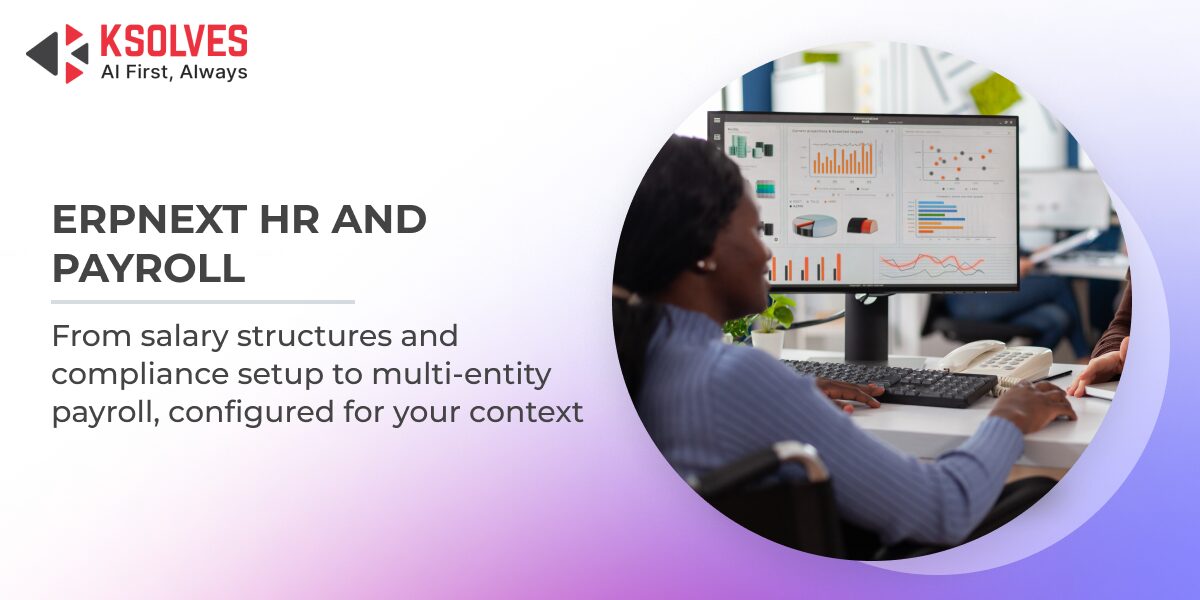
ERPNext HR and Payroll, delivered through the Frappe HR module, brings the full employee lifecycle into one open source platform: recruitment, onboarding, attendance, leave, payroll processing, and exit, all linked directly to your accounting module. This guide covers what the module does, how payroll processing works, the correct setup sequence, compliance considerations across geographies, and what to realistically expect from an ERPNext Implementation. If you are evaluating open source payroll software, comparing HR and payroll software options, or researching open source HRMS platforms more broadly, this guide covers the practical detail most vendor pages skip and what it actually takes to get the module running correctly.
What Is ERPNext HR and Payroll (Frappe HR)?
Frappe HR is the HR and payroll module for ERPNext. It is open source, free to license, and maintained by the same team behind the ERPNext framework. It is installed separately from the core ERPNext application, which means implementations need to account for it as a distinct setup step.
As an ERP HR module built directly into the ERPNext framework, Frappe HR avoids the sync problems that come with running a standalone HR and payroll software tool alongside a separate ERP. The module covers the full HR function: employee records, attendance, shifts, leave, expense claims, recruitment, onboarding, performance appraisals, and payroll. Everything runs in the same database as your accounting, purchasing, and project modules. There is no middleware, no sync job, and no separate HR system to maintain alongside your ERP.
For businesses evaluating open source HRMS options, Frappe HR is one of the most complete solutions available without a licensing cost. The cost of running it comes from hosting, implementation, and any customization required for your specific compliance context.
What Are the Core Features of the ERPNext HR Module?
Employee Master and Organizational Structure
Every HR and payroll process in this ERP HR module starts with the employee master. Each record holds personal details, job role, department, grade, reporting manager, and bank account information. Departments, designations, branches, and cost centers are configured separately and linked to employee records. Payroll calculations, leave allocations, and attendance rules all pull from this structure. If the employee master is incomplete or inconsistently configured, downstream processes produce incorrect outputs without surfacing an error.
Attendance Tracking and Shift Management
ERPNext tracks attendance through manual entry, biometric device integration, or auto-attendance based on check-in and check-out logs. Shift types define working hours, late entry thresholds, and early exit rules. Each employee is assigned a shift, and the system flags exceptions automatically.
Attendance data feeds directly into payroll. Leave Without Pay days identified through attendance reduce the relevant salary components proportionally during the payroll run. The chain between attendance configuration and payroll output is direct, which is why attendance setup requires careful attention during implementation.
Leave Management and Leave Ledger
Leave types, leave policies, and allocations are configured in sequence. Employees apply for leave through the self-service portal, managers approve, and the leave ledger updates automatically. The ledger ties into attendance, which ties into payroll. Compensatory off, leave encashment, and carry-forward rules are all configurable per leave type.
Expense Claims and Employee Advances
Employees submit expense claims for travel, accommodation, and other reimbursables. After approval, the amount is either reimbursed separately or added to the next salary slip through an Additional Salary record. Employee advances follow a similar workflow and are tracked against repayment schedules.
Recruitment and Onboarding
Job openings, applicant tracking, interview scheduling, and offer letters are managed within the module. A staffing plan lets you budget headcount against departments. Onboarding checklists assign tasks across teams, IT setup, document collection, system access, with owners and due dates. It covers the basics for most mid-size businesses but is not a replacement for a dedicated ATS in high-volume hiring environments.
Performance Appraisals
Appraisal templates define KRAs and weightages. Managers score employees against set criteria, and results can be linked to salary revisions. The performance module is functional for companies that do not use a dedicated appraisal tool.
How Does Payroll Processing Work in ERPNext?
Salary Components: Earnings and Deductions
A salary component is the building block of payroll in ERPNext. Each component is classified as either an earning (Basic, HRA, Travel Allowance) or a deduction (Provident Fund, Professional Tax, Income Tax). Components carry either a fixed amount or a formula. HRA, for example, is commonly defined as a percentage of the Basic component. The formula engine supports conditional logic, making it possible to build statutory deduction calculations directly into the component definition.
A salary structure is a template that groups components into a complete pay package. One structure can apply to an entire employee grade or department. When a structure is ready, a Salary Structure Assignment links it to a specific employee with their applicable base amount. Multiple structures can exist simultaneously to handle different employee grades, locations, or entity types.
Running a Payroll Entry
At the end of a pay period, HR creates a Payroll Entry document. The system generates individual salary slips for every employee in the selected batch. Each slip calculates earnings and deductions using the assigned structure, applies any Additional Salary records for that period, and accounts for LWP days from attendance. Once submitted, ERPNext posts the accounting entries automatically: salary expense is debited, salary payable is credited. The payroll-to-accounting integration requires no manual journal entry.
Additional Salary, Bonuses, and One-Off Deductions
Bonuses, incentives, advance deductions, and other one-time payments are handled through Additional Salary documents. These are created outside the standard structure and picked up automatically during the next Payroll Entry run for the relevant employee and period.
Payroll and Accounting Integration
Every salary component maps to a ledger in the Chart of Accounts. This mapping is configured during implementation and determines how payroll costs are reflected in your financial statements. Cost-center-wise salary allocation is supported, which matters for businesses that need to track payroll expense by department or project.
Does ERPNext Support Tax and Statutory Compliance?
Compliance coverage in Frappe HR varies significantly by geography, and understanding what is available out of the box versus what requires custom configuration is critical before committing to an implementation.
India is the most complete out-of-the-box compliance context
Provident Fund, ESI, Professional Tax, TDS, and Income Tax Slabs are all supported through built-in salary components and configuration options. The Payroll Period aligns with the Indian fiscal year. Employees can submit tax declarations within the system, and the module adjusts TDS calculations accordingly across the year. A correctly configured ERPNext instance can run a compliant India payroll without custom development.
Gulf and Middle East implementations are workable without heavy customization
There is no income tax to handle in most Gulf jurisdictions, which reduces configuration complexity significantly. Gratuity calculation, end-of-service benefits, and leave encashment are supported natively in Frappe HR, covering the key statutory requirements for the UAE, Saudi Arabia, and similar markets. The main configuration work involves mapping local allowance structures and gratuity formulas to salary components correctly.
US, UK, and EU implementations require a different approach
There is no built-in tax engine for US federal and state payroll taxes, UK PAYE, or EU country-specific compliance. Salary components and formulas can be configured manually to reflect local rules, but this requires significant setup effort and ongoing maintenance as regulations change. Most serious international implementations either build the compliance logic into custom salary components or integrate with a local payroll processor for the compliance layer, keeping ERPNext as the HR and accounting system while outsourcing the tax calculation step.
Why Does ERPNext HR and Payroll Require Expert Implementation?
Frappe HR is a capable open source payroll software option, and more broadly, a capable open source HR software platform for the full employee lifecycle. It is not a self-service tool. The configuration complexity is high enough that errors in setup produce silent, ongoing problems that surface in payroll runs, financial statements, or compliance filings, not in error messages at the time of configuration.
The specific areas where implementation errors cause downstream damage:
- Salary Formula Configuration: A wrong formula in a salary component produces incorrect salary slips for every employee assigned to that structure, every pay period, until someone catches it manually. Formulas need to be built correctly from the start and tested against multiple employee scenarios before the first payroll run.
- Statutory Compliance Mapping: India’s PF, ESI, PT, and TDS rules each need accurate mapping to salary components and accounting ledgers. Gulf gratuity calculations vary by country, tenure, and reason for exit. US and UK compliance requires custom logic that must be maintained as regulations change. Each context requires someone who understands both the statutory rules and the ERPNext configuration layer.
- Attendance and Biometric Integration: Biometric hardware compatibility, sync frequency, missed punch handling, and exception rules all require configuration. A misconfigured attendance setup flows directly into incorrect LWP deductions in payroll, silently, every pay period.
- Payroll-to-accounting Mapping: Every salary component needs to map to the correct ledger. Errors here appear in financial statements, sometimes months after go-live, not in the payroll module itself.
- Multi-entity and Multi-currency Payroll: Companies operating across multiple legal entities or geographies need separate companies, separate payroll periods, and separate compliance configurations. This is not a default setup scenario and requires structured planning before implementation begins.
- Data Migration: Moving employee records, historical salary data, leave balances, and loan outstanding from a previous system requires structured migration planning. Errors in migration produce payroll discrepancies from the first pay run.
- Ongoing Configuration Maintenance: Tax slabs change. Statutory rates are revised. New leave types get introduced. Someone needs to own the configuration post-go-live. ERPNext payroll is not a set-and-forget system.
Why You Need an ERPNext Specialist for HR Module Implementation
A wrong salary formula, a mismapped ledger, or a misconfigured biometric sync all look fine at the point of configuration. They only surface later, in a salary slip, a financial statement, or a compliance filing, by which point the fix means correcting every affected pay period retroactively. This is the core argument for bringing in an ERPNext specialist rather than configuring the HR module in-house on a first attempt: the platform does not stop you from making a mistake, and the cost of finding one late is always higher than the cost of preventing it.
An ERPNext specialist brings two things that a general implementation team usually cannot: hands-on familiarity with how Frappe HR’s formula engine, attendance sync, and payroll-to-accounting mapping actually behave under edge cases, and working knowledge of the statutory rules for the specific geography being configured. Those are different skill sets, and most payroll errors trace back to a gap in one or the other.
Ksolves’ ERPNext Implementation Services build this specialist review directly into the process rather than treating it as a post-launch fix. Every stage of the payroll setup gets an AI-augmented configuration review: formula validation, statutory mapping checks, and accounting integration verification before the first payroll run rather than after. This catches the class of errors that would otherwise surface in month two or three of production use. Implementation timelines run roughly half the standard duration as a result, without compromising compliance accuracy.
For a look at what this specialist-led approach delivers at enterprise scale, see how Ksolves ran an end-to-end HR transformation with ERPNext for a global enterprise.
Is ERPNext the Right Open Source HR Software for Your Business?
ERPNext HR and Payroll works well for businesses that:
- Need a connected HR and finance system without a recurring software licensing cost
- Have the implementation budget to configure it correctly
- Operate in India, the Gulf, or a region where custom compliance configuration is viable
It is not the right fit for businesses that:
- Need a self-service payroll tool with minimal setup
- Require out-of-the-box US or European compliance without custom development
- Are running payroll for fewer than 20 employees, where a simpler HR and payroll software tool, or a lightweight payroll management software product without a full HR suite attached, would cover the requirement at lower cost.
Conclusion
ERPNext HR and Payroll remains one of the most complete open source payroll software platforms available today, covering the full employee lifecycle in a single open source platform. The payroll engine handles multi-component salary structures, formula-based calculations, LWP adjustments, and direct accounting integration without additional tools or middleware. The setup complexity is real, and the compliance accuracy depends entirely on implementation quality.
Ksolves has delivered ERPNext HR and payroll implementations across India, the Gulf, and international markets. Talk to the Ksolves team to understand what the setup looks like for your specific compliance context and employee structure.
Talk to ERPNext Expert
Frequently Asked Questions
What is the difference between Frappe HR and ERPNext HR?
Frappe HR is the module name for the HR and payroll application. ERPNext HR refers to the same ERP HR module when it is installed and used within an ERPNext instance. The two terms are used interchangeably. Frappe HR is maintained by Frappe Technologies, the same team that maintains the ERPNext core, and is installed as a separate app on top of the ERPNext framework.
Does ERPNext support India payroll compliance out of the box?
Yes. Provident Fund, ESI, Professional Tax, TDS, and Income Tax Slabs are all supported through built-in configuration options. The Payroll Period aligns with the Indian fiscal year, and employees can submit tax declarations within the system. A correctly configured instance can run compliant India payroll without custom development, though the configuration itself requires careful implementation.
Can ERPNext handle multi-entity payroll?
Yes, but it requires structured setup. Each legal entity runs as a separate Company in ERPNext, with its own Chart of Accounts, payroll periods, and compliance configuration. Salary structures and components can be shared or configured separately per entity depending on the requirement. Multi-entity payroll is not a default setup and should be planned before implementation begins.
How does ERPNext handle Leave Without Pay in payroll?
LWP is calculated from attendance data. When an employee has unapproved absences or exhausted leave, the attendance module marks those days as LWP. During the Payroll Entry run, the system identifies LWP days for each employee and reduces salary components proportionally based on the working days in the period. The calculation is automatic once attendance and payroll are configured correctly.
What happens if the salary formula is configured incorrectly?
An incorrect formula produces wrong salary slips for every employee on that structure, every pay period, until the error is identified and corrected. ERPNext does not flag formula errors at submission time if the formula is syntactically valid but logically wrong. This is the primary reason formula configuration requires testing against multiple employee scenarios before the first live payroll run.
Is ERPNext payroll suitable for Gulf countries?
For most Gulf markets, yes. Gratuity calculation, end-of-service benefits, and leave encashment are supported natively. The absence of income tax in most Gulf jurisdictions simplifies configuration considerably. The main setup work involves mapping local allowance structures and configuring gratuity formulas accurately, both of which require implementation expertise rather than out-of-the-box configuration.
What do ERPNext implementation services typically include?
A full ERPNext Implementation engagement covers employee master setup, salary component and structure design, statutory compliance mapping for the relevant geography, attendance and biometric integration, payroll-to-accounting ledger mapping, data migration from any previous HR and payroll software, and formula testing before the first live payroll run. It also includes a plan for ongoing configuration maintenance, since tax slabs and statutory rates change over time. This scope is different from standalone payroll management software, which typically handles pay calculation but not the surrounding HR, attendance, and accounting connections.
Is ERPNext a good open source payroll software choice for a small business?
It depends on headcount and compliance complexity, not just budget. For a small business with fewer than 20 employees and simple pay structures, a lighter payroll management software tool is usually faster to set up and cheaper to run. ERPNext becomes the stronger open source payroll software choice once a business needs attendance, leave, recruitment, and accounting connected to payroll in one system, which is typically the case for growing mid-size teams rather than very small ones.
How is an open source HRMS like ERPNext different from standalone HR and payroll software?
Standalone HR and payroll software calculates pay and manages HR records as an isolated system, usually with its own database and its own sync requirements back to accounting. An open source HRMS like ERPNext, through the Frappe HR module, runs inside the same platform as your accounting, purchasing, and project data, so attendance, leave, payroll, and ledger entries update automatically without a separate integration layer. The trade-off is that ERPNext requires more implementation effort upfront than a narrower, single-purpose tool.
Is Frappe HR considered open source HR software or just a payroll add-on?
Frappe HR is a full open source HR software suite, not a payroll-only add-on. As an ERP HR module, it covers recruitment, onboarding, attendance, leave, expense claims, performance appraisals, and payroll within the same application. Businesses looking for pay calculation alone, without the surrounding HR functions, are usually better served by a narrower payroll management software product instead.
































AUTHOR
ERPNext
Ankit Shridhar is an ERP Consultant at Ksolves India Limited with over 18 years of experience in ERP consulting, business transformation, and enterprise solution delivery. He specializes in implementing and optimizing enterprise resource planning solutions that streamline operations across Sales, Purchase, Inventory, Manufacturing, CRM, HR, and Finance. With expertise in ERP strategy, business process optimization, AI-enabled consulting, and digital transformation, Ankit has successfully led complex enterprise projects from requirements analysis and solution design to deployment and post-implementation support.
Share with